All-in-One Data Recovery Solution

Recover Data under Various Loss Scenarios

  • Cisdem Data Recovery for Windows gives a full-range solution to get back deleted or lost files under different data loss situations, such as trashed files, permanently deleted with Shift + Del or emptied recycle bin, formatted drive, damaged drive, raw drive, partition loss, repartition, Windows crash, virus attack and other issues.
  • Recovery rates vary according to loss situations, but Cisdem Data Recovery for Windows consistently restore your data with the highest rate across different cases.
Learn more

Recover Data from Anywhere

  • From local drive to external hard drive, from SD Card to USB, from HDD to SSD, from a PC to game console, Cisdem Data Recovery for Windows is super adaptable to recover your data from all these storage media. Regardless of the file system format, or device brand/model, Cisdem Data Recovery performs equally well across all devices.
  • And it does the recovery in a safe way, using read-only mode to rescue your data from the storage device. It won’t write files to your drive, nor risk overwriting data on your drive.
Learn more

Recover Virtually Anything

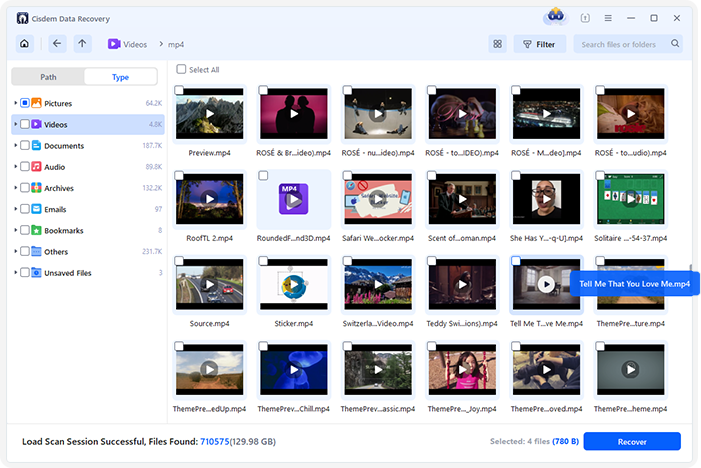
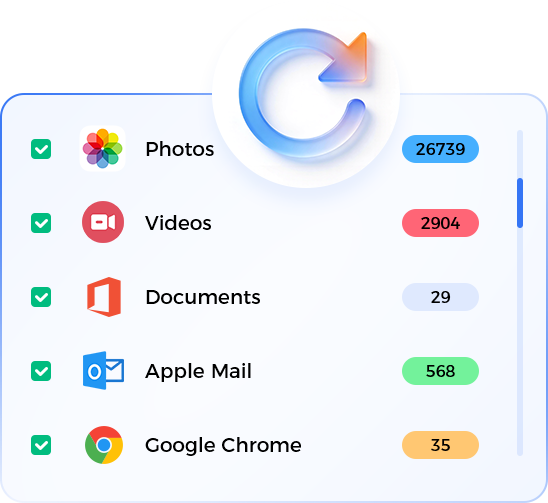
  • Over 1000 different types of files can be recovered. Cisdem Data Recovery has an extensive file type support, including photos, videos, documents, audio, archives, emails, bookmarks, almost any file format you can think of. It is a crucial solution for both individuals and businesses to recover precious information for work, life and leisure.
  • Cisdem Data Recovery specializes in photos, videos and documents. It is capable of retrieving files with original file name, file quality and data integrity.
Learn more

Fix Damaged Videos, Photos, Docs

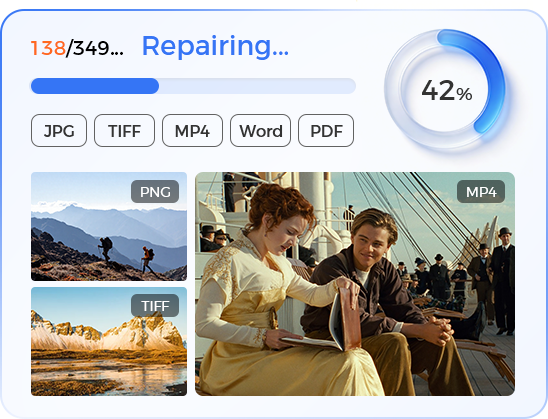
    File corruption can occur unexpectedly for various reasons, especially with file types like photos, videos and documents. Cisdem Data Recovery builds in the File Repair tool to fix your files, when detecting them unusable or inaccessible.

    It can repair a photo, a video and an office document instantly in seconds, also automatically even without enabling the File Repair tool. With this prominent feature, the recovery rate is maximized, and the recovered files are useful.

Learn more

Recover Data beyond Simple Deletion

    To tackle tricky data loss scenarios and meet your specific requirements on data recovery, Cisdem Data Recovery offers 4 additional features for advanced recovery.

  • NAS & Linux Recovery: Recover data from a remotely connected NAS server or target Linux.
  • RAID Recovery: Auto detect RAID configurations and recover data from RAID 0, RAID 1, RAID 5, RAID 6.
  • Partition Recovery: Search and restore valuable data from a lost or raw partition with ease.
  • Crashed PC Rescue: Rescue all your data from an unbootable PC with 3 steps.
Learn more

Enhance Recovery Experience with Useful Tools

    A set of useful tools are also provided in Cisdem Data Recovery to enhance its overall utility and user experience. The tools are conveniently located in the program’s clean interface.

  • Display: check information of the recoverable files or folders in Column or Icon mode.
  • Filter: quickly search by file type, modified date, file size, or advanced options.
  • Preview: view files in large size to recover data accurately.
  • Load scan session: keep records of previous scans to save time for re-scanning.

Cisdem Data Recovery for Windows Use Cases

2,000,000+ Happy Users Around the World

Serving over 2 million satisfied users worldwide, Cisdem Data Recovery for Windows is considered as an expert to recover data with the highest recovery rate. Hear what they have to say!

If you're looking to recover lost files, restore damaged data, or break free from a frustrating repair loop with your PC, this application provides elegant and effective solutions for each of these challenges. Tailored to address these common issues, it empowers you to effortlessly manage your data and rejuvenate your system, making your computing experience smoother and more reliable.

majorgeeks.com

If you seek help with regaining access to lost files, wish to repair damaged data, or you’re stuck on a repair loop with your PC, this application can address and resolve these issues in a straightforward manner.

softpedia.com

Read More Tech Reviews

Allison

My wife was cleaning up our PC several days ago, and emptied the recycle bin. Later, I realized some of my personal photos were gone. I searched in File Explorer but could not find them at all. Lastly and luckily, Cisdem Data Recovery turned my frustrating situation into a relief, it helped me recover the photos, like in approx 10 minutes.

Maynard

I am a management consultant, relying on 2 Toshiba drives to save all my presentations. Last week, I formatted the wrong drive, and the strategic review for our biggest client was also deleted. I've been working on the presentation for 2 months. But thank God, Cisdem Data Recovery came to rescue me and my data. It was simple, quick, and of course efficient.

Marcus

When my PC started acting weird, I thought it was a virus, so I just deleted lots of apps and files that I added to my PC recently. Later, I realized I had also removed some important videos. After checking online, I decided to give Cisdem Data Recovery a try. It proved to be useful, it quickly scanned my drive and got my videos back.

Read More User Reviews (5.0/5)

Clare, AU

I had a tech issue when trying to install and use their software, I emailed the company and they helped me solve the problem incredibly quickly. They replied to each email within minutes, diagnosed the issue and gave me advice on how to fix it. Software now running smoothly.

Wil Garenfeld, NL

The service was very quick and effective

Chris, US

My problem was solved extremely quickly, and communication was great!

Read More Trustpilot Reviews (4.8/5)

Frequently Asked Questions

Yes, Cisdem Data Recovery has served more than 2 million users and is proved to be safe. It keeps your personal data secure, and won’t overwrite your data even in the recovery process. But you are recommended to download Cisdem Data Recovery from the official website or other trusted sources.
When a file is deleted in Windows, the previously occupied space for this file will be marked as Available in the system. That is to say, it is not erased immediately after the deletion. Before any new data overwrites it, data recovery software like Cisdem can restore it, in just 3 process: locate > scan > recover.
If your storage device has a serious problem about physical damage, bad sector, file system corruption that lead to the data loss, then your data won’t be fully restored. Or if you continue using the storage media after data loss, your lost files will be overwritten and gone forever. So, you should stop using the drive and recover the data as soon as possible.
It depends on the file capacity of your storage drive, for data with dozens of GBs, the recovery can be done in minutes, but for data with dozens of TBs, the recovery needs to be done in hours. But you can tweak the Preferences to scan a specific type of files only on your drive, this may greatly save your time. Also, you can pause the scanning and resume next time at your convenience.
You can scan a selected device/drive, and preview the recoverable files in trial version. But you have to pay for the full version to recover the files.
Read More FAQs

User Guide

Explore detailed instructions and helpful tips.

See User Guide

What's New?

Learn about the latest updates and features.

View Version History

Recover Lost Data in 3 Steps

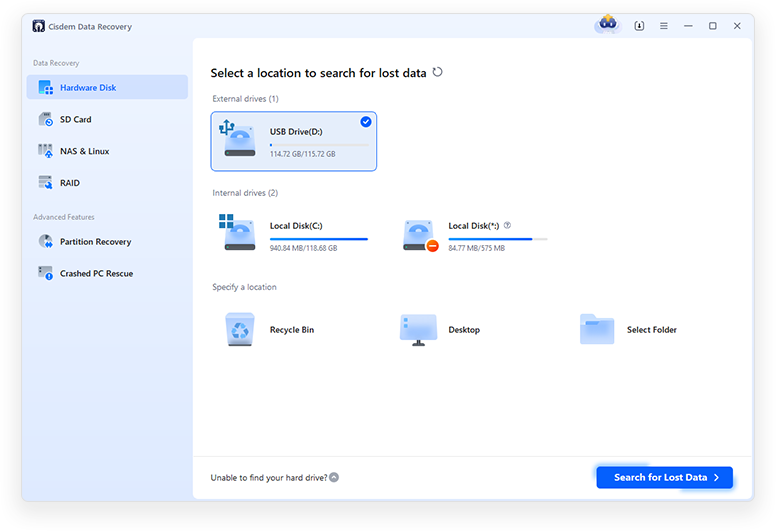
Step 1: Select a location

Select the location where your data lost.

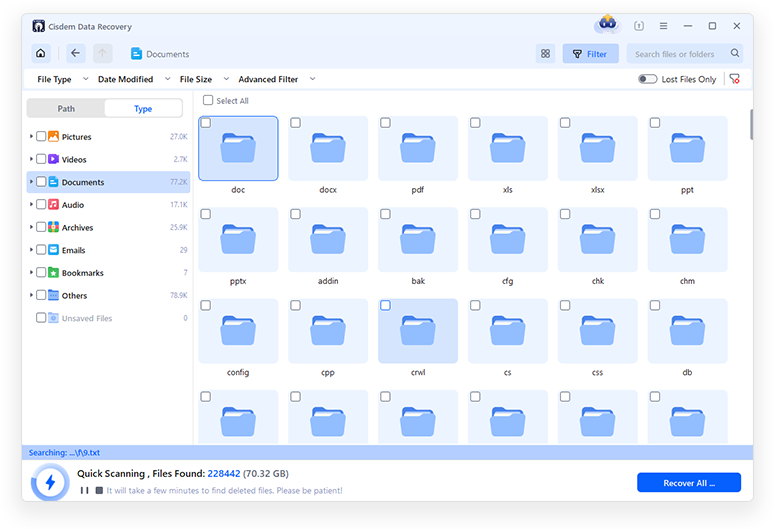
Step 2. Scan the drive to search data

Click on Search for Lost Data to start searching data on the selected drive.

Step 3. Preview and retrieve lost files

Preview files before recovery, select the files you need to get back and click Recover for retrieval.

Step 1 Step 2 Step 3