


 Cisdem Data Recovery for Windows






 Data Recovery
Best App to Recover Excel Files


I was organizing my PC desktop at the end of a long week, to free up space, I pressed Shift and Delete several untitled folders from desktop. A few hours later, the client emailed me for reviewing a plan made for his team. But I could not find the Excel file anywhere, including the auto save location and Office 365 in the cloud. It was permanently deleted! In a panic, I posted in a freelancer Facebook group, explaining my situation, and I was advised to try Cisdem Data Recovery. After checking some tech reviews, I downloaded the program and was grateful to get my plan back. - Sonya | Freelancer
Sonya, who is a freelancer, develops content strategies and creates contents that grow audience and organic traffic, for both B2B and SaaS small companies.
Challenge of recovering deleted Excel files
When you permanently delete a file on PC, the original storage space will be marked as "available", so Windows can write new data to that space. If the deleted file is overwritten by the new data, it is gone forever, and you won’t be able to recover anymore. Therefore, you should act as quickly as possible.
Even if the Excel file is recovered, it can be corrupt or incomplete for various hardware, software, file system issues. A data recovery program that can reconstruct the file container and keep data integrity is essential.
Solution: Using Cisdem Data Recovery
When Sonya realized her mistake and panicked about finding the Excel plan permanently deleted from her PC, she quickly posted her situation in Facebook group. There, she was recommended with Cisdem Data Recovery. She could find positive tech reviews about this app, so she downloaded the program, ran a scan, and successfully recovered the Excel file.
Sonya believed the recovery can be easily and successfully done in Cisdem, because she responded to the loss fast and the situation was simple. She wants to share this experience with anyone in the need.
Steps to Recover Deleted Excel Files on Windows
Step 1. Install and launch the app.
I downloaded Cisdem Data Recovery for Windows via the download link on www.cisdem.com. Then installed and launched it on my PC.
Step 2. Select the place where I lost the Excel files.
Then I went to Hardware Disk and chose Desktop, because I deleted the files from my PC Desktop.
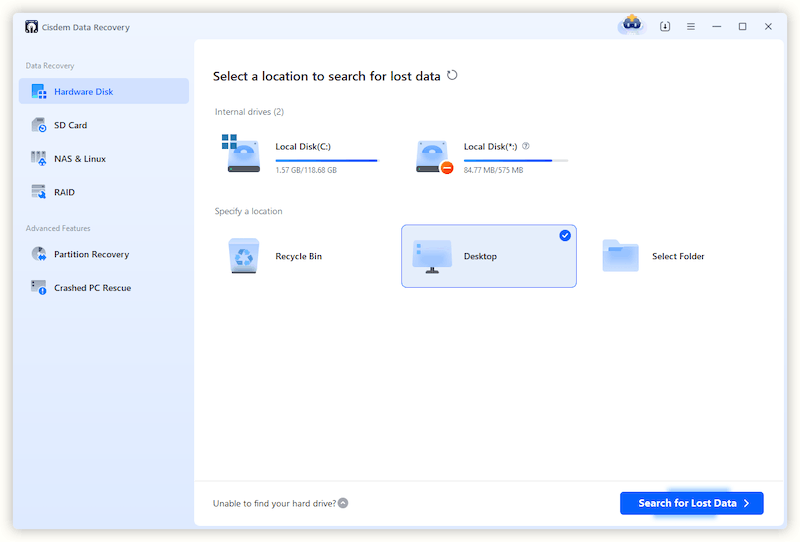
Step 3. Scan the files from Desktop.
Then I clicked Search for lost data to start the scanning. The process was quick, smooth.
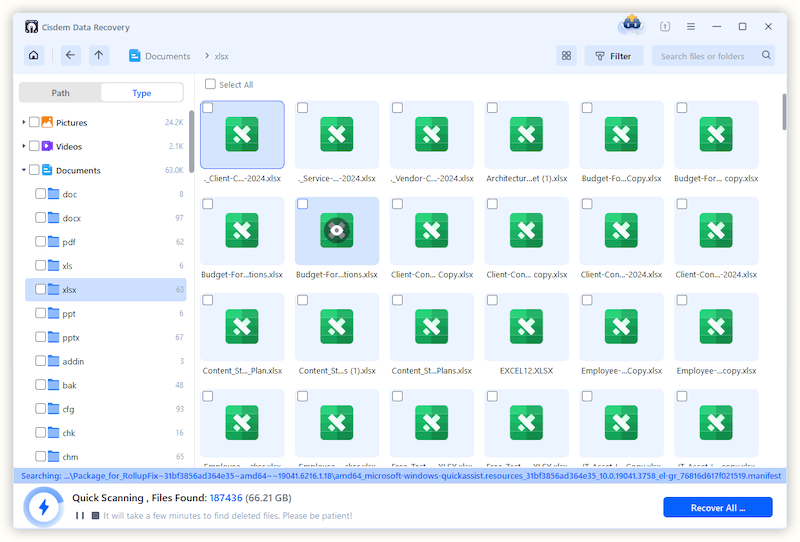
Step 4. Locate the deleted Excel plans from the recoverable file list.
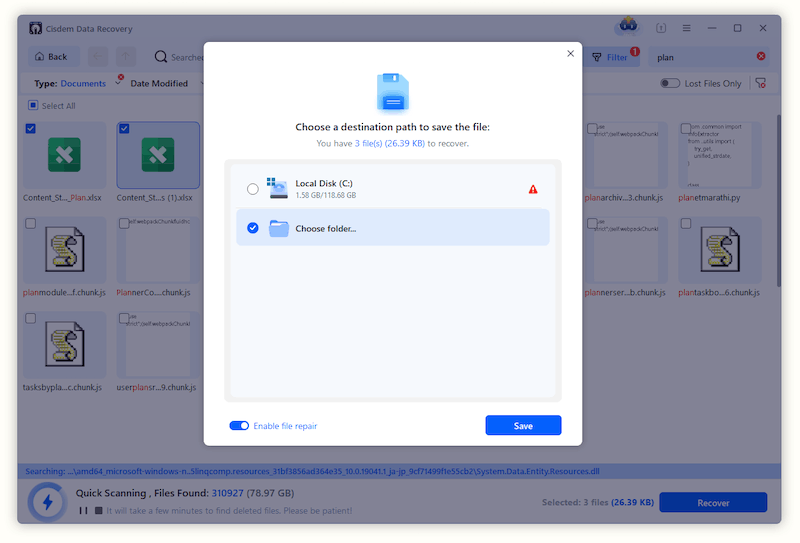
The scanning was still going, but I was able to view the files that could be recovered. I clicked on Type > Documents. But there were so many excel files, so I searched my file with keyword “plan” and chose file type as Documents as in following picture. Instantly, my deleted Excel plans showed up iin the results.
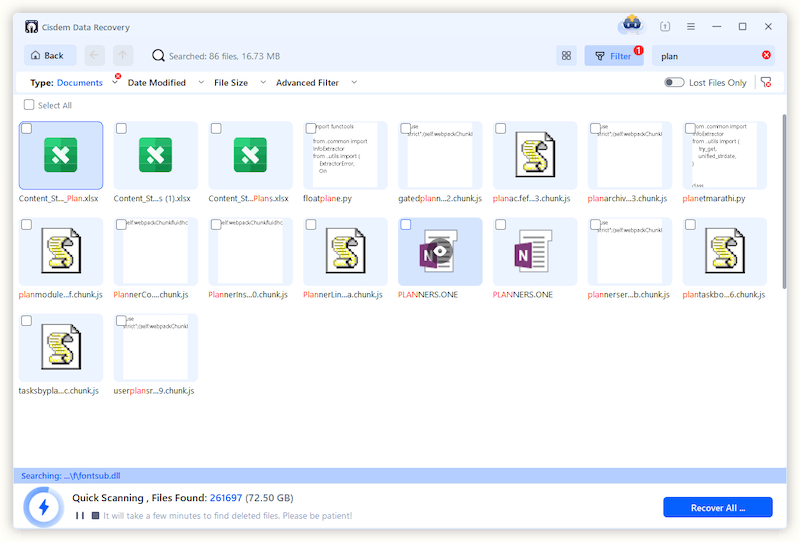
I double clicked on the thumbnails to preview the files, they were exactly what I was searching.
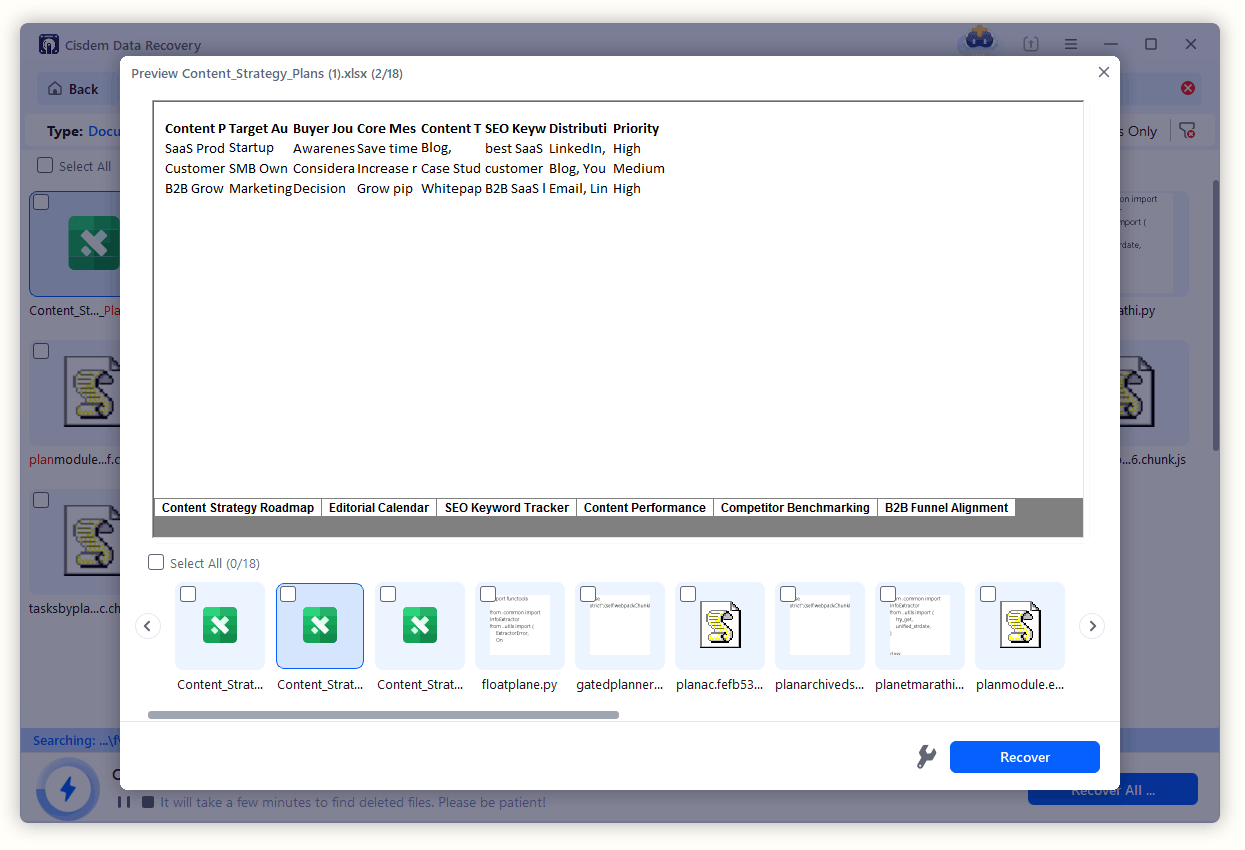
Step 5. Select Excel files to recover.
Then I selected the Excel file, clicked Recover button and saved to my Desktop again.
FAQ
It is possible, but the longer the time since file deletion, the lower the recovery rate will be, since it might be overwritten by the new data you wrote to your PC after the deletion. Therefore, when a deletion happens, you should take quick actions to recover.
Yes, Microsoft Office Excel builds in auto-save feature to save the files to a defualted location even you did not click Save button: C > Users > AppData > Local > Microsoft > Office > UnsavedFiles.And by tying open %temp% in Run dialog box, you will be able to recover a temporary Excel file from the temp folder. Even, Cisdem Data Recovery has the feature to recover unsaved files with ease.
No, it is not possible to recover an overwritten Excel file. Once you’ve deleted the files, you should stop writing to your PC and prevent data overwriting.
Loved the article, share!

