Lock Apps and Block Websites on
Your Phone

App Locker

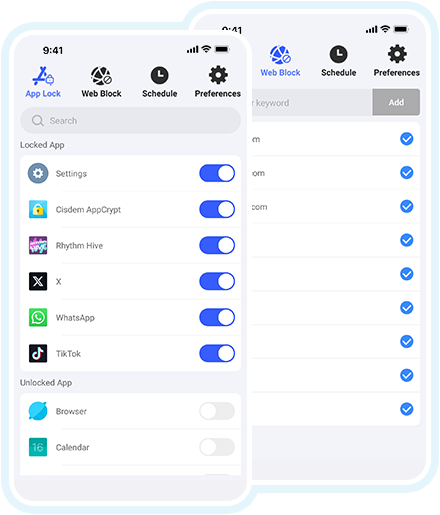
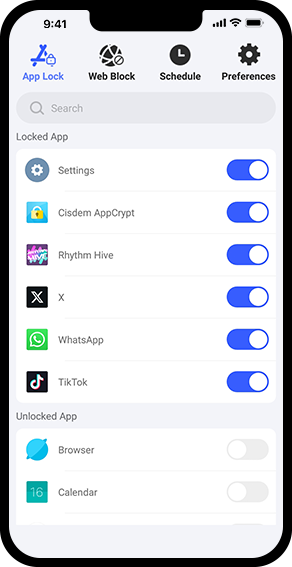
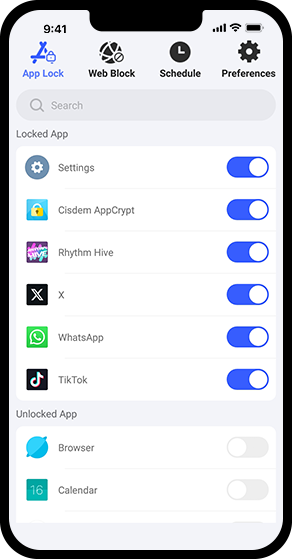
  • Lock individual apps, such as WhatsApp, Messages, Photos, and Facebook, with a password or pattern
  • Lock apps by category, such as Social or Games (iPhone only)
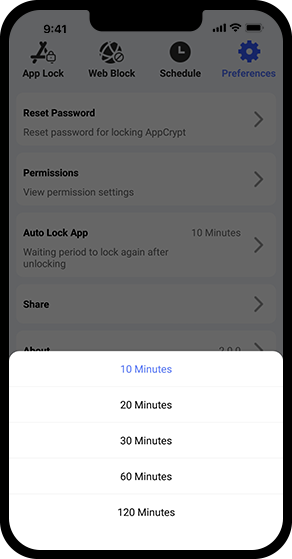
  • Automatically re-lock apps after they’ve been unlocked for the period you selected, like 10 minutes
  • Automatically lock Cisdem AppCrypt itself, protecting your app lock settings and other settings from being changed

Website Blocker

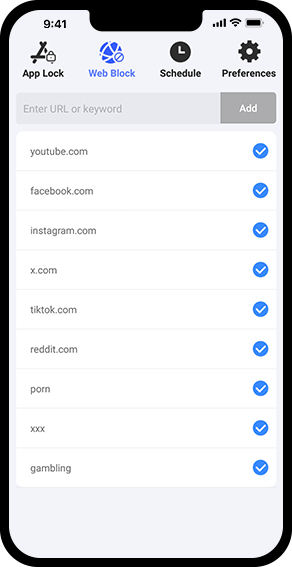
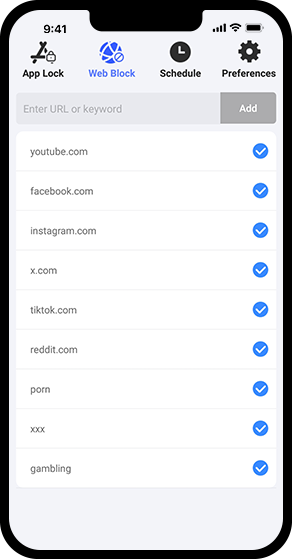
  • Block specific websites, such as youtube.com, tiktok.com, instagram.com, etc.
  • Filter URLs by keyword, such as "game", "casino", or "sexy" (Android only)
  • Block all adult sites with a single tap (iPhone only)
  • Support Chrome, Safari, Edge, Firefox, Opera, and other browsers
  • Support both normal and incognito/private browsing modes

Scheduling

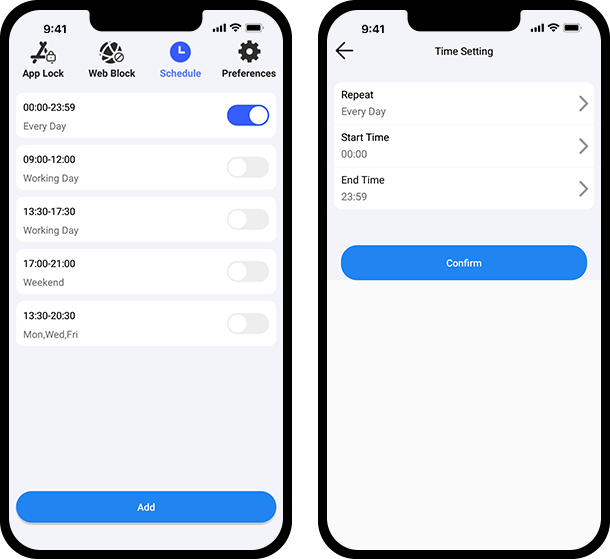
  • Schedule app locking and website blocking to be active 24/7 or only at specific times
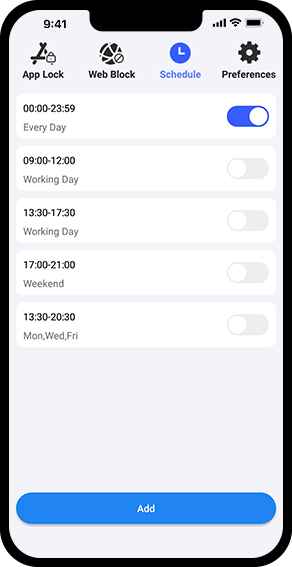
  • Set a schedule by selecting the days of the week and a start and end time
  • Add, edit, turn on/off, or delete schedules as you like

How Cisdem AppCrypt Helps

Unlock the full potential - below are some benefits of using Cisdem AppCrypt.

Protect Privacy

Secure your important apps from prying eyes.

Prevent Unauthorized Changes

Stop kids from messing with your apps, such as changing app settings.

Reduce Distractions

Limit distracting websites and apps to improve productivity.

Overcome Bad Habits

Block porn, gambling and other bad platforms to help break bad habits and build positive change.

Control Screen Time

Limit time spent on apps and websites to reduce screen time.

Step 1 Step 2 Step 3 Step 4 Step 4

3 Extra Features

There are three extra features for additional app security, which are available for iPhone and iPad only.

Prevent App Installation

Hide the App Store app to prevent unauthorized installation of new apps.

Prohibit App Uninstallation

Hide the Delete App option to prevent existing apps from being deleted by others.

Disable In-App Purchases

Turn off in-app purchases to avoid accidental or unauthorized purchases.

What Users Are Saying

Why do users love Cisdem AppCrypt? Hear their feedback.

Frequently Asked Questions

Yes, the app supports Android, iOS, and iPadOS devices.
Yes, it's completely free to use on phones and tablets. You can download it from the Google Play Store or the App Store, depending on your device.
The website blocking feature supports the following browsers:
- On Android: Chrome, Samsung Internet, Opera, Opera Mini, Opera GX, Firefox, Edge, and DuckDuckGo
- On iPhone/iPad: Safari, Chrome, Edge, Firefox, and other browsers
Yes, you can create schedules based on your needs, which apply to both app locking and websites blocking.
After installing, ask someone you trust to set the Cisdem AppCrypt password for you and then specify the apps and websites you want to restrict. Without the password, you won't be able to bypass restrictions.

A Closer Look

Discover Cisdem AppCrypt's user-friendly interface with the following screenshots.

Specify the apps that you want to lock.

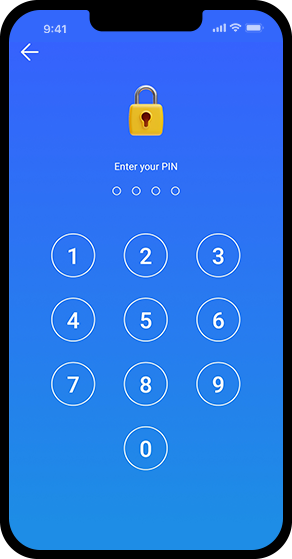
The lock screen appears when anyone tries to access an locked app.

Select the period after which apps will be automatically re-locked after being unlocked.

Specify the websites that you want to block.

Add, edit, or turn on/off schedules.