


 Cisdem AppCrypt





AppCrypt
Best Adult Content Blocker


I use Cisdem AppCrypt to help block access to adult content. My girlfriend set the password for me so that I can't bypass restrictions. - Justin | A 26 years old man
Justin is a 26 years old man who often visit adult sites.
Challenge of having easy access to adult sites
Justin has been watching porn for a few years and has become addicted to it. This addiction has negative effects on his emotions, productivity, and even his relationship, which has lasted for two years. He decides to overcome this addiction.
However, he can easily access adult sites on his iPhone and laptop at any time. The good news is that he uses Screen Time on his iPhone to restrict adult content, and a passcode set by his girlfriend prevents him from changing those settings. He knows that Microsoft has a Screen Time equivalent called Family Safety. However, Family Safety can't be effective for him. Why? Justin needs an administrator account to use the laptop properly, but Family Safety isn't available for an administrator.
Since Justin has unrestricted access to the web on his laptop, he visits adult sites whenever he feels the urge.
Solution: Use Cisdem AppCrypt to limit adult sites
Justin needs an adult site blocker that allows a friend to set the password and makes sure that only this friend can reset the password, preventing himself from getting access to blocked sites. After searching on social media and forums for such a tool, he finally found Cisdem AppCrypt. Justin contacted the customer support team to verify if this tool would meet his needs and received a positive response.
Justin is now a happy user of Cisdem AppCrypt, with his girlfriend serving as the accountability partner who sets the Cisdem AppCrypt password to prevent bypassing.
How to block access to adult sites with the help of an accountability partner
Justin shares his experience and insights with this tool, hoping to help others struggling with adult content addiction.
Step 1. Find an accountability partner
You can ask someone you trust to be the accountability partner, such as a close friend, a family member, your spouse, or your girlfriend.
Step 2. Install and purchase the tool
Download and install Cisdem AppCrypt on your computer. When you buy a license, you can leave a note requiring that only the accountability partner (who will set the password for you) can request a password reset through customer support.
Step 3. Set a Cisdem AppCrypt password
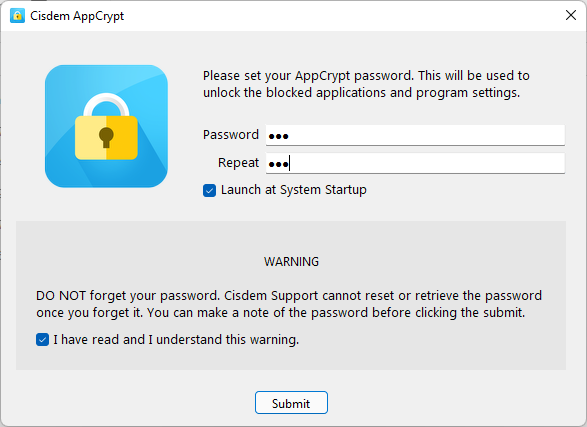
When you open the tool for the first time, ask the accountability partner to set the password.
Note from Cisdem:
Without knowing the Cisdem AppCrypt password, you are not able to disable porn blocking, quit the tool, access the tool's main window to change its settings, or do other things that bypass restrictions.
What if you reset the password? There are two ways to reset it. The first is through the main window, but this is not allowed because the main window is locked by a password. The second method is to reset it through customer support, but this is not possible due to the note left when purchasing the license.
Step 4. Access the tool's main window
Click the tool's icon on the taskbar.
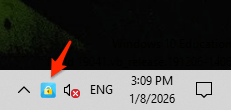
On the password entry screen that appears, have your accountability partner enter the Cisdem AppCrypt password. Now, the tool's main window will open.
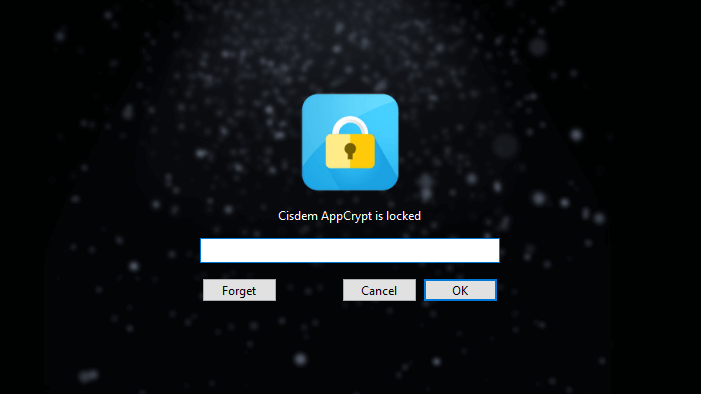
Step 5. Block all porn sites
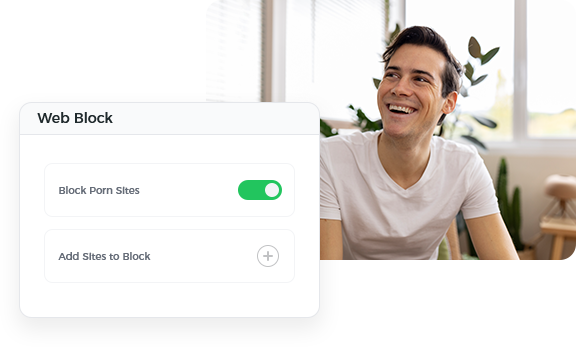
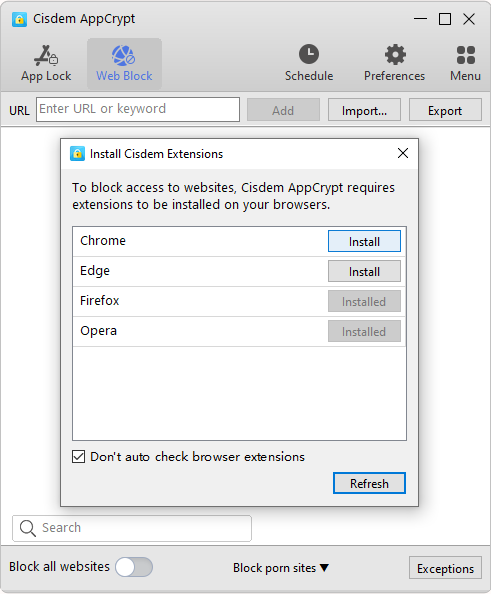
Choose the Web Block tab in the main window, and install an extension called Cisdem Web Blocker on browsers of your choice as required. (This extension is essential for the tool to implement blocking.)
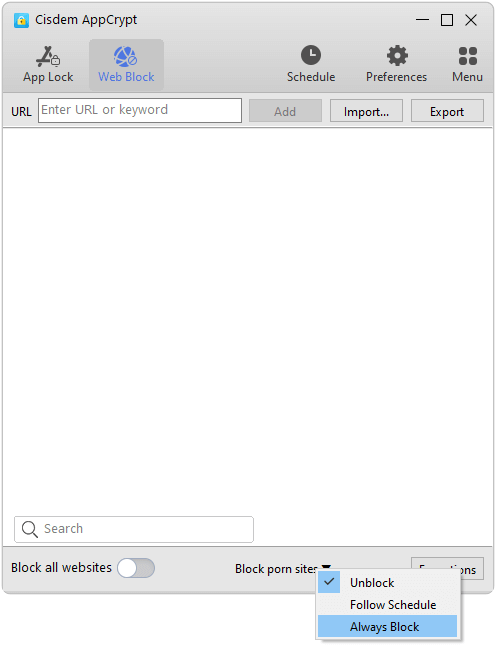
Click the Block porn sites dropdown menu at the bottom of the tab and choose Always Block. This will add almost all porn sites to the block list.
Note from Cisdem:
In addition, you can manually add specific adult sites or relevant keywords to the block list if needed. For example, adding "porn" will filter and restrict all URLs that contain this keyword.
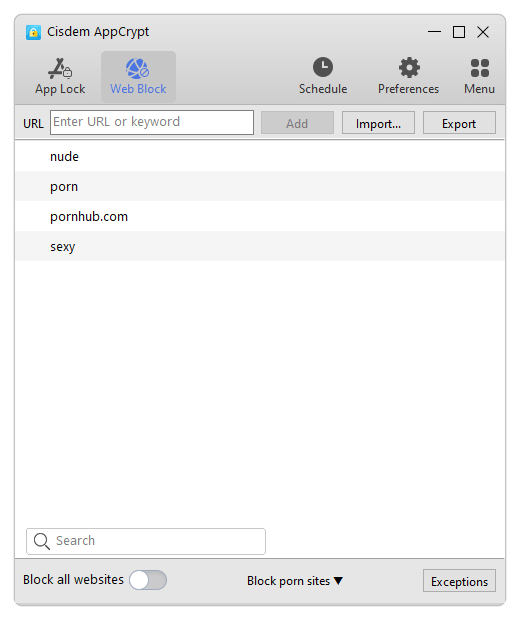
Step 6. Configure Cisdem AppCrypt's Preferences
- Go to the General section. Select the first checkbox to make sure that this tool will start running when your computer starts up. Select the next three checkboxes to make sure that you won't be able to get around blocked sites by tempering with relevant system tools.
![Preferences window]()
- Go to the Web Block section. Select the first checkbox so that the Cisdem Web Blocker extension can't be disabled or removed. Select the next two checkboxes so that you can't bypass blocking via incognito/private browsing or guest browsing.
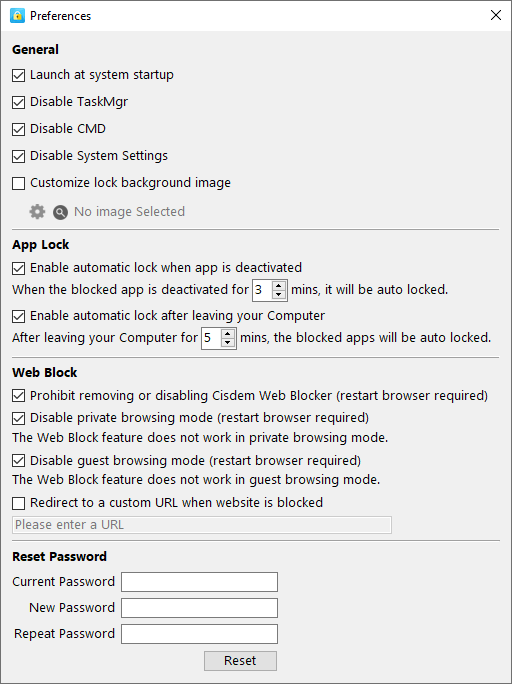
After having Cisdem AppCrypt set up properly like this on your computer, you are not able to open adult sites on any supported browsers. If you want to update or modify Cisdem AppCrypt settings in the future, just ask your accountability partner for help.
FAQ
Here's a trick that may help. Set a simple password that you can easily remember, say, 123. Set up Cisdem AppCrypt for restricting porn as desired. Then, go to Preferences > Reset Password to set a long, random new password that you won't be able to remember.
No, you can't. Website blocking implemented by Cisdem AppCrypt can't be bypassed by using a VPN.
Loved the article, share!

