





"Quick and easy solution" is a must-have
Six days to the Film Score Monthly Online deadline and two days to the first day of the fall semester. Neither deadline could be moved.
 Mac
M1~M6/T2, macOS 27 Supported
Whether the only copy lives on a portable USB drive or on a work computer, faculty at Oklahoma City University manage to recover their lost files with Cisdem Data Recovery: a 94-minute composer interview for Film Score Monthly Online and 1,240 course materials for the fall semester of Meinders School of Business.
Available for


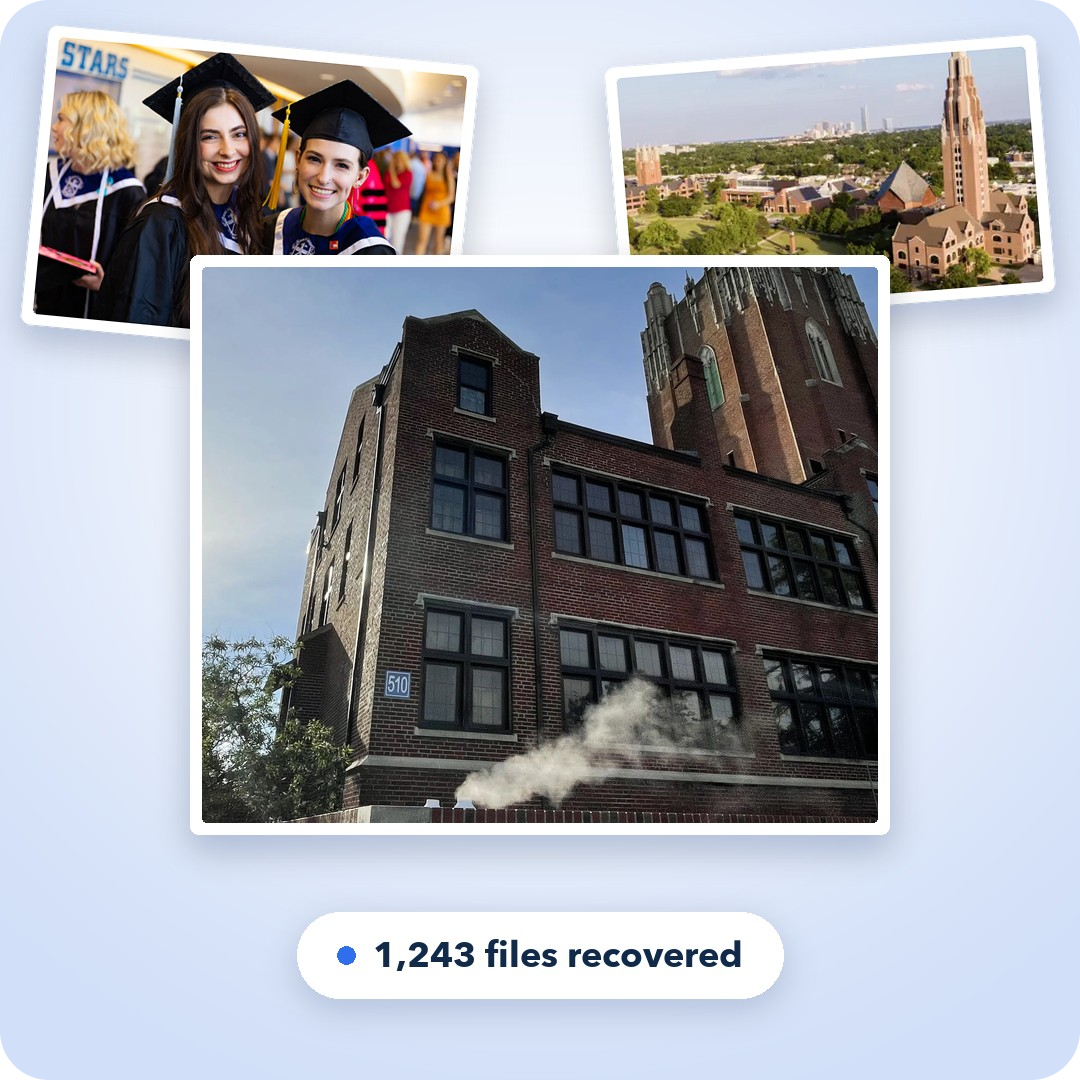

Oklahoma City University is a private, liberal arts and science university founded in 1904, with about 3,000 students studying across its 90+ undergraduate and graduate programs. There are 9 schools, including Meinders School of Business and Wanda L. Bass School of Music. It is known nationally for its education of performing arts, health care, business, science and leadership.
This story focuses on two faculty members at OKCU: Erik Heine, Professor of Music Theory at the Wanda L. Bass School of Music, and Beth Adele, Associate Professor of Management at the Meinders School of Business. They ran into different data loss situations; their files and devices differed, but both faced the same problem: the only copy had been lost from the device and they needed a quick solution.
Two devices, different file types, no second copy
Data loss at a university rarely comes in the same form. Sometimes it is personal, sometimes it belongs to a whole department. It may be a single recording, a semester of notes, teaching material, research data or administrative records. At Oklahoma City University, two such losses occurred within two months.
Erik Heine, Professor of Music Theory at the Wanda L. Bass School of Music, interviewed a composer for Film Score Monthly Online. The studio recorded the session and handed him the audio on a 64 GB USB flash drive: three WAV files, 3.2 GB. Erik transferred the files to his PC and deleted them from the USB drive. In a hurry, he unplugged the USB drive the moment the progress bar finished, right before the write cache flushed. And in the next morning when he opened the folder, there was no raw copy anywhere, the drive was the only source he had.
I had my notes, but notes are not the interview. If the WAV files were gone, I could still write something, but it would not be the piece I promised. I should have opened all 3 files and checked before deleting.

While, Beth Adele, Associate Professor of Management at Meinders School of Business, whose course folder disappeared from her Mac's internal drive after a sync conflict. The Mac started normally, the folder was simply gone, and the cloud copy was gone too. The folder had just been updated for the fall semester, which held 1000+ files, larger than 5 GB: weekly presentation slides, Excel gradebooks, Word briefs, PDF case packets, slide images, lecture videos, etc. She also checked the trash and the school's shared drive, still nothing.
Everything the class needed for the first week was in that folder. Actually, I had lost my slides once before, but found them in an email I had sent to a colleague. This time there was no such luck. I should have learned that lesson the first time.

2 different data losses with different kinds of files, and the same worries, needs. General obstacles faculty members in OKCU will face:
Six days to the Film Score Monthly Online deadline and two days to the first day of the fall semester. Neither deadline could be moved.
A 64 GB USB flash drive, a Mac's internal drive; there might be various kinds of data loss on different kinds of removable media and system drives.
Three WAV files holding a single 94-minute interview, lots of PPT presentations, Excel gradebooks, Word briefs, PDF case packets, lecture videos for different courses at different schools.
Every other avenue had already been checked. The studio had kept no raw audio, and the course folder was gone from the cloud as well. Whatever came back had to come back complete and once and for all.
Both called IT first. They confirmed the files were not in the university backup: Erik's USB drive was personal media, and Beth's course folder was local. IT walked them through the university's recovery toolkit: Cisdem Data Recovery. Erik then connected the USB drive to the PC in the IT department, which had Cisdem installed, and performed the recovery. Meanwhile, Beth installed and ran Cisdem on the Mac itself, scanned the internal drive, and recovered the deleted folder to her Mac.
My first call was to IT. Then IT pointed me to Cisdem Data Recovery, it is part of their toolkit. It was already on the help-desk computers, and they allowed me to run it on the machine. Cisdem was a choice of our IT, but also became my choice.
Erik connected the USB drive (SanDisk Ultra Dual Drive Luxe 64 GB) to the IT PC, ran Cisdem Data Recovery and it recognized the drive very quickly. The scanning went fast and all his files showed up during the quick scan. Beth selected the internal drive (512 GB Apple SSD) and started searching for lost data using Cisdem, it took longer to go through the advanced scan on her Mac, approximately 40 minutes.
I expected to wait at least a few hours, but it took less than a minute, I guess it was because my USB drive had barely been used. My 3 WAV files appeared very soon, with their original file names.
Beth went to Type tab and tried to find her files according to file type, but it was very slow to locate all the lost files one by one, by checking each subfolder in every category, until she tried the Search tool. She typed NPL5303, the course code at the front of some files in the folder, and Cisdem returned the whole course in seconds: decks, gradebooks, rubrics, case packets, etc.
The first hundred files were a miracle, the next thousand felt like a haystack. I still had to open folder after folder to find the files I actually needed. Then I used the Search tool, typed the course code, and it returned exactly the files that carried it.
Both recoveries previewed before any data was saved. Erik played each WAV from start to middle to end inside Cisdem. Beth's folder held dozens of file formats, so file preview mattered even more.
Cisdem lets users preview the scan results, and it covers every format these two folders held: audio plays, video plays, PDFs and Word documents render page by page, Excel sheets show their values, images open.
The preview is what made it safe. All three audio files played in full (31:12, 32:05, 30:43) at 24-bit / 96 kHz. I could confirm that all of them are in perfect condition before I committed to recovering anything.
Two data losses, one toolkit, full recovery.
The benefits go beyond recovered files. The interview played end to end at its original quality, all 1,240 course files opened with their original names, no one missed a beat.
The habits changed first. Erik keeps his own copy, and ejects the stick properly instead of pulling it out. The business school changed the sync rules: course folders are now kept both on the Mac and on the shared drive, the synced area is checked at the beginning of each term, and faculty are told, folder by folder, what IT backs up and what it does not.
A Swedish life-science company recovers audit-critical records without letting the drive leave the building.
Read Story
A three-person Osaka studio recovers every take after a card was formatted in the camera.
Read Story
A freelancer recovers four thousand family photos after emptying his Mac’s Trash.
Read Story
