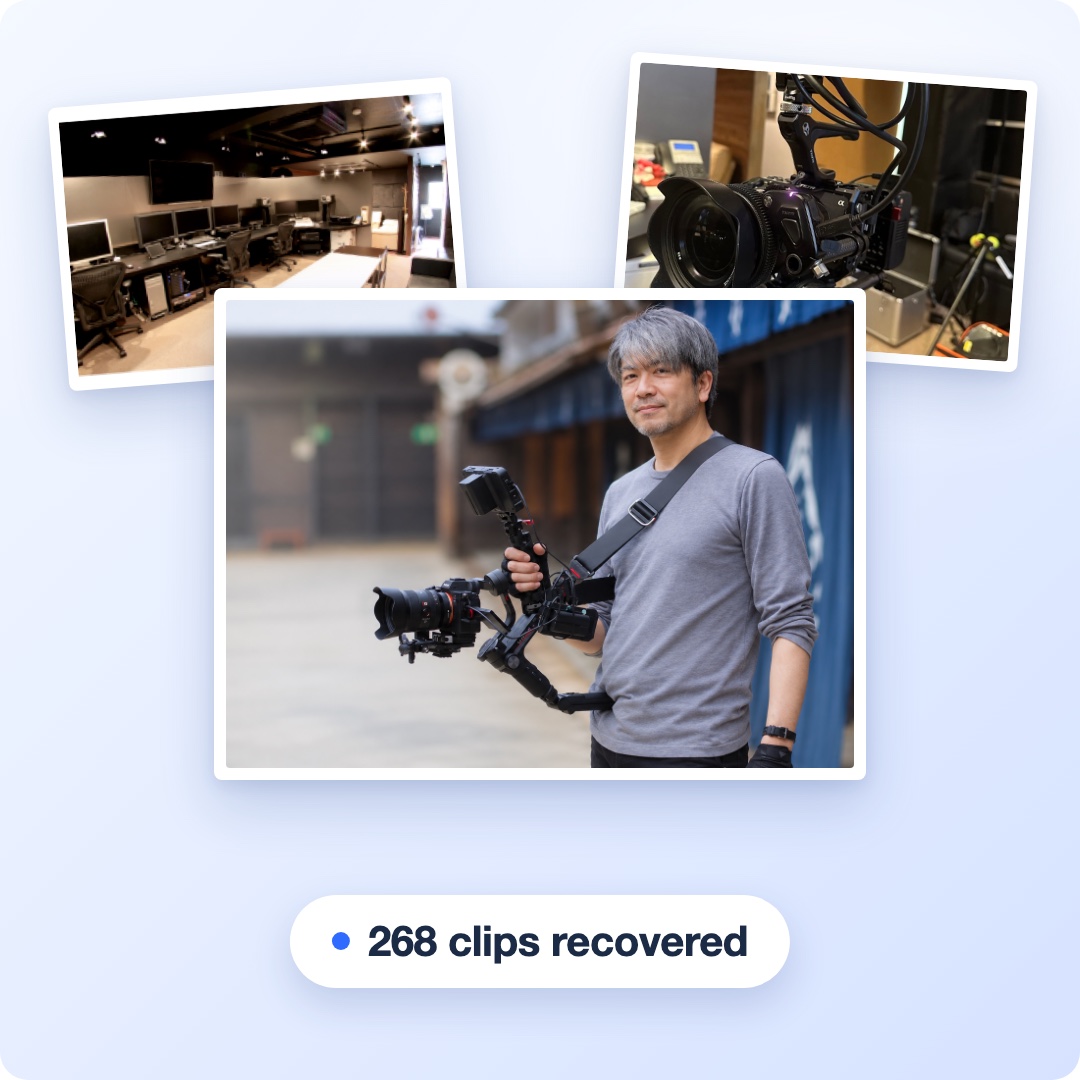
268 clips recovered and rebuilt into shooting order
232 GB raw materials recovered from formatted SD card for a full shooting day
23min to finish advanced scan of the card

Customer at a Glance

Customer
FRIM FLAP Inc.(株式会社フライムフラップ)
Industry
Visual and Sound Design
Region
Osaka, Japan
Company Size
3 employees
Features
SD Card Recovery Video Recovery Formatted SD Card Recovery

About FRIM FLAP

FRIM FLAP is a video and sound design studio in Osaka, Japan, which was founded in April 2010 by Jun Ikehara. The service ranges from TVCM, VP, AMUSEMENT, GAME to other types of event contents, for 100+ clients, including Nintendo, AEON Retail, Kobayashi Pharmaceutical and JR West. Two floors, three employees, and the same team from the first meeting to the final master.

The story focuses on the view of Jun Ikehara, representative director of FRIM FLAP. The only copy of a client’s TVCM that sat on an SD card was formatted by mistake 1 week before the on-air date. There is no IT department, but for the reason the SD card mounted normally, Jun knew the media files could be rescued with success as long as he took actions properly and quickly.

The Challenge

Every take from the whole second shooting day, erased by a single careless format

In late September 2026, the studio shot a two-day TVCM and in-store video package for a regional retail chain in Nara, on its Sony FX6 in XAVC-I 4K. Its two 256 GB V90 SD cards were the same model, bought together and unlabelled: one card per shooting day was the whole system.

Day one filled card A and was copied to the WORK drive. Day two used card B with 268 takes, a long day that wrapped until very late. Back in Osaka, one of our editors thought the card B was already out of the camera and was in the middle of being copied downstairs, so he formatted the card in the camera to get it ready for next morning’s shoot. But it was card B. On the same night, our client had also pulled the delivery deadline forward.

It is not a dramatic mistake. Everyone was doing their own job in parallel, downstairs and upstairs, trying to save time and meet the client’s deadline. Nobody expected an accident.
Jun Ikehara Jun Ikehara Representative Director, FRIM FLAP Inc.

The card B was found empty, but the card itself was fine. It mounted on the Mac, the capacity was right. All the 200+ 4K takes, including product shots, the talent lines in wide and close, the walking and handheld passes, the storage interior, the detail cut-aways, not one of them was spare footage, and not one of them could come back damaged.

We have had too many videos stop halfway through, so what mattered to us was whether all these takes would play from the first frame to the last frame, with its sound, after getting them back.
Jun Ikehara Jun Ikehara Representative Director, FRIM FLAP Inc.

2 worries dominated the night:

The card was the only copy

What was on that card was 14 hours of work by a crew of 24, and none of it had been copied anywhere. The location was gone, a re-shoot was not an option. There was no second attempt to fall back on, if it failed to read and recover, that data loss would become a permanent loss.

A recovered clip has to play in original quality

A video can be damaged easily and unnoticed, which we know this too well. A clip is recovered only when it plays from the first frame to the last frame, with original audio, length, 4K quality.

The Solution

Jun Ikehara inserted the SD card B into a UHS-II SD reader, on the 2021 Mac Pro in the edit room, the same night when the card was formatted. Cisdem Data Recovery for Mac was already installed on that machine and already open, a few minutes before the reader was connected. Jun scanned the SD card using Cisdem, followed by a quick scan, there was an advanced scan that returned all 268 lost clips from the formatted SD card.

We knew Cisdem already, we use their free video player and compressor regularly, and it occurred to me that they must have something for this as well. We compared a few products and read the reviews, installed Cisdem in a few minutes. Then some clips came up, we could see it was going to work.
Jun Ikehara Jun Ikehara Representative Director, FRIM FLAP Inc.

How Cisdem Data Recovery Helped FRIM FLAP?

01

Scan the SD card that showed up as empty

The card mounted normally after connecting to the Mac Pro with a card reader. The scanning was initialized immediately in Cisdem Data Recovery, and a lot of clips returned during the quick scan with original file name, size, date, etc. For a 256-GB SD card, Cisdem did the scanning very quickly.
There was nothing to set up in Cisdem and the scanning started straight away, it took about 23 minutes to finish the whole scanning process. When a lot of clips came back, that was the moment I thought we might get the day back.
Jun Ikehara Jun Ikehara Representative Director, FRIM FLAP Inc.
02

Check the found clips end to end

The clips began to arrive in the list, batch after batch, and in the order they have been shot, since the names were also kept as original, which made it easier to notice if there was a gap in the sequence. We sat together and opened several of the longest takes, checking the frames from end to end very carefully. Luckily, nothing was missing.

I won’t pretend we weren’t nervous, because any error would be the end of the story. But it all went smoothly, the list, file information, the clips, and the preview, everything was coming back to the right track.
Jun Ikehara Jun Ikehara Representative Director, FRIM FLAP Inc.
03

Recover all the clips to the WORK drive

All the 268 clips were selected and recovered to a new folder created on the Desktop of our 2021 Mac Pro, because the raw materials had to land somewhere it could be opened straight away for editing in the next morning. The recovery process was quick, and we spent another several minutes to copy the recovered videos to our WORK drive, as the way we often do with every job. Also, there was nothing written back to the card, when inserting back to the camera, everything was fine.

The clips were then played through a second time in QuickTime before they went into the timeline of Adobe Premiere. Cisdem gave us another great experience to get back our lost videos.
Jun Ikehara Jun Ikehara Representative Director, FRIM FLAP Inc.

The Results

A card that read empty, and a day that came back whole.

It wasn’t just data rescued from a formatted card. It was a day’s work from a crew of 24 people, it was a deadline that could be met, and it was a client who came back happy.

  • 268 perfect takes from the second day, all playing end to end, 4K at full quality
  • 232 GB data from the 256-GB V90 SD card, 97% of data stored on the card
  • 23 minutes to perform an advanced scan on the card, but with zero bytes written to the card
  • 14 hours of shooting on location, by a crew of 24
  • 2 days before deadline, the cut was approved and the CM was on air as scheduled

What's Next

FRIM FLAP Inc. changed how cards are kept and formatted. Each card now has its own labeled case. SD card formatting is always the last step of the process: only after the copy has been verified, file count and total size checked against the card; only at the studio, never on location.

Cisdem Data Recovery for Mac stays installed on both Mac Pro 2021 and any laptop during a travel.

Three people cannot afford to lose a day and cannot afford to stop for days either. Cisdem Data Recovery read the card, changed nothing, and handed back takes that play. It saved us.
Jun Ikehara Jun Ikehara Representative Director, FRIM FLAP Inc.

Related Case Studies

Explore the solutions to recover data under different scenarios.