


 Windows
Reviews
Discover what tech websites as well as users think of Cisdem Duplicate Finder. Check out their expert opinions and real-world experiences on this duplicate file finder to help you make an informed decision.
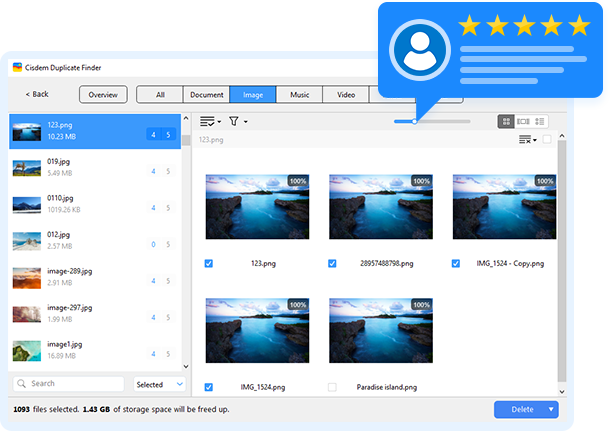
Tech Reviews of Cisdem Duplicate Finder for Windows

"Cisdem Duplicate Finder is perfectly safe for Windows because it removes only what’s useless. You can manually review and select which file copies to delete. Original files stay safe while you enjoy more disk space for the files you really need. Therefore, it’s safe to say Cisdem Duplicate Finder is well-designed and does not contain any virus/malware; thus it’s 100% safe to use."

"Cisdem DuplicateFinder offers an accurate way to find and delete all duplicate files. With this tool, you can scan both computer drives and folders located on external devices or internal drive. It scans fast and brings you a definitely accurate result, trust me, it deserves a try to get rid of all the duplicates files on your PC with Cisdem."

"Cisdem Duplicate Finder helps you find duplicate files that have identical content regardless of name, and displays them in an easy-to-understand report. The program ensures 100% accuracy, you can keep the best instance of each duplicate item and reclaim more space on your computer."

"Cisdem Duplicate Finder tool uses advanced scanning algorithms to compare files based on content, not on name, time, or size. It has an advanced and configurable scanning engine that allows you to control where and what files to be scanned."

"Cisdem Duplicate Finder for Windows is a great software and provides a very smart solution if your device is cluttered with duplicates. Also it comes feature-packed in a pleasing to use interface."

"With powfull scanning engine, Cisdem can quickly find true duplicate files with accurate duplicate detection algorithm, also the program can find and remove duplicate files in batches, save space on your hard drive and speed up your PC as much as possible!"
User Reviews of Cisdem Duplicate Finder for Windows
Rated 4,9 out of 5 (91 Reviews)
Scrivi una recensione
Valuta questo prodotto *
Nome *
Riepilogo in una riga *
Scrivi la tua recensione *

Cisdem Duplicate Finder for Windows
Clear duplicates to free up space for your new files.

Cisdem Duplicate Finder for Windows went through my messy downloads and documents folders and found gigabytes of duplicates I had no idea were there. The scan was fast and the results were clearly laid out. My PC feels lighter already.
July 28, 2026 | Benjamin Brooks
I have been using Cisdem Duplicate Finder for a few weeks now and it has made a real difference in cleaning up my hard drive. The scan was fast, the preview was clear, and removing duplicates felt safe with the built-in selection rules. I would recommend it to anyone who wants to free up disk space without the risk of deleting the wrong files.
July 22, 2026 | Michael Carter
I liked that it shows a preview before deleting and sends duplicates to the Recycle Bin rather than wiping them outright. The auto-select by oldest or newest is a smart touch. No learning curve at all.
July 19, 2026 | Charlotte Evans
I faced a deletion issue several days ago and contacted their support team. Today I received an email from Cisdem to confirm that the issue was fixed in the latest version. Great to see such a responsive support team!
July 16, 2026 | Julio
I run it on my external HDDs every couple of months. It picks up copies from old backups without choking on the file count. The interface is straightforward and the scan reports are easy to review before I commit.
July 13, 2026 | Amelia Clarke
Most duplicate finders struggle with media files but this one matched my music library and photo backups accurately. The similarity scan caught resized copies too. Saved me hours of manual sorting.
July 08, 2026 | George Harrison
Straightforward tool that does exactly what it promises. Scanned my whole system, highlighted true duplicates, and let me clean up safely. Got back more free space than I expected and the PC is noticeably snappier.
July 07, 2026 | William Hughes
We have a shared drive at work where everyone dumps files, and duplicate folders were getting out of control. Installed Cisdem Duplicate Finder and ran a scan on our file server — found over 300GB of redundant copies. The preview feature gave us confidence before deleting anything. Saved us from buying additional storage.
June 24, 2026 | Kevin
After migrating data between two old laptops and a desktop, I had copies of everything everywhere. Manually sorting was going to take days. Cisdem Duplicate Finder handled it in one scan — grouped duplicates logically and let me choose which to keep. The smart auto-select kept the newest version each time. Genuinely useful software.
June 21, 2026 | Nathan
I don't need a dozen features I'll never use. This tool finds duplicates, shows you exactly what they are, and lets you remove them safely. Scanned a 2TB external drive in under 15 minutes. The interface is clean and the whole process is straightforward. Exactly what I was looking for.
June 15, 2026 | Priya
Altro