


Duplicate Cleaner Pro Review: Is It Worth It?
 2.1K
2.1K
 0
0


Duplicate files can waste storage space and cause disorganization, and you may have many of them on your computer. Luckily, there are apps dedicated to managing duplicate files on computers, such as Duplicate Cleaner Pro (which is designed for Windows.)
As the name suggests, Duplicate Cleaner Pro is not a free app. Is the app worth the price tag of $54.95? What features does it offer? Is it easy to use? Read this review to find out.
 Cisdem Duplicate Finder
Duplicate Cleaner Pro Not Suitable for You? Try This
- Identify duplicate photos, videos, documents, audio files, and all other files
- Identify duplicate folders as well
- Detect similar images with AI-powered similarity detection engine
- Work with Windows PC, Mac, external storage devices, and cloud drives
- Find duplicate files in folders, iTunes, Apple's Music, and Mac's Photos
- Offer 3 view modes, with side-by-side images previews
- Automatically select all but one file for deletion in each set of duplicates, enabling you to remove all duplicates at once
- Allow you to adjust selections manually or choose from 10 rules (e.g., Select Newest)
- Customizable enough, letting you take control
- Easy to use for everyone


Duplicate Cleaner Pro review
Verdict
Duplicate Cleaner Pro is a duplicate file finder and remover app developed by DigitalVolcano Software. It’s designed to work on Windows computers and isn’t compatible with other operating systems. The app may be worth investing for tech-savvy users who'd like to explore and make use of its features. However, those who are less familiar with technology might find it not very easy to use and may prefer a more user-friendly alternative.
Pros
- Support different file types, such as images, videos, and audio
- Identify duplicate files and certain similar ones
- Offer multiple modes for viewing duplicates
- Provide a sophisticated, powerful tool for selecting duplicates to eliminate
- Feature-rich with a lot of customization options
Cons
- Overwhelming interface
- May be challenging for those who are not tech-savvy
- Not straightforward enough when adding or excluding folders before a scan
- A bit pricy
Is Duplicate Cleaner Pro safe?
I downloaded the app from its official site and installed it. My antivirus software was quiet during and after the installation, which means that app is safe. The app can be downloaded on various websites, but I recommend the official website or Microsoft Store.
Deleted duplicate files will go to the Recycle Bin, and the app requires that you confirm the deletion before the deletion happens. This helps prevent accidental deletions and makes it easy to restore files when needed, helping prevent date loss.
Pricing
Duplicate Cleaner Pro is a paid app. Like many apps, Duplicate Cleaner Pro offers a free trial, which lasts for 7 days. Here's the pricing information.
| Type | Cost |
|---|---|
| Lifetime license for individual users | $54.95 |
| Site license for businesses or organizations | $329 |
| Enterprise license | Unrevealed |
Download and installation
You can download Duplicate Cleaner Pro's installer from its official website or install it from the Microsoft Store. The installation process is simple and quick.
Features and usability
Like other duplicate file finders, Duplicate Cleaner Pro has two main functionalities: finding duplicate files and helping you remove them. Let’s take a look at its features one by one.
Identify duplicate files
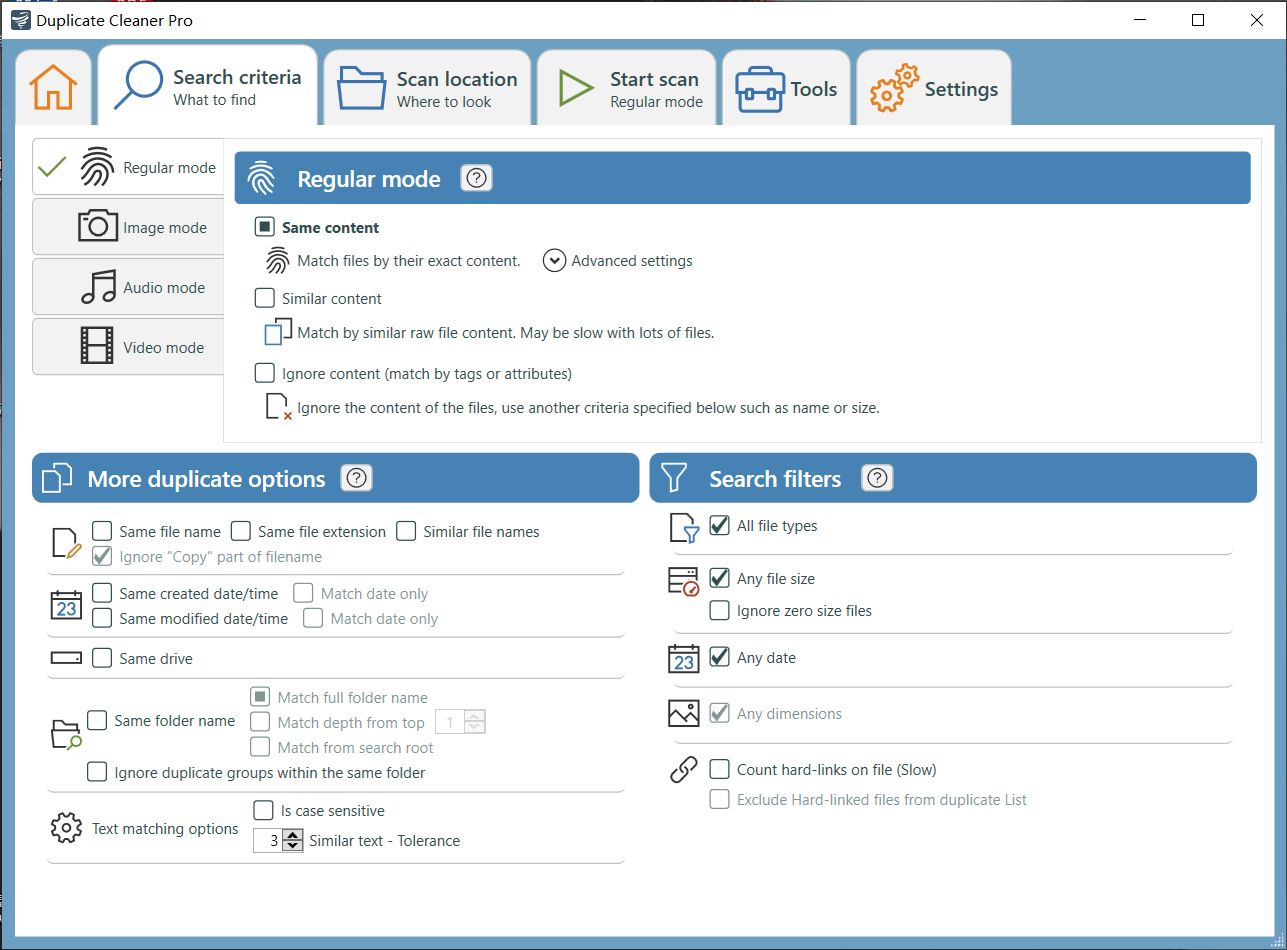
There are four modes: Regular, Image, Audio, and Video. The Regular mode detects duplicates of various file types, and the three other modes are dedicated to specific types of files.
- Regular mode: This mode supports various file types, such as photos, videos, and documents. There are basic and additional options to help you customize duplicate detection. To only handle files that are exactly identical, sticking with the default settings may be the best.
![Duplicate Cleaner Pro interface showing the Regular mode settings]()
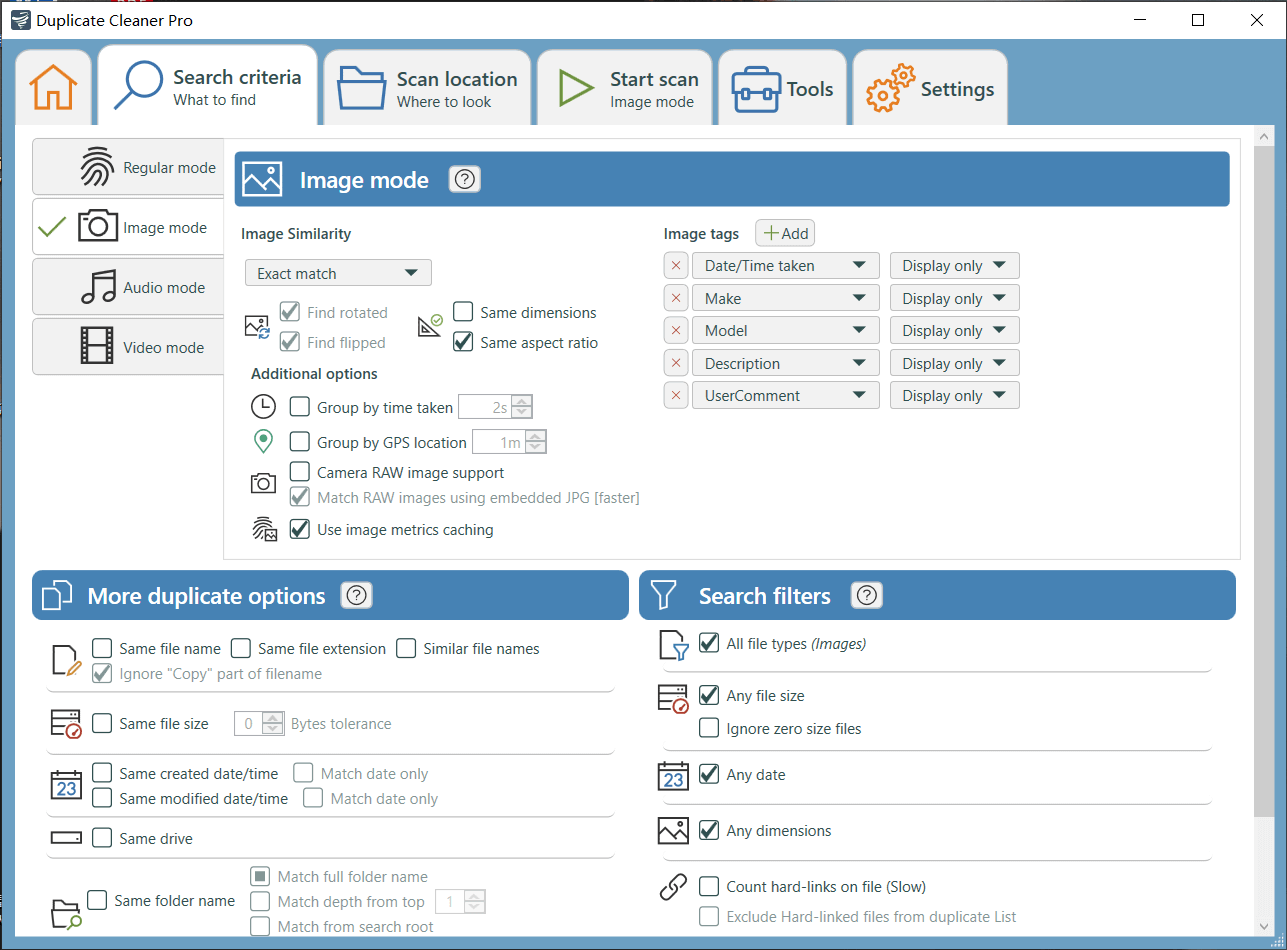
- Image mode: Professionals like photographers or tech-savvy users may find this mode helpful. Its powerfulness lies in the ability to detect similar photos. While the image comparison method is not revealed, the options available show that this mode can handle various similarity levels, from very close to loosely similar. You can also set it to include or ignore rotated or flipped versions of the same photo.
![Duplicate Cleaner Pro interface showing the Image mode settings]()
- Audio mode: This mode can be particularly helpful in finding songs that are not exactly the same, such as different versions of the same song. There are two comparison methods: by content or by file attributes and tags. You may need to experiment with the different methods and settings to get the best results.
- Video mode: This mode is dedicated to comparing video files, helping you find duplicates and videos that are not exactly identical. As with the previous two modes, you might want to try different options and settings.
Review duplicate files
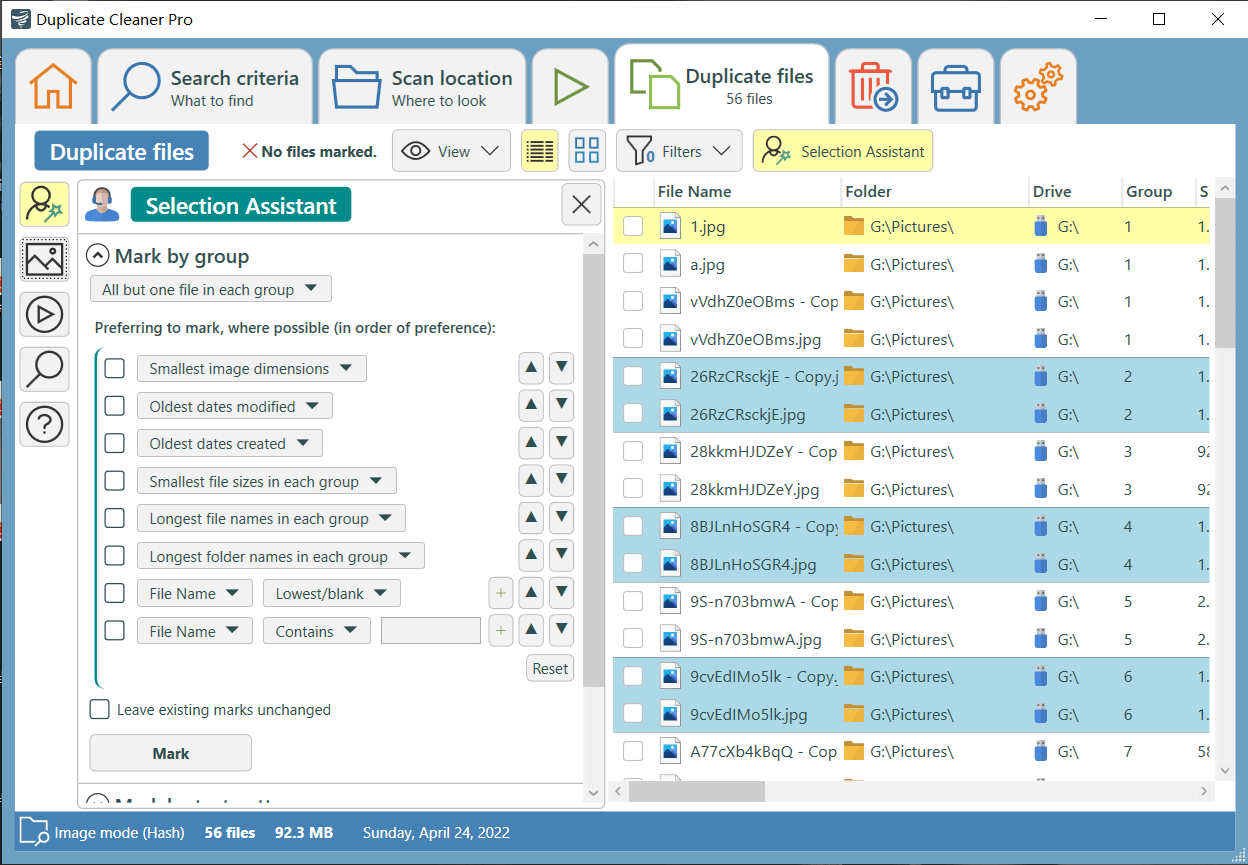
Once the identification is complete, the results tab will display duplicates for you to view. The tab is informative but could be overwhelming. There are two view modes and an additional mode for images. When viewing duplicate photos, I personally prefer the thumbnail mode. That being said, the dedicated mode is still helpful.
Remove duplicates
Duplicate Cleaner Pro provides a Selection Assistant tool to help users select duplicates for deletion. The tool is option-rich and flexible. Straightforward option names make it easy to understand how they work. That being said, some options can be confusing. Note that options like Smallest image dimensions are for similar files only. Once you are sure that unwanted files are selected, you can perform the deletion.
Tutorial: How to use Duplicate Cleaner Pro
Here are the basic steps for using this app.
Step 1. Download and install the app. Open it.
Step 2. In the Search criteria tab, choose a desired mode and then customize settings based on your needs.
Step 3. In the left sidebar of the Scan location tab, choose the folder where you want to search for duplicates and click the right arrow icon to add it. If you want to exclude a subfolder, add it and change its status to Excluded.
Step 4. Click Start scan.
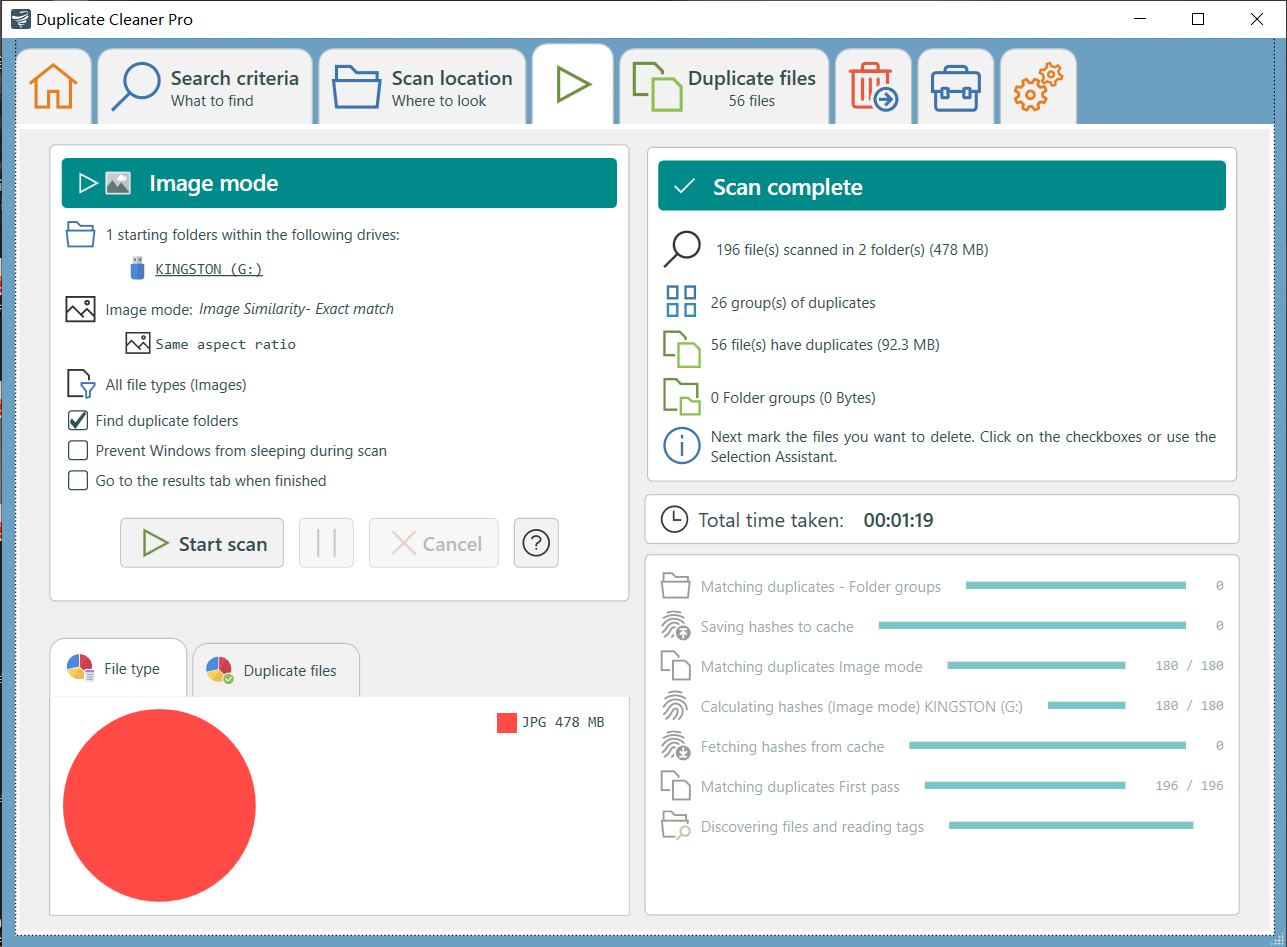
Step 5. Once the scan is complete, select unwanted duplicates for removal manually or using the Selection Assistant tool.
Step 6. Click the Remove icon.
Looking for a more cost-effective alternative to Duplicate Cleaner Pro?
If you are interested in Duplicate Cleaner Pro but find it a bit expensive, or if you are a Mac user, you can check out Cisdem Duplicate Finder, which serves as a good alternative.
Cisdem Duplicate Finder ($19.99/year, or $39.99/lifetime) is easy to use for everyone and provides enough customization options.
 Free Download Windows 10 or later
  Free Download macOS 10.11 or later
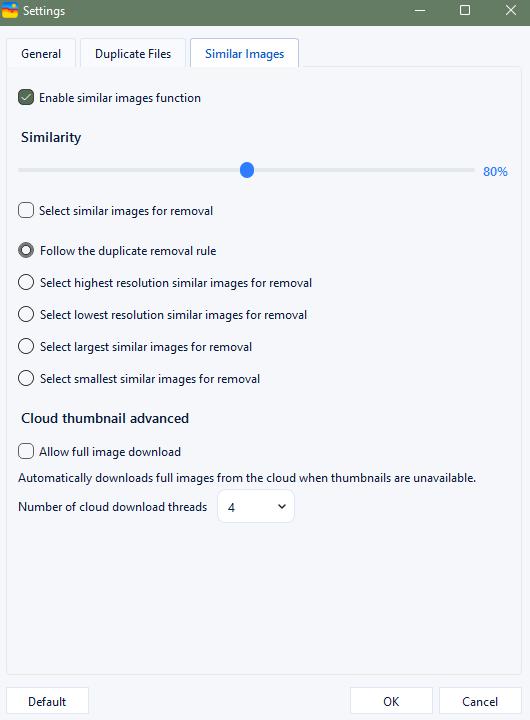
This alternative identifies all types of duplicates that Duplicate Cleaner Pro can find, including duplicate RAW images. Its similar image detection use AI-powered similarity detection engine to find visually similar photos and allows you to adjust the similarity level.
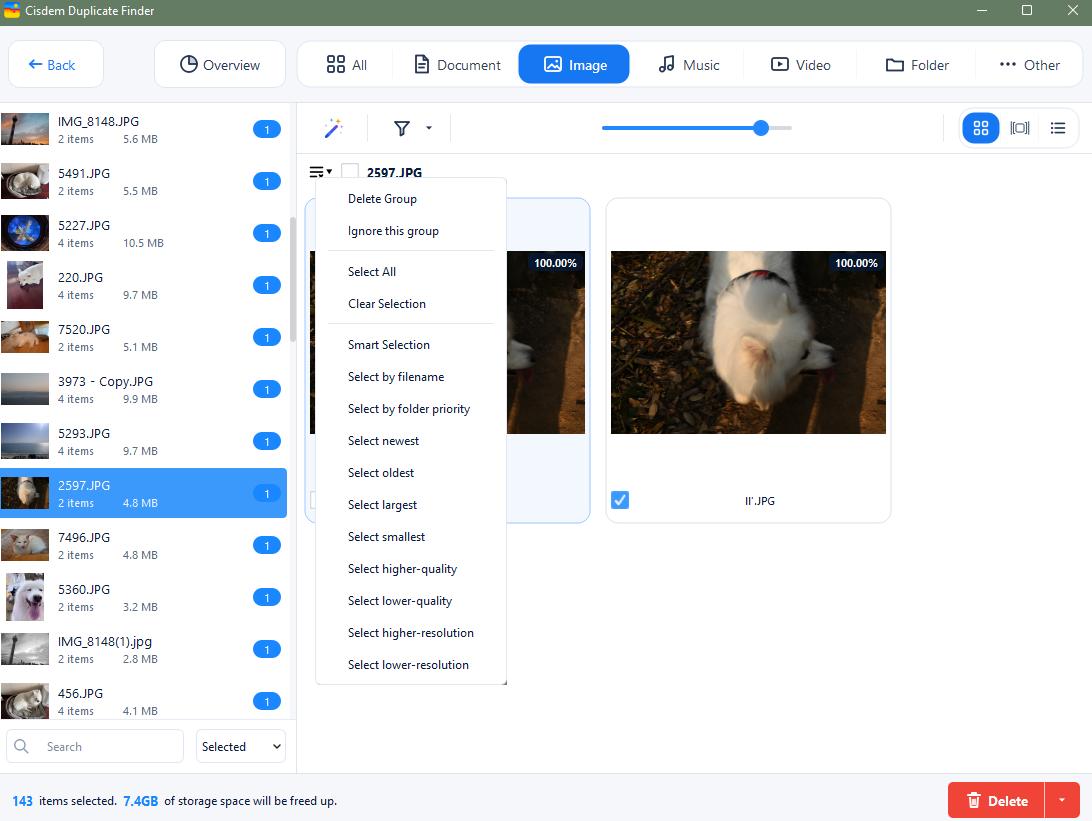
Its results window displays duplicate files in an organized and easy-to-view way. It provides three view modes, along with side-by-side image previews. You can also search and sort the results as needed.
Like Duplicate Cleaner Pro, the alternative also has a helpful selection feature. It automatically selects all but one file for deletion in each set of duplicates while providing up to 8 rules to apply to your chosen sets. Deleted duplicates are moved to the Recycle Bin (Windows) or Trash (Mac). This way, you can remove unwanted duplicates quickly and reliably. There’s an additional option to move them to a specific folder.

With a passion for tech and writing, Sarah joined Cisdem, where she focuses on creating articles about using utility tools to enhance file management and simplify contact management.

Adrian Li is Cisdem’s Chief Engineer and serves as the editorial advisor for Duplicate Finder and ContactsMate. His work and insights have been featured in leading tech publications such as Fossbytes, TUAW, Redmond Pie, SafetyDetectives, and BestForAndroid.