


Duplicate Media Finder Review: Deduplicate Your Media Files
 467
467
 0
0




Duplicate Finder
Duplicate Media Finder alternative: more affordable, yet powerful


We often take photos and videos to capture precious moments and download our favorite songs and movies to easy access. As we store more media files on our computers, duplicate files can accumulate. That's why we need an effective tool to help us find and manage duplicate media files.
Duplicate Media Finder is designed to find and delete duplicate and similar media files on Windows computers. Is it the right tool for you? How do you use it properly?. Find out the answers in this review.
Duplicate Media Finder review
What is Duplicate Media Finder?
Developed by KDO-RG, Duplicate Media Finder (DMF) is a Windows app that can help users easily identify and remove identical and similar media files.
Basic information
- Compatibility: Windows 10 or later
- Latest version: v12.005, released in November 2025
- Size: 79 MB
- Price: $47.95, with free updates for one year
- Free trial: Available
- Download: From the official website or Microsoft Store
Pros
- Support three media file types: images, videos, and audio
- Identify duplicate files
- Detect similar files
- Work with Windows PC, external storage devices (connected to your PC), and cloud drives (files synced to your PC first)
- Help you bulk select duplicates for quick removal
- Offer many customization options
Cons
- A bit expensive, considering it supports three file types only
- Lack a modern, intuitive user interface
Summary
Duplicate Media Finder is a good tool to help you clean up duplicate copies and redundant versions in your media files. Whether you are a professional photographer, video producer, or just average users with large and messy media collections, you can use Duplicate Media Finder to declutter and organize your media files.
However, you may want to consider a different option if:
- You are a Mac user.
- You want to remove duplicate files in addition to duplicate media files.
- You prefer a very user-friendly solution.
- You need a tool that can work with cloud drives directly instead of having to sync files first.
Features of Duplicate Media Finder
Duplicate Media Finder has many advanced features that let you clean up duplicates and organize your media files efficiently.
Search for identical files and similar media
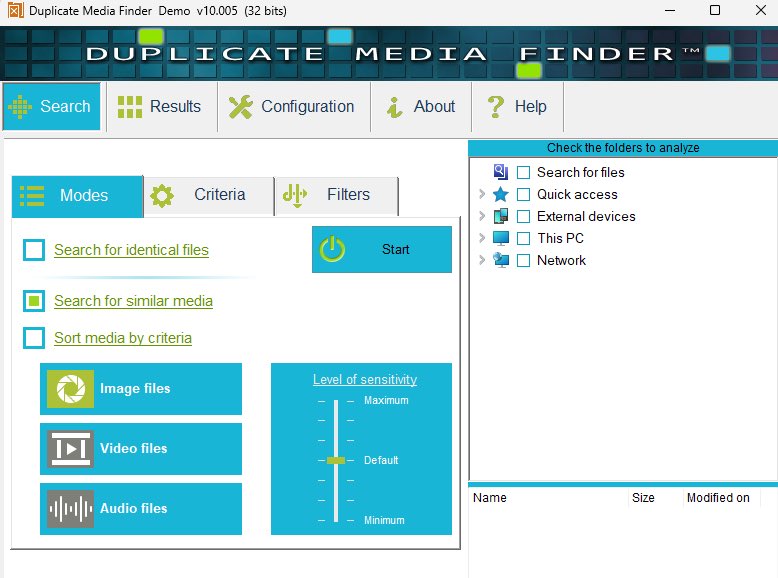
Duplicate Media Finder can quickly searches for identical files on your computer. Before searching, you can set different search filters according to your needs. For example, search for files within a specified file date, files in a specific file size range, and files in a specified folder, etc. It also finds media files with high similarity, like those media files in different colors, resolutions. Choose the Search for similar media mode from the main window. And then you can set the level of sensitivity from Minimum to Maximum. It supports a variety of media file types, including common image formats (JPEG, PNG, GIF, etc.), audio files (MP3, WAV, OGG, etc.) and video files (MP4, AVI, MKV, etc.).
Visually compare files side by side
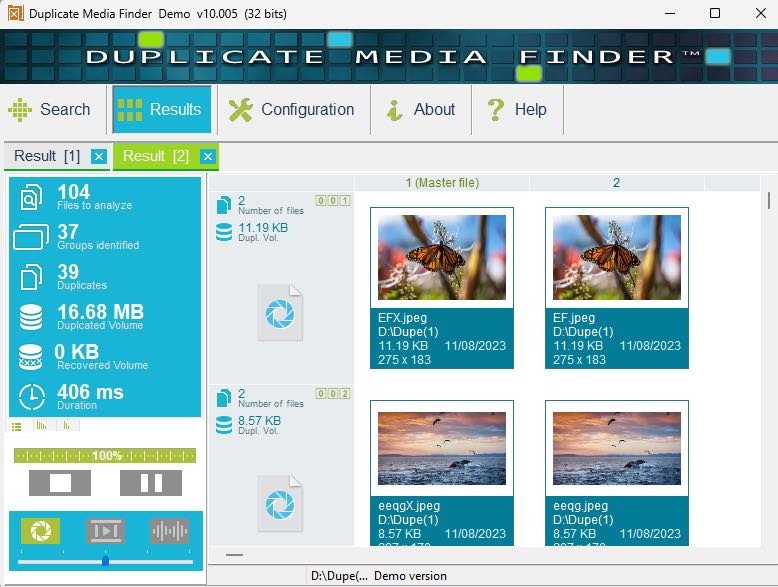
This duplicate media file finder allows you to compare duplicate files side by side. It lets you clearly see the differences between files, including the differences in file content and details. This helps you choose wisely which files to keep or delete. For example, if you have multiple versions of a photo, you can use visual comparison to determine which version is clearest and keep the one you like best. After searching, you are able to sort the search results to view only images, videos or audios.
Automatic selection and manual selection
Duplicate Media Finder provides two selection methods. The automatic selection feature helps automatically select files for remover based on your preferences and specified criteria. For example, you can choose to keep the highest quality image and then automatically delete other copies. And the manual selection feature gives you full control to manually select files to keep or delete.
Organize your media library
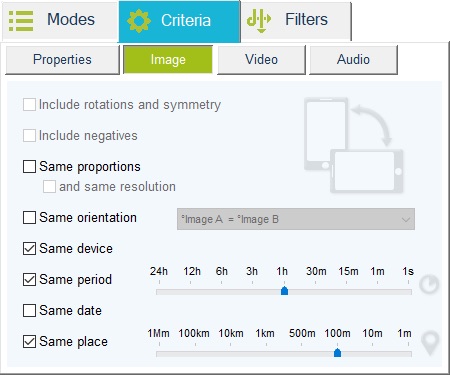
You may often take a lot of photos when on vocations. Sometimes they are almost the same, and just need to keep the best one. Duplicate Media Finder helps you retrieve photos taken in the same area (e.g. 1m, 100m, etc.) or the same time period (e.g. 1 minute, 15 minutes, etc.). This makes it easier for you to organize your media library and delete the duplicates.
Also identify duplicates on the cloud, smartphones
Duplicate Media Finder is not limited to finding duplicates on computer. It is also able to scan files on cloud storage (such as Google Drive, Dropbox, etc.) as well as on smartphones connected to computer. But when searching for duplicate files from a cloud drive, you first need to download the cloud files or sync them with your computer. In fact, some web-based cloud duplicate finders are more convenient than Duplicate Media Finder in this function.
Tutorial: How to find duplicate media files on Windows using Duplicate Media Finder
To clean up duplicate media files on computer using Duplicate Media Finder:
Step 1. Download and install this tool on your PC.
Step 2. Select a desired search mode: Search for identical files, Search for similar media, or Sort media by criteria.
Step 3. Optionally, customize settings.
- Search for identical files mode: To accurately identify duplicate files, choose Criteria > File content, make sure the Same content box is checked, and ignore the Properties settings.
- Search for similar media: Customize the settings for the file type(s) you are dealing with: Image, Video, and/or Audio. For example, you can find similar songs based on title, artist, and duration.
Step 4. Check the folders or drives to scan in the right pane. (Alternatively, you can using drag and drop to specify folders.)
Step 5. Click the Start button.
Step 6. Then you are able to view the search results. The found duplicates will be displayed in groups.
Step 7. Right-click the result window to open the duplicate management menu and let Duplicate Media Finder automatically select duplicates for remover. Or you select duplicates manually by clicking on thumbnails.
Step 8. Press the Delete key.
A Duplicate Media Finder alternative for Windows and Mac
Cisdem Duplicate Finder is an AI-powered and easy-to-use duplicate media file finder for Windows and Mac users. It can help you easily and quickly find duplicate images, videos, audios, documents, archives, and more on computer, and also identifies similar images. After multiple comparisons including features, UI, pricing, etc., Cisdem Duplicate Finder is considered the best Duplicate Media Finder alternative app.
- Latest version: 4.5.1, released on November 13, 2025
- Size: 25.1 MB
- Compatibility: Windows 10 or later; macOS 10.11 or later
- Price: $19.99 for one-year subscription; $39.99 for one-time purchase
Below are how to find duplicate files on computer using this Duplicate Media Finder alternative app:
Step 1. Download and install Cisdem Duplicate Finder on your computer.
 Free Download Windows 10 or later
  Free Download macOS 10.11 or later
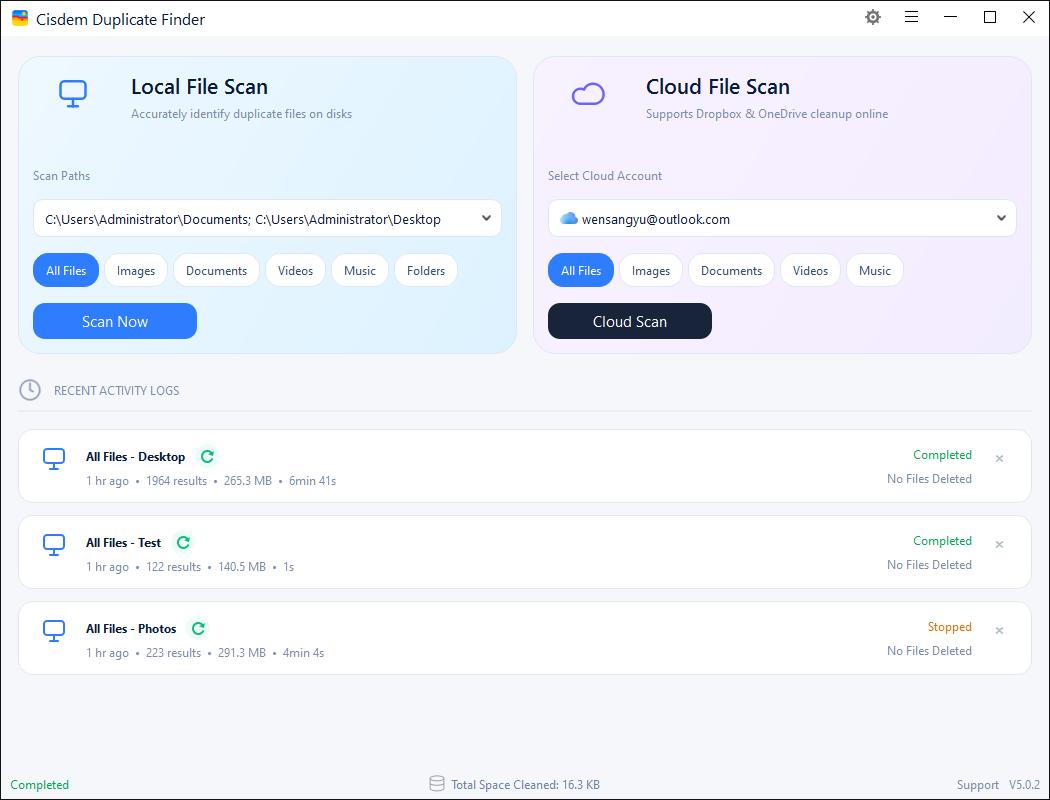
Step 2. Launch it. Under Local File Scan, add your media library or other folders/drives that you want to scan for duplicates. Click Scan Now.
Step 3. Then you can view the search results. The preview window of this Duplicate Media Finder alternative is clearer and more intuitive. It sorts all the found duplicates by file type. For example, you can view the duplicate photos under the Images tab. To zoom in or out on photos, you can use the slider at the top of the window.
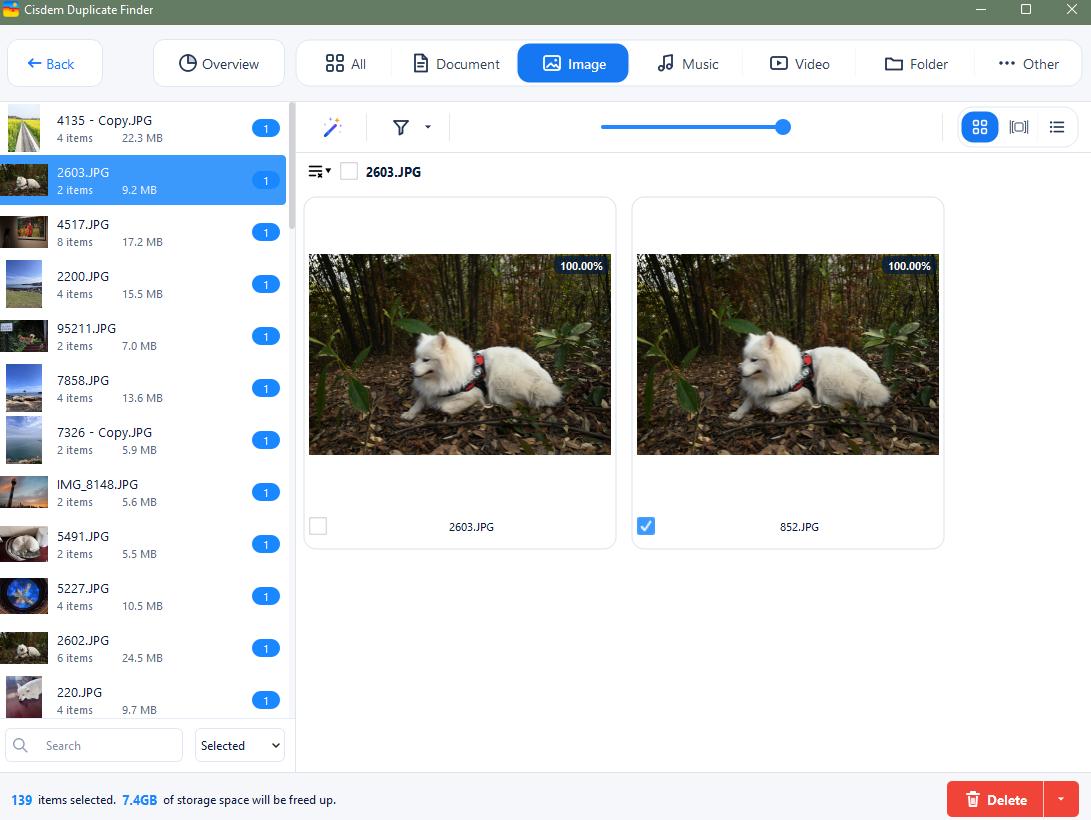
You can also change the Preview mode in the upper right corner of the window to view file details such as file size, path, resolution, etc.
Step 4. This tool automatically selects duplicates for you to remove after scanning. If you a re not satisfied with the selection, you can use the auto selection rules in the upper left corner to help you select in bulk. Or manually select unwanted media files to delete after comparison.
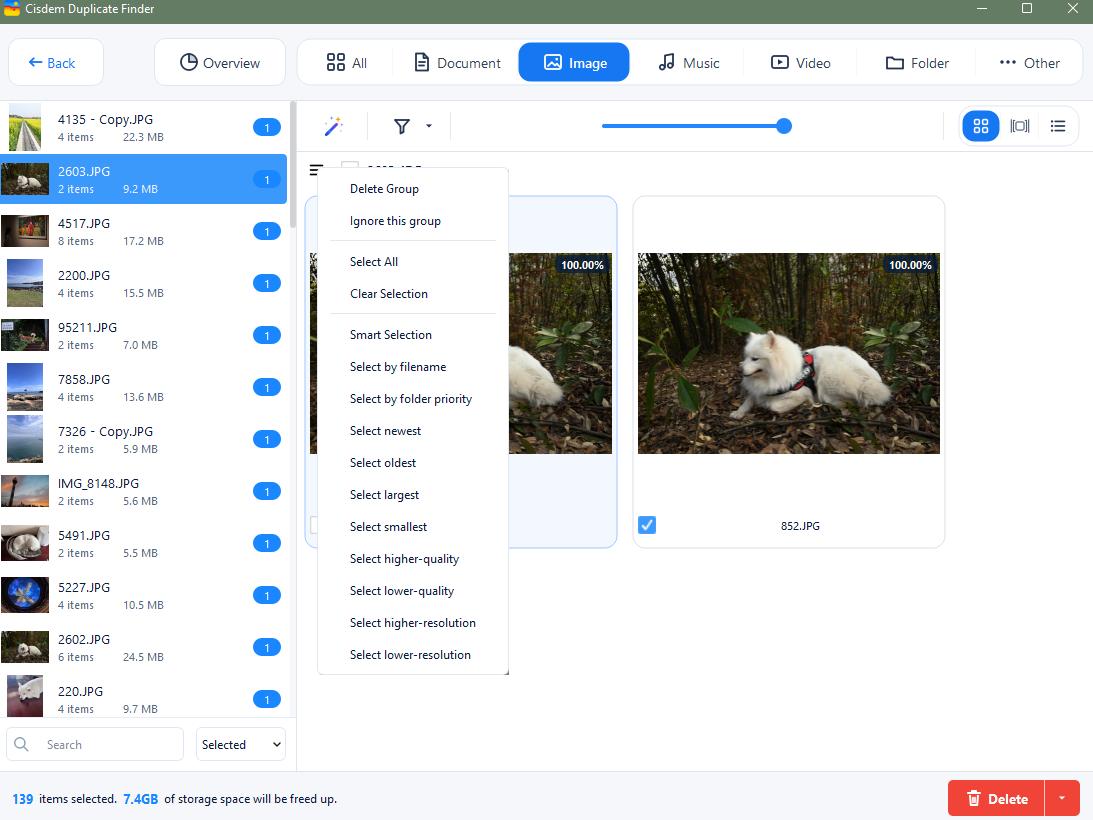
Step 5. Click the Delete button.
Conclusion
To organize your media files, the most important thing is to clean up unnecessary duplicates. If you have a large number of files on your computer, a reliable duplicate media finder can help you identify all duplicates automatically. Duplicate Media Finder is an application designed to remove duplicate media files (images, videos, audios) on PC. This Duplicate Media Finder review discusses its main features, tutorial, shortcomings, and more. I also introduced its alternative app, which does an equally good job of cleaning duplicate media files. Hope it helps.

With a passion for tech and writing, Sarah joined Cisdem, where she focuses on creating articles about using utility tools to enhance file management and simplify contact management.

Adrian Li is Cisdem’s Chief Engineer and serves as the editorial advisor for Duplicate Finder and ContactsMate. His work and insights have been featured in leading tech publications such as Fossbytes, TUAW, Redmond Pie, SafetyDetectives, and BestForAndroid.