


What Is The Best AI Assistant Drive Recovery Software in 2026?
 109
109
 0
0


Thanks to AI assistant, we have enhanced a lot regarding real-world productivity workflows. While, recovering data from a storage drive that is deleted, formatted, corrupted or inaccessible, is still a big challenge for most of us, you may be wondering if there is any AI assistant drive recovery software or solution available to automate file recovery process.
Here in this guide, we will explain what does a genuine AI assistant drive recovery tool look like? Is AI assistant drive recovery solution available? And how to perform drive recovery in the smartest way.
 Cisdem Data Recovery for Windows or Mac
The Smartest Drive Recovery Software 2026
- Auto detect internal and external hard drives instantly
- Highly compatible on SSD, HDD, USB, SD Card, etc.
- Support various hard drives in different file formats, and brands
- Restore 1000+ file types: videos, photos, docs, audio, emails, archives, bookmarks, etc.
- Recover unsaved files in Word, Excel, PowerPoint, Keynote, Pages, Numbers, etc.
- Repair damaged videos, photos, docs
- Smartly search and filter files for quick location
- Show full directories on a selected hard drive
- Preview files before recovery
- Save drive scanning records
 Free Download Windows 11/10/8/7
  Free Download macOS 10.15 or later
What Is AI Assistant Drive Recovery?
AI assistant drive recovery is the process that uses artificial intelligence to recover lost data from a hard drive, by answering questions, performing tasks and automating workflows. It builds in an AI assistant like ChatGPT, Claude, Gemini, Notion, Adobe, you enter prompts, and it respond or execute.
It works like OpenClaw to actually takes actions on your device on your behalf. Instead of manually selecting a scan mode, picking a file system, or running the recovery steps, an AI assistant drive recovery tool can automatically and smartly diagnose drive problems, suggest appropriate actions, give conversational instructions, filter files intelligently, recover data to a safe place, etc.There is no need to understand the technical terms or logic behind drive recovery, and the recovery process or guidance is well personalized.
Is There Any Genuine AI Assistant Drive Recovery?
No, there isn’t.
We should be extremely clear that all of the proclaimed AI-powered data recovery software on the market is not an AI assistant drive recovery program.
As you look closer, there is no AI assistant featuring in those tools, they use AI only when:
- Scan specific types of file to ignore complete scan
- Categorize files into different types
- Filter files by keywords, size, date, etc.
- Add a chatbot icon navigating users to user guide, FAQ, contact page, etc.
However, the recovery process still requires manual configurations and operations, the core scanning and recovering engine still rely on traditional data recovery algorithms, it is not an AI drive recovery process.
Here take RecoveryFox AI as an example to explain why it is not a genuine AI assistant drive recovery tool:
- There is no AI assistant built in the app to answer questions, offer guidance or execute a task;
- The chatbox icon just navigates users to different web pages from RecoveryFox AI
- From selecting a drive to scan, to save recovered files to a location, the whole process requires manual operations
- It just highlight this AI feature to differentiate itself from others as it is a competitive market, and caters to users’ desire for an AI tool in a digital solution.
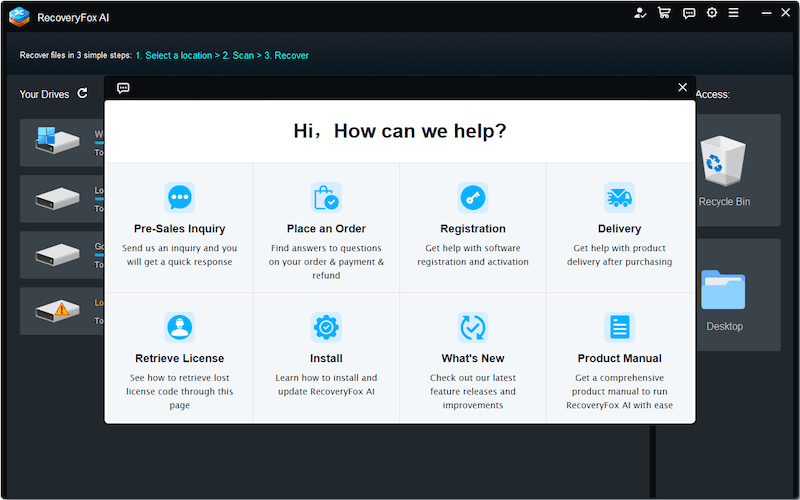
And keep reading, you will find out why AI assistant drive recovery tool is unavailable at this moment.
Why AI Assistant Drive Recovery Is Not Available Yet?
Be it a conversational AI chatbots, or an autonomous AI agent, current AI assistant still operates in a sandboxed environment (often in an isolated, cloud-based environment), rather than interacting with your drives, which requires a secure and low or high-level access to your drives.
Put it shortly, it is mainly due to security issues. A drive recovery process involves direct and deep access to the device, file system, disk sector and so on, inappropriate access or control over the device bring high risks of further data loss, information leaks and so on. While AI assistant often requires a deep, even full integration with the OS, storage device to execute a drive recovery task.
This is just the reason why AI assistant drive recovery is not available both online and offline. All of the current data recovery programs still use traditional algorithm, engine, workflow to get the job done.
The Smartest Drive Recovery Software in 2026
But it doesn’t mean there is no smart drive recovery program that works as efficiently as an AI assistant in other programs.
Cisdem Data Recovery is the best one that balances smartness, efficiently, ease of use and affordability. It is designed for both Windows and macOS users to recover deleted, formatted, corrupted or other lost data from various storage devices, including internal disk, external hard drives, USB, SD Card, iCloud, Linux, NAS, RAID, crashed PC and so on, also with an excellent support of 1000+ file types.
Smart features in Cisdem Data Recovery
- Auto detect internal and external hard drive with errors
It can detect an internal and external hard drive very quickly with disk information showing up, even the drive is problematic. It scans a drive in read-only mode, and won’t write data or cause any further data to the hard drive.
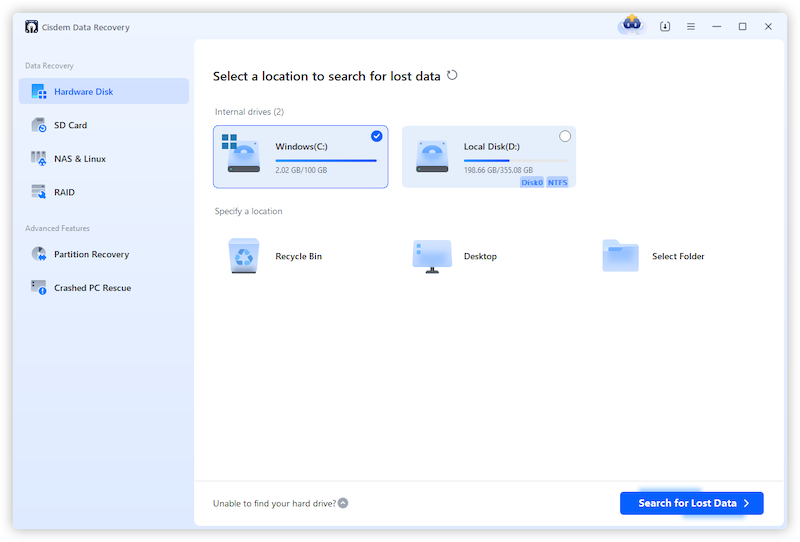
- Use Quick Scan and Advanced Scan to find the most files
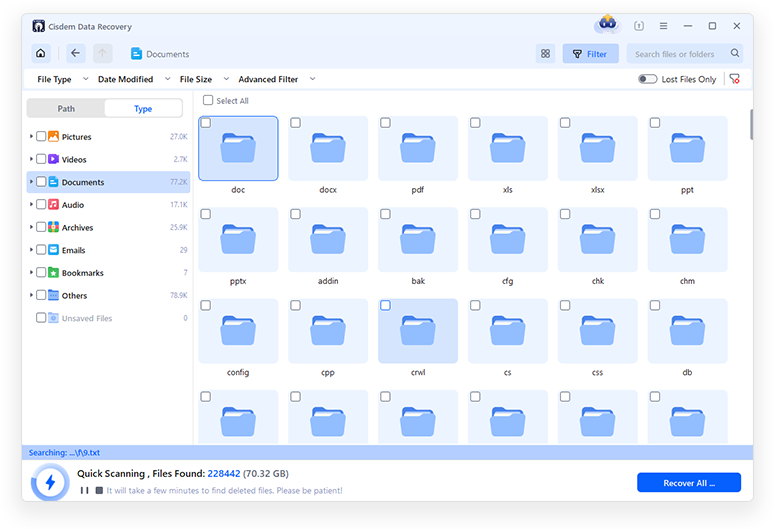
Once you click through Search for Lost Data, it will initiate a quick scan to find files within a very short time (from seconds to 2 minutes), and users will be able to search lost files quickly from the scanning results. Meanwhile, right after the quick scan, an advanced scan will automatically follow up to find files as many as possible, until a complete scan is done, this is very useful and efficient when you cannot locate a lost file from the scanning results after a quick scan.
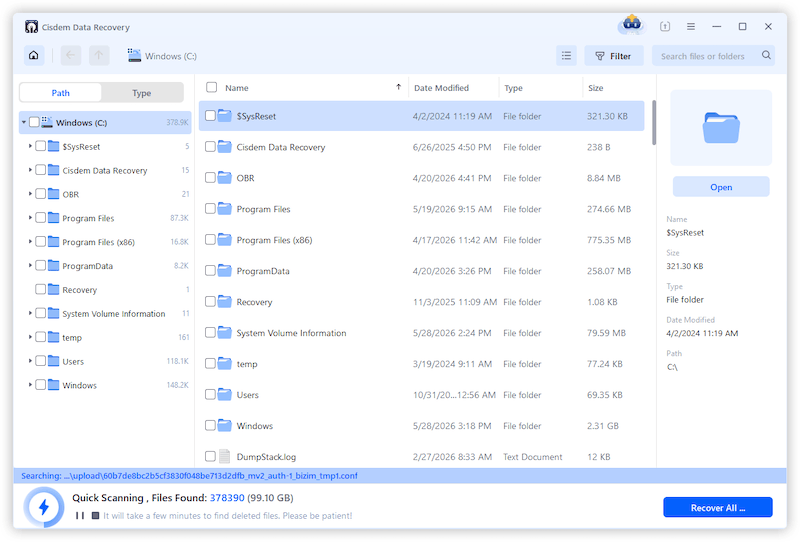
- Auto save scanning logs
A scan, especially an advanced scan often takes a long time, from minutes to hours according the drive capacity, Cisdem Data Recovery will auto save the scanning sessions. So, next time, you want to recover some other files from the same drive, you just need to load the scanning log and speed up the recovery process.
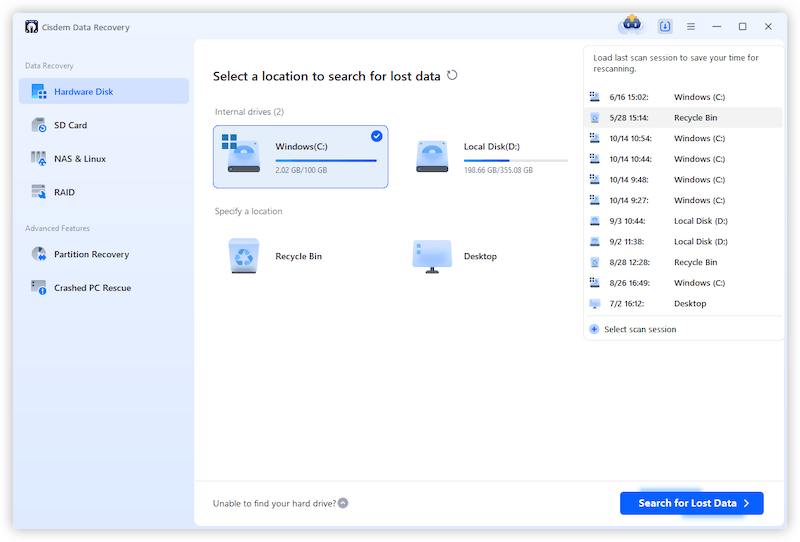
- Categorize files according to file path or type
Cisdem Data Recovery will display recoverable files in 2 ways, via file path or via file type. It renders files in original file path, so users can quickly locate a file according to known file directory, also it accurately classifies files according to file extensions and put files in the same type in a sub folder.

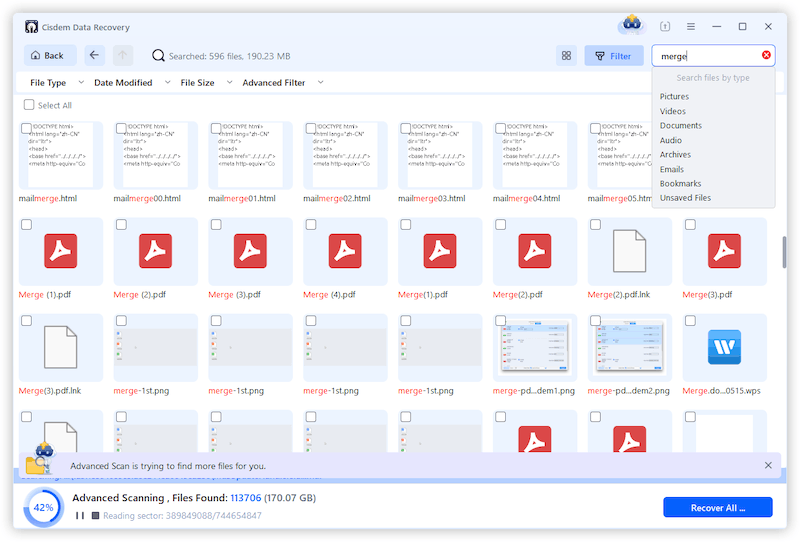
- Allow search and filter files smartly
To locate a file from tremendous data is a challenge, but Cisdem Data Recovery makes it simple by allowing users to search file by keywords, or filters files by modified date, file size, type.
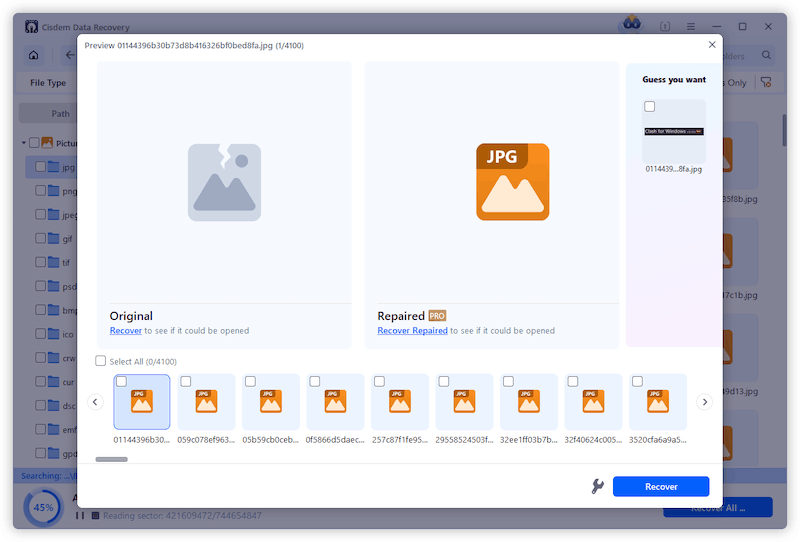
- Auto repair photos, docs and videos
It is common that files recovered from a corrupted drive might fail to open, Cisdem can auto detect a corrupted photo, document or a video, and effortlessly repair the file while previewing it, which save your time, money and extra efforts to fix the damaged files in another repair tool.
- Suggest saving recovered files to a safe location
When selecting a place to save the recovered files, Cisdem Data Recovery will suggest a safe disk or place, which prevents users from overwriting the data they might want to recover later.

- Provide 5-star customer support
Though there is no AI assistant built in Cisdem Data Recovery to answer questions and automate the drive recovery process, Cisdem Official is excellent at providing 5-star customer support, it replies in time, troubleshoot efficiently, and keeps its promise to provide life updates and support.

How to Perform Drive Recovery with Cisdem Data Recovery?
- Download and install Cisdem Data Recovery on your device.
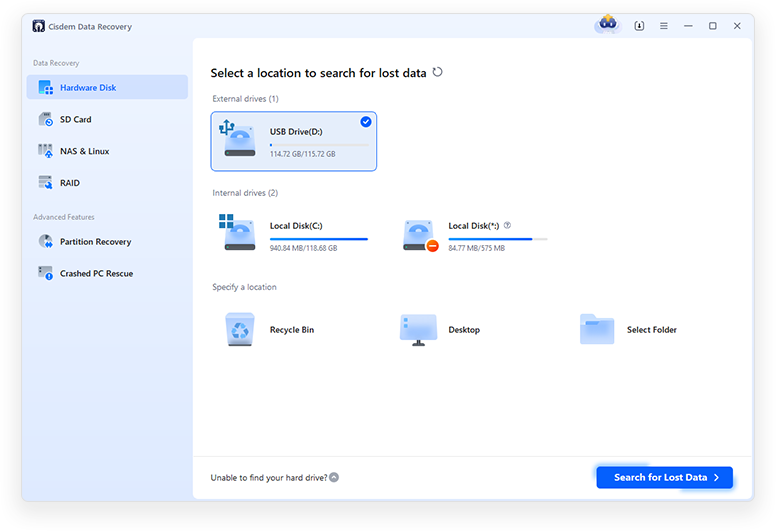
Free Download Windows 11/10/8/7 Free Download macOS 10.15 or later - Select the location where the lost file was originally stored, and click Search for Lost Data to start the scanning. If you want to recover data from an external hard drive, plug it to your computer first.
![cisdem data recovery 1]()
- Go to Type, browse the recoverable files according to file type. Also, you can enter keywords in the search box, or use Filter tool to quickly locate a lost file.
![cisdem data recovery 2]()
- Double click on the file to preview, then select and click Recover button to get the drive recovery done.
![cisdem data recovery 3]()
- Then select a location to save the recovered files.

Conclusion
AI assistants is remarkably capable in answering questions, writing, coding and some autonomous jobs, but there is no AI assistant automating a drive recovery process, because such a file recovery process requires deep interactions with the operating system, also low or even high-level access to a storage drive. But if you are looking for a smart drive recovery tool to work as efficiently and easily as an AI assistant, Cisdem Data Recovery combines traditional recovery algorithms with smart & intelligent features to recover lost data from various hard drives.

Connie Yu has been a columnist in the field of data recovery since 2011. She studied a lot of data loss situations and tested repeatedly to find a feasible solution tailored for each case. And her solutions are always updated to fix problems from the newest systems, devices and apps.

JK Tam is the lead developer at Cisdem, bringing over two decades of hands-on experience in cross-platform software development to the editorial team. He is now the lead technical approver for all articles related to Data Recovery and DVD Burner.