


How to Stop Binge Watching - 8 Proven Ways 2026
 212
212
 0
0


“I can’t stop binge watching. Whenever I find an interesting TV series, I stay up at night watching it. Then I don’t have energy to study the next day. I got bad grades last semester. What can I do?”
Do you also find yourself binge watching for long hours every day? In this article, we’ll show you how to stop binge watching effectively.
 Cisdem AppCrypt
The Best Tool to Stop Binge Watching
- Block websites on Chrome, Edge, Safari, and more browsers
- Let you block specific sites and pages, URLs with certain words, and categories of sites
- Let you block all popular video sites with 1 click (on Windows, Mac)
- Also let you block all websites except specific ones
- Lock individual apps, such as Netflix, with password
- Let you block websites and lock apps permanently or at scheduled times
- Require password to enter/quit/uninstall AppCrypt
- Easy to use and hard to bypass
- Help you stop binge watching or set time limits
- Help with productivity, parental controls, and privacy protection
- Available for Windows, Mac, Android, iPhone and iPad


Why is binge watching so addictive?
1. Many TV series end with an unexpected twist for captivating viewers. As you want to know what happens next, you’ll choose continue watching.
2. Most platforms like Netflix, YouTube automatically play the next episode once the current one ends. You may forget to stop binge watching because of auto play.
3. When you are feeling stressed, anxious, or just bored, binge watching can make you feel relaxed, and even get addicted to it.
Signs you are binge watching too much
1. You don’t willing to do anything else until you have finished watching every episode.
2. When engaged in other activities - such as working or studying - your mind constantly dwells on the plot and hard to focus.
3. If someone interrupts you while you are watching TV, you feel irritated, and are reluctant to pause.
4. You feel bored or at a loss for what to do when there are no shows left to binge-watch.
How to stop binge watching
Here are 8 proven ways that can help you stop binge watching.
#1. Use an app & website blocker
Best for: users with low self-control and serious binge watching addiction.
You can force yourself to stop binge watching using an app & website blocker. Directly blocking access to the video apps or sites you use. Remember to choose a tool that is specially designed for users with low self-control. For example, some tools come with built-in password protection. Without knowing the password, you won’t be able to bypass the restrictions and continue binge watching. Cisdem AppCrypt is one of them. For greater flexibility, it also provides a Schedule feature, allowing you to set time limits on video apps or websites.
Below are the detailed steps to stop binge watching using Cisdem AppCrypt:
1. Download and install the tool on your computer.
 Free Download Windows 10 or later
  Free Download macOS 10.15 or later
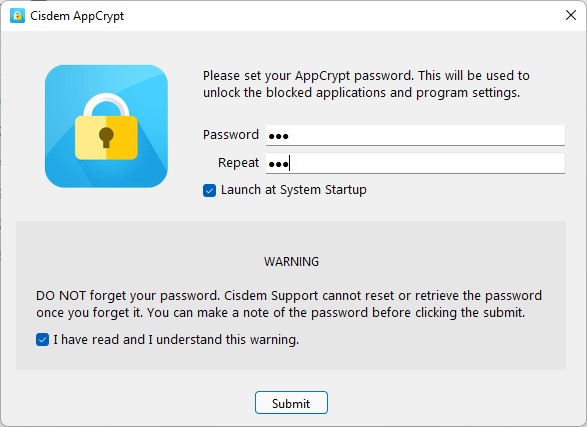
2. Launch it. Set a password when prompted. It’s recommended to ask a trusted friend or family member to set the password for you.
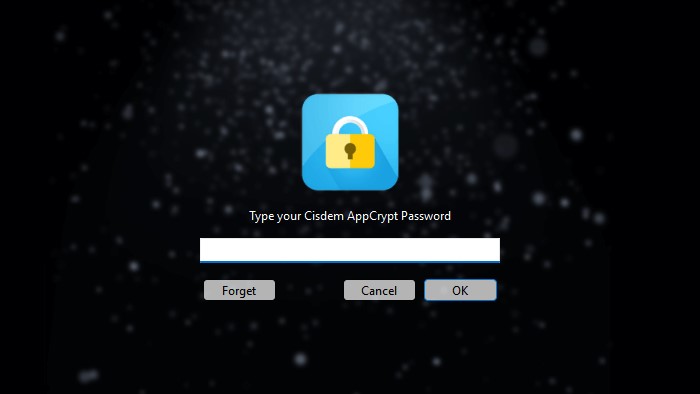
3. Click the AppCrypt icon on the taskbar or menu bar.
4. Enter the password to access the main window.
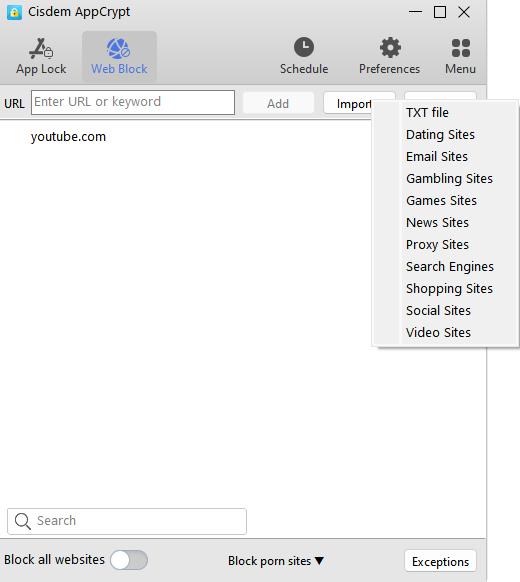
5. To stop binge watching completely:
- Go to the App Lock tab. Drag and drop the desktop shortcut icon of the video app into the program.
- Go to the Web Block tab. In the top URL field, enter the URL of the video site you use. Click Add.
- You can also click the Import button. Select Video sites to block large numbers of video sites at once.
6. To set time limits on binge watching:
- Click Schedule on the toolbar. Set your desired blocking times.
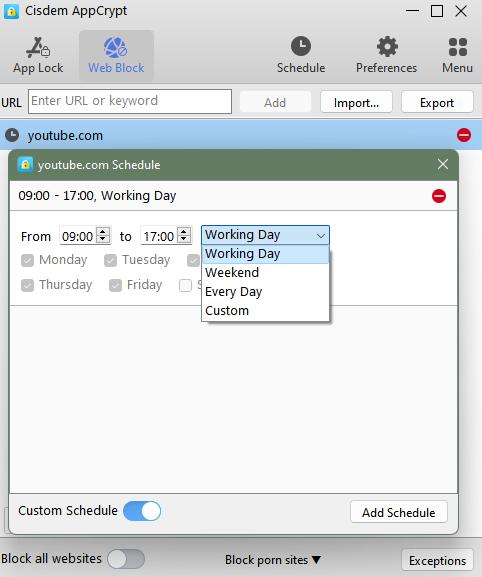
- To set time limits on a specific video site or app you frequently use, select it from the block list. Click the clock icon that appears. Enable Custom Schedule. Then set the time limits.
#2. Turn off autoplay
Best for: users who can stop watching when there’s a break.
Some users get hooked once they start watching a show because the video automatically plays the next episode, spending excessive time without realizing it. But if there are breaks in between, you might completely lose interest. In this case, you can turn off the streaming platform's autoplay function. For example,
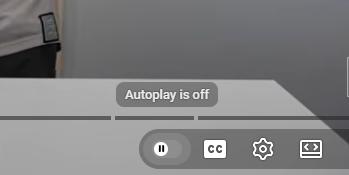
To turn off autoplay on youtube.com:
1. Open a video.
2. Click the small slider with a play icon in the bottom-right corner.
3. Click it to turn off autoplay.
To turn off autoplay on Netflix:
1. Open a browser. Log into your account.
2. Click your profile icon on the upper-right corner. Select Account.
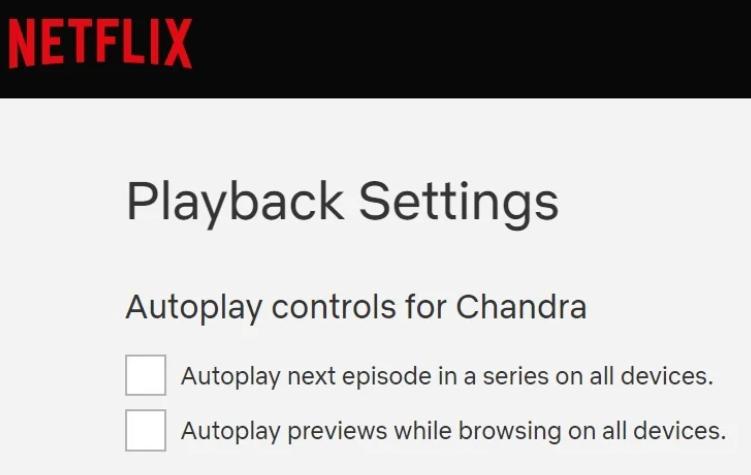
3. Click Edit settings > Playback Settings.
4. Uncheck the 2 boxes under Autoplay controls.
#3 Pause at non-essential plot points
Best for: users who find it hard to stop at the end of an episode.
You can also pause the video during scenes that are less important. Then continue watching later. Since many episodes end with a plot twist designed to hook you into the next one. It’s much harder to stop at that point. Pausing earlier can help you quit binge watching more easily.
#4. Log out of your account
Best for: users who can easily attracted by push content from streaming platforms.
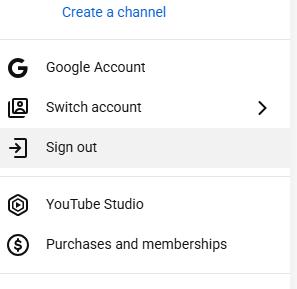
When you are logged in, streaming platforms will keep pushing content you're interested in. They often use attractive titles to entice you to click. Then you’ll continue watching. If you log out, you'll no longer see such enticing recommendations or push notifications.
#5. Reduce screen time
Best for: users who easily get distracted by social media and other online content.
In addition to streaming platforms, other apps on your computer or phone - such as social media might - may also push content related to the TV series you’re watching. On Instagram or Facebook, you may come across the show’s official account announcing that a new episode has been released. Or other viewers share their thought about the TV. When you have nothing to do, you may end up turning to binge watching.
If you find it difficult to reduce your screen time on your own, you can use apps to help limit it.
Check out this article to learn more: Top 10 Best Apps to Limit Screen Time - Including Freeware.
#6. Only watch currently airing TV shows
Best for: users who want to limit binge watching time.
You can choose to watch only series that are currently airing. Some shows release just one episode per week. Then you have no other choice but to wait until next week. This can effectively prevents you from binge-watching. In contrast, when you watch a series that has already finished airing, it’s often much harder to stop.
#7. Get spoilers in advance
Best for: users who lose interest in continuing a show once knowing what happens next.
This method is not suitable for everyone. Some people prefer to know details about a show in advance so they can enjoy it even more. However, for others - like me - if I already know what happens next or how the story ends, especially if a character doesn’t have a good ending, I tend to lose interest in the show completely.
#8. Try other activities
Best for: users who are addicted to binge watching out of boredom.
Some people tend to binge watching because there’s nothing else to do. In such cases, why not trying other activities? Such as reading a book or listening to podcasts. At first you may feel difficult, but over time, you will find that binge watching is not as interesting as it used to be.

FAQs
Is it unhealthy to binge watch?
Spending no more than two hours a day on binge watching can usually help you relieve stress. But excessive binge watching is unhealthy.
How many hours is considered binge watching?
Typically, watching a TV series for two and six episodes at once can be considered binge watching. This usually takes two to four hours.
What are the bad effects of binge watching?
Being addicted to binge watching can cause both physical and mental health issues. For example, sitting for long periods can lead to eye strain, neck and shoulder pain. You will feel even lonelier after you’ve finished watching a show.

Norah Hayes likes to share her tips on how to improve focus and stay motivated at work. She believes it is essential to eliminate all online distractions during work hours.

Ethan Long joined Cisdem in 2015 as a developer and now serves as the editorial advisor for Cisdem AppCrypt. He actively tests and uses Cisdem AppCrypt and other screen-time management tools to ensure AppCrypt meets its promises in real-world scenarios.