


7 Best Apps to Limit Social Media Time (Tested & Compared)
 3.3K
3.3K
 0
0


Spending too much time on social media can make it harder to focus on work and reduce your attention span. We tested various screen time management apps for iPhone, Android, Mac, and Windows, and finally picked out 7 best for productivity, digital well-being, or parental control.
 Cisdem AppCrypt
The Best App to Limit Social Media Time
- Block distracting social media apps with a password
- Set schedules to limit social media access during work, study, or sleep hours
- Block social media websites on Chrome, Safari, and other browsers
- Let you block specific sites and pages, URLs with certain words, and categories of sites
- Block websites and lock apps permanently or temporarily based on your needs
- Protect settings with password to prevent easy bypass
- Help with productivity, parental controls and privacy protection
- Available for iPhone, iPad, Android, Mac and Windows


Quick Answer: Best Apps to Limit Social Media Time
| App | Best For | Key Features | Platforms |
|---|---|---|---|
| AppCrypt | Strict Social Media Blocking | Blocks distracting apps and websites with password protection; supports scheduled blocking to reduce unnecessary social media use. | iOS/Android/Mac/Win |
| One Sec | Reducing impulsive social media use | Adds a mindful pause before opening distracting apps and helps users build healthier digital habits. | iOS/Android |
| Antisocial | Monitoring Social Media Time | Tracks social media usage, provides screen time reports, and offers parental monitoring features. | iOS/Android |
#1 Cisdem AppCrypt - Best for Strict Social Media Blocking
Platforms: iPhone, Android, Mac, Windows
Pricing: Free on iPhone and Android. Mac and Windows versions include a free trial, with paid plans starting at $19.99/year.
Cisdem AppCrypt is a social media blocker and screen time management app that helps users limit distracting apps and websites. It allows you to block selected social media apps and websites permanently or during specific time periods.
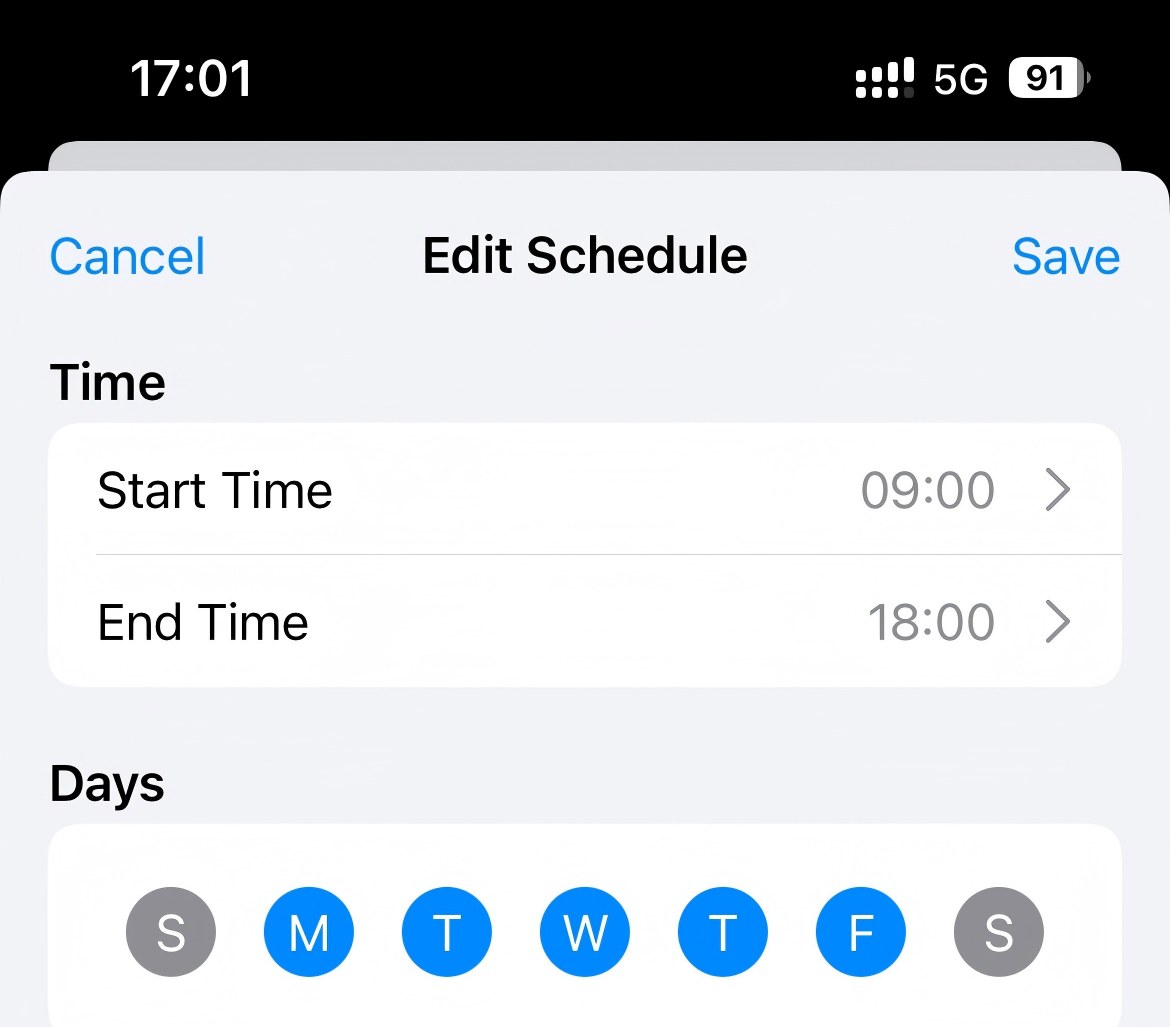
If you find a social media platform distracting and no longer want to access it, simply add it to the block list. The app will block it permanently by default. If you only want to limit social media use during certain times, such as work hours, you can use the scheduling feature.
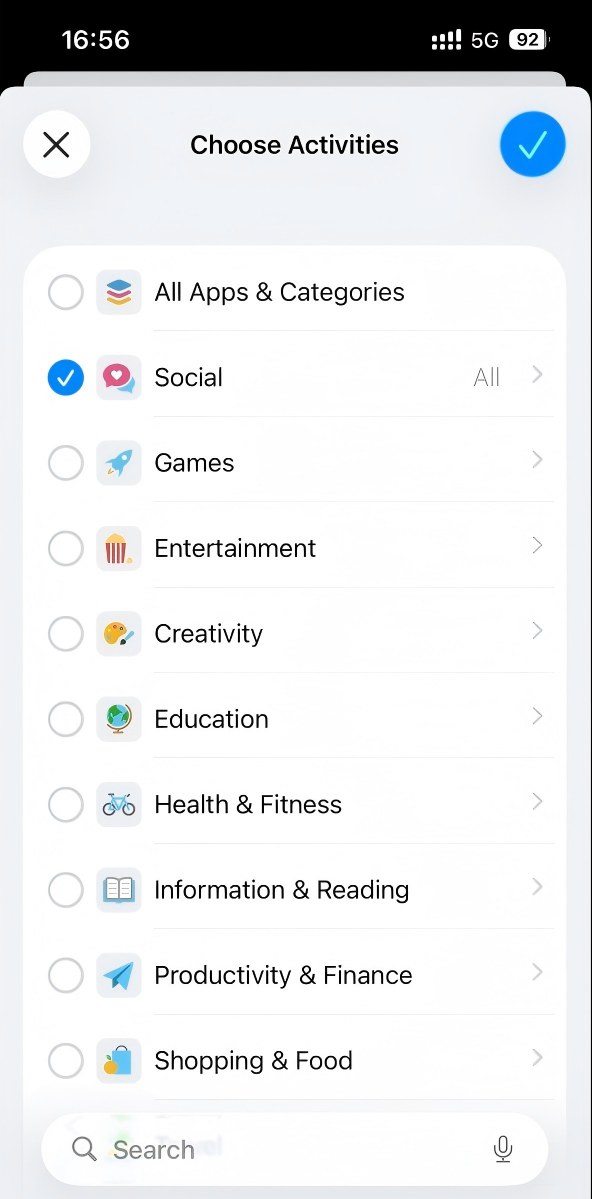
On iPhone, AppCrypt allows you to block all social media apps by category. Go to the App Lock tab, select Categories, and choose Social. All social apps, including Facebook and Instagram, will be blocked at once.
Password protection prevents others from changing settings, disabling restrictions, or uninstalling the app without your permission.
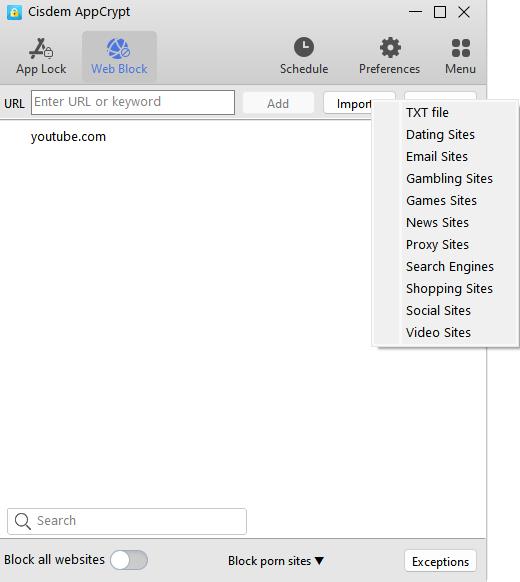
The desktop version allows you to block distracting websites by category and create custom schedules. For example, you can block YouTube during bedtime or restrict Reddit access during work hours.
Pros:
- Easy-to-use interface with simple setup.
- Blocks both social media apps and websites.
- Supports permanent blocking and scheduled restrictions.
- Protects settings with password protection.
- Allows you to block all social media apps by category on iPhone.
- Allows you to block popular social media websites with 1-click on computer.
- Supports Windows, Mac, iPhone, and Android.
- Free to use on iPhone and Android.
Cons:
- Desktop versions require a paid plan after the free trial.
#2 One Sec - Best for Reducing Impulsive Social Media Use
Platforms: iPhone, Android
Pricing: Offers a free version that allows you to limit one app. The Pro version starts at $19.99/year.
Unlike other social media blockers that completely block access to apps and websites, One Sec helps reduce screen time by adding a short pause before you open distracting apps. Every time you try to open social media apps or websites like Twitter, YouTube, or Instagram, One Sec shows a meditation or deep breathing reminder, giving you time to reconsider whether you really need to use them.
This brief interruption helps reduce impulsive social media use and encourages more mindful digital habits.
One feature that stands out is its ability to stop endless scrolling. After setting a time limit for an addictive app, One Sec requires you to complete an intervention before allowing additional usage time.
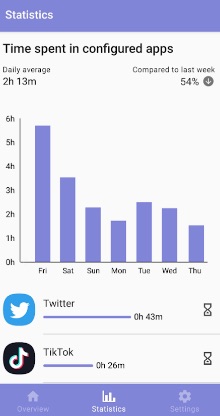
One Sec also provides statistics that show how your app usage habits change over time. It is available for iPhone and Android, and also offers browser extensions for Chrome, Firefox, Safari, and Edge.
Pros:
- Helps reduce impulsive social media use by adding a mindful pause before opening apps.
- Encourages healthier digital habits instead of relying only on strict blocking.
- Provides usage statistics to track progress over time.
- Supports both mobile apps and browser extensions.
- Offers breathing exercises and mindfulness reminders.
Cons:
- The free version has limited features.
- The short pause approach may not be effective for users who need strict blocking.
#3 Antisocial - Best for Monitoring Social Media Time
Platforms: iPhone, Android
Pricing: Offers a free trial, with paid plans starting at $3.50/month.
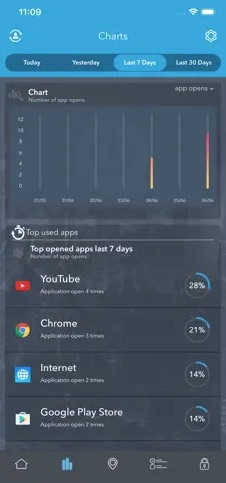
Antisocial is an app designed to reduce screen time especially your social media time. It tracks how much time you spend on each app and provides daily, weekly, and monthly usage reports. You can even compare your progress with other users anonymously.
The app allows you to set daily usage limits for specific apps. When you reach your limit, Antisocial sends reminders to help you control your screen time. It also shows which apps take up the most time and helps you identify habits that need improvement.
Antisocial provides three blocking modes that allow you to restrict distracting apps temporarily, permanently, or during specific periods of the day.
The app offers two versions: Personal and Parental. The Parental version allows parents to monitor and manage screen time on another device, making it suitable for families who want to control children's social media usage.
Pros:
- Provides detailed reports on social media app usage.
- Tracks daily phone unlock frequency.
- Allows you to set daily limits for distracting apps.
- Offers multiple blocking modes for flexible control.
- Includes parental monitoring features.
Cons:
- Requires an Internet connection to use.
- A bit expensive.
#4 Opal - Best for Focus and Social Media Control
Platforms: iPhone, Android, Mac
Pricing: Offers a free version that allows you to set one rule. The Pro version starts at $8.29/month.
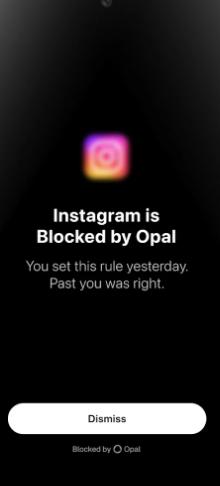
Opal helps users reduce social media usage by setting limits for distracting apps and websites. When you reach your daily limit on social platforms, Opal blocks access to them and displays motivational messages or reminders instead.
Similar to One Sec, Opal helps interrupt the habit of mindlessly scrolling. However, it also offers a Deep Focus mode, which is designed for users who need stronger restrictions. During a Deep Focus session, you cannot easily bypass or cancel the limits you set.
If you need temporary access to an app during a focus session, such as replying to a message, Opal allows you to set a short timer for temporary access. Once the timer ends, the app restriction is automatically applied again.
Pros:
- Helps reduce excessive social media scrolling.
- Offers a Deep Focus mode.
- Supports setting usage limits on social media app and website.
- Provides motivational reminders when you reach usage limits.
- Allows temporary access when necessary.
Cons:
- The free version has limited features.
- Mainly focused on Apple devices, with fewer features on Android.
#5 Forest - Best for Gamified Focus
Platforms: iPhone, Mac
Pricing: Offers a free version with limited features. The Plus version costs $3.99 as a one-time purchase.
Forest is a productivity app that encourages you to put down your phone and stay focused on your task through a creative way-planting seeds. Before you start working or studying, you can plant a seed in Forest and set a focus time during which you are not allowed to use your phone. If you stick to your plan and successfully control yourself from browsing social media, the seed will gradually grow into a tree. If you break the focus plan and visit social media platforms as usual, the tree will wither. After you use this app for a while and plant a lot of trees, it will become a big forest.
This tool can help you limit your social media time without forcibly blocking social media on your phone. It just tracks your focus time and screen time every day. So it is more suitable for users who have a certain degree of self-control and like this fun way. Or you can use it in conjunction with other app that offers social media blocking function.
Forest also corporate with a tree-planting organization. Users are able to plan real trees by using this app.

Pros:
- Offers an interesting and creative way to motivate you to reduce social media time.
- Offers multiple focus modes for you to choose, such as Deep focus.
- Let you plan trees with your friends, family.
- Tracks your screen time and gives you detailed reports.
Cons:
- It is not suitable for social media addicts.
- Need to pay to unlock more tree species and white noises.
#6 SPACE - Best for Digital Wellbeing Tracking
Platforms: iPhone, Mac
Pricing: Offers a free version with limited features. The Pro version starts at $2.99/month.
Do you often find yourself unlocking your phone frequently and spending an endless amount of hours scrolling social media without actually doing anything? Space is a simple app that helps limit social media time and breaks your phone addiction by setting goals.
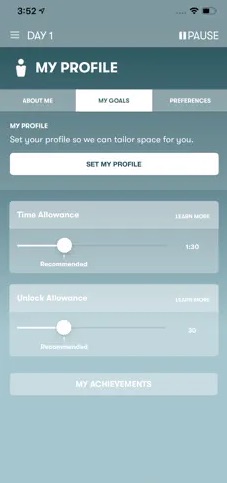
With it, you can set your screen time goals and unlock allowance for you phone. For example, allow yourself to unlock phone 30 times and no more than 2 hours per day. Space will remind you if you are approaching or have reached the limitation.
It tracks your time, monitors your online activities, and records your progress. It also gives you personalized recommendations to help you develop good digital habits.
Pros:
- Simple and clear UI.
- Let you limit the amount of time you are allowed to scroll on social media.
- Let you set restrictions on how many times you are allowed to unlock your phone.
- Motivates you to control your social media time by setting goals and recording your progress.
Cons:
- Some features are only available in the paid version.
- No social media blocking.
#7 StayFocused - Best for Improving Focus
Platforms: iPhone, Android
Pricing: Offers a free version with limited features. The Pro version costs $19.99 as a one-time purchase.
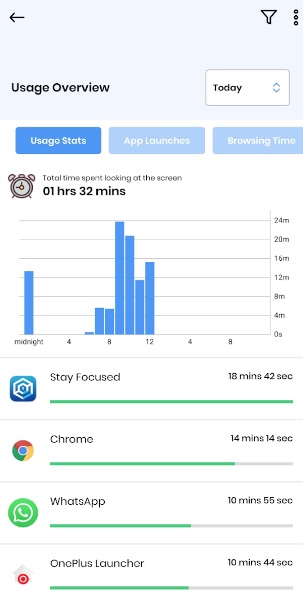
StayFocused is a mobile app that focuses on helping users reduce screen time and control time spent on online distractions, including social media. It provides multiple ways to limit screen time. For example, you can set a daily time limit for specific social media apps. Once the time limit is reached, these apps become inaccessible. Or, you can lock social media apps and only allowed access after you have spent a certain amount of time on educational or productivity apps. It’s also possible to lock selected social media apps during a certain period of time so that you can focus on completing an important task.
This app that limit social media time records your usage statistics and generates detailed reports. Help you understand your usage habits, from overall phone usage time to specific app usage.
Pros:
- Helps you figure out the social media apps that waste your time the most.
- Let you set time limits on your phone usage or on certain social media apps/websites.
- Offers different blocking modes to help you control screen time.
- Let you create multiple blocking profiles.
Cons:
- It can be a little cumbersome to set up.
Conclusion
Spending too much time on social media can lead to social media addiction and many other problems. Children should limit the time on social media to less than half an hour. Adults should also not spend more than 2 hours on social media every day. This article introduced 7 different apps that limit social media time. You can select one that best suits your needs.

Norah Hayes likes to share her tips on how to improve focus and stay motivated at work. She believes it is essential to eliminate all online distractions during work hours.

Ethan Long joined Cisdem in 2015 as a developer and now serves as the editorial advisor for Cisdem AppCrypt. He actively tests and uses Cisdem AppCrypt and other screen-time management tools to ensure AppCrypt meets its promises in real-world scenarios.