


6 Free Gambling Blockers for Desktop & Mobile (2026)
 568
568
 0
0


Gambling platforms are easy to access. Sometimes, you're just browsing the web. A link pops up and takes you to a gambling site. It’s also easy to search for popular gambling platforms on the internet. For people trying to quit gambling, this can be very tempting. In this article, we’ll walk you through several free gambling blockers and review their features, pros, and cons. Help you choose the one that best fits you needs.
 Cisdem AppCrypt
The Best Gambling Blocker
- Block websites on Chrome, Safari, Edge and more with a password
- Block popular sites in certain categories, like gambling sites, with 1 click
- Block specific sites and pages
- Filter URLs containing certain keywords
- Block all websites except specified ones
- Lock individual apps, like gambling apps, with a password
- Let you block websites and lock apps 24/7 or at scheduled times
- Easy to use
- Hard to bypass
- Help you stop gambling addiction
- Available for Windows, Mac, Android, iPhone and iPad


Part 1. Free Gambling Blockers for Windows & Mac
Below are 2 best free gambling blockers for desktop, which can help limit access to betting sites.
1. BetBlocker
BetBlocker is a free gambling blocker available for Windows, Mac, and Android devices. It provides 2 modes: Setting Gambling Exclusion and Parental Controls. This makes it suitable for both users who want to quit gambling and parents who are concerned about their children being exposed to gambling content.
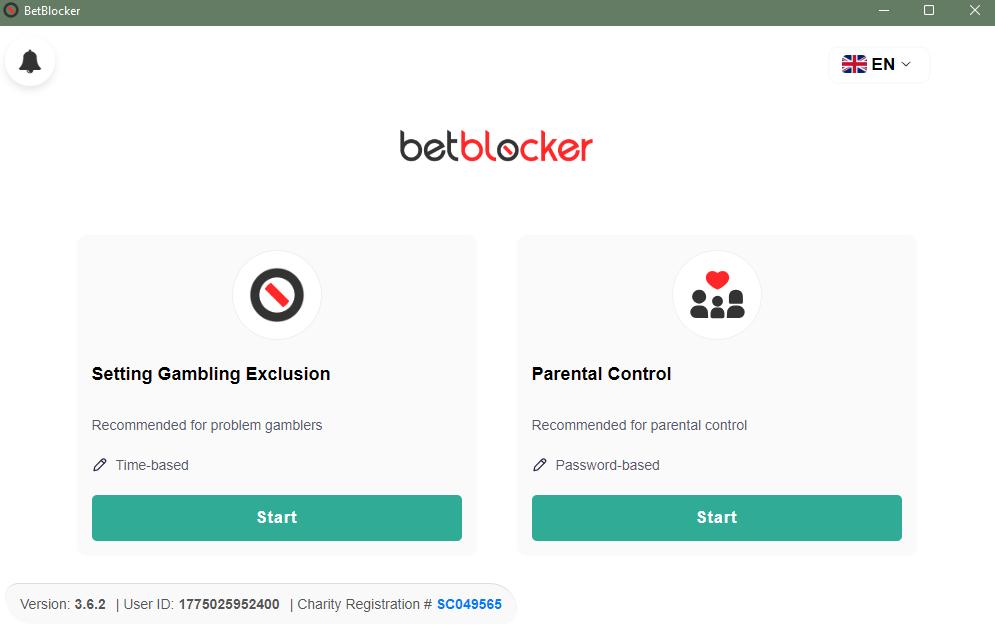
With the Setting Gambling Exclusion mode, you can select an exclusion type, either a fixed period or schedules. With the Parental Controls mode, you can set a password to lock your settings so your child cannot easily bypass the restrictions.
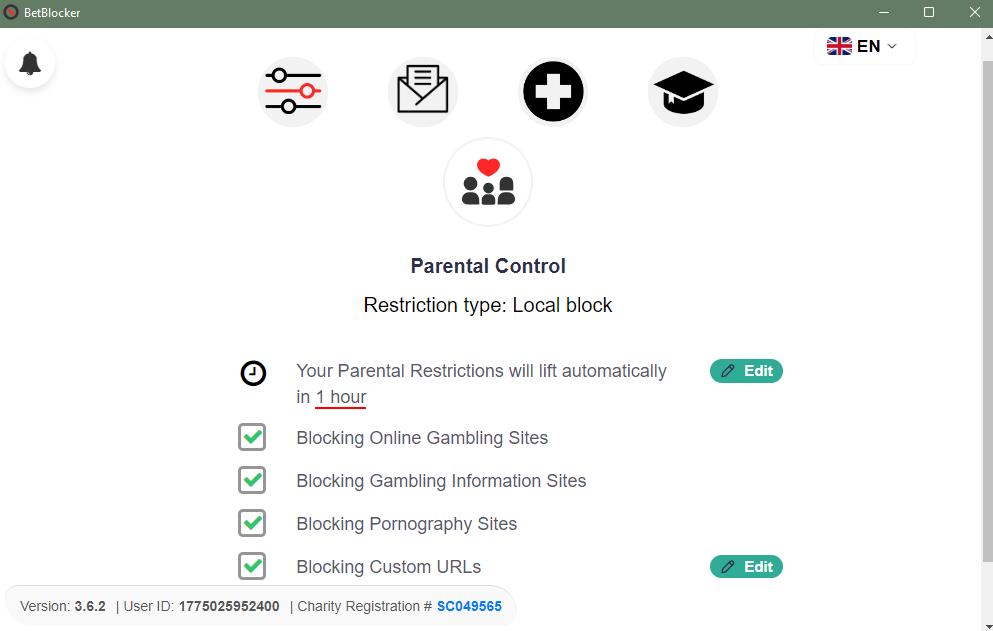
BetBlocker currently includes a list of 335456 gambling operator sites, 875 gambling information sites, and 399 pornographic sites to block. You can also manually add more gambling websites that are not included in the list.
It is easy to set up. Once installed, simply follow the on-screen prompts. However, in my testing, I found that I could still access certain gambling sites on my PC. It would be better if its block list were updated more frequently.
Pros:
- Offers 2 blocking modes.
- Includes a large number of gambling sites to block.
- Allows you to manually add sites to block.
- Easy to set up.
Cons:
- Some gambling sites may not be blocked.
- Cannot block gambling apps.
A note for Windows users:
Windows Defender may stop the BetBlocker app from being installed. If this happens, you can open Windows Defender on your PC. Go to “App & browser control”. Set the security level to “Warn” or temporarily turn it off.
2. Gamban (7-day Free Trial)
Gamban is a gambling blocking software available for computers and mobile devices.It’s not completely free but offers a 7-day free trial. Once installed and set up, it will automatically block thousands of betting platforms.
Gamban is harder to bypass than BetBlocker. So it is more suitable for users who need stricter control. What’s more, it updates its block list more frequently. So you don’t have to worry about new gambling sites or apps appearing.
One drawback of this gambling blocker is that it doesn’t block gambling adverts. You may still see some gambling-related content.
Pros:
- Blocks both gambling websites and apps.
- Works on desktop and mobile devices.
- Harder to bypass than other free gambling blockers.
- Frequently updated its block list.
Cons:
- Only offers a 7-day free trial.
- Doesn’t block gambling ads.
Part 2. Free Gambling Blockers for iPhone & Android
Here are 2 of the best free gambling blockers mobile devices, including both built-in feature and third-party software.
1. Screen Time
Screen Time is a built-in feature on Apple devices. It helps block access to specific gambling platforms without installing additional apps. But it requires you to manually add the gambling sites and apps to the block list.
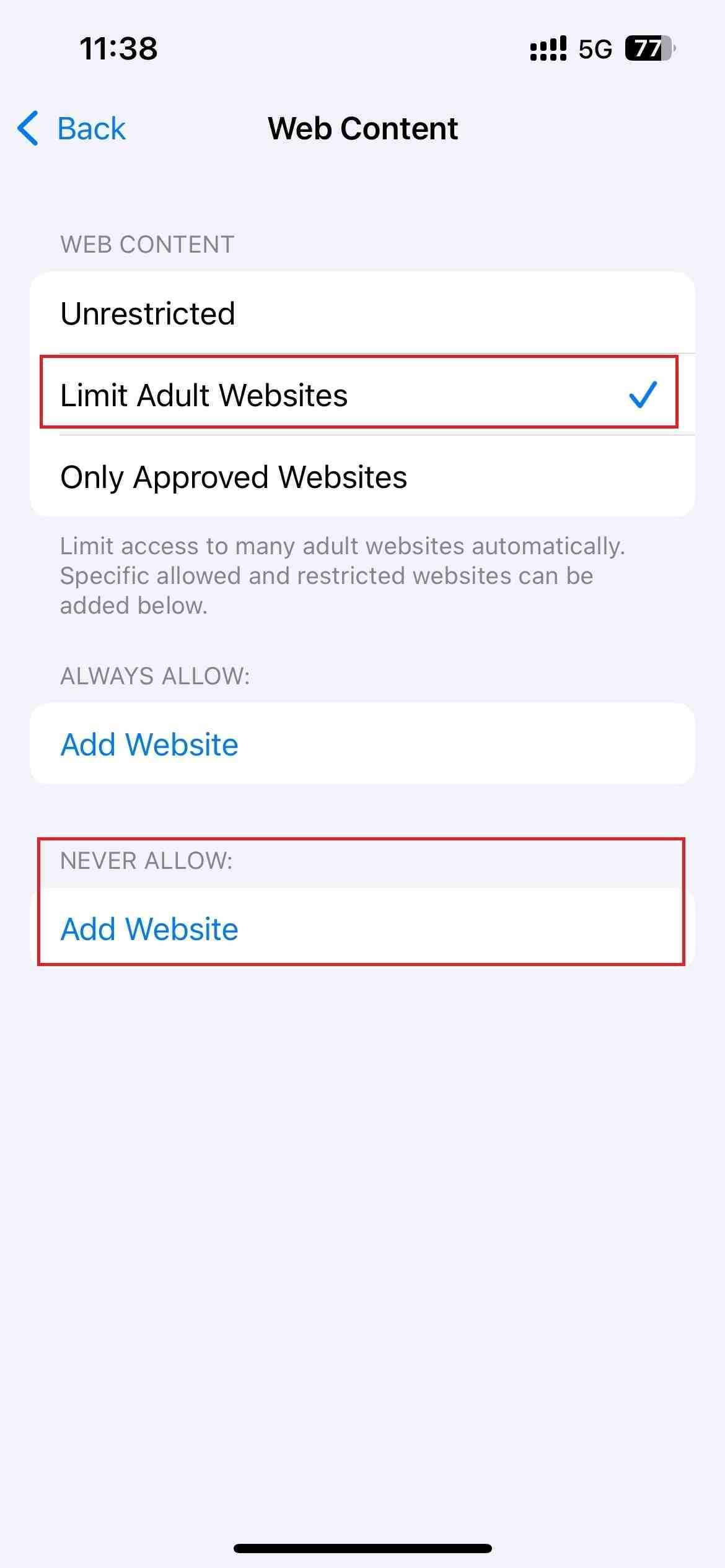
To block gambling sites, open the Settings app on your iPhone. Scroll down to find Screen Time. Go to Content & Privacy Restrictions > Content Restrictions > Web Content. Then choose the “Limit Adult Websites” option. Manually add the gambling sites to the “Never Allow” list. You can also set a Screen Time passcode to prevent others from changing the settings.
To block gambling apps, open the Settings app. Go to Screen Time > App Limits > Add Limit. Choose the gambling app you want to block. Set the time to 1 minute. Then enable the “Block at end of limit” option.
Overall, Screen Time only offers basic control and can be easily bypassed. So if you want stronger control, you need to use more advanced gambling blockers.
Pros:
- Built into iPhone.
- Allows you to block specific gambling websites and apps.
- Supports password protection.
Cons:
- Limited customization options.
- Can not block many gambling sites and apps quickly.
2. Gambling Block
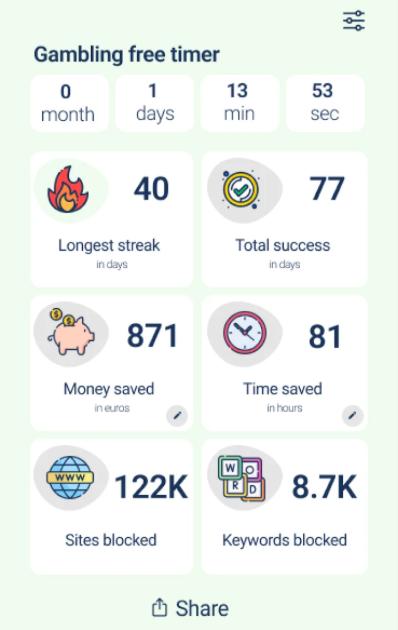
Gambling Block is a free app to block gambling sites on Android devices. With it, you can quickly block hundreds of gambling platforms with one click. It’s ideal for users who are trying to quit gambling addiction. It tracks your progress. You can clearly see how much time and money you’ve saved every day, which may be able to motivate you.
This tool also detects and blocks gambling-related content, such as gambling ads.
One drawback of Gambling Block is that it mainly focuses on blocking gambling websites. Many gambling apps may be missed. But you are allowed to manually add specific apps to the block list. Overall, Gambling Block is a decent choice for Android users.
Pros:
- Blocks both gambling websites and some apps.
- Easy to set up with one-tap blocking.
- Tracks your progress.
- Can block gambling-related content.
Cons:
- Some gambling apps may not be blocked automatically.
- Doesn’t provide password protection.
Part 3. Free Gambling Blocker Extensions
You can also use a browser extension to block gambling sites on a specific browser. However, compared to gambling blocker apps, extensions are easier to bypass.
Gambling Site Blocker
You can find various gambling blocker extensions in extension stores. Gambling Site Blocker is one option available for Chrome. Although it doesn’t have many users yet, it performed well in my testing.
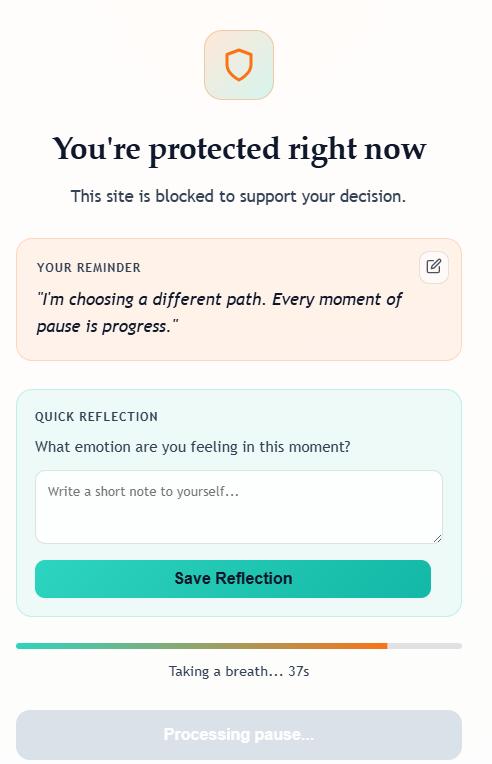
Once installed in browser, it automatically blocks over 50000 gambling sites instantly. Unlike many other tools, it doesn’t completely block access when you try to open a gambling site. Instead, it shows a 45-second intervention screen, giving you time to reconsider. But for users with poor self-control ability, this gambling blocker may not be effective enough.
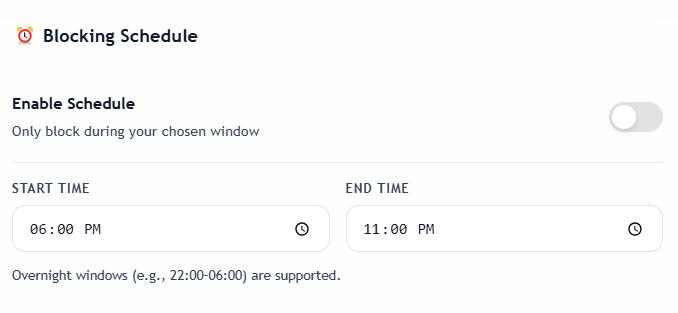
It also offers a Blocking Schedule feature. You can block access to gambling sites only during during specific times. This can be useful if you’re not ready to quit gambling completely but want to control it.
Pros:
- Automatically blocks large numbers of gambling sites.
- Supports blocking schedule.
- Easy to use.
Cons:
- Only works in a browser.
- Cannot block gambling apps.
- May not be effective for users with poor self-control.
- May mistakenly block some normal sites.
Limitations of Free Gambling Blockers
Free gambling blockers can be helpful for blocking access to certain betting sites and apps. However, they often come with several limitations. For example, many free tools are easy to bypass. This makes them less effective. Furthermore, most free gambling blockers focus mainly on websites. They may be unable to block gambling applications.
A More Reliable Option
If you need stronger control, relying only on free gambling blockers may not be enough. Here’s a more reliable option.
Cisdem AppCrypt is a gambling blocker for computers and phones. It helps block access to both gambling websites and apps. To prevent others (such as your child) from changing your settings or bypassing the restrictions, you can lock the settings with password.
On a computer, you can all popular gambling sites with one click. If you also want to block other gambling-related or inappropriate websites, simply add them to the block list manually.
Below are the detailed steps to block gambling sites and apps on a computer via Cisdem AppCrypt:
1. Download and install Cisdem AppCrypt on your computer.
 Free Download Windows 10 or later
  Free Download macOS 10.15 or later
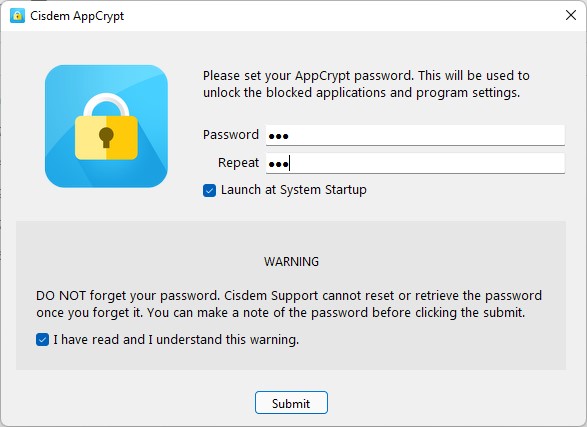
2. Launch it. Set a password.
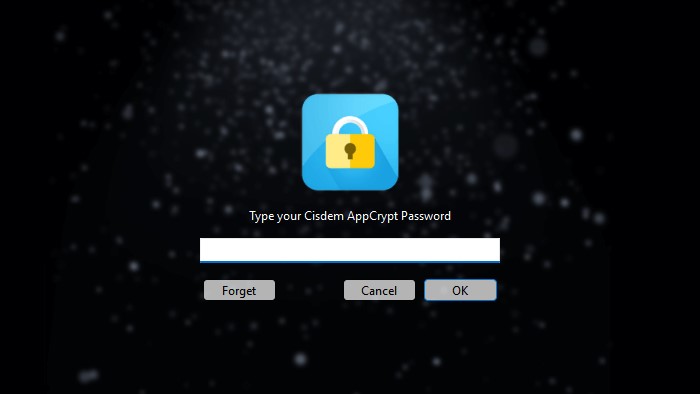
3. Click the lock icon on the Windows taskbar or Mac menu bar. Enter the password to access the main window.
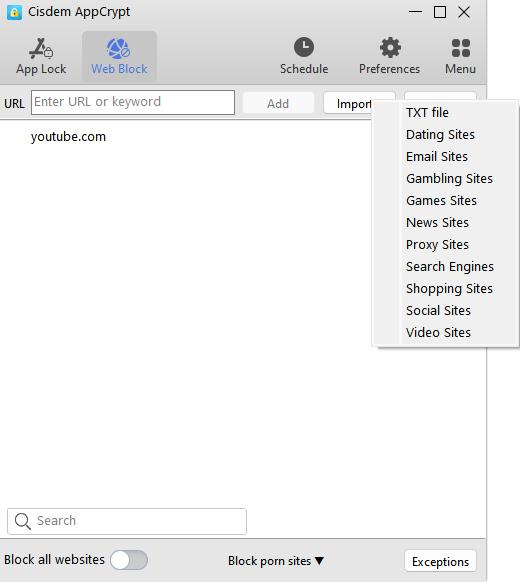
4. To block gambling websites, go to the Web Block tab. Click the Import button. Select Gambling Sites from the drop-down menu.
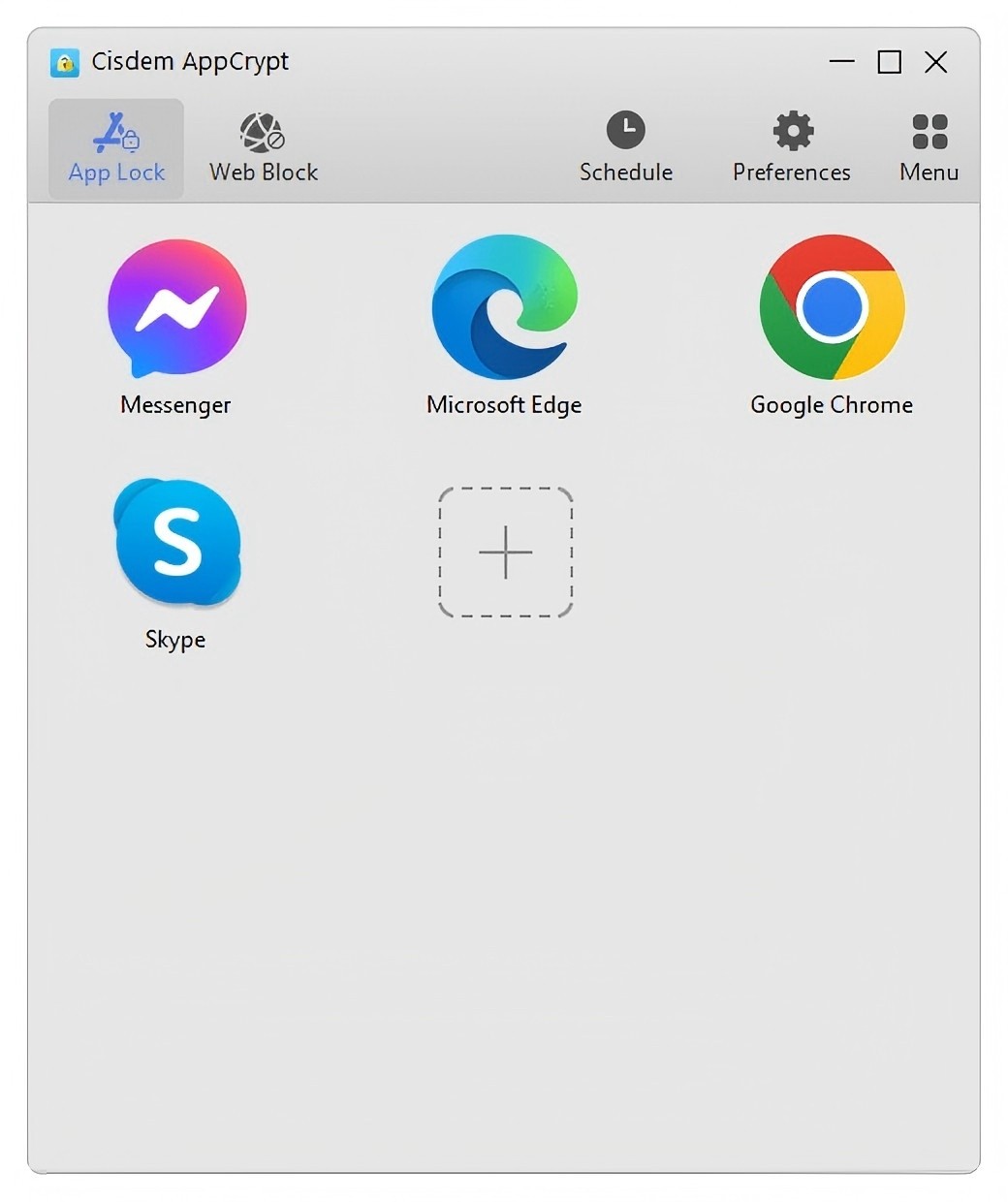
5. To block gambling apps with password, go to the App Lock tab. Drag and drop the desktop shortcut icon of the Gambling app into the tool. Or, you can use the plus icon.
FAQs
Can I block myself from gambling sites?
Yes. To block yourself from gambling sites, you can use a gambling blocker with password protection. For example, Cisdem AppCrypt. Before adding the sites to the block list, ask a trusted friend or a family member to set the password. So you won’t be able to bypass the restrictions.
Can I block gambling ads?
Yes. Some gambling blockers also block gambling-related contents including ads, such as Gambling Block developed by MoxyzStudio.
Can I block gambling sites on all devices at home?
This depends. If your home router comes with built-in gambling blocking feature, you can restrict access to gambling sites across all devices connected to the router.

Norah Hayes likes to share her tips on how to improve focus and stay motivated at work. She believes it is essential to eliminate all online distractions during work hours.

Ethan Long joined Cisdem in 2015 as a developer and now serves as the editorial advisor for Cisdem AppCrypt. He actively tests and uses Cisdem AppCrypt and other screen-time management tools to ensure AppCrypt meets its promises in real-world scenarios.