


Best Free Offline OCR Software for 2026
 44.4K
44.4K
 4
4


After a thorough testing and comparing more than 20 free OCR software that are either completely free, or have a free trial version with a lot of the necessary functionality, we've narrowed the tpo free offline OCR tools list down to 11 best and safest options. Whether you want to turn scanned PDF into searchable text, extract text from images or whether you’re using Android or iPhone… we got you covered.
TL;DR: The Best Free Offline OCR Software in 2026
We tested all the offline OCR software the same way, it is completely understandable that no one is perfect in all aspects. Each tool excels in a different aspect as follows:
- Best for accurate OCR with flexible export options - Cisdem PDF Converter OCR
- Best for quick on-screen text capture - Capture2Text
- Best for simple and lightweight - PDF OCR X Community Edition
- Best for batch simple text recognition - SimpleOCR
- Best for basic text extraction - FreeOCR
- Best for converting into editable Word - Free OCR to Word
- Best for converting speed - SuperGeek Free OCR
- Best for extracting text from handwritten notes - OneNote
- Best for smart image processing - Adobe Scan Mobile App
- Best for selected areas recognition - LEADTOOLS OCR Application
- Best for OCR to Google Docs - Google Keep
 Cisdem PDF Converter OCR
Simple but Accurate OCR Software for 2026
- OCR PDF to Word, Excel, PowerPoint, ePub, RTF, etc.
- Support both scanned PDFs and images
- Accurate OCR results to highly preserve original file quality
- Batch OCR files
- OCR specific pages
- Fast OCR speed
- OCR different file languages: English, Arabic, Chinese, Japanese, etc.
- Create PDF from Word, Excel, PowerPoint, images, etc.
 Free Download Windows 10 or later
  Free Download macOS 10.14 or later
How We Pick The Best Free Offline OCR Software?
We spent 2 months researching this topic, testing all the offline OCR software that shows up in Google search result, discussed by Reddit users, Quora users, etc., recommended by authorative websites or individual influencers. We strictly followed the same process and criteria to pick the most suitable one that fits your needs:
- OCR Accuracy ---There is no perfect OCR result, even from Adobe OCR. But 90% accuracy is acceptable, and it is OK to manually adjust the formatting if a free OCR tool can export as Text only.
- Input Format Support --- A file that needs to be performed with OCR is either saved in PDF or Image format, users will prefer a tool supports both.
- Output Format Support --- Choose a tool that supports your preferred output format saves extra time to convert, and it helps preserve the original file formatting, making the recognized file to edit, reuse.
- File Language --- Some tools just recognize only a few major languages, but very often we need to deal with non-English files, mixed-language files, which means better file language in a OCR tool is needed.
- Safe to Use --- The software must be clean and safe to use, there won’t be malware included in the installation to do harm to our devices.
- 100% Offline --- Online free OCR tools take time to upload and process OCR on files, offline free OCR software offers faster and easier conversion, which greatly save your time.
Free OCR Software testing details:
- Quantity of tested tools: 20+
- Time duration: 2 months
- Testing Device: Windows 11, macOS Tahoe, Android Samsung, iPhone 17
- Testing Files: Scanned PDF file 1(225 pages, 29.04MB, English), Scanned PDF file 2 (129 pages, 16.61MB, Chinese), 4 images (JPG, PNG, colorful/black and white)
Best Free Offline OCR Software for 2026
#1 Cisdem PDF Converter OCR — Best for Accurate OCR with Flexible Export Options
If you want to edit scanned documents as freely as possible, make it in searchable PDF, editable Word or other formats then Cisdem PDF Converter OCR is the best OCR software for you.
It is a paid OCR program, but it offers a free trial (the first 3 pages of the imported file will be converted/created), which gives you the chance to try it out and see if this is the right OCR software for you. It has an advanced OCR engine, support convert PDF to MS Office, iWork, image and more. and it can also work as a PDF creator which can create PDF from Word, PowerPoint, Excel, Image, etc.
Cisdem PDF Converter OCR provides perfect recognition accuracy in all conditions. In all of our tests, it was able to perform OCR on scanned files in all conditions, from simple ones like scanned PDF and images to complex background PDFs, or PDF diagrams. It also has excellent file conversion capability, the converted files keep all the layout and fonts.
Cisdem PDF Converter OCR comes with a wide range of quality extras, including:
- High Quality — Convert scans and PDF to searchable ones and keep the original text, layout and formatting.
- Process Files in Batches — Can convert multiple files at the same time.
- File Format Support — Support convert PDF and images to 10+ formats like MS Office, iWork and images.
- Powerful PDF Creator — Create PDF from Word, excel, Image and other formats in a breeze.
- Page Range Support - You can set to only convert certain PDF pages.
- Language Support — Supports multiple languages, including English, Spanish, Italian, German, French, etc.
To OCR scanned PDF and images using Cisdem PDF Converter OCR
- Install and run Cisdem PDF Converter OCR on your device.
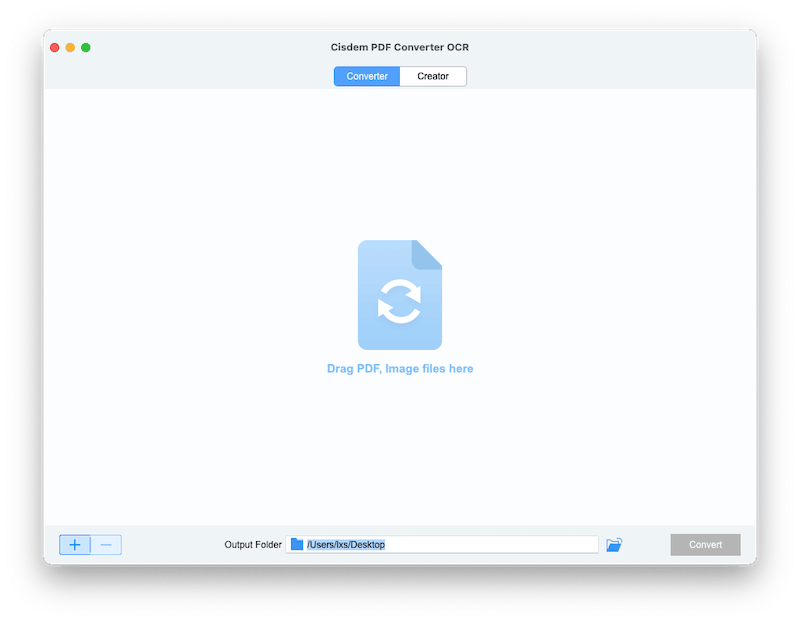
Free Download Windows 10 or later Free Download macOS 10.14 or later - Open Cisdem PDF Converter OCR and choose Converter interface.
![cisdem ocr01]()
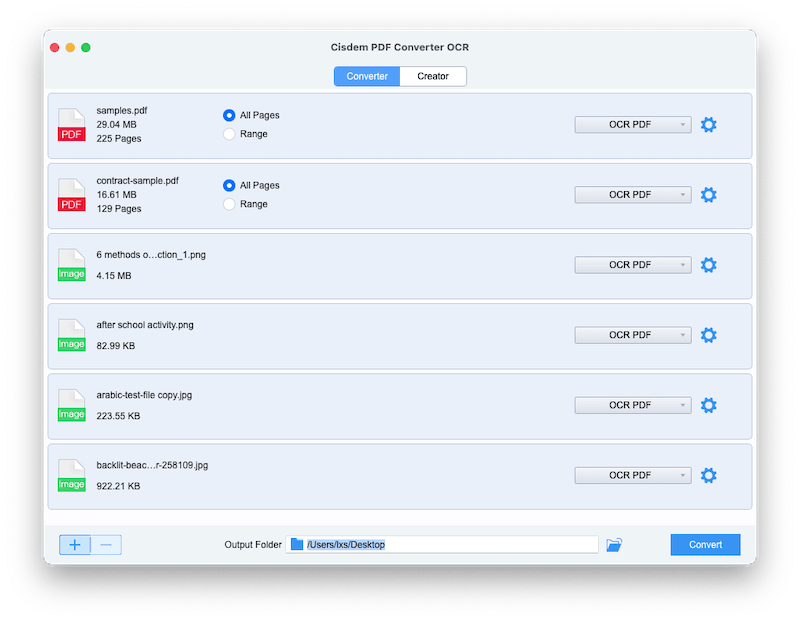
- Drag and drop to add your scanned PDF or images.
![cisdem ocr 02]()
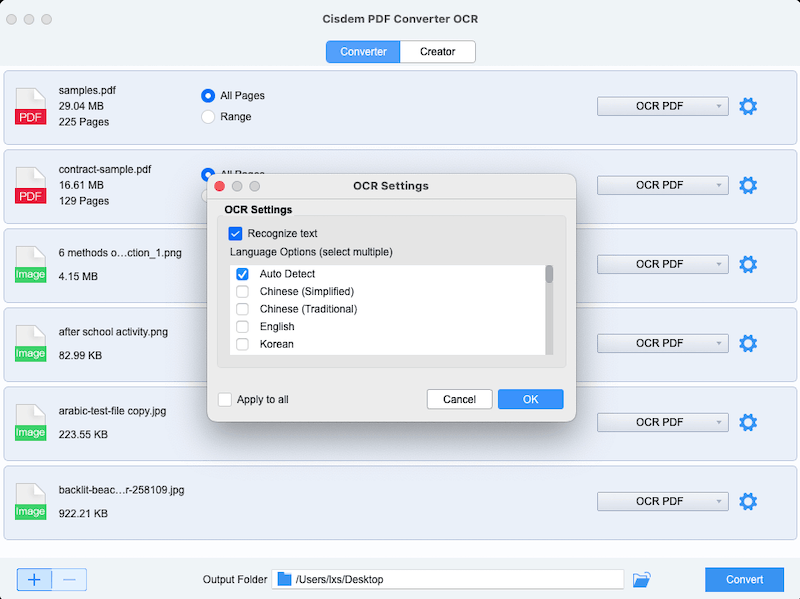
- Choose output as OCR PDF, then select a file language. Click OK.
![cisdem ocr 03]()
- Set the PDF pages you want to OCR, click Convert to start the OCR process.
![cisdem ocr 04]()
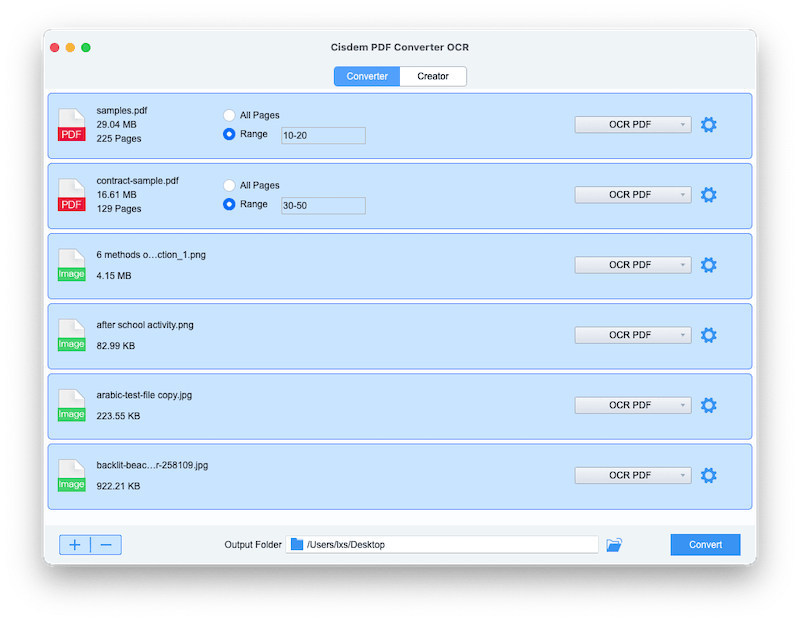
#2 Capture2Text --- Best for Quick On-Screen Text Capture
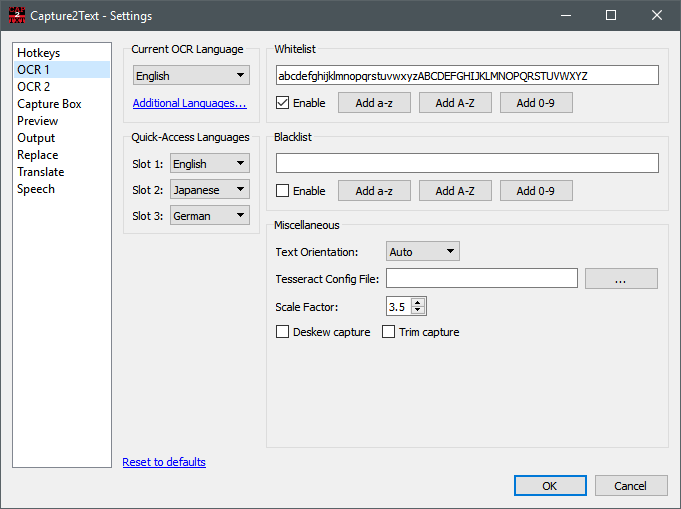
OS Platform: Windows
Our Rating: 4.0/5.0
Free Download Capture2Text Software: https://sourceforge.net/projects/capture2text/
Best For: OCR text from screen captures and convert text to speech.
Capture2Text is a powerful OCR program to recognize texts from screen captures. Though only allows users to turn captures to plain text, it offers extended features, like text replacement, translation, text to speech conversion. In addition, it allows users to configure different settings to customize the OCR according to needs. However, it seems Capture needs further work to fix the bugs regarding translation and OCR.
What We Like
- Support OCR 98 languages
- Save recognized text to clipboard, or show in popup window, or keep line breaks
- Perform text replacements
- Translate to other languages
- Convert text to speech
What We Don’t Like
- Export as Text only, no formatting
- No batch OCR support
- Program crashes sometimes
#3 PDF OCR X Community Edition --- Best for Simple and Lightweight
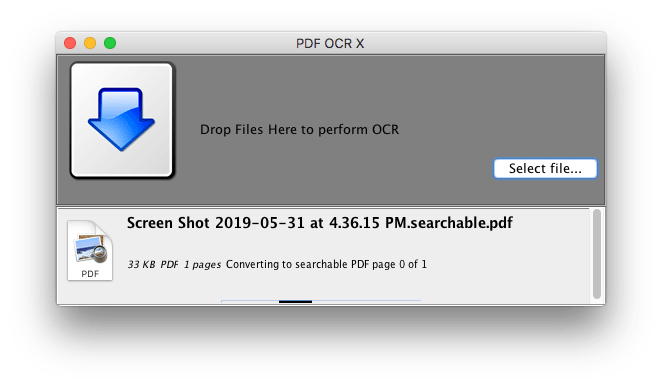
OS Platform: Windows and macOS
Our Rating: 4.0/5.0
Free Download PDF OCR X Community Software: https://solutions.weblite.ca/pdfocrx/download
Best For: OCR PDF and images with simple interface.
PDF OCR X Community is an extremely simple program to perform OCR on both PDF and various images. You just need to drag and drop the file, then choose output format and file language to start the OCR progress. It supports exporting files as Text or searchable PDF, but can convert single-page PDF only. To convert multiple-page PDF, you need to update to its Enterprise version or split the PDF to several single-page PDF for free OCR. Same as FreeOCR, it hasn’t been updated for years. You may have crash issues on latest operating systems.
What We Like
- OCR PDF and images
- Export as Text and searchable PDF
- Easy to use, just drag and drop
- Recognize 60 languages
What We Don’t Like
- No batch OCR support
- Convert single-page PDF only
- Process OCR slowly
#4 SimpleOCR --- Best for Batch Simple Text Recognition
.jpg)
OS Platform: Windows
Our Rating: 4.0/5.0
Free Download SimpleOCR Software: https://www.simpleocr.com/download/
Best For: OCR PDF and images with spell check.
SimpleOCR from SimpleSoftware, is a freeware to do OCR on PDF, image, even paper files from a connected scanner. SimpleSoftware offers various brands of OCR tools, its SimpleOCR gives users a free experience to know how efficient and convenient an OCR tool can be. If your file is reversed, you can rotate to have a more accurate OCR. Also, it supports spell check, you can replace those suspected errors with words from the dictionary. Yet, it may take you some time to manually adjust the errors.
What We Like
- OCR files in batch
- OCR files from scanner, PDF and image
- Spell check is allowed
- Save file as Word or TXT
- Allow rotating files
What We Don’t Like
- Take time to finish an OCR job
- Crash frequently
#5 FreeOCR --- Best for Basic Text Extraction
.jpg)
OS Platform: Windows
Our Rating: 3.8/5.0
Free Download FreeOCR Software: http://www.paperfile.net/download2.html
Best For: OCR and convert PDF files to Text, Word and RTF.
FreeOCR from PaperFile is based on Tesseract OCR to turn scans, PDF and image to 3 formats: Text, Word and RTF. It offers batch OCR and allows users to export files as JPG. Though it is designed to convert files to editable Word, the formatting cannot keep in the Word file. In addition, the last update for this program was released in 2015, there may be some technical errors on different, especially latest Windows. Anyway, it offers high accuracy and deserves a try.
What We Like
- Support OCR on scans, PDF and image
- Export files as Text, Word and RTF
- Recognize 11 languages
- Export file as JPG
What We Don’t Like
- Time consuming to process OCR
- No formatting is preserved even when exported as Word format
- No batch OCR support
- Outdated interface
- Respond slow when importing files
#6 Free OCR to Word --- Best for Converting into Editable Word
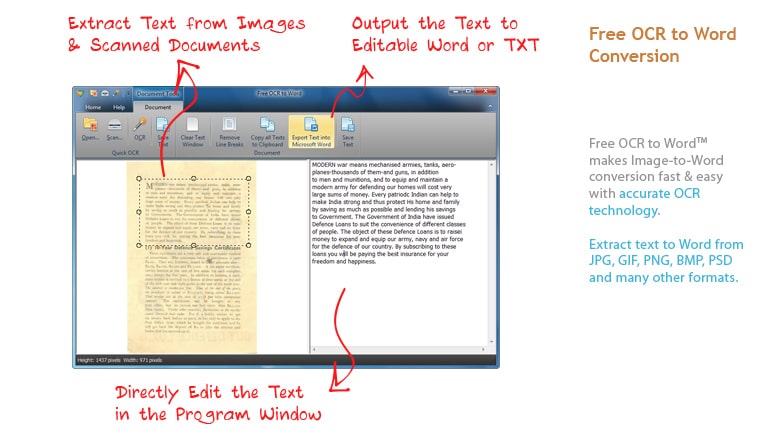
OS Platform: Windows and macOS
Our Rating: 3.8/5.0
Free Download Free OCR to Word Software: https://www.ocrtoword.com/
Best For: Free OCR software with fast speed.
Free OCR to Word offers an easy way to turn files from scanner and images to editable Word or Text format. Other than other free OCR tools, it has an excellent support on image input, besides common image, it also does OCR on ICO, PCX, PSD, CUR, DCM, WMF, EMF, TGA, PXM, WBMP, CRW, WPD, IEV, JP2, J2K, DCX and LYR All. In addition, it offers a set of image and document tools, to view and manage the file easily, which gives a better user experience.
What We Like
- OCR scans and image
- Offer a set of image tools for better view
- Offer a set of document tools to copy, paste, remove and output text
- Export as Word and Text
- Fast OCR
What We Don’t Like
- Cannot highly maintain the original formatting
- Need manually adjust the OCR errors
#7 SuperGeek Free OCR --- Best for Converting Speed
.png)
OS Platform: Windows
Our Rating: 3.8/5.0
Free Download SuperGeek Free OCR Software: https://www.ocrfree.net/download.php
Best For: OCR and convert PDF files to Text, Word.
Does this program look familiar to you? Let’s say Free OCR to Word. Yes, I finally figure out that SuperGeek Free OCR and Free OCR to Word are exactly the same program, having the same functions but using a different color of interface and available on different website. I have been hesitate if I should put this SuperGeek program on this list, anyway, it is an option to do OCR for free and offline, for users who have problems accessing to Free OCR to Word, this program may help.
What We Like
- OCR scans and image
- Offer a set of image and document tools for better user experience
- Export as Word and Text
- Fast OCR
What We Don’t Like
- Cannot highly maintain the original format and layout
- Need manually adjust the OCR errors
#8 OneNote --- Best for Extracting Text from Handwritten Notes
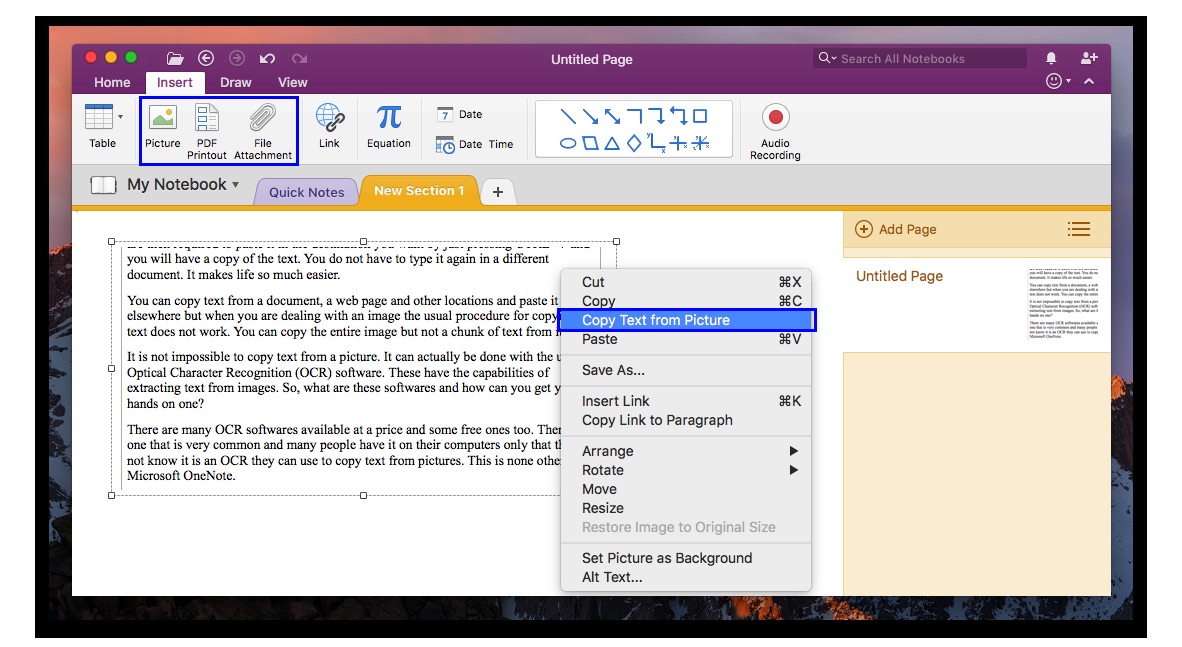
OS Platform: macOS, Windows, iOS, Android
Our Rating:3.8 /5.0
Free Download OneNote OCR Software: https://products.office.com/en/onenote/digital-note-taking-app
Best For: OCR software you might already have.
OneNote from Microsoft is a note-taking program to create and organize notes across different platforms, including macOS, Windows, Android and iOS, also it offers online free portal to manage your notes anytime anywhere. It is free and mainly focusing on processing notes, to process notes source from PDF or images, it builds in OCR feature to copy text from these files, then embed to a note for other use.
What We Like
- Highly compatible on different operating system
- High OCR accuracy to recognize text
- Support OCR on PDF and image
- Easy to use
What We Don’t Like
- Doesn’t support batch OCR
- Export as Text only
- No formatting is preserved
- Program crash sometimes
#9 Adobe Scan Mobile App --- Best for Smart Image Processing
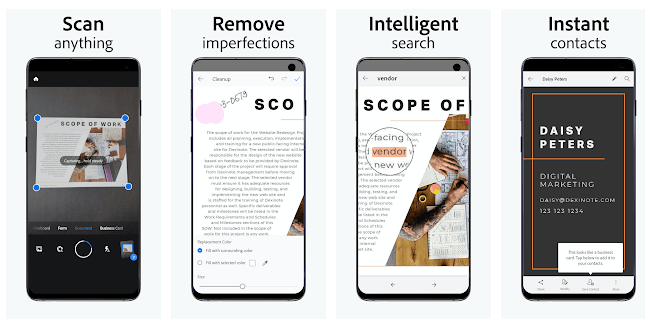
OS Platform: Android and iOS
Our Rating: 3.6/5.0
Free Download Adobe Scan OCR Software: https://acrobat.adobe.com/us/en/mobile/scanner-app.html
Best For: OCR software for mobile user.
Speaking of PDF editing or OCR files, Adobe is definitely the most professional solution. But its price tag is always the obstacle to install this program. So, it’s really a good news that its mobile version is free to users. Adobe Scan mobile app is available on both Android and iOS, helping turn scans under their mobile phone camera to copyable text. To yield high quality Adobe OCR result, it provides basic editing feature to optimize the photo scans.
What We Like
- Accurate OCR result
- Automatically detect and capture scans
- Turn scans to PDF
- Auto recognize text
- Edit photo scans
- Connect with other apps to edit, convert, fill and sign PDFs
What We Don’t Like
- In-app purchase is required when export as Word or for advanced options
- No batch OCR
#10 LEADTOOLS OCR Application --- Best for Selected Areas Recognition
.png)
OS Platform: macOS
Our Rating: 3.5/5.0
Free Download LEADTOOLS OCR Software: https://apps.apple.com/us/app/leadtools-ocr/id604393629?mt=12
Best For: OCR software that is lightweight and export to Word, TXT, LTD, PDF, RTF, SVG, XML, HTM, MOB and ePub.
LEADTOOLS is a company offering fast OCR SDK technology for developers across all platforms, rather than providing end-user applications, but its LEADTOOLS OCR Application in Mac AppStore gives a chance for users to try its OCR technology. It supports OCR PDF and image to 10 formats, but according to my tests, it does the best on OCR files to text, while there are improvements needs to be done on OCR accuracy. Anyway, it is quite convenient to extract texts from files in the result window, instead of saving in a txt file.
What We Like
- Offer a basic setting of viewing tools
- OCR PDF and image
- Export files as Word, TXT, LTD, PDF, RTF, SVG, XML, HTM, MOB and ePub
- Select OCR zone
- Extract text directly from result window
What We Don’t Like
- Program crashes sometimes
- Need improvements on OCR accuracy
- No batch OCR support
- Support only 5 languages
#11 Google Keep --- Best for OCR to Google Docs
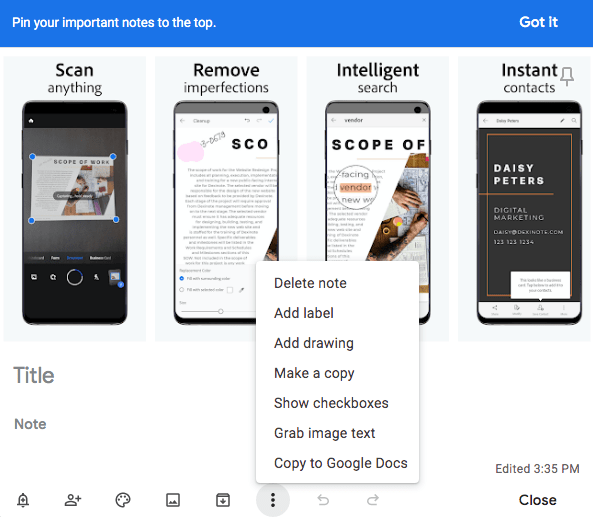
OS Platform: Android, iOS, Web and Chrome
Our Rating: 3.5/5.0
Free Download Google Keep OCR Software: https://www.google.com/keep/
Best For: Free OCR software that is accurate.
OneNote alike, Google Keep is an application to take and manage notes online or on your mobile phone. Its built-in OCR feature can grab text directly from the image, then share to your Google contacts, or copy to Google Docs for further editing. It is not a piece of software exclusively designed to do OCR, you will benefit a lot when using it to create and manage your notes.
What We Like
- Accurate OCR
- Allow taking notes
- Grab text directly from image
- Share to other contacts
- Copy text to Google Docs
What We Don’t Like
- Export as plain text only, no formatting
- No batch OCR
Best Free Offline OCR Software Comparison
| Platform | Rating | Input Format | Output Format | |
|---|---|---|---|---|
| Cisdem PDF Converter OCR | Windows and macOS | 4.5/5.0 | PDF, Image | PDF, Word, PowerPoint, Excel, (Pages, Keynote, Numbers for Mac version), HTML, RTF, CSV, TXT, Images |
| SimpleOCR | Windows | 4.0/5.0 | Scan, PDF, Image | Word, Text |
| Capture2Text | Windows | 4.0/5.0 | Image | Text, Speech |
| PDF OCR X Community Edition | Windows and macOS | 4.0/5.0 | PDF, Image | Text, PDF |
| FreeOCR | Windows | 3.8/5.0 | Scan, PDF, Image | Word, Text, RTF; |
| Free OCR to Word | Windows | 3.8/5.0 | Scan, Image | Word, Text |
| SuperGeek Free OCR | Windows | 3.8/5.0 | Scan, Image | Word, Text |
| OneNote | macOS, Windows, iOS, Android | 3.8/5.0 | PDF, Image | Text |
| Adobe Scan Mobile App | Android and iOS | 3.6/5.0 | Scan, Image | PDF, Text |
| LEADTOOLS OCR Application |
macOS |
3.5/5.0 | PDF, Image | Word, TXT, LTD, PDF, RTF, SVG, XML, HTM, MOB and ePub |
| Google Keep | Android, iOS, Web and Chrome | 3.5/5.0 | Image | Text |
FAQs
1. What is offline OCR?
OCR, which is Optical Character Recognition, it is the technology to recognize text from a image-based file (scanned PDFs, images) or paper documents. It will make these files to digital copies of readable and searchable texts.
There are both online and offline OCR tools. Online OCR refers to web-based OCR services that perform OCR on uploaded files online, then save the output documents to local hard drive of a device, users need to have access to Internet and upload the files to 3rd party server which stores those files for 24 hours or more.
While offline OCR refers to desktop or mobile software to perform OCR even without accessing to Internet. As long as we have these apps installed on our device, we can perform OCR at anytime anywhere without staying online. And the files stay on our device.
2. What are the benefits of using OCR software?
It has been estimated that 40% of all document imaging and scanning work is rework. But when OCR converts a scanned image into digital text, it becomes a searchable text file, thus making all things possible like:
- You could quickly find your favorite quote within a large document.
- You can also copy, paste, and edit passages of text within the document.
- You files become much smaller than a scanned one.
- You can cut down the cost of hiring consultants to help with data extraction.
- For those who are blind or visually impaired, OCR software can help decipher text and have it read aloud.
3. Free OCR software VS. paid OCR software, Which one is better?
Free OCR Software like Capture2Text, PDF OCR X Community Edition and OneNote are pretty good, But after months of testing free OCR software, our team reached this consensus: paid OCR software are usually better on account of all the extra features and accuracy they provide.
What’s more, paid OCR software also include better customer support, so you know you can get help on even complex condition files.
However, free OCR tools should suffice for those who are looking for a more economical way to convert scanned PDF or images into searchable and editable files.
4. Why we don’t recommend online free OCR software?
For free OCR Software, many people will also find multiple free online tools available, but e don’t really recommend online sites. Here’s what dangers this might bring:
- They may sell user data. What better way to make money than making you the product and selling your data?
- Multiple Ads. Online sites also need money, so free online OCR tools also comes with annoying ads.
- Limit on File Numbers and Sizes.
5. How to Improve OCR Accuracy?
- As a rule of thumb, make sure the scanned document is between 300 and 600 dpi for accuracy. If the font size is below 10pts then 400 dpi would be recommended.
- When scanning, PDF, TIFF and PNG are recommended for uncompressed file formats. JPEGs will lose quality with each edit.
- Make sure the source document is laid flat on the scanner. Skewed pages can lead to inaccurate OCR recognition.
- For most of the free OCR tools text covering overly bright or dark graphics in the original document will not be recognized. If this is the problem, adjust the contrast or use a paid software instead.
Conclusion
As I believe, all the best free offline OCR software that worth a try is now on our top list, they are free and safe to use offline. One thing for sure, all these free OCR software has their individual disadvantages, and that’s the reason why there are still a lot of users finally pick a paid OCR software: Cisdem PDF Converter OCR to recognize their file, they want better user experience and more accurate OCR result.

Carolyn has always been passionate about reading and writing, so she joined Cisdem as an editor as soon as she graduated from university. She focuses on writing how-to articles about PDF editing and conversion.

Liam Liu takes charge of the entire PDF product line at Cisdem and serves as the technical approver for all related editorial content. He has deep expertise in PDF and document management technologies and nearly a decade of development experience.
Irene S. Divine
I sometimes need to extract text from scanned documents, and I'd rather not upload my private files to those AI agents or websites. Your list is very useful. I'll definitely try a couple of these and see which one works best for my needs.
Dianne
I like the batch feature in cisdem ocr. I have so many scanned documents to recognize.
Julie M. McDonald
You are really attentive! So many free offline OCR software have been listed. I have saved this article for future use.
aqw
Thanks for the clarification it is truly an amazing clarification, thanks for writing it.