


Why is Fortnite So Addictive & How to Quit [Dec 2025]
 760
760
 0
0


Online game addiction has become one of the main problems affecting young people’s physical and mental health. According to a number of surveys, the proportion of adolescent with game addiction continues to rise. And even many adults are addicted to games. Why is Fortnite so addictive? What can we do to quit Fortnite addiction? Read this article to help you.
 Cisdem AppCrypt
The Best Game Blocker to Quit Fortnite Addiction
- Lock apps, like games, with password
- Block websites and pages on Chrome, Opera, and other browsers
- Block specific sites, categories of sites, and URLs with certain keywords
- Let you block all popular game sites with 1 click
- Let you lock apps and block websites permanently or at scheduled times
- Let you block all websites except the ones you allow
- Help with parental controls, productivity, privacy protection, etc.
- Easy to use and hard to bypass
- Available for Windows, Mac, Android, iPhone and iPad


What is Fortnite? A quick overview
Released in 2017, Fortnite is an online video game with over 1.3 million daily active players worldwide as of 2025. It has several game modes: Battle Royale, Save the World, Battle Royale No Builds and lots of users created modes. Battle Royale is the most popular modes. Players will join 99 other players on a huge game map. They need to survive by exploring the map to collect various resources.

Fortnite is available on PC, iPhone, iPad, or Android through the Epic Games Store. Mac users cannot play Fortnite directly through the Epic Games launcher. However, they can still access the game using cloud gaming services.
Why is Fortnite so addictive?
Is Fortnite addictive? The answer is yes. Some factors of this game make it addictive, especially for young players.
First and foremost, Fortnite has an engaging gameplay mechanic such as fast-paced gameplay experience, intense competition, and a sense of victory. These factors excite players, and make them play over and over again.
Second, Fortnite allows players to team up with friends or other players to play the game together. This game social interaction can better enhance player’s experience. It also creates a sense of social identity and belonging, which makes younger players spend more time on it.
In addition, this game regularly launches new seasons, providing players with new content and experience. Keep players stay interested and motivated in this game.
5 signs you might be addicted to Fortnite
When you (or your child) is addicted to Fortnite, the following signs may appear:
1. You spend less time sleeping, and often stay up late playing Fortnite.
2. You lose interest in studying, leading to a decline in grades.
3. Also lose interest in other activities or things. Such as playing sports, doing housework, etc.
4. You may be reluctant to communicate with family and friends, preferring to spend more time in games.
5. You feel irritable or depressed when you are not allowed to play the game.
How to quit Fortnite addiction? 5 practical tips
To quit Fortnite addiction, here are some practical tips:
1. Set clear gaming time limits: Set a goal on how much time you’re allowed to play Fortnite each day or week.
2. Set screen time limits: In addition to game time, setting screen time limits is also necessary. Make sure you have enough time for other activities.
3. Develop other interests: Developing other interests such as sports, art, music can help reduce reliance on the game.
4. Communicate with family or friends: Have an open communication with your family or friends. Let them monitor your gaming habits.
5. Seek professional help if needed. If all above are helpless for you to quit Fortnite. Consider seeking help from mental health professional.
How to block Fortnite on computers and phones
Fortnite is addictive and make you can't stop playing it. To quit Fortnite addiction, you can use Cisdem AppCrypt - a game blocker that let you block Fortnite on a computer or phone completely, or set a time limit on it.
Below are how to use it:
On computer
1. Download and install Cisdem AppCrypt on a computer.
 Free Download Windows 10 or later
  Free Download macOS 10.15 or later
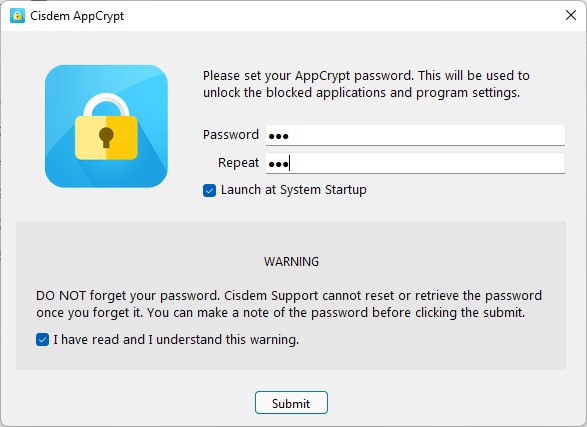
2. Set a password when you first launch it. (If you are blocking Fortnite for you children, don't let them know this password. It is for prevent your child from changing the settings/quitting the blocking/uninstalling this tool.)
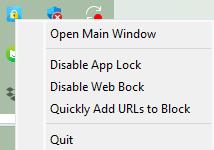
3. On a Windows PC, click the lock icon in the taskbar to choose Open Main Window. On a Mac, click the icon in the menu bar.
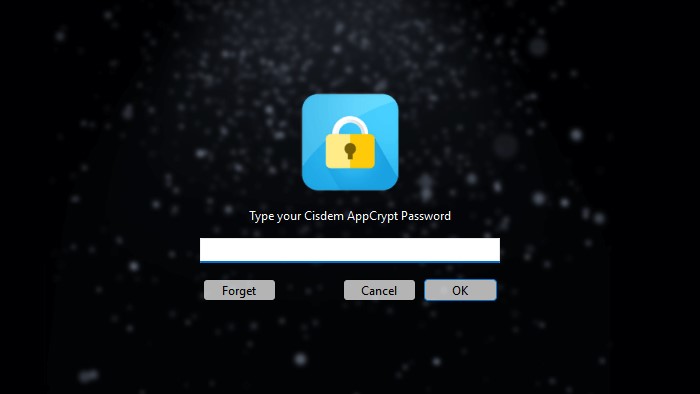
4. Enter the password to access the main window.
5. Click the plus icon under the App Lock tab. Select Epic Games launcher or the cloud gaming app. Click Open.
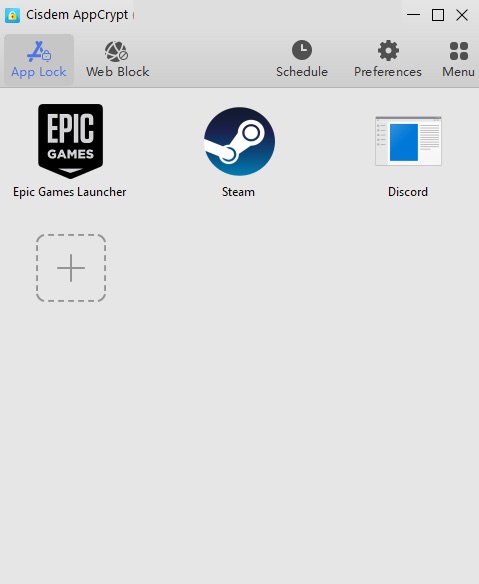
Now Fortnite is blocked permanently unless you entering the password to unblock it.
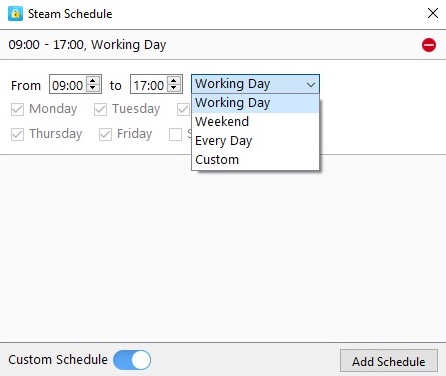
If you want to allow your child to play Fortnite on certain hours of a day or certain days of a week, you can use the Schedule feature.
Under the AppLock tab, select Epic Games Launcher and click the clock icon that appears. Turn on Custom Schedule. Create one or more schedules to limit Fortnite playtime. You can only play this game during the time you set, which can help you or your child overcome Fortnite addiction.
On iOS
The steps to block Fortnite on iPhone, iPad or Android is similar to that on Mac and Windows, but even simpler.
1. Download and install Cisdem AppCrypt on your iOS device.

2. Open it. Click App Lock.
3. Click Add/Remove at the bottom.

4. Search for Fortnite app. Select it. Click Done.
Now this game app is blocked.
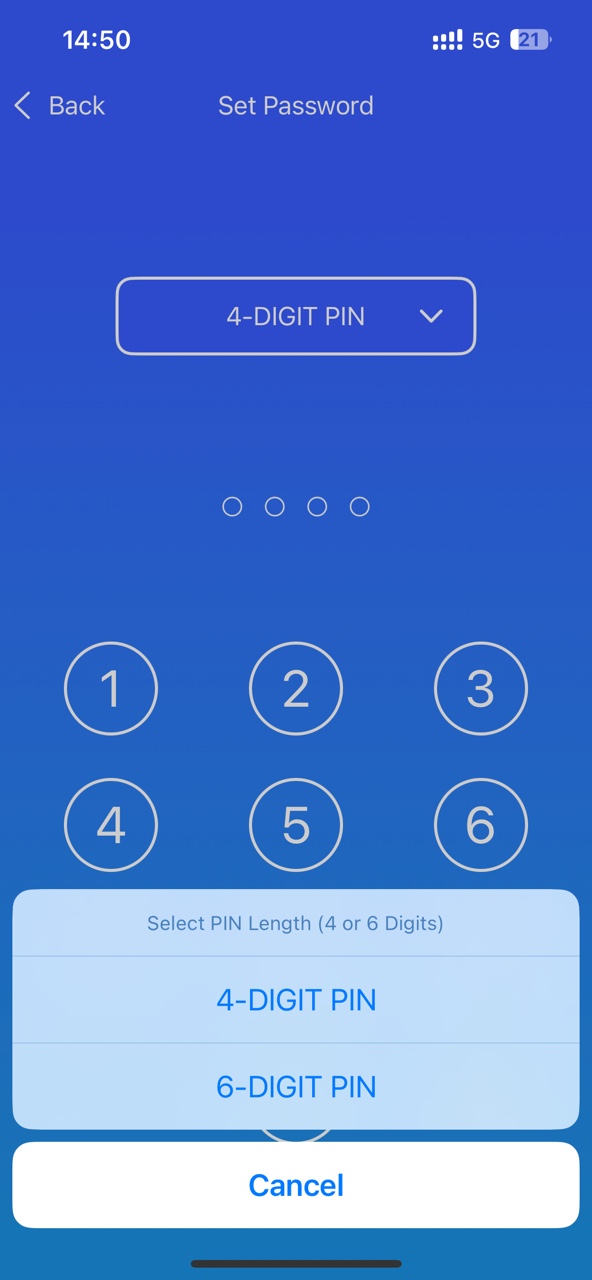
5. Click Preferences. Click Notifications. Turn on Notification and Notification unlock. It'll prompt you to set a PIN for protecting your settings.
On Android
1. Install Cisdem AppCrypt from the Google Play.

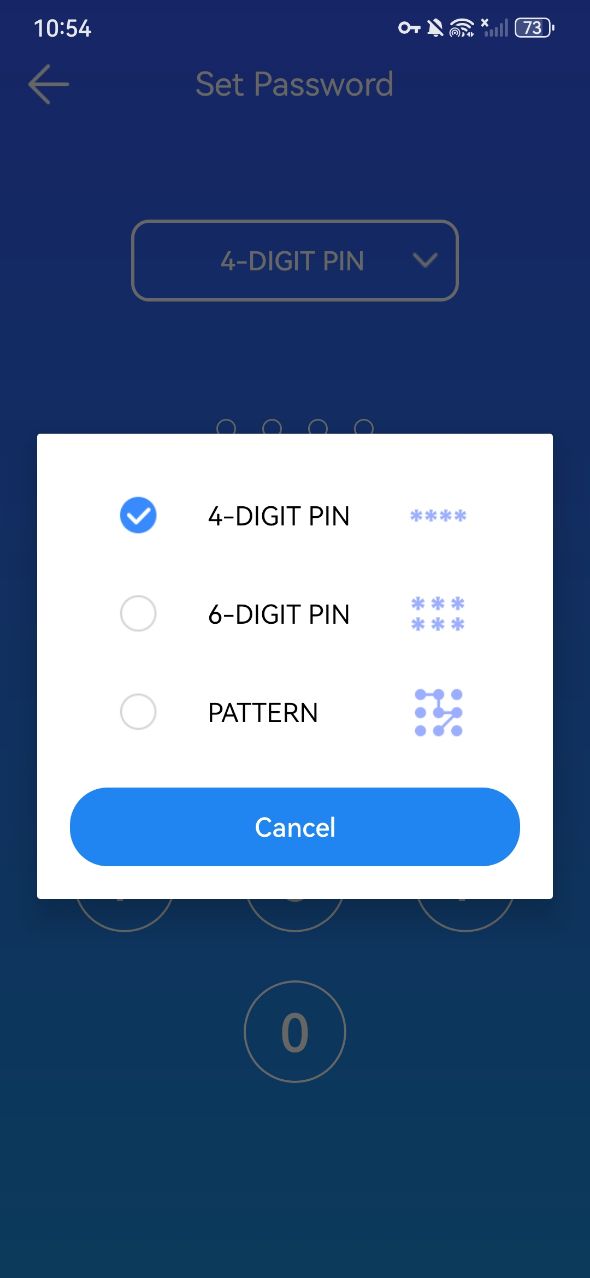
2. Set a 4-digit or 6-digit password or a pattern when you first use it.
3. Open the main window. Click App Lock.
4. Toggle the button to the on position next to Fortnite app.
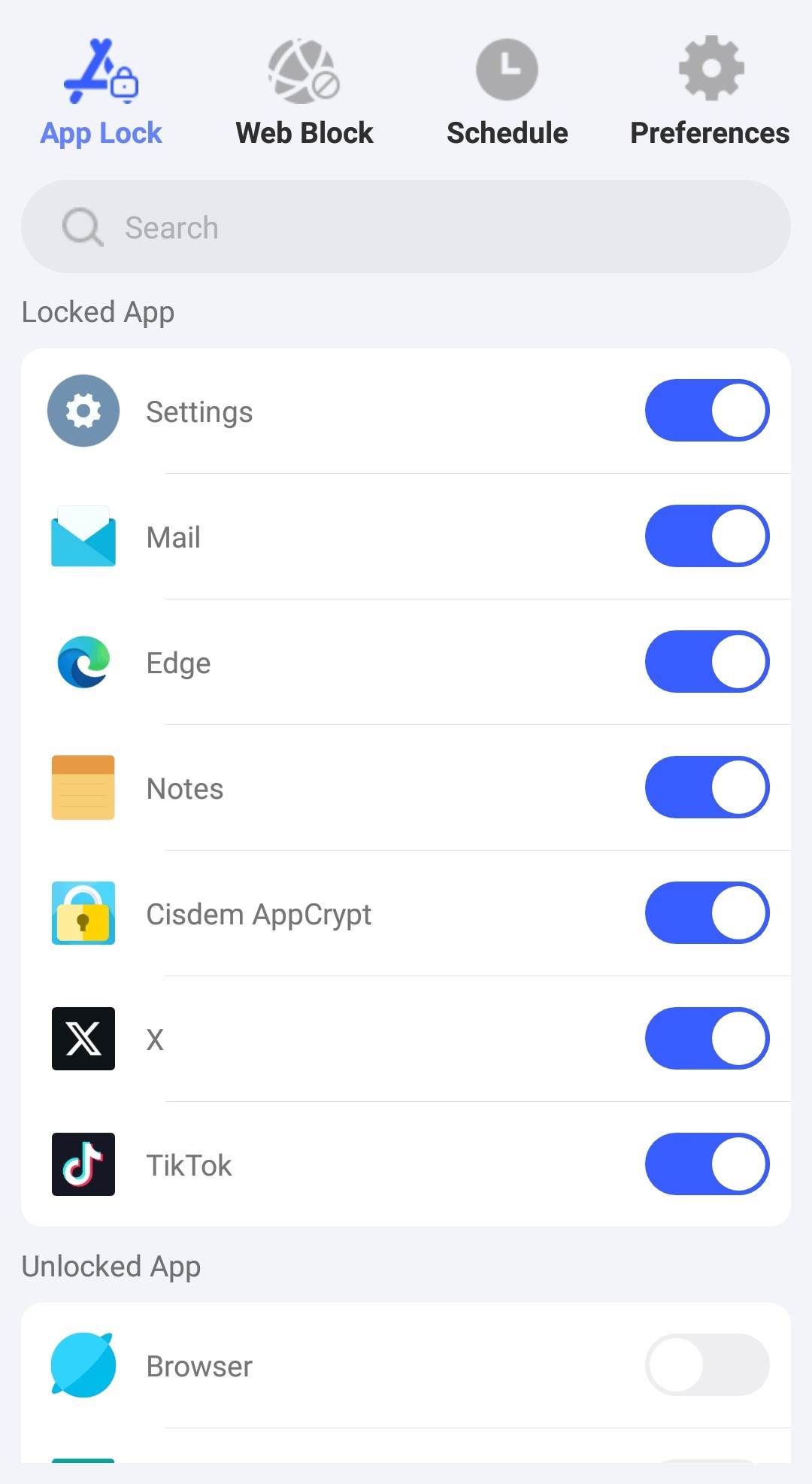
By following the steps above, Fortnite is successfully blocked.
Conclusion
This article explains why Fortnite is so addictive and offers practical ways to quit Fortnite addiction. Game blockers like Cisdem AppCrypt can help you block Fortnite and other game apps completely, limit game time, and restrict access to online gaming websites, making it easier for you to build healthier gaming habits.

Norah Hayes likes to share her tips on how to improve focus and stay motivated at work. She believes it is essential to eliminate all online distractions during work hours.

Ethan Long joined Cisdem in 2015 as a developer and now serves as the editorial advisor for Cisdem AppCrypt. He actively tests and uses Cisdem AppCrypt and other screen-time management tools to ensure AppCrypt meets its promises in real-world scenarios.