


Mobicip Review, Tutorial and Best Alternative for Parents
 269
269
 0
0


Almost all children have electronic devices now. Some parents only allow their child to use electronic devices for online learning, while most parents said that do not manage children’s online activities, screen time, etc. Without parental control, children may become addicted to the Internet.
Mobicip is the choice of many parents. This tool help parents monitor and manage child’s online behavior with ease. What features does it offer? How much does it cost? Is it worth trying? Are there any good alternatives? In this Mobicip review, I’ll talk about them.
 Cisdem AppCrypt
The Best Mobicip Alternative App
- Block inappropriate sites by category, such as porn, gambling, and social media
- Let you block URLs containing specific keywords, such as "game", "adult", etc.
- Block specific websites and pages
- Also let you block all sites except a few
- Block harmful apps with password
- Provide a report of failed attempts to access locked apps
- Let you block websites and lock apps permanently or at scheduled times
- Easy to use and hard to bypass
- Help protect children from inappropriate content online
- Help limit child’s screen time
- Available for iOS, Android, Mac and Windows PC


Mobicip review
In this part, I‘ll detail Mobicip’s main features, pros, cons, and my personal user experience.
What is Mobicip
Mobicip is a powerful parental control software. It offers some useful features to help parents see what children are doing online, track their daily screen time, and protect their online safety, etc. It can run on different operating systems, including iOS, Android, macOS, Windows, Chromebook and Kindle. No matter what device your child is using, Mobicip provides effective management and protection.
Main features of Mobicip
As a parental control software, Mobicip offers all the basic features it should have. It also comes with several advanced features in its Premium plan.
Screen time management
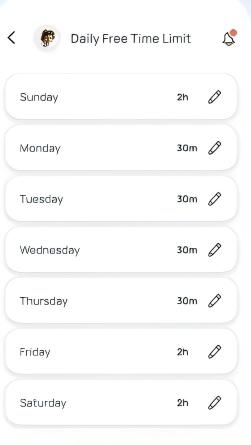
To guide children to build healthy digital habits, the first thing parents need to do is to control their daily screen time. Mobicip offers this feature. With it, you can set daily screen time limits for your children, allowing them to freely play games, use social media, etc. on their devices for a certain period of time. Once the time is reached, the device will automatically lock. You can also set schedules. For example, not allowing children to use their phones during school hours, bedtime, and allowing them to use their phones for 2 hours during their free time every day.
App blocking
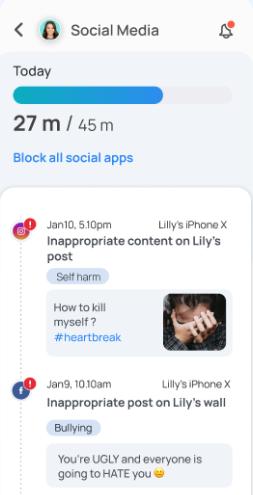
Using this parental control app, you can see what applications your children have installed on their devices. If you find that a inappropriate app is installed, just block it immediately. It also allows you to stop your child from installing harmful apps, even if he/her haven’t installed these app before. With Mobicip, you are able to schedule the time you child can spend on different apps each day. The lime limits can be set on specific apps or categories of apps. For example, limit your child to 45 minutes a day on social apps and 30 minutes a day on games.
Web Filtering
Mobicip has an intelligent web filtering function that can automatically block inappropriate websites according to the age of children. It can block websites containing adult content, violence, gambling, drugs and other inappropriate information. To meet personalized needs, parents are also allowed to manually add website to blacklists and whitelists. In addition, Mobicip’s porn blocker ensures that children are not accidentally exposed to bad content when using search engines.
Activity reports
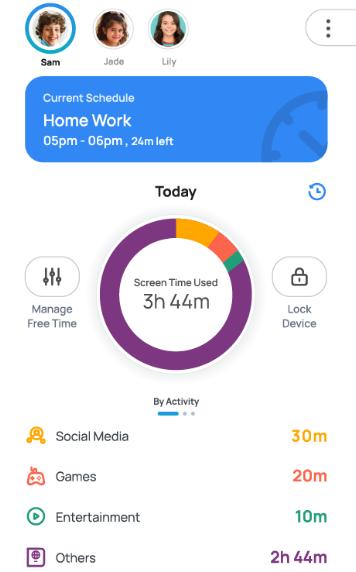
To help parents know children’s online activities and better control their online behavior, Mobicip tracks children's daily activities and provides detailed activity reports, including what websites children visited, what videos they watched, what games they played, the amount of time they spent on each apps, etc. You can adjust the screen time limit and block certain apps, websites based on the activity reports.
Location Tracker
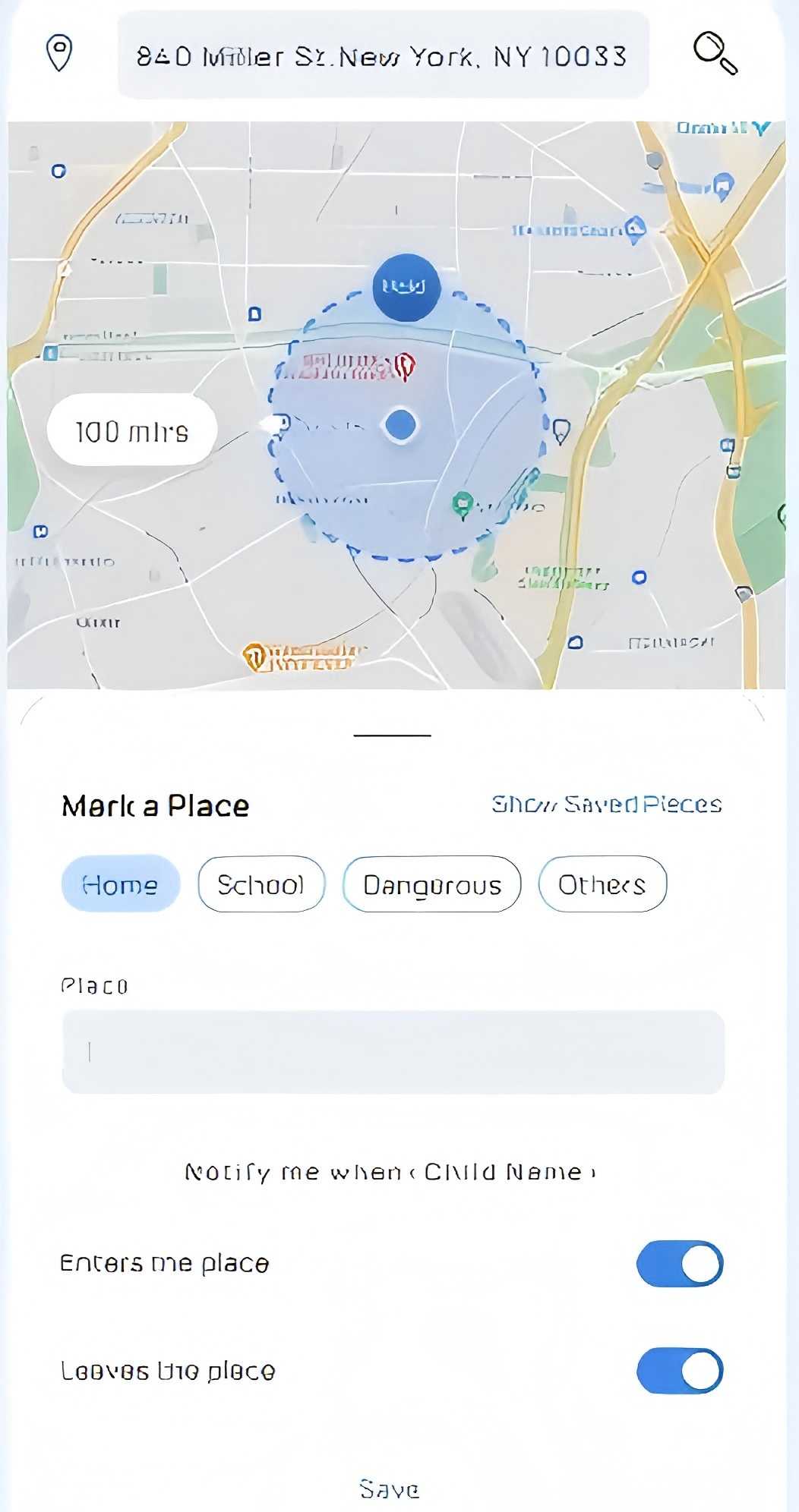
Mobicip comes with a GPS location tracker. With it, you can view your children's current location at any time. To make sure children are in a safe zone , it allows you to set up geo-fences. When children enter or leave a specific area such as school, home, or their friend’s home, you will receive instant notifications.
Is Mobicip free
No, Mobicip is not free. It provides Lite plan, Standard plan, and Premium plan.
The Lite plan costs $2.99 per month. It allows you to manage 5 devices, which is enough for most families. The Standard plan allows you to manage up to 10 devices, but cost more. The Premium plan is the most expensive. It supports managing 20 devices, and offers 3 advanced feature that the first two plans don’t have: Social Media Monitor, App Timers, and Parenting Expert Tips.
|
Mobicip |
Lite plan |
Standard plan |
Premium plan |
|---|---|---|---|
|
Price |
$2.99/month |
$4.99/month |
$7.99/month |
Pros & Cons of Mobicip
Pros:
- Flexible app and websites blocking.
- Powerful screen time management.
- Let parents know child’s online activities at all times.
- Detailed activity reports.
- Real-time location tracking for children.
-
Available for iOS, Android, macOS, Windows, Chromebook and Kindle.
Cons:
- Some features are unavailable in the Lite and Standard plans.
- The price is higher than some of its alternatives.
- The setup process is a bit complicated.
How to use Mobicip
Here are the general steps about how to use this parental controls app.
Step 1. Go to the official site of Mobicip. Register an account.
Step 2. Download and install Mobicip on both parent and child’s devices.
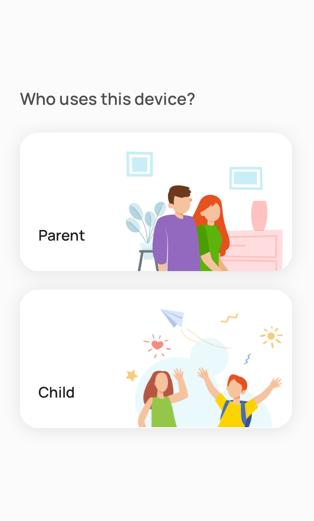
Step 3. Open the app. Log in. Select the child or Parent option.
Step 4. In the Mobicip dashboard, add your child's profile and enter their age. Follow the prompts to allow this app send notifications, track your child’s location, etc.
Step 5. Set screen time, web filtering, app blocking rules for your child.
Parental controls are now set up successfully. You can adjust the settings at any time.
The specific steps will vary depending on the device you and your child use. For example, iOS users need to enable the Apple Family Sharing when using Mobicip.
Mobicip’s best alternative
There are many alternatives to Mobicip. One of them is Cisdem AppCrypt, which performs well in parental controls and is relatively affordable. It is also easy to use, letting you set up app blocking, web filtering, screen time limits, etc. on child’s phone or computer with ease.
Below are how to use this Mobicip alternative on iOS devices:
Step 1. On your child’s iPhone or iPad, download and install AppCrypt from the App Store.

Step 2. Open it. Go to the App Lock tab. Click Add/Remove.
Search for the application you want to block on your child’s phone. Select it. Click Done.
You can also select a category of apps, such as Games, Social.

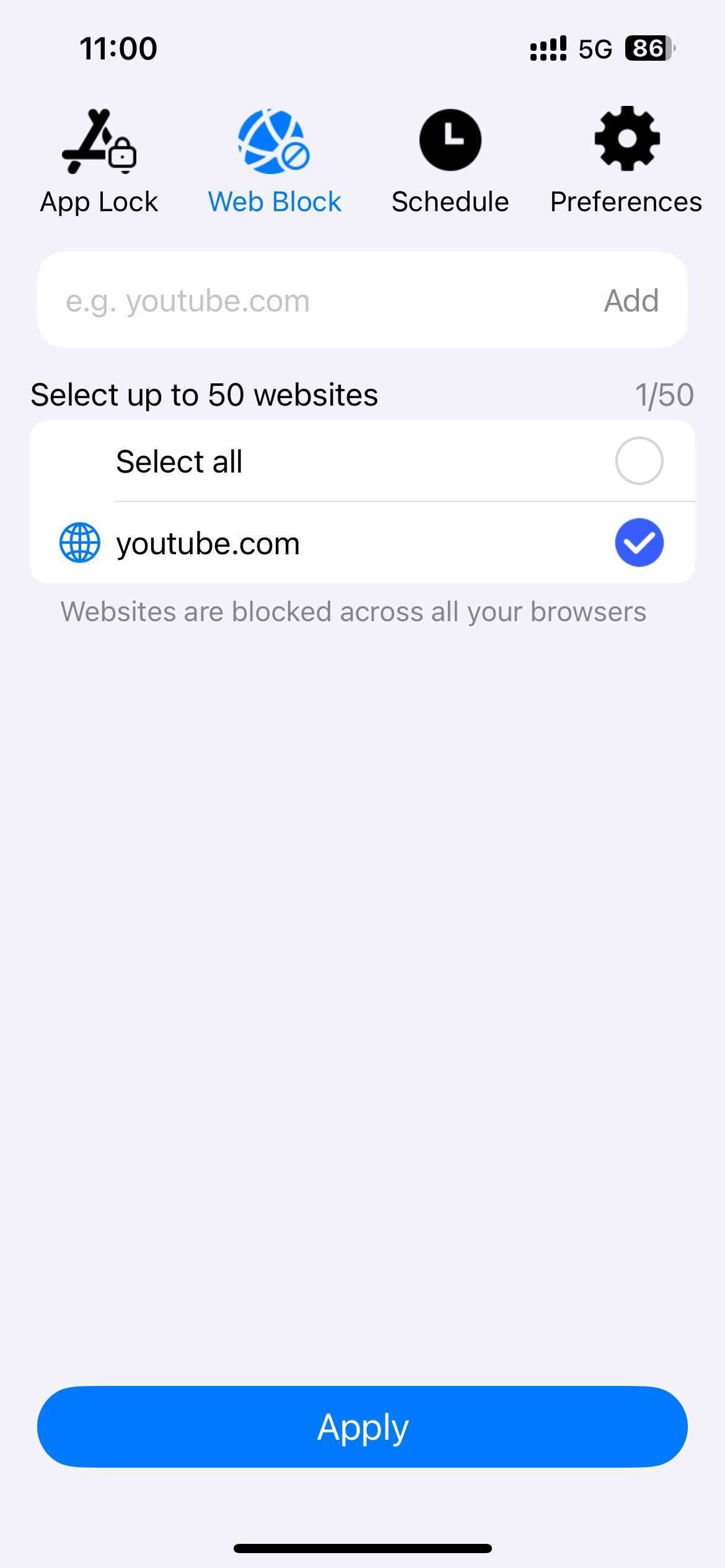
Step 3. Click Web Block. Enter the websites that you think are inappropriate for child to the URL field. Click Add. Click Apply.
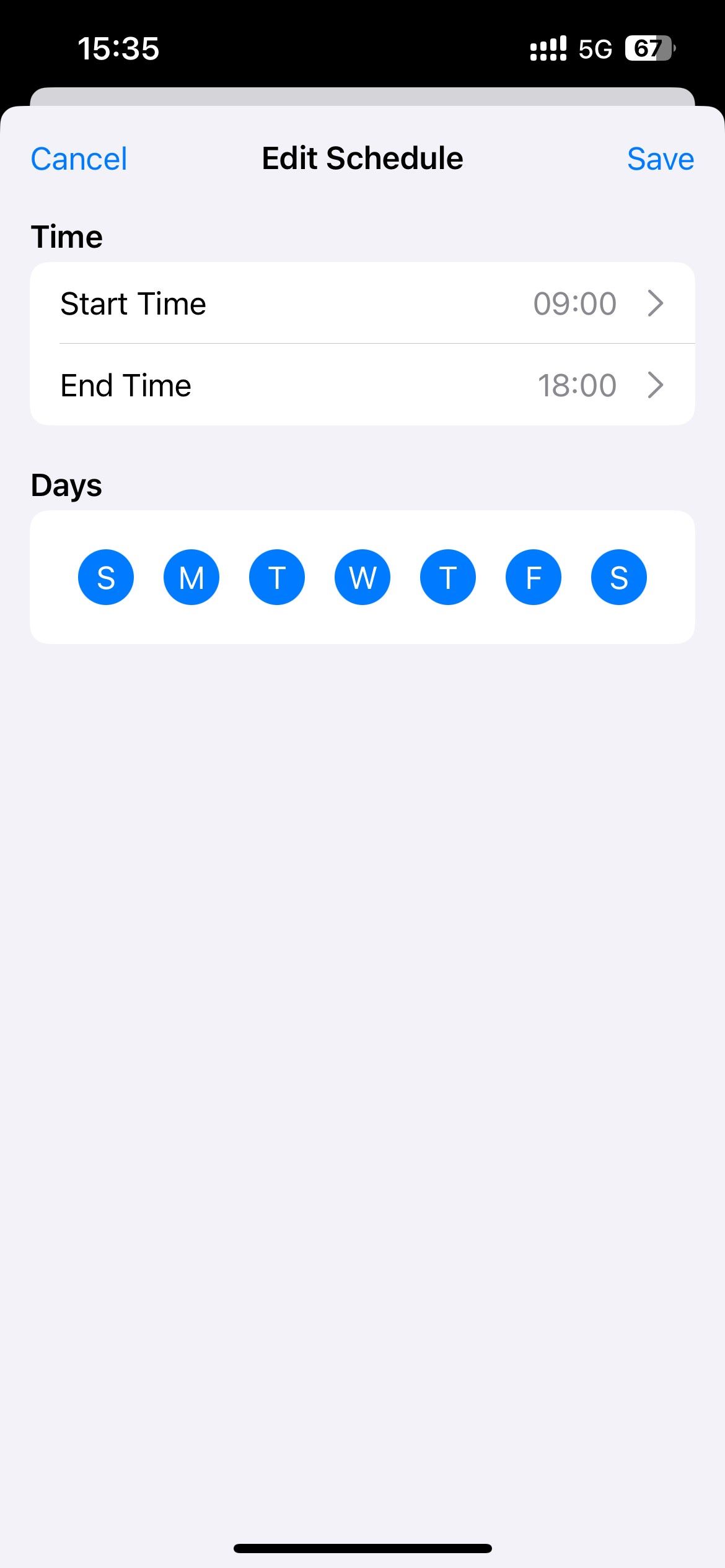
Step 4. To set screen time limits for child, go to the Schedule tab. Set the times you allow your child to have access to the apps and websites you just added to the block list. Click Save.
Step 5. This step is to prevent your child from changing your parental controls settings. Click Preferences. Click Notifications. Turn on Notification.
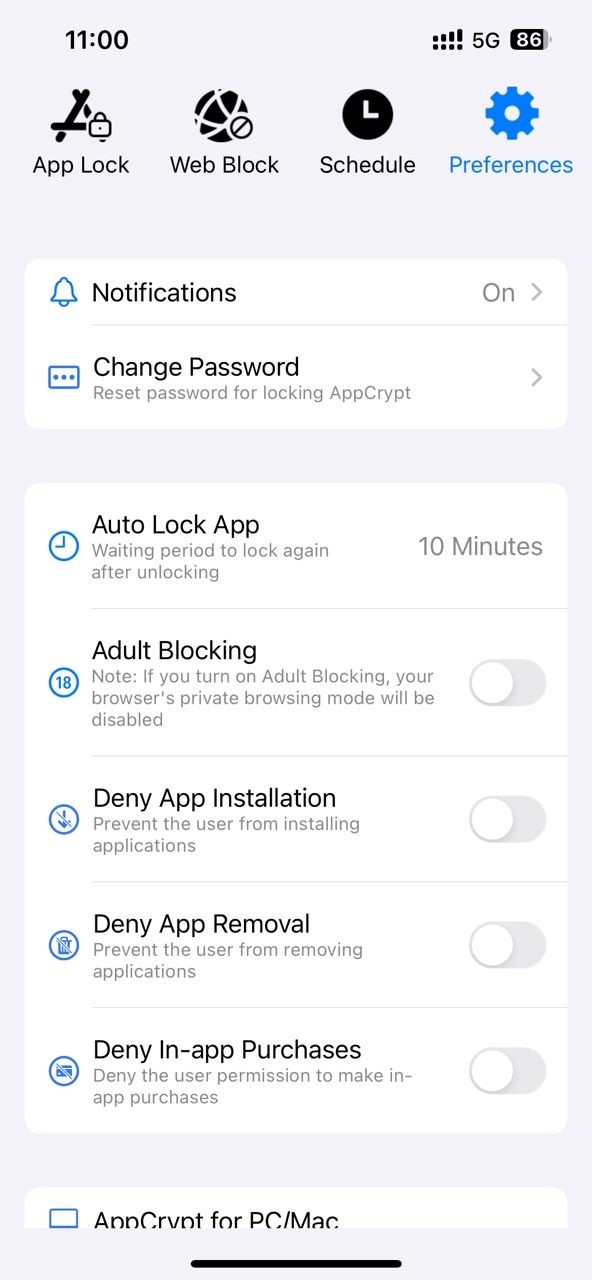
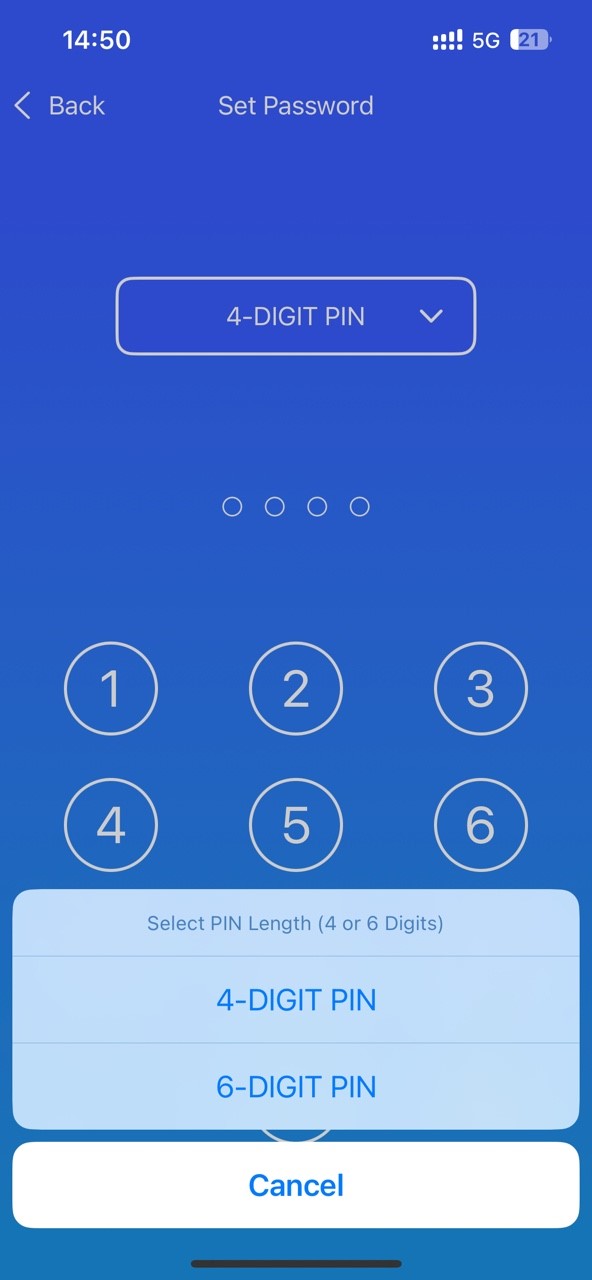
Then it’ll prompt you to set a password. After setting it, you child will not be able to access this parental controls app without the password. You can also turn on options such as Adult Blocking, Dent App Installation, Deny App Removal, Deny In-app Purchases to further protect your child's online safety.
Mobicip VS. its alternative: how to choose?
Both Mobicip and its alternative I introduced above are good parental control software. But some of their main features are different. If you don’t know how to choose from them, check out this comparison of their iOS versions.
|
Mobicip for iOS |
AppCrypt for iOS |
|
|---|---|---|
|
Price |
$35.88/year(Lite plan) |
Free |
|
Block harmful apps |
√ |
√ |
|
Block inappropriate websites |
√ | √ |
|
Schedule screen time |
√ | √ |
|
Lock itself with a password |
✕ |
√ |
|
Location Tracking |
√ | ✕ |
|
Deny app installation |
√ | √ |
|
Deny app removal |
✕ | √ |
|
Deny in-app purchase |
✕ | √ |
Conclusion
Mobicip is worth a try. It helps you monitor and control children’s online activities anytime and anywhere. It also automatically filters inappropriate content on your children’s devices based on their age. This Mobicip review covers it in detail. Additionally, there is an excellent alternative available for iOS, Android, Mac and Windows users.

Norah Hayes likes to share her tips on how to improve focus and stay motivated at work. She believes it is essential to eliminate all online distractions during work hours.

Ethan Long joined Cisdem in 2015 as a developer and now serves as the editorial advisor for Cisdem AppCrypt. He actively tests and uses Cisdem AppCrypt and other screen-time management tools to ensure AppCrypt meets its promises in real-world scenarios.