


The Best Free Porn Blocker to Effectively Block All Porn Online
 14.7K
14.7K
 2
2


There is so much porn on the Internet. Everyone can easily access pornography content on various porn sites and even from some regular websites such as social media. Some sites do not have a strict adult content moderation. This leads to the proliferation of porn.
Porn has negative effects on both brain and body, especially for minors. Is there any way to block porn on devices for free? In this article, I will recommend you the best free porn blockers for Windows, Mac, Android, and iPhone and also provide detailed usage guide, helping you create a healthy online environment for you and your family.
 Cisdem AppCrypt
Block Porn Sites Effectively with a Password
- Block websites on Chrome, Edge, Safari, and more with a password
- Block specific sites and pages, URLs with certain words, and categories of sites (e.g., Porn and Social)
- Also block all websites except the ones you allow
- Lock apps with a password
- Block websites and lock apps 24/7 or at scheduled times
- Easy to use
- Hard to bypass
- Restrict porn access for yourself or your children
- Help with digital wellness, parental control, privacy protection, etc.


The best free porn blocker for Windows and Mac
Free porn blockers for computers are available as browser extensions. I tested a few highly rated ones and found the best ones: the Porn Blocker extension for Chrome and the ClearMind extension for Firefox. Let’s check them out and see how they work.
Porn Blocker
Provided by joinrelay.app, this Chrome extension is designed to prevent users from accessing porn sites and help them fight the urge to view content of such nature. It’s simple yet powerful, requiring little setup.
Below is how to use it.
Step 1. Go to Chrome Web Store.
Step 2. Search for Porn Blocker. Click it in the search results.
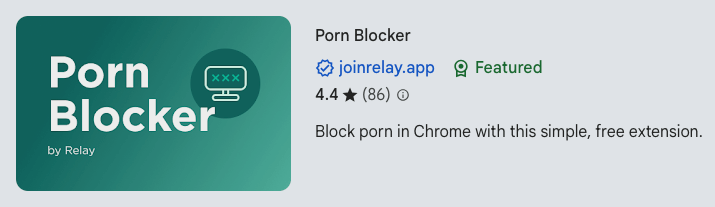
Step 3. On the page that opens, click Add to Chrome.
Step 4. Right-click its icon in the Chrome toolbar and choose Manage Extension. Turn on the switch next to Allow in Incognito.
It’s that simple!
From now on, if you or your children try to visit a porn site, it won’t open. Instead, a page will appear, telling you that access is blocked, which you can’t bypass even using Incognito mode.

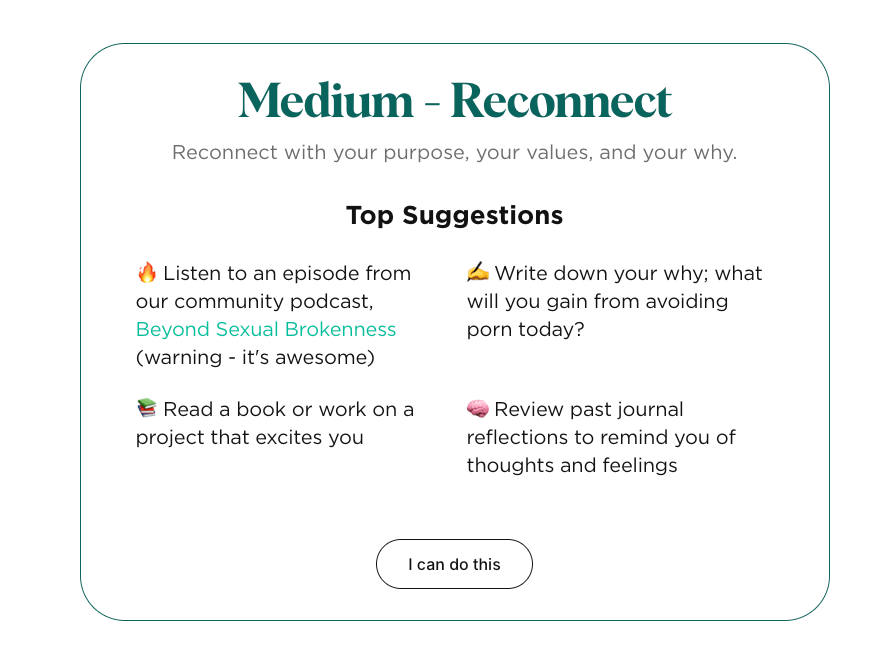
But what if you still feel the urge for porn? Don't worry. The said page also provides suggestions to help you overcome the urge. For different urge levels, there are different actionable suggestions to try. In most cases, urges may pass within minutes as you browse and follow the suggestions. Urges may feel strong when the porn-free journey just starts, but they usually decrease over time. It's about fighting the urge, strengthening your willpower, and "rebuilding" your brain.
Note: The fact is that it’s easy to remove or disable an extension (e.g., Porn Blocker) from a browser (e.g., Chrome). If you or your child uninstalls the extension, porn will become accessible again. However, although Porn Blocker can’t create a very strong barrier, it’s still helpful, for example, for those with little knowledge about browser extensions or people who have willpower.
Need a hard-to-bypass porn blocker? Try this
If you are looking for a more powerful tool to prevent access to porn on a Windows or Mac computer, you can use AppCrypt.
- Block porn sites (and other categories of sites, like gambling or social sites) with a click
- Filter URLs containing explicit words
- Prevent inappropriate words from being searched everywhere, such as on Google, YouTube, and X
- Let you add specific sites to the block list
- Apply blocking to browsers like Chrome, Edge, Safari, and more
- Lock unsupported browsers
- Protect blocking with a password
Here is how to set it up.
Step 1. Download and install AppCrypt.
 Free Download Windows 10 or later
  Free Download macOS 10.15 or later
Step 2. When you open it for the first time, set a password.
If you are using the tool for yourself, ask someone else to set the password for you.
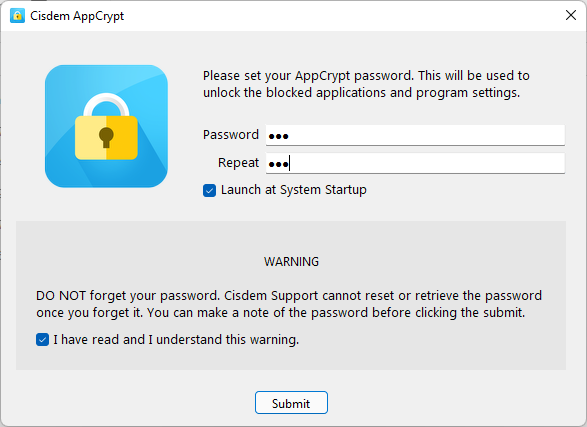
Step 3. Right click (or control click) its icon in the taskbar (Windows) or menu bar (Mac) and choose Open Main Window.
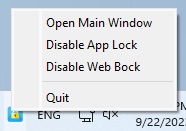
Step 4. Access the main window by entering the password.
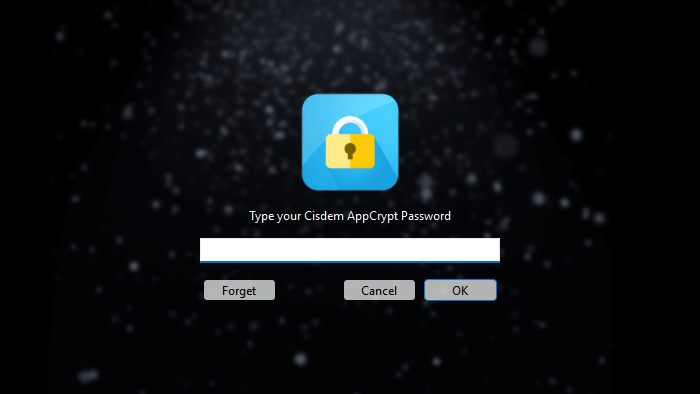
Step 5. In the Web Block tab, do any of the following:
- On a Windows PC, click Block porn sites and choose Always Block; on a Mac, click Import and choose Porn Sites.
![Web Block tab showing a Block porn sites dropdown menu at the bottom and an Import dropdown menu in the top right corner]()
- Add specific porn sites and explicit words to the block list using the URL field and the Add button.
- Click Import and then TXT file to import your own list of sites.
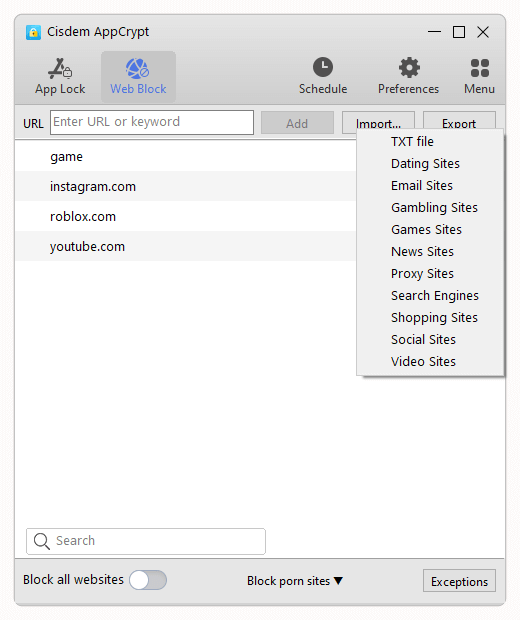
Porn sites and pages will be permanently blocked on this computer.
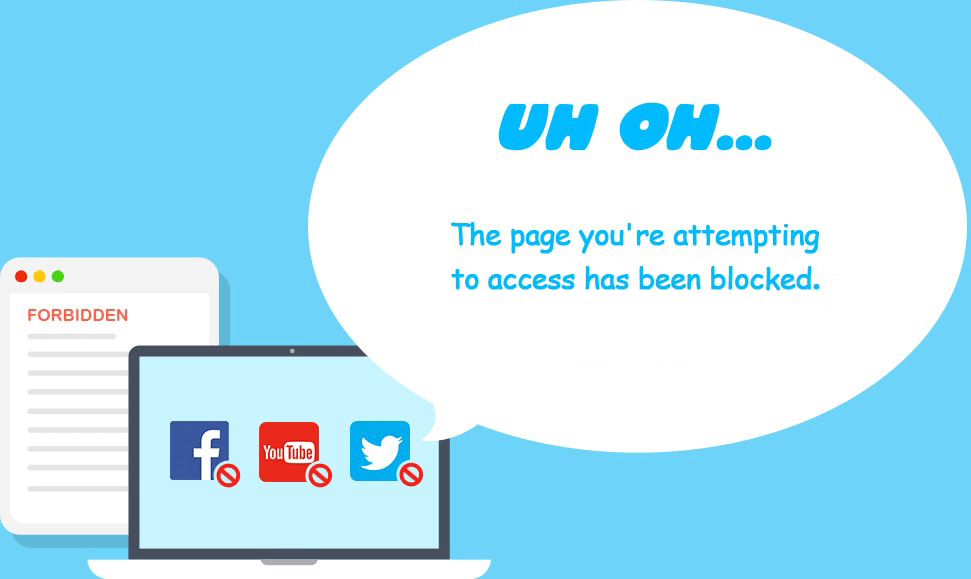
Note for Windows users: In step 5, this porn blocker requires you to install an extension on your chosen browser(s). And you can configure AppCrypt Preferences so that this very extension can’t be removed or disabled by people who don’t know the password.
ClearMind
The Porn Blocker extension isn’t available for Firefox, but there’s an alternative compatible with Firefox, which is free to use too.
Step 1. Go to Add-ons for Firefox.
Step 2. Search for and install ClearMind.
Step 3. Click the Extensions icon in the Firefox toolbar. Click the settings icon next to ClearMind and then Manage Extension.
Step 4. Select Allow for Run in Private Windows.
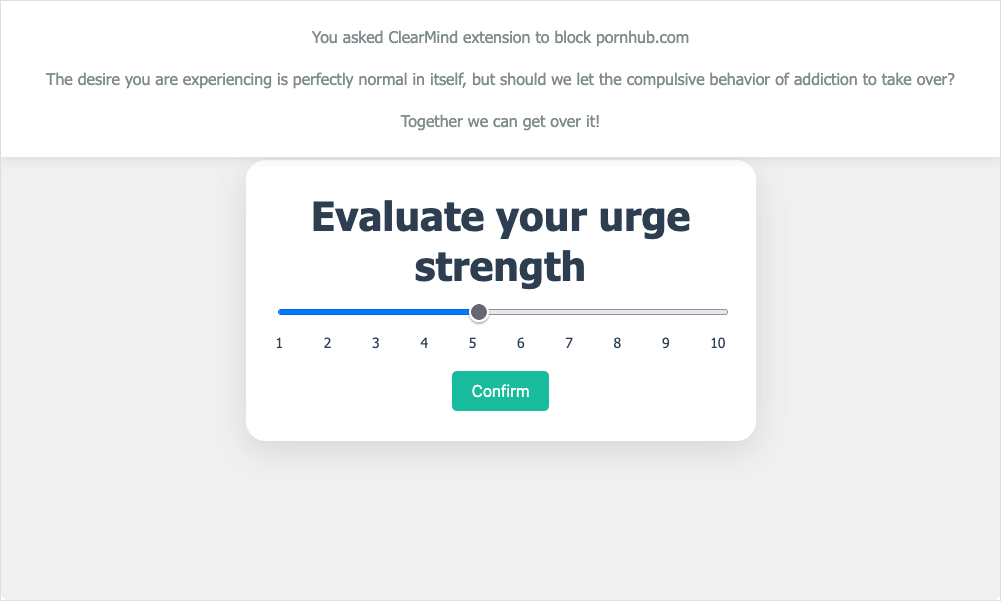
Now porn is blocked on this browser. If one tries to visit a porn site, a page will appear indicating that this site is not accessible. Also, the page provides different tools to help users deal with the urge to watch porn, depending on how strong the urge is, which is thoughtful.
The best free porn blocker for iPhone
Screen Time
Screen Time is built-in to your iPhone, and you can find it in Settings. It uses Apple's content filtering to restrict porn content.
1. In Settings, tap Screen Time.
2. Turn on Screen Time. (It's turned off by default.)
3. Tap Content & Privacy Restrictions and turn it on.
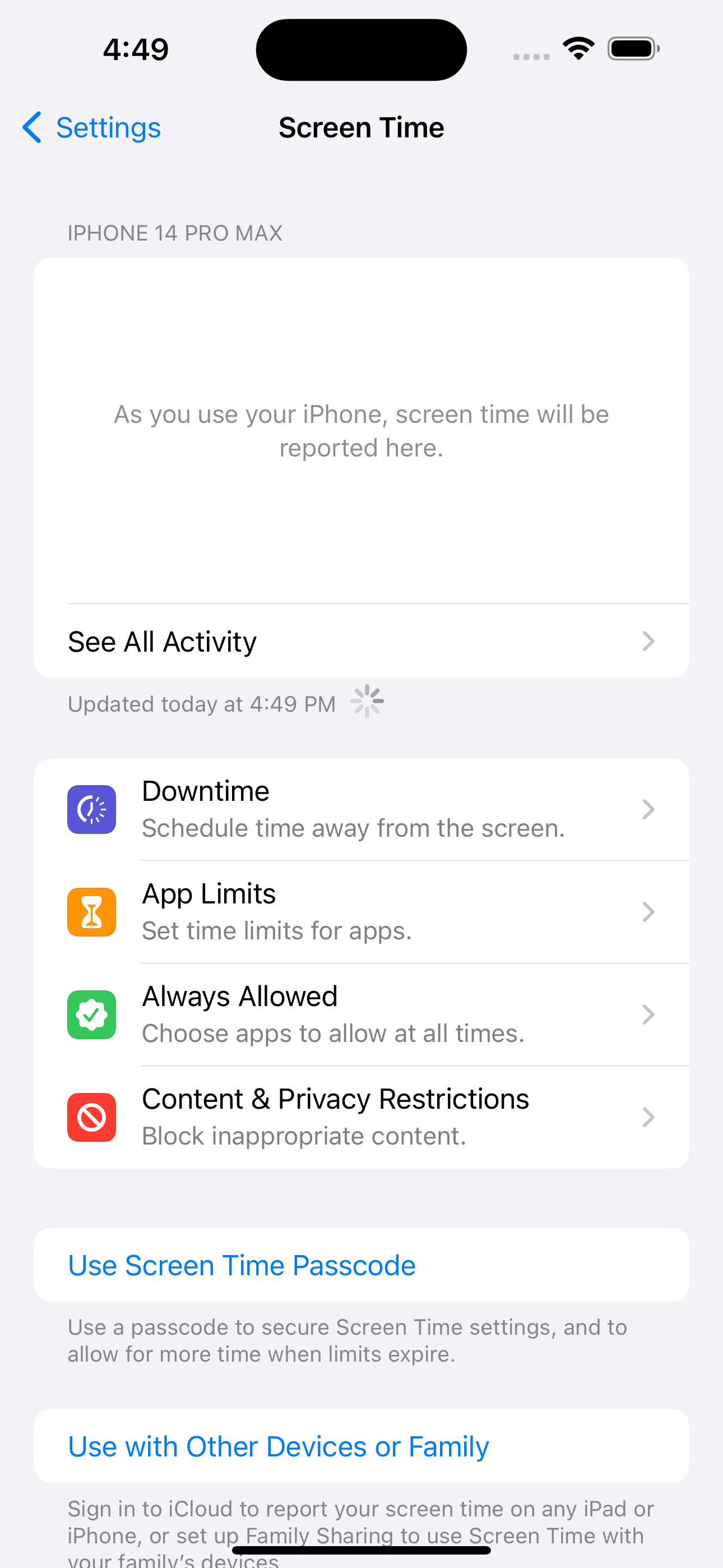
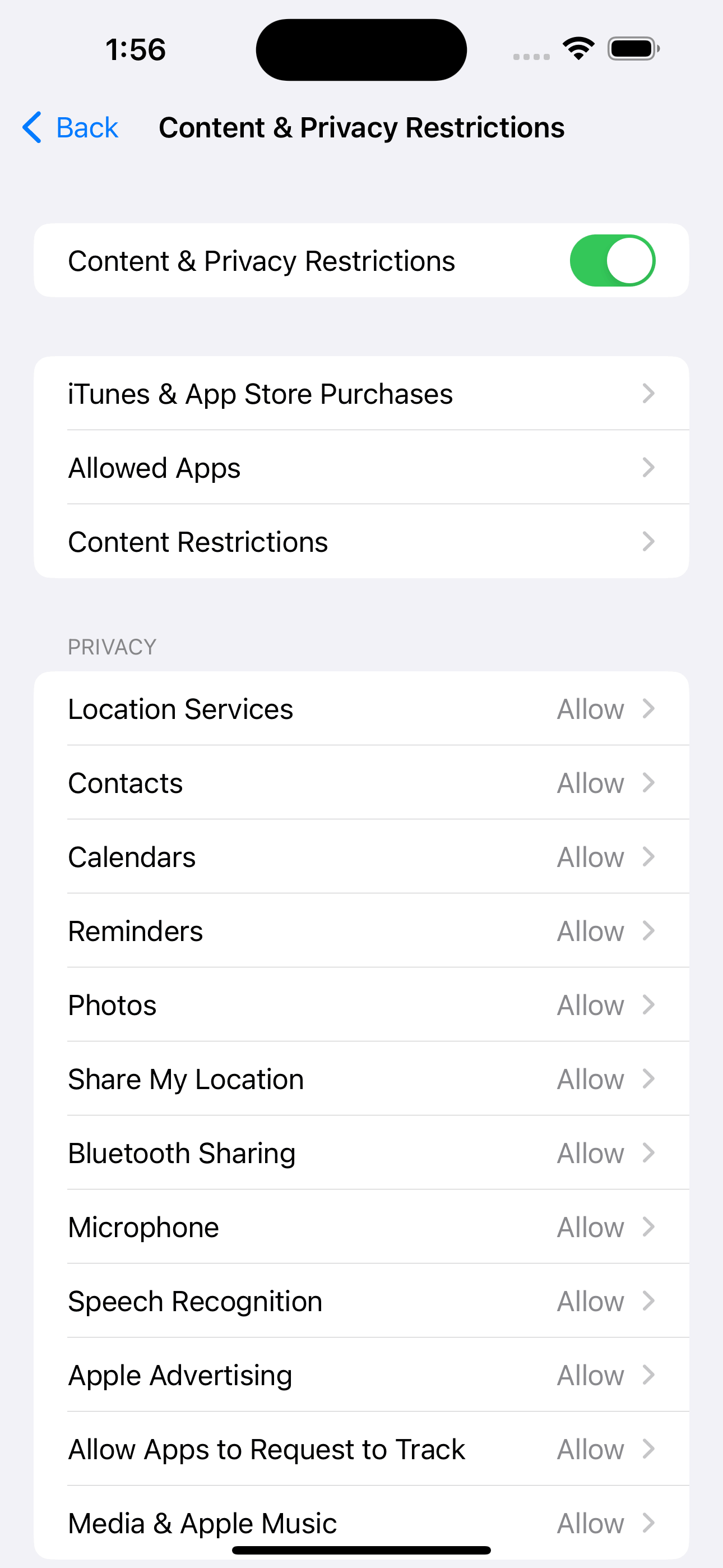
4. Tap Content Restrictions.
5. Choose Web Content > Limit Adult Websites.
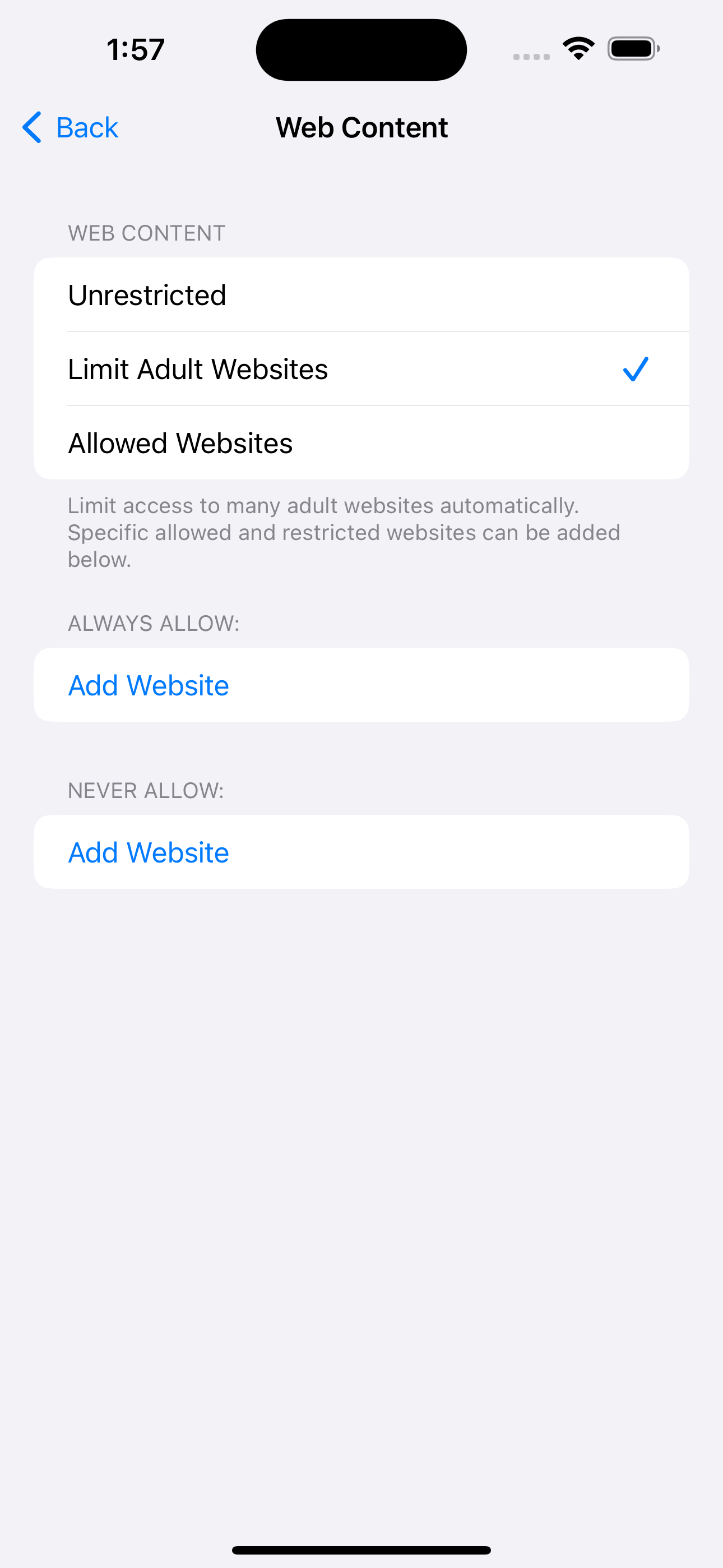
Now any browsers on your iPhone won't be able to open porn sites. However, occasionally you might find some regular sites get restricted while certain inappropriate sites escape the filtering. If so, you can manually add websites to allow or block.
AppCrypt
There are some third-party free porn blockers for iPhone are available, such as Cisdem AppCrypt, which is an app that lets you block sites and lock apps for free. Here is how to block porn sites on iPhone for free using this porn blocker.
Step 1. Open your iPhone. Download and install Cisdem AppCrypt from the App Store. Open it.

Step 2. Go to the Preferences tab. Turn on the Adult Blocking option.
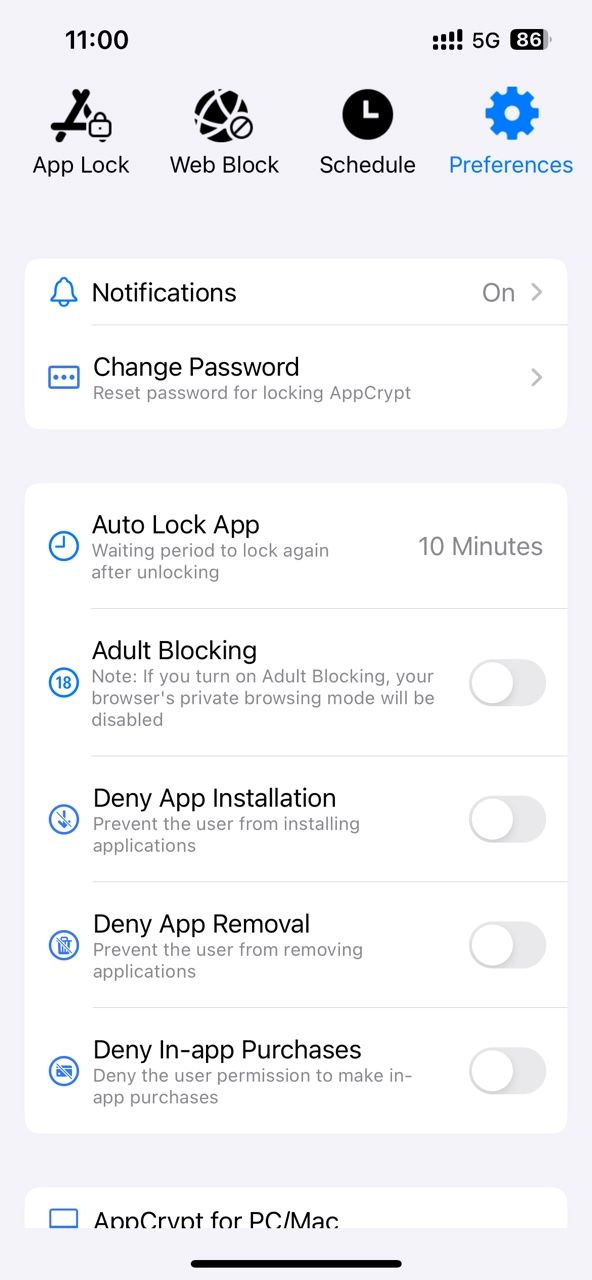
This will limit access to most popular porn sites automatically on your iPhone.
Step 3. Go to the App Lock tab. Click the Add/Remove button. Add apps that you think contain pornographic content to the block list.

Step 4. Go to the Web Block tab. Add some unwanted or inappropriate sites to the block list. Click Apply.

Now the porn sites and apps are blocked on your iPhone. You can go to Preferences > Change Password section to lock all your settings with password.
The best free porn blocker for Android
There are two apps that you can consider. The first one is completely free. The second one has a free version, and payment is required to access the full version.
AppCrypt
Cisdem AppCrypt is also available for Android. Here is how to use this free porn blocker to block porn sites on Android phone.
Step 1. Install Cisdem AppCrypt from the Google Play Store. Open it.

Step 2. Tap the Web Block tab at the top of the screen.
Step 3. In the Enter URL or keyword field, type the URL of the porn website or porn-related keyword that you need to block. Tap the Add button.
Add more websites or keywords to block if needed.
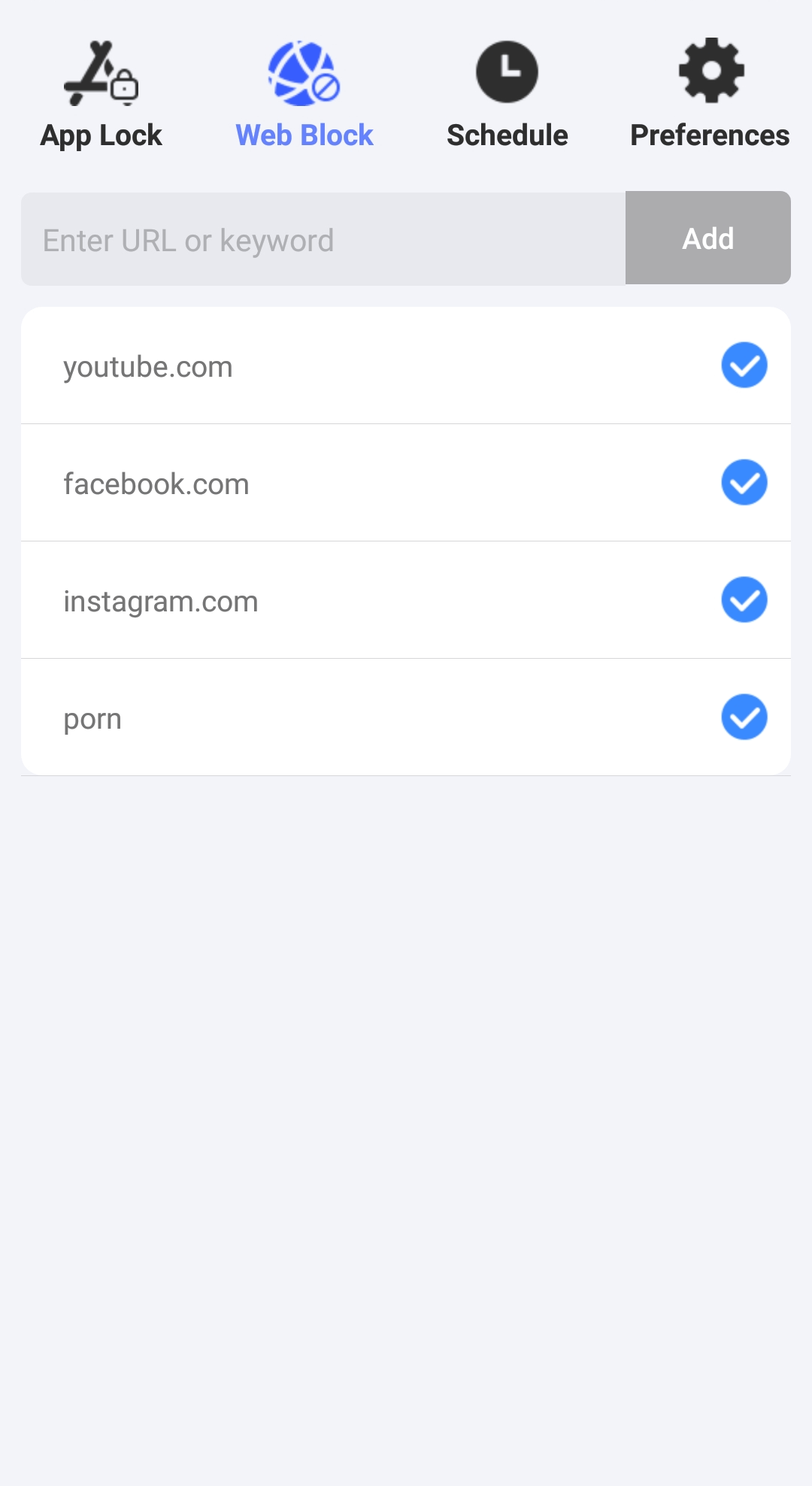
Step 4. Optionally, tap the App Lock tab. There, block the apps that you think contain explicit or inappropriate content.
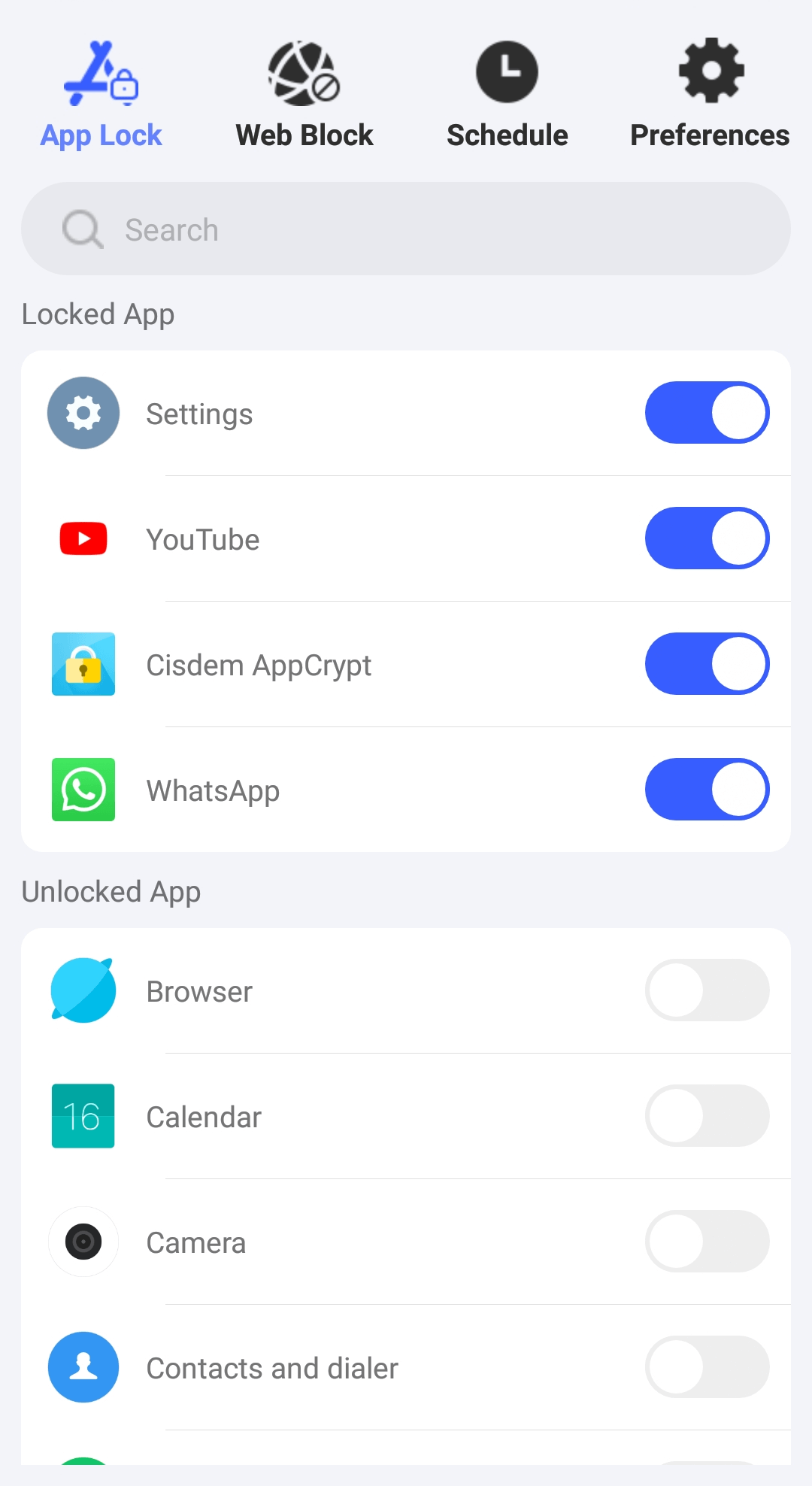
It's that easy.
Now the porn sites you added are blocked on Chrome, Edge, Firefox and other popular browsers. In addition, it blocks all the URLs that contain any porn-related keyword you added to the block list.
BlockerHero
Here I only talk about the free version of this app. The app is well designed and feature rich. Note that you can’t use it without an accountability partner.
Step 1. On your Android device, install BlockerHero from the Google Play Store. Open it.
Step 2. Tap Add to set someone you trust (e.g., your partner) as the Accountability Partner.
Step 3. In the Content Blocking section, turn on Block Adult content. This will block access to porn sites and inappropriate content on social media.
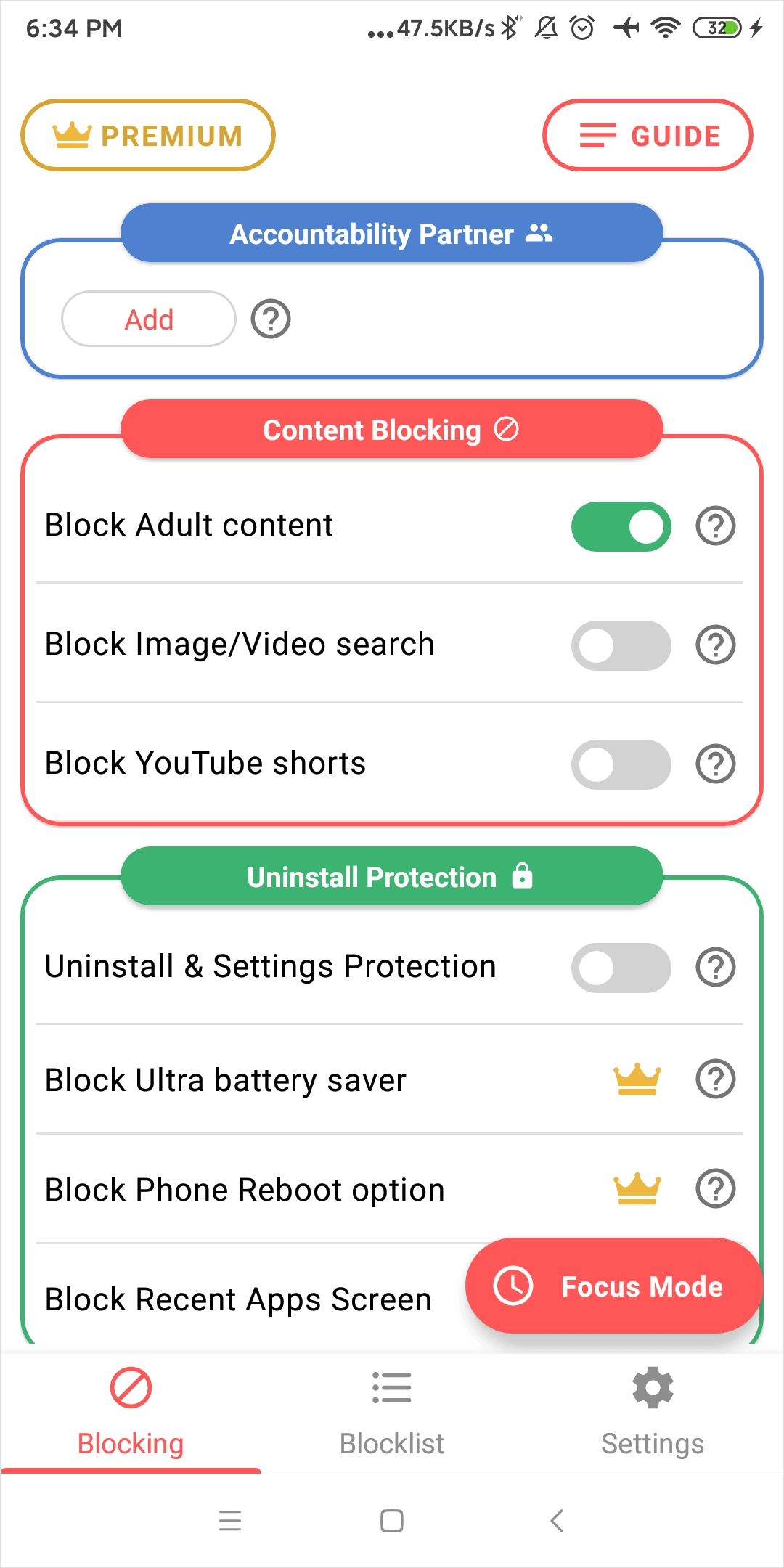
In addition, there are options to hide explicit search results and disable image and video searching.
Step 4. In the Advanced Feature section, turn on Block Unsupported Browsers. This will disable browsers unsupported by BlockerHero. (This app already supports most browsers.)
Conclusion
When choosing a free porn blocker, the porn filtering function it provides is the most important consideration. In addition, we should also consider its ease of use, user interface, and some advanced features such as password protection. In this article, I introduced several best free porn blockers for computers and phones. Hope it helps.

Norah Hayes likes to share her tips on how to improve focus and stay motivated at work. She believes it is essential to eliminate all online distractions during work hours.

Ethan Long joined Cisdem in 2015 as a developer and now serves as the editorial advisor for Cisdem AppCrypt. He actively tests and uses Cisdem AppCrypt and other screen-time management tools to ensure AppCrypt meets its promises in real-world scenarios.
James Metheny
Sometimes the urge can be strong, so it's important to use a blocker that's difficult to bypass. An effective tool, combined with willpower, can help you stay NoFap. However, if it's a severe addiction, professional help may be necessary.
IW
The extension you recommended is free. However, it's easy to get around.