


How to lock WeChat on iPhone or Android Phone: 4 Free Ways
 2.1K
2.1K
 0
0


WeChat is a messaging app that may stores a lot of your private data, such as chat history. But if your phone is unlocked, anyone can easily access it. To protect your privacy, locking WeChat is essential. In this article, we’ll show you free and effective ways to lock WeChat on iPhone and Android.
 Cisdem AppCrypt
The Best WeChat Locker for Android & iPhone
- Lock individual apps on your phone, with password or pattern
- Lock categories of apps on iPhone, such as Social, Games, etc.
- Auto re-lock apps after they've been unlocked for a period of time
- Auto-lock AppCrypt itself to protect all your settings
- Block websites on Safari, Chrome, Edge, and other browsers
- Let you lock apps/block website permanently or at certain times
- Easy to use and hard to bypass
- Help with privacy protection, productivity and parental controls
- Compatible with iPhone,iPad, Android, Mac, and Windows PC


Does WeChat have a built-in lock?
No, WeChat doesn't offer a built-in lock to prevent unauthorized access. If you lend your phone to others, or someone knows your phone lock password, he/she can easily open the WeChat app and view your messages. To protect your privacy, using a dedicated app locker to password protect the WeChat app is a more secure option. Some phones come with a built-in app lock feature that allows you to lock individual apps, but it can be limited in functionality and easier to bypass.
How to lock WeChat on iPhone
There are 2 ways to lock WeChat on iPhone: using a professional app locker or iPhone's built-in feature.
Lock WeChat on iPhone with password using Cisdem AppCrypt
You may have private apps on your iPhone that you don’t want others to access, such as WeChat. Cisdem AppCrypt is an app locker that can help you. With it, you can lock individual applications on your phone with password, preventing unauthorized access even if your phone is unlocked. Below are the steps.
1. Download and install AppCrypt from the App Store.

2. Open it. Click App Lock.
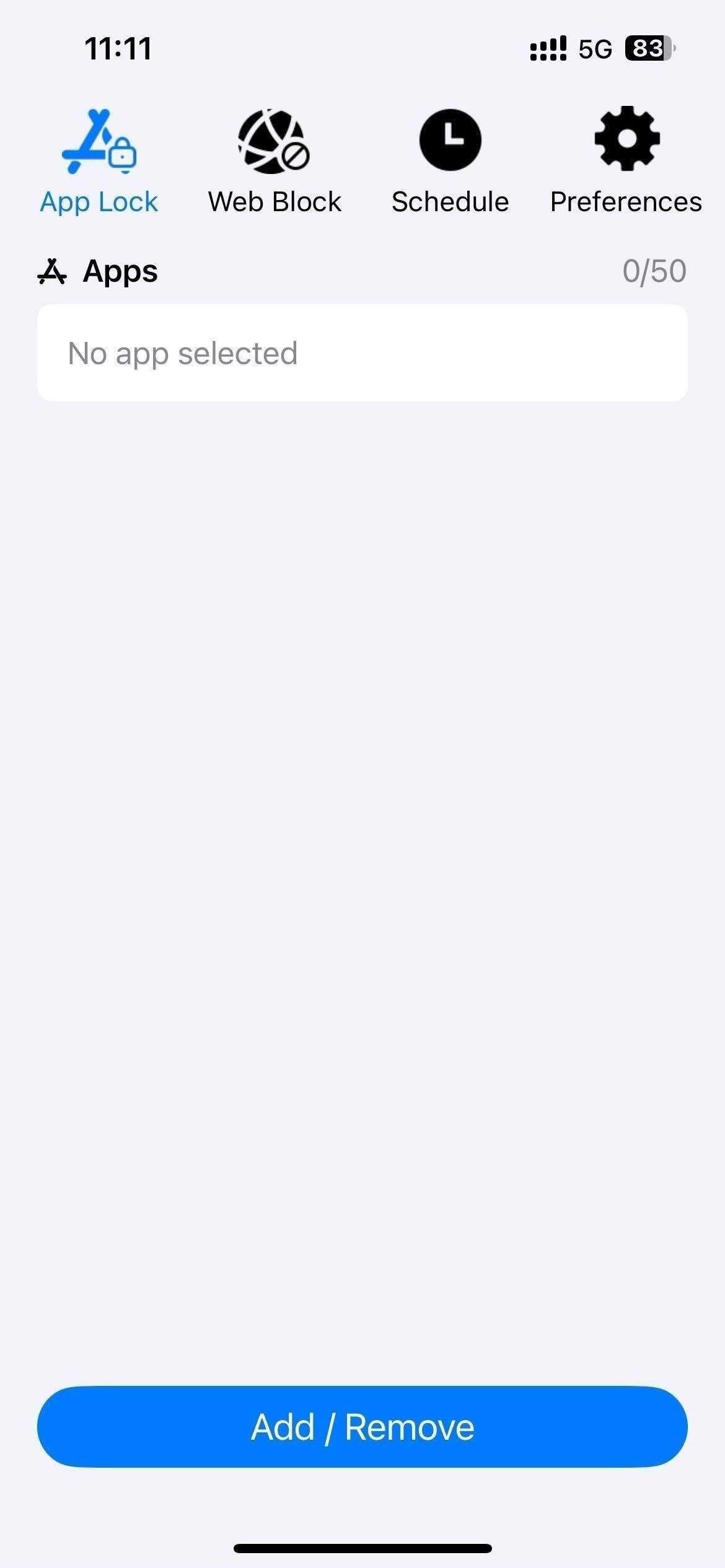
3. Click Add/Remove.
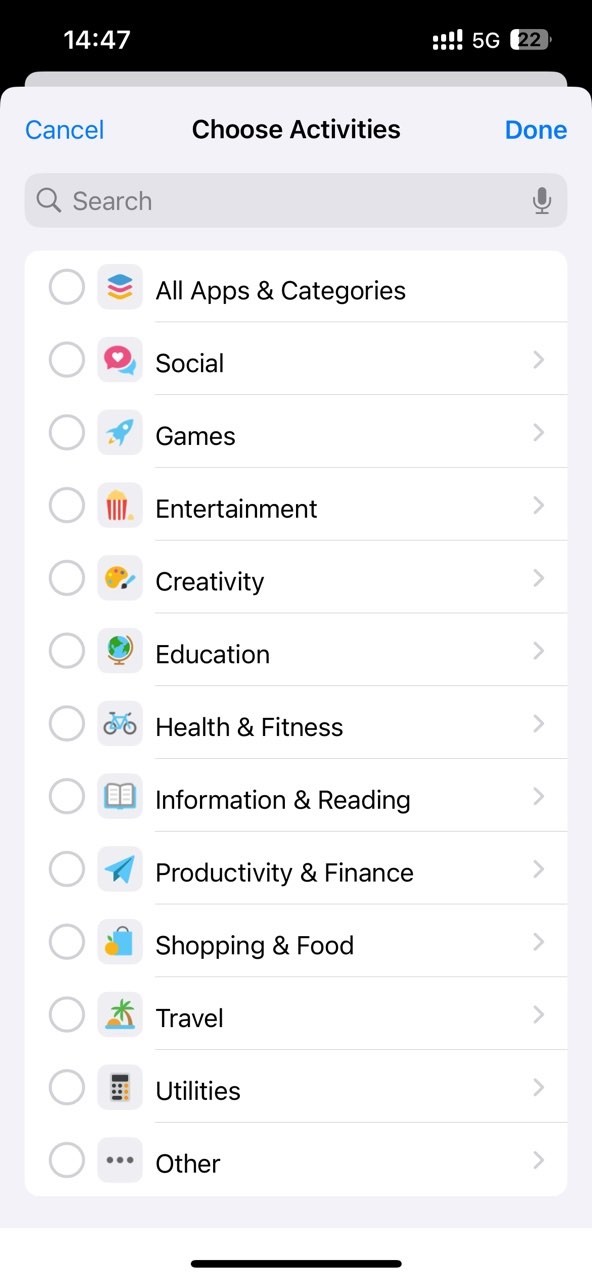
4. To lock WeChat on your iPhone, search for the WeChat app and select it. Click Done.
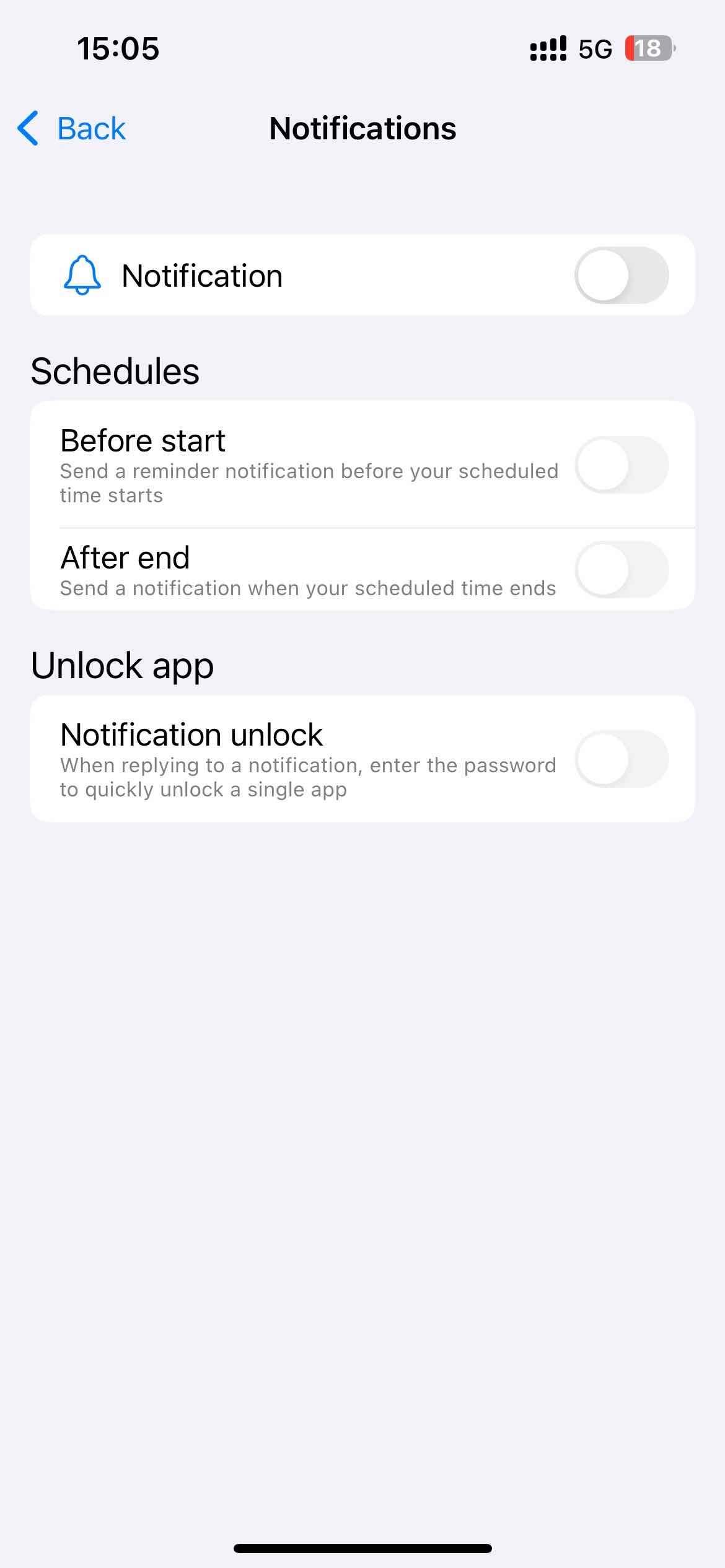
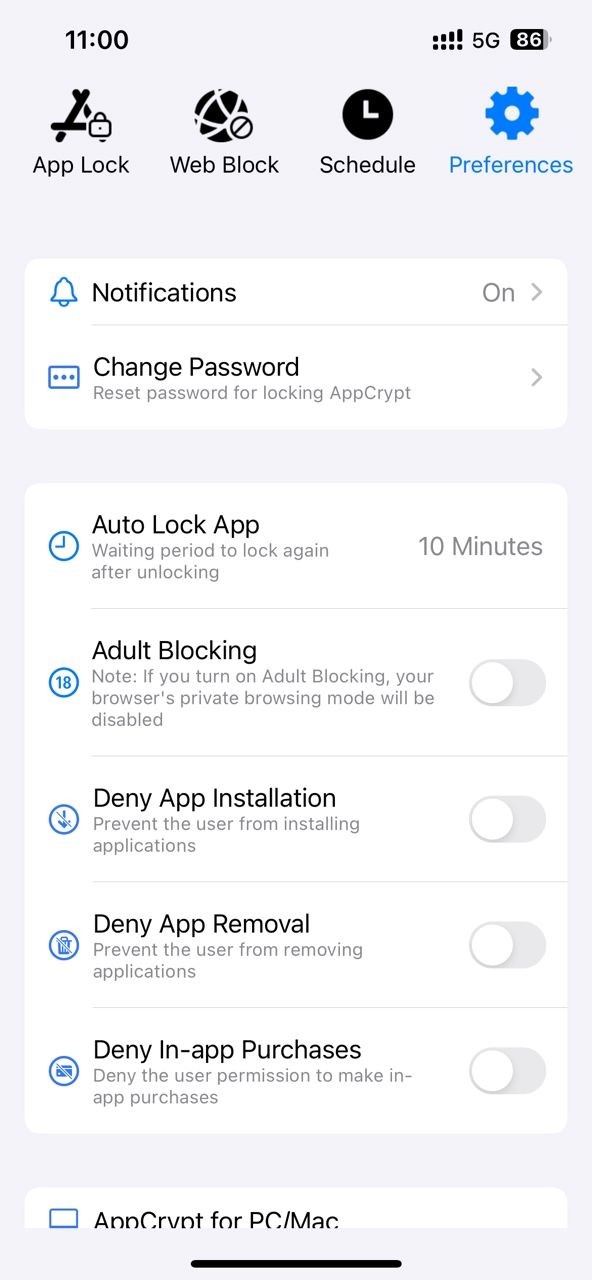
5. Click Preferences. Click Notifications. Turn on the Notification and Notification unlock options.
6. It'll prompt you to set a password. Choose the PIN length and set it. To further protect your privacy, you'd better set it different from your screen lock password.
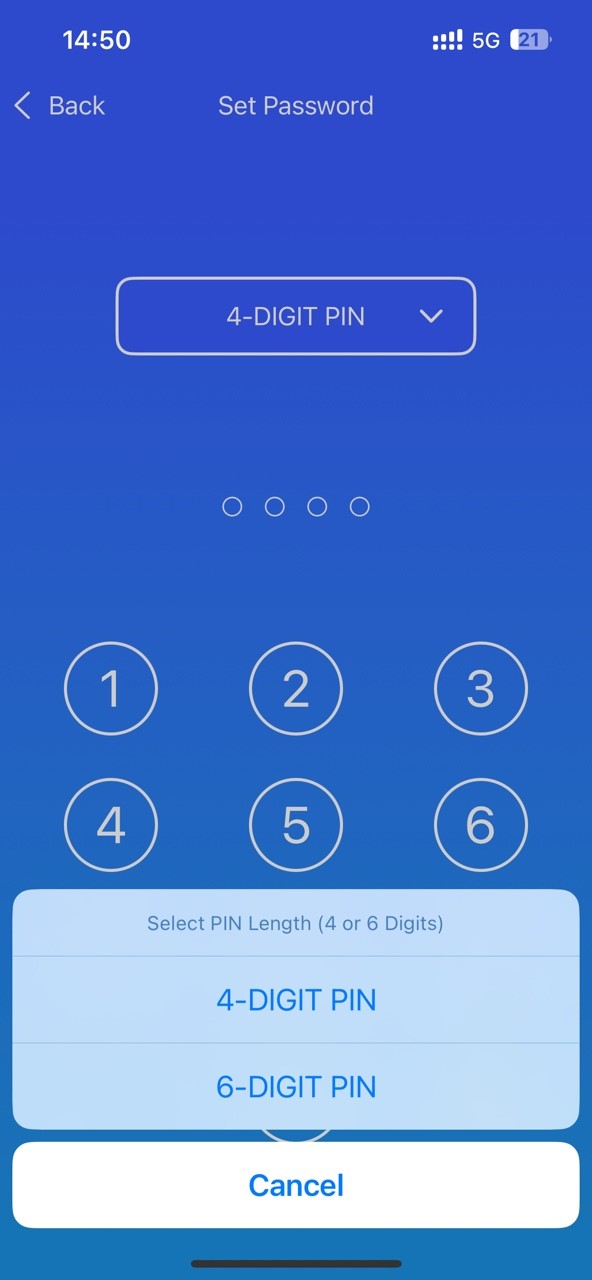
Now WeChat is locked on your iPhone.
Tip: You don't need to worry about others changing your settings (such as removing WeChat from the lock list). Cisdem AppCrypt automatically lock itself with password.
For stronger protection, you can also go to “Preferences” and enable the “Deny App Remover” option. This way others cannot bypass your lock settings by deleting this WeChat locker app.
Lock WeChat with Face ID or Touch ID using built-in app locker on iPhone
Apple released iOS 18 in September, 2024. The update brought a new feature that allows users to lock an app with Face ID or Touch ID. If you don't want to use third-party app locker, you can also lock WeChat on your iPhone through this feature.
1. Open your iPhone. Long press the WeChat app icon.
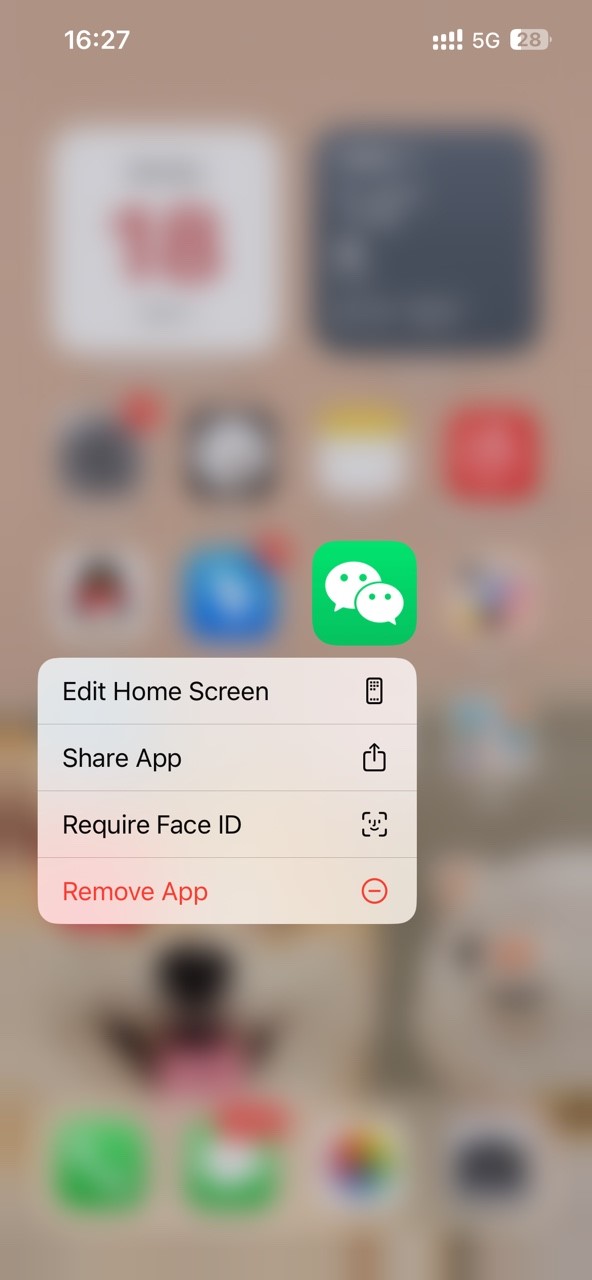
2. Tap Require Face ID (for iPhone X and earlier, tap Require Touch ID).
3. Tap Require Face ID (or Touch ID) again.
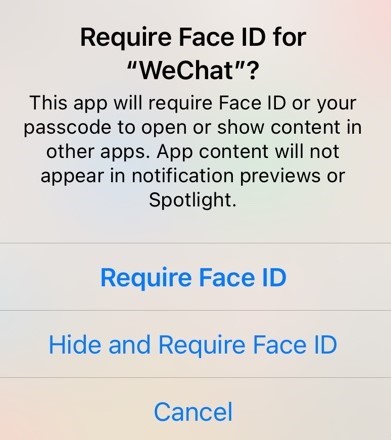
4. Then authenticate using your Face ID (or Touch ID).
Now the WeChat app is locked. Next time you or anyone want to open this app, your iPhone will verify your Face ID or Touch ID.
How to lock WeChat on Android
To lock WeChat on Android, you can also use a third-party app locker, or the built-in feature on Android phone.
Lock WeChat on Android with PIN or pattern using Cisdem AppCrypt
AppCrypt is also available for Android. Using this tool, you can easily lock WeChat a 4-digit or 6-digit PIN, or a pattern.
1. Downlaod and install this WeChat locker from the Google Play Store.

2. Open it. Select a desired lock type and set the password.
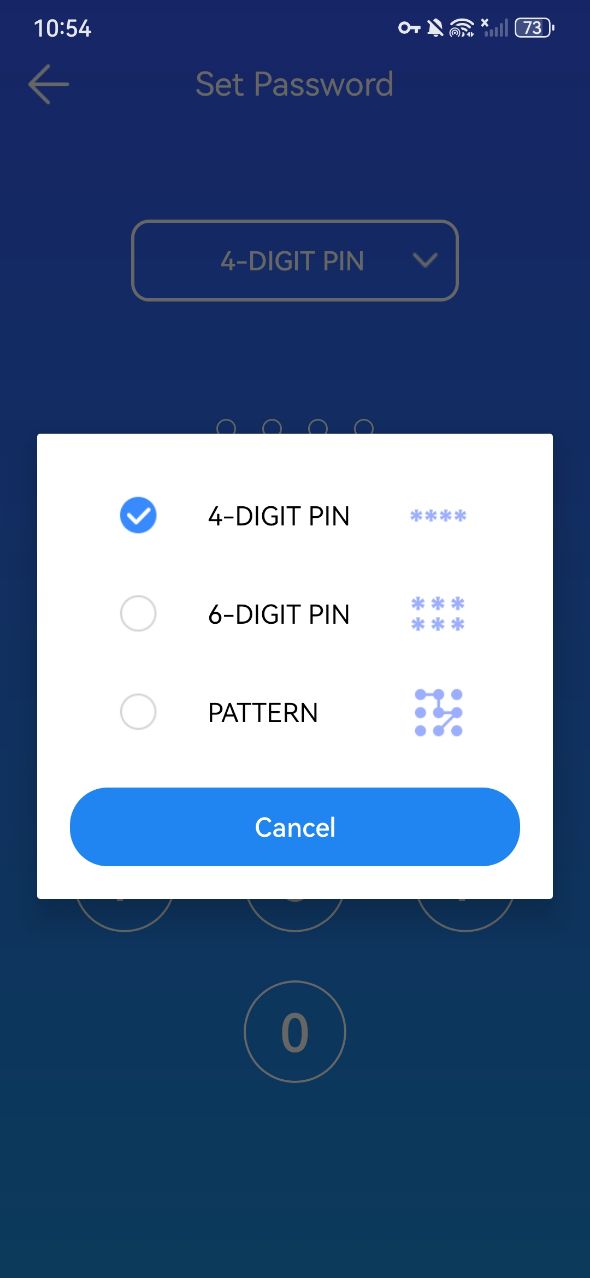
3. Click the App Lock tab. Find the WeChat app from the Unlocked App list. Toggle the button next to it to the on position.
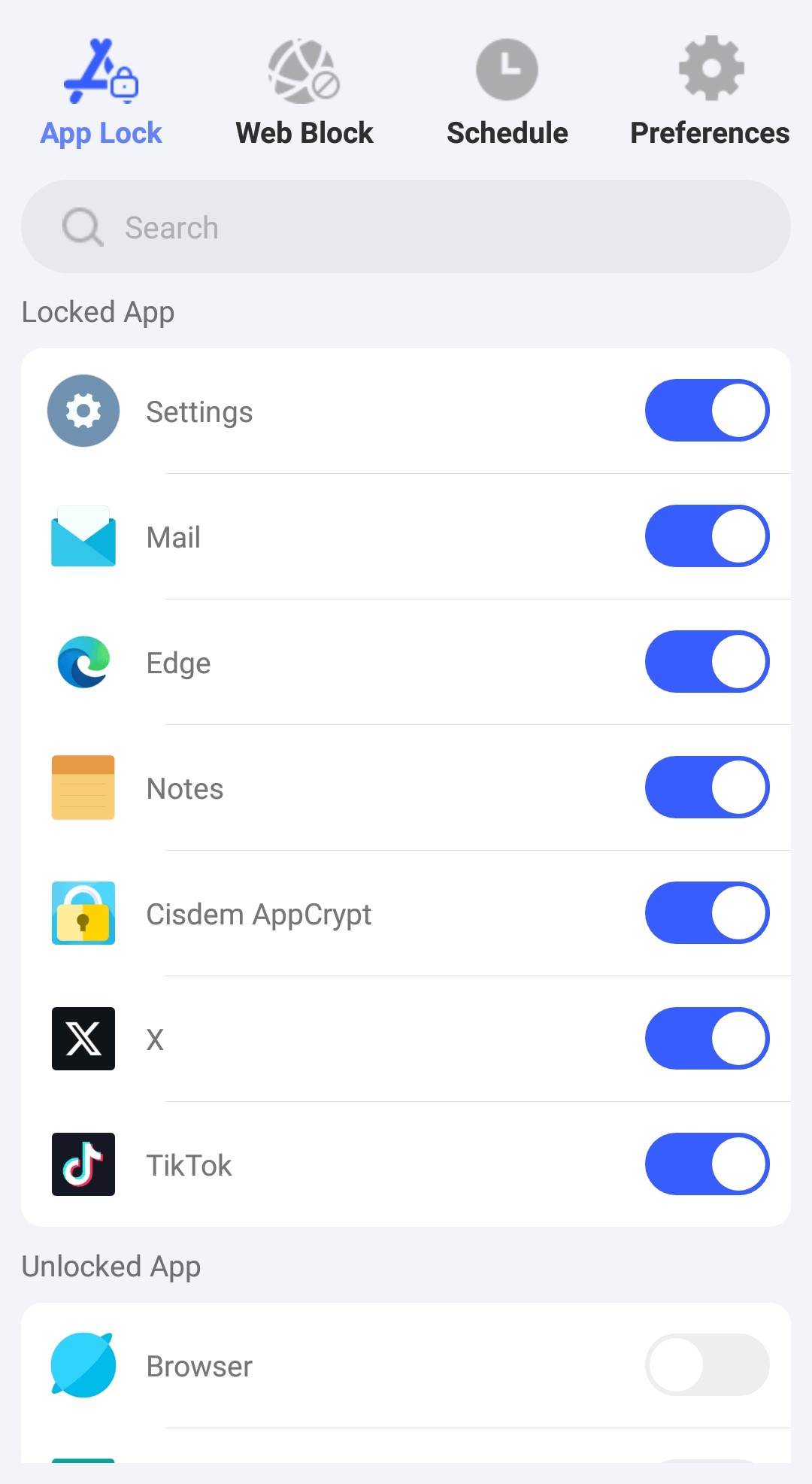
Now WeChat is successfully locked on your Android phone.
Tip: This WeChat locker offers a useful auto lock feature, which will automatically re-lock the app after it has been unlocked for a chosen period of time. Click Preferences > Auto Lock App. Select an amount of time, like 10 minutes, 20 minutes. After you unlock WeChat for a period of time, WeChat will automatically lock again to protect your privacy.
Lock WeChat on Android using built-in feature on the phone
Some Android phones have a built-in feature, allowing you to lock certain apps on the phone. This feature can usually be found in Settings. With it, you can easily lock WeChat with a password, a PIN or pattern on Android.
For Samsung
Below are detailed steps on how to lock WeChat using the built-in feature on Samsung phones.
1. On the home screen of Samsung phones, find and click Settings.
2. Scroll down and select Biometrics and security.
3. Click Secure Folder. You need to log in to your Samsung account and complete the setup wizard when setting up for the first time.
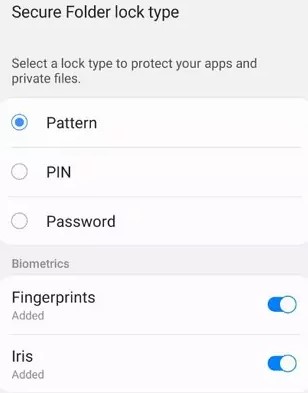
4. Select a lock type: Password, Pattern, or PIN. Set it up.
5. Open the Secure Folder and click Add App.
6. Select WeChat from the app list and click Add.
From now on, WeChat can only be accessed through the Secure Folder and the folder has been locked.
For Xiaomi or Redmi
The App lock feature in Xiaomi or Redmi phones can help you lock WeChat with password. Below is how:
1. Open Settings on you Xiaomi or Redmi Android phone.
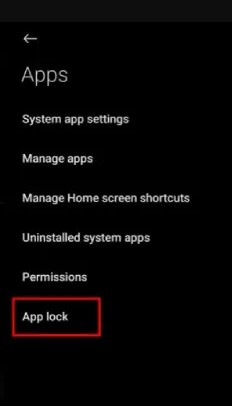
2. Scroll down the Settings window. Find and click App > App Lock.
3. Click Turn on at the bottom. Log in your Mi account.
4. Select a desired lock type, such as password. Set it up as prompted.
5. Click on Use App lock.
6. Then it will display a list of all the apps on your Android phone. Find WeChat and turn on the switch next to it.
Now WeChat is locked. Every time you open WeChat in the future, the system will prompt you to enter your password.
FAQs
Can I lock only specific chats in WeChat?
No, WeChat itself doesn’t offer a built-in feature to lock individual chats. But you can delete your chat history.
What is the safest way to lock WeChat?
Using a professional app locker such as Cisdem AppCrypt is the safest option. It provides stronger protection and lock itself with password to prevent others from bypassing your restrictions.
Can I lock WeChat without downloading any apps?
Yes, you can use built-in features like Screen Time on iPhone or App Lock on some Android devices. However, these methods may be easier to bypass compared to professional app lockers.
Conclusion
Protecting privacy is important for every one. Especially for important apps like WeChat, which may store a lot of personal chat history and sensitive information. This article talked about how to lock WeChat on iPhone or Android using different ways. Most phones come with built-in app lock features, which can help you lock WeChat without downloading any programs. Third-party WeChat locks can meet the needs of more users. Such as Cisdem AppCrypt. It provides more advanced and practical features to help protect your privacy.

Norah Hayes likes to share her tips on how to improve focus and stay motivated at work. She believes it is essential to eliminate all online distractions during work hours.

Ethan Long joined Cisdem in 2015 as a developer and now serves as the editorial advisor for Cisdem AppCrypt. He actively tests and uses Cisdem AppCrypt and other screen-time management tools to ensure AppCrypt meets its promises in real-world scenarios.