


How to Block Dating Sites on Your Computer or Phone: 3 Methods
 1.1K
1.1K
 0
0


Online dating sites are platforms that provide users with a way to find a partner or meet new friends. But there are risks associated with using dating sites, like personal information leakage, online harassment, frauds and blackmail, etc. And some dating sites do not verify user's ages. Young children may meet inappropriate people on dating sites. Thankfully, you can block dating sites with website blocking tool to keep you or your family safe online. Read on to learn how to block dating sites on your computer or phone.
 Cisdem AppCrypt
The Best Tool to Block Dating Sites
- Block websites on Chrome, Edge, Safari, and other browsers
- Let you block specific websites/webpages
- Let you block categories of sites, like dating sites, social media, etc.
- Also let you block all websites except the ones you allow
- Lock individual applications, like dating apps, with password
- Block websites and lock apps permanently or during certain times
- Easy to use and hard to bypass
- Help with parental controls, productivity and privacy protection
- Compatible with Windows, Mac, Android, iPhone and iPad


Top 10 most popular dating sites of 2026
Before we show you how to block dating sites, let’s take a look at top 10 dating sites in 2026 and check if you or your children have ever used any of them:
1. Eharmony: A dating site launched in 2000. Popular among users aged 30+ who are looking for a serious relationship.
2. Match: One of the oldest and most widely used dating sites, offering a platform for users to search local single man or woman to find real love.
3. Bumble: A career-building, friend-finding community.
4. AdultFriendFinder: A well-known site focused on casual encounters and adult content.
5. Okcupid: An inclusive dating platform offering 2 paid membership levels.
6. Seeking: A fun dating websites that attracts over 46 million members pursuing honest relationships.
7. Plenty of Fish: A Canadian online dating site that is available as an app or desktop website.
8. FriendFinder: An adult dating site to find sexy and open-minded people near you.
9. SilverSingles: Best for single users over 50 looking for a partner.
10. AshleyMadison: An extramarital dating websites with over 80 million members in more than 50 countries.
How to block dating sites on computer?
Dating sites can expose users (especially children, teens) to inappropriate content. To block dating sites on a computer, Cisdem AppCrypt is one of the easiest and most effective options.
With AppCrypt, you can:
- Block all popular dating sites with one click.
- Block a specific dating sites.
- Let you block porn and other inappropriate sites by category.
- Let you block all websites except approved ones.
- Support Chrome, Edge, Opera, Safari, and other browsers.
- Block dating apps with password.
- Require password to access/quit/uninstall AppCrypt.
1. Download Cisdem AppCrypt on the computer that you want to block access to dating sites.
 Free Download Windows 10 or later
  Free Download macOS 10.15 or later
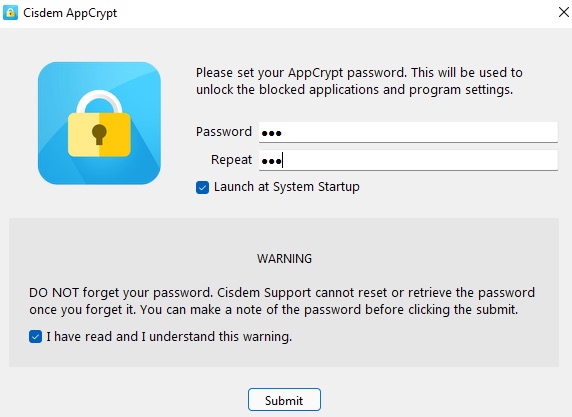
2. Launch it. Set a password.
Check the box next to Launch at System Startup.
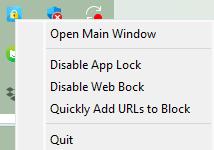
3. Right-click the lock icon on the task bar (or menu bar). Select Open Main Window.
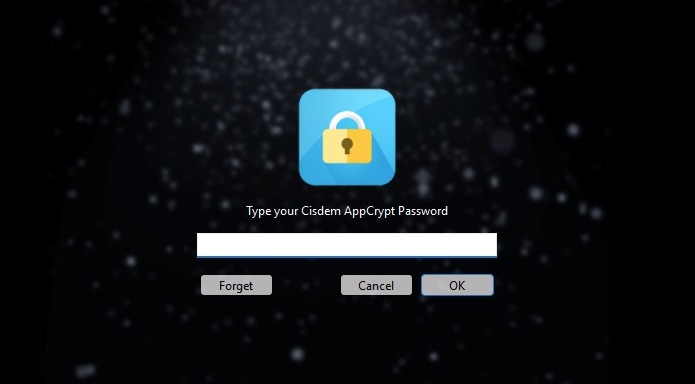
4. Enter the password to access this dating sites blocker.
5. Now you are in the main window. Navigate to the Web Block tab.
For Windows users, install extensions for different browsers as prompts first.
Mac users can directly add sites to block and the blocking will be automatically applied to all popular web browsers including Chrome, Safari, Opera, etc.
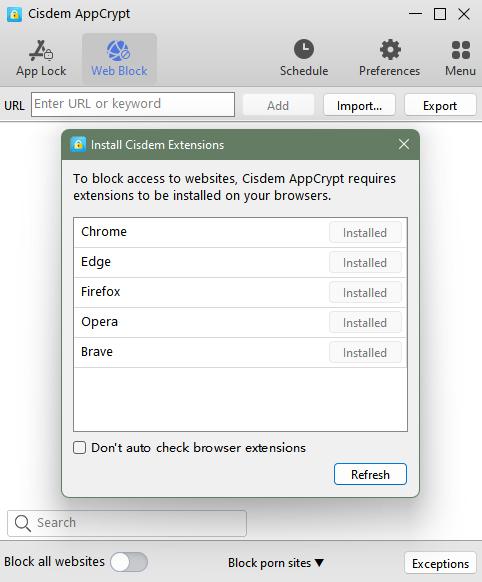
6. To block a specific dating website on computer, enter the URL of the dating site you want to block in the top URL field. Click Add.
To block all popular dating sites in bulk, click Import. Select Dating Sites.
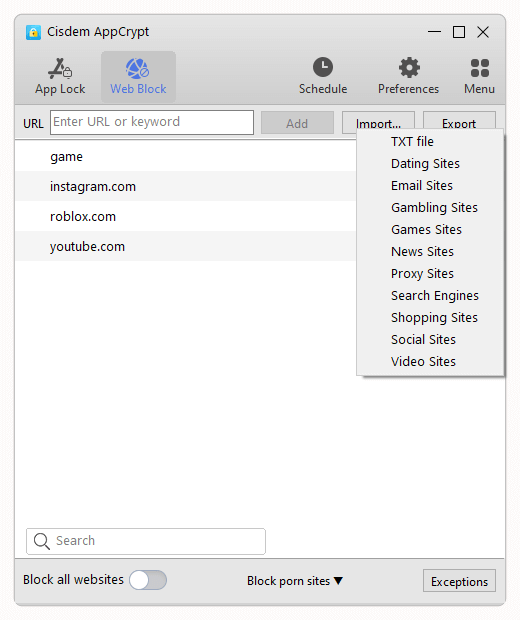
Now dating sites are blocked.
To unblock a site, enter this tool and remove this site from block list. Or, click the lock icon on the task bar/menu bar then select Disable Web Block. You can also quit this tool directly. Any of them requires the password.
Tip: Can I block dating apps on computer?
Yes. Many popular dating platforms also offer desktop apps, like Tinder, Plenty of Fish. You might also want to block these dating apps on your computer. Fortunately, Cisdem AppCrypt can block dating apps as well. Here’s how:
1. Go to the App Lock tab.
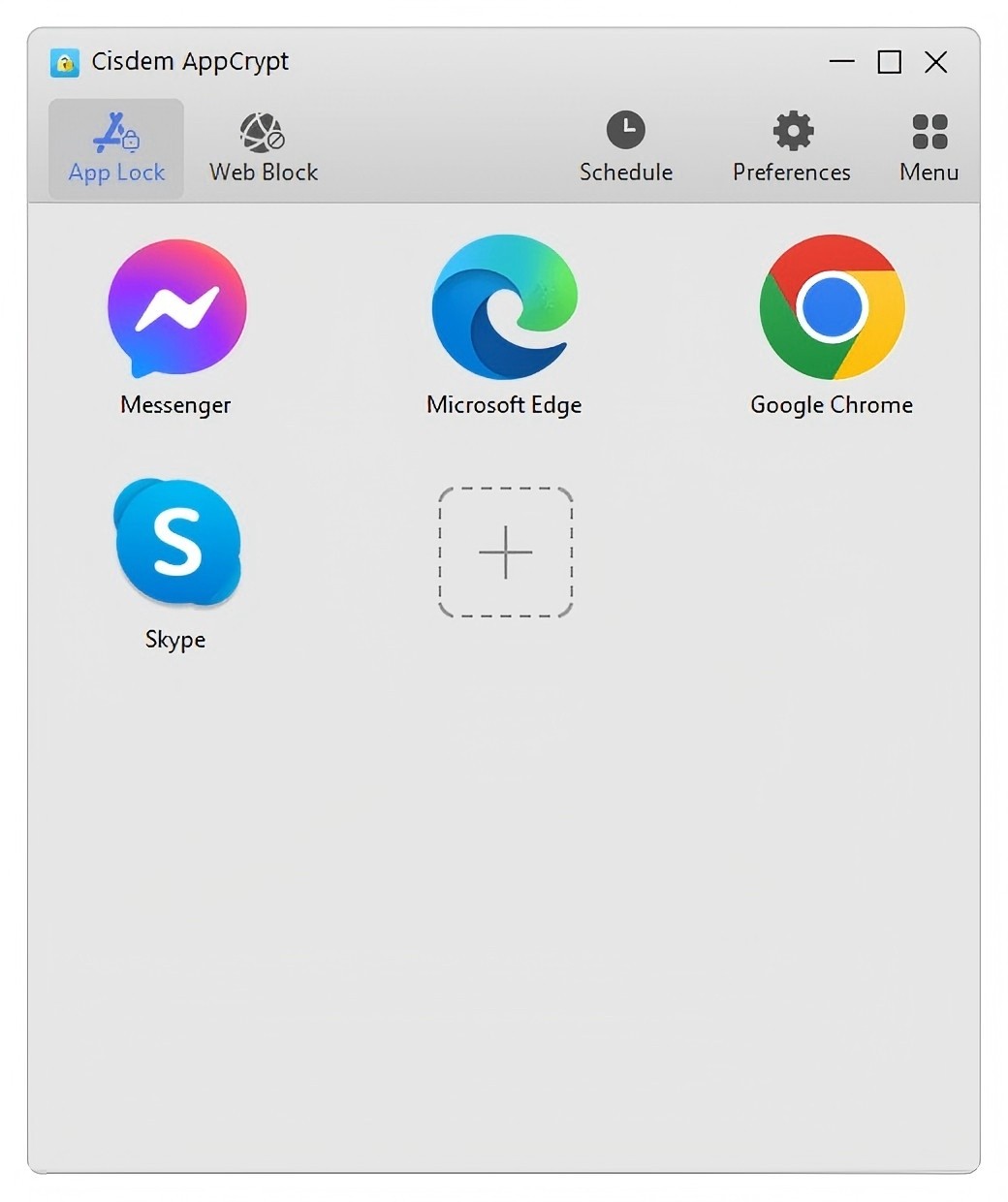
2. Drag and drop the desktop shortcut of the dating app into AppCrypt.
Now the dating app is blocked with password on your computer.
How do I block dating sites on my iPhone?
iOS users can also block dating sites with AppCrypt. Here’re how:
1. Install it from the App Store.

2. Go to the Web Block tab.

3. Type the URL of dating site to the URL field. Click Add.
4. Click Apply.
Now the dating site is blocked on your iPhone.
You can go to Preferences > Notifications. Turn on Notification and Notification unlock. Follow the prompt to set a password.
How to block dating sites on Android?
You can use third-party website blocker app like Cisdem AppCrypt to block dating sites on Android. In addition to dating websites, it allows you to block dating apps.
1. Install Cisdem AppCrypt.

2. When you open it for the first time, you will be asked to set a PIN or pattern.
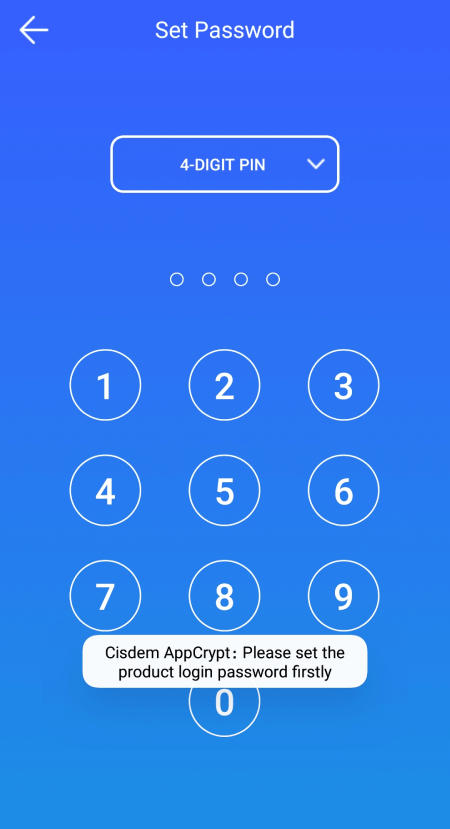
3. Go to the Web Block tab.
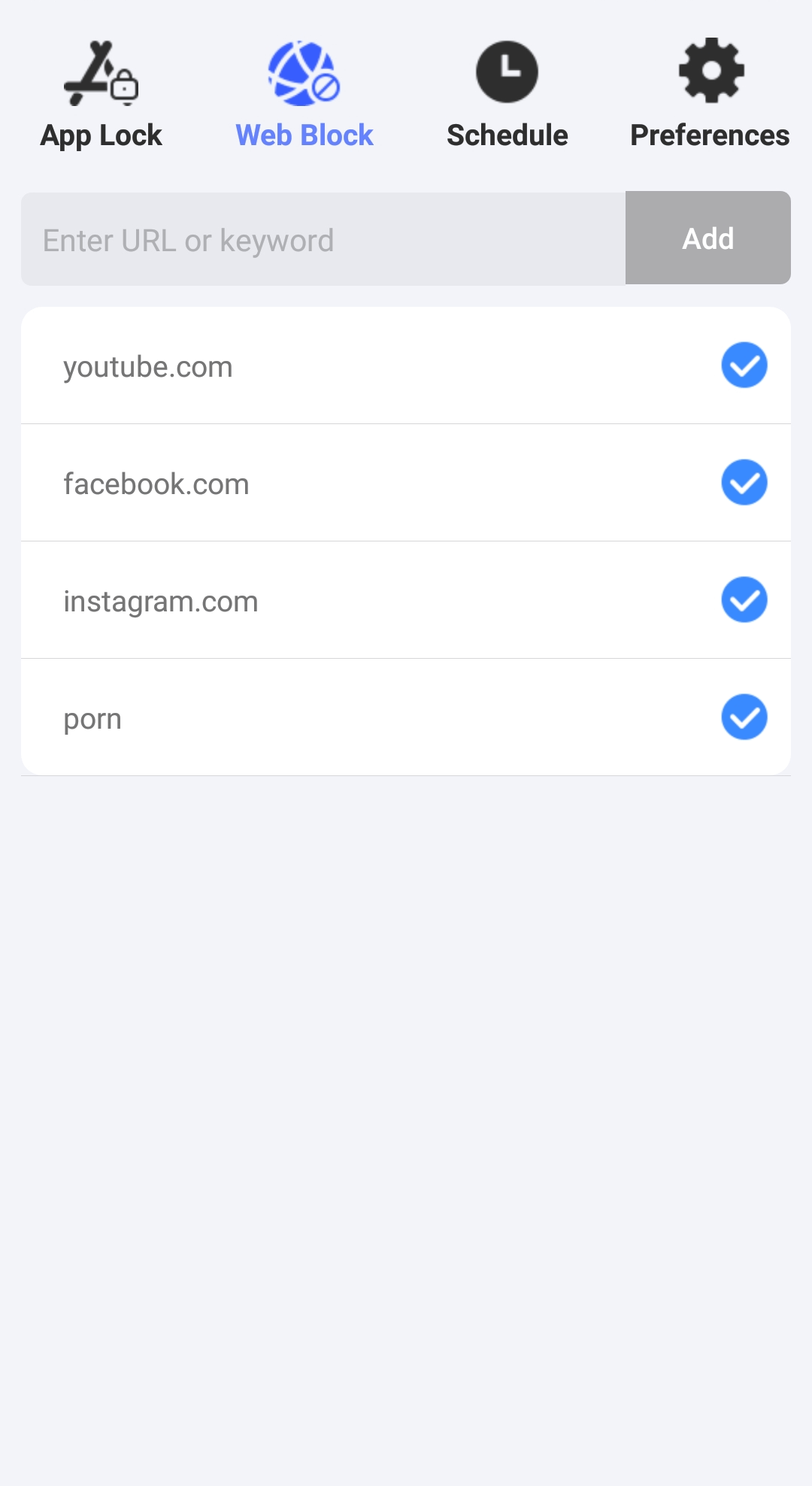
4. In the Enter URL or keyword field, type a dating site that you want to restrict. Tap Add. Repeat this step to add more dating sites to the block list.
Now these dating sites are blocked and inaccessible on your device.
FAQs
How to block unwanted dating sites?
To block specific unwanted dating sites, open Cisdem AppCrypt. Go to the Web Block tab. Enter the domain names (for example, tinder.com or bumble.com). Click Add.
How to block dating sites for free?
Cisdem AppCrypt is free to use on Android, iPhone, and iPad, allowing you to block dating sites easily. For Windows and Mac, AppCrypt offers a free 3-day trial for new users.
Can I block dating apps from my phone?
Yes. AppCrypt’s App Lock feature is available on both Android and iPhone. To block a dating app, open AppCrypt. Go to the App Lock tab. Find the app from the applications list. Add it to the block list.
Conclusion
Blocking dating sites can help you protect family from potential dangers online. The dangers of visiting dating sites, from online dating fraud to stalking, harassment, phishing for personal information, and more, can lead to serious negative effects.
This article is all about how to block dating sites on computers and mobile phones. I hope it is helpful for you! Also, if you know any other more effective way to block dating sites, let us know in the comment box below.

Norah Hayes likes to share her tips on how to improve focus and stay motivated at work. She believes it is essential to eliminate all online distractions during work hours.

Ethan Long joined Cisdem in 2015 as a developer and now serves as the editorial advisor for Cisdem AppCrypt. He actively tests and uses Cisdem AppCrypt and other screen-time management tools to ensure AppCrypt meets its promises in real-world scenarios.