


DriveSavers Data Recovery Review
 5.8K
5.8K
 0
0


Many people asked me that they lost their data and they wanted to know the recovery effect of DriveSavers Data Recovery among lots of best data recovery software as they saw a lot of advertise of it in Google and its price was so expensive. They want to recover data from hard drive by using DriveSavers Data Recovery. Someone contacted them, but they quoted him $800-$2,400, which made many people worry about whether it is value for money or not. Now that so many people have the same confusion, I will test DriveSavers Data Recovery and give you a comprehensive review.
Introduction of DriveSavers Data Recovery
DriveSavers Data Recovery is the industry-leader in data recovery and customer service, which will recover your lost data as soon as possible and keep your data secure while it is at their facility. On average it can recover 90 percent of the files from a non-functioning storage device. The devices DriveSavers Data Recovery supported includes RAID / NAS / SAN, Laptops, Desktops, iPhones and iPads, SSD, MP3 Players and iPods, Digital Cameras, Removable Media. And it provides three service plans, including Priority, Standard, and Economy.
If you choose Priority service plans, DriveSavers Data Recovery promises they will help you as soon as Possible, as for Standard, you need to wait 1-2 Business Days, and Economy needs 5-7 Business Days. Furthermore, many people care about its price, you need to call them to consult so that you can get the price of DriveSavers Data Recovery. I can make an example for you, recovering data from an iPhone can cost between $500 to $1,400. So 70 percent of its clients are corporations.
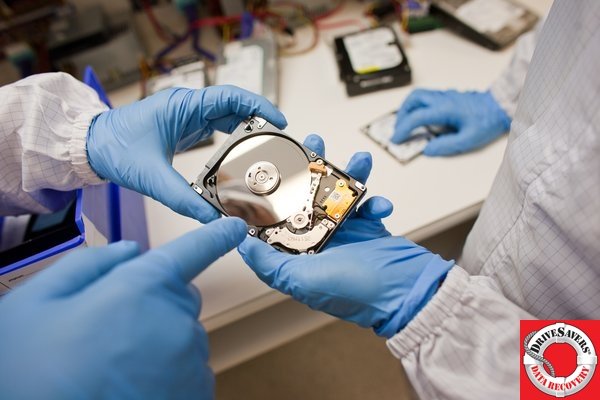
Advantages of DriveSavers Data Recovery
1. It supports for multiple devices.
2. It supports to recover data from damaged device.
3. It promises to guarantee the data safety.
4. It can recover 90 percent of the files.
5. It provides a comprehensive and systematic recovery solution.
6. It saves so much time for corporations clients.
7. It is available 24 hours a day, 7 days a week, 365 days a year.
8. It allows you to look inside a hard drive and see how various physical problems are diagnosed.
Disadvantages of DriveSavers Data Recovery
1. It misses a FAQs page and an online portal.
2. It is so expensive that many people cannot afford to it.
3. It doesn’t support once registered for life to enjoy, you need to pay all the time.
Best Alternative of DriveSavers Data Recovery
In general, the recovery effect of DriveSavers Data Recovery is relatively well. The most important is that it can recover the lost data from hard drive that was damaged physically. But its price still appears daunting at first. Actually, if the service you want to recover is badly damaged so that it can’t run normally, or you have a large quantity of data lost, DriveSavers Data Recovery is your best choice. Otherwise, you don’t need so expensive service and you can recover your data easily with the best alternative like Cisdem Data Recovery to substitute for DriveSavers Data Recovery. You can also follow below guide to try it on Mac.
- Download and install Cisdem Data Recovery, then open it.
 Free Download macOS 10.15 or later
  Free Download Windows 11/10/8/7
 - Then select your drive and click "Search for lost files".
![select and scan drive]()
- After it finishes scanning, all found files will be listed in the left column. Click each file to preview, then select all files and click "Recover" to get all lost files back.
![preview and recover]()
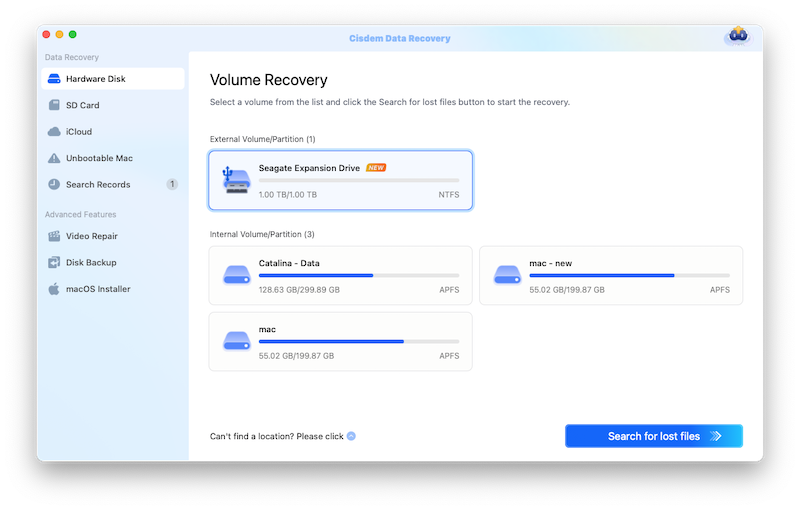
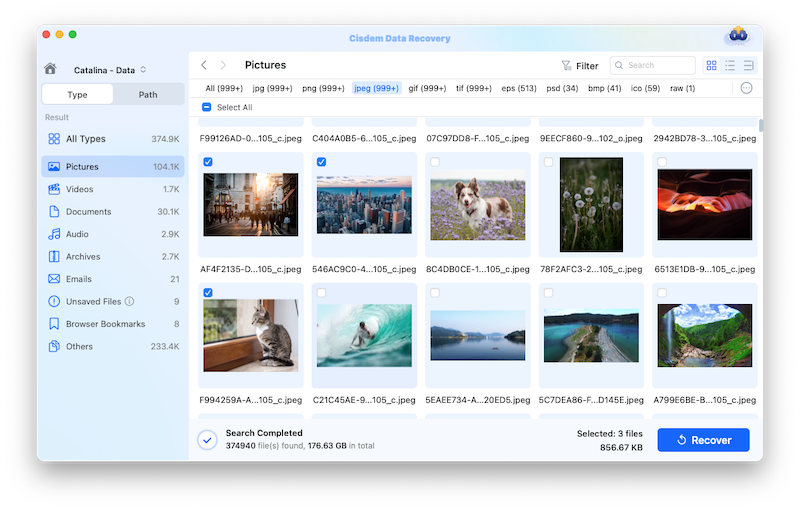
Previously, I also tested three best data recovery softwares for Mac and I also have a systematic review of them. Mac users can visit “Best Data Recovery software for Mac” to get best alternative of DriveSavers Data Recovery. Believe me, you will get new inspiration of data recovery.

Connie Yu has been a columnist in the field of data recovery since 2011. She studied a lot of data loss situations and tested repeatedly to find a feasible solution tailored for each case. And her solutions are always updated to fix problems from the newest systems, devices and apps.

JK Tam is the lead developer at Cisdem, bringing over two decades of hands-on experience in cross-platform software development to the editorial team. He is now the lead technical approver for all articles related to Data Recovery and DVD Burner.