


4 Useful Ways to Download Videos from Vidyard
 4.7K
4.7K
 0
0


Vidyard is a video hosting platform widely used by businesses and professionals. It offers powerful features to record, manage, and share video content over the Internet, but downloading videos from this platform is not always straightforward.
In this guide, we will explore 4 incredibly easy ways to download Vidyard videos, whether you’re the content owner or someone with access to the video.
 Cisdem VideoPaw
All-in-one Vidyard Video Downloader Program
- Download Vidyard videos with URLs
- Download protected/restricted videos
- Save video in original qualities up to 4K
- Download unlimited videos in bulk
- Support video downloads from many other platforms
- Multimedia toolkit - edit video, convert formats, compress video and rip DVDs/Blu-rays
- 100% safe and simple to use
 Free Download Windows 10 or later
  Free Download macOS 10.13 or later
Get Vidyard Video Link
The actual video link is required to access and download the video.
#1. From your Vidyard library
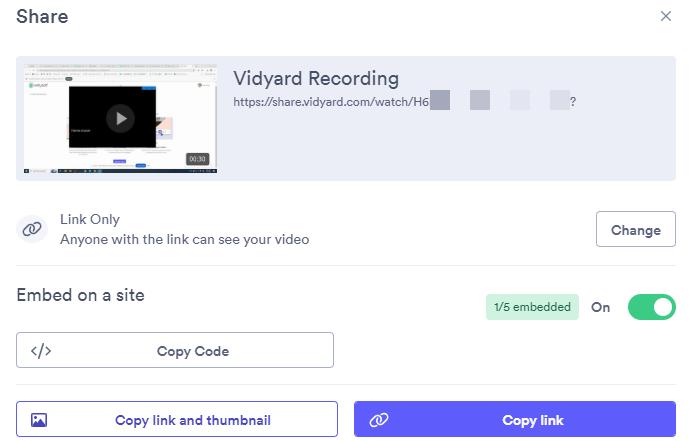
Find the video in your Vidyard library, click the "Share" icon, and click "Copy link" button to copy the video sharing link. The URL should look like: https://share.vidyard.com/watch/Video-ID
#2. For embedded Vidyard video
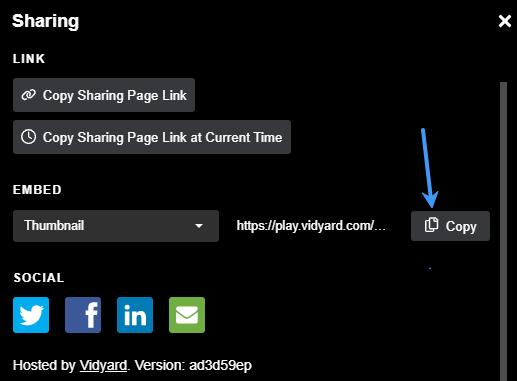
If it's a Vidyard video embedded on other platforms, click the Share icon in the upper left corner of the video, and copy the embed URL of “Thumbnail”. Paste the URL and delete the ".jpg" extension. Then you'll get the video embed URL like this: https://play.vidyard.com/Video-ID
1. Download Any Vidyard Video With a Professional Video Downloader
The most reliable way to download Vidyard videos on Windows and Mac is to use a decent downloader software, Cisdem VideoPaw (originally Cisdem Video Converter). It allows you to download Vidyard video to MP4 in different resolutions, including 720p, 1080p, and 4K, quickly and safely. You can also use it to save video/audio from other 1000 more platforms, such as YouTube, Wistia, Loom, Vimeo, Brightcove, etc.
More than just a video downloader, Cisdem VideoPaw also lets users convert video formats, compress video file size, trim/crop video, hardcode subtitles, add watermark & chapters to video, and more.
Free Download Windows 10 or later Free Download macOS 10.13 or later
Steps:
- Copy the Vidyard video link following the steps above.
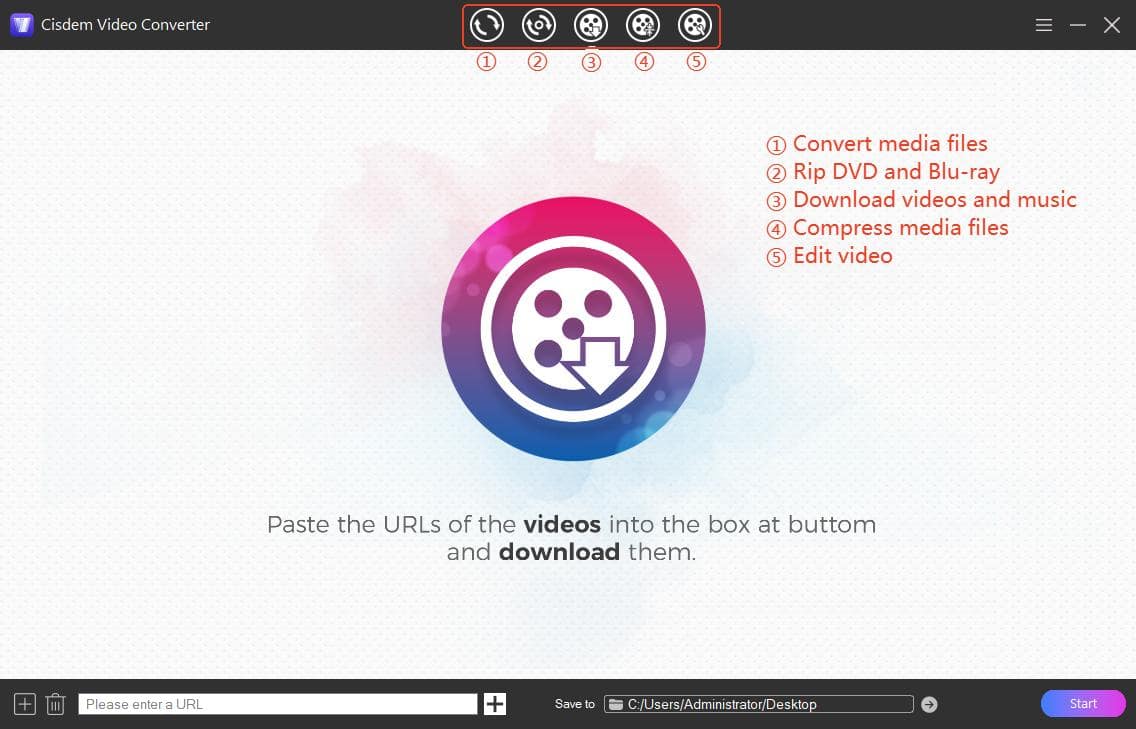
- Launch Cisdem VideoPaw, and click the third icon at the top to access its video downloader tool.
![cisdem video download UI]()
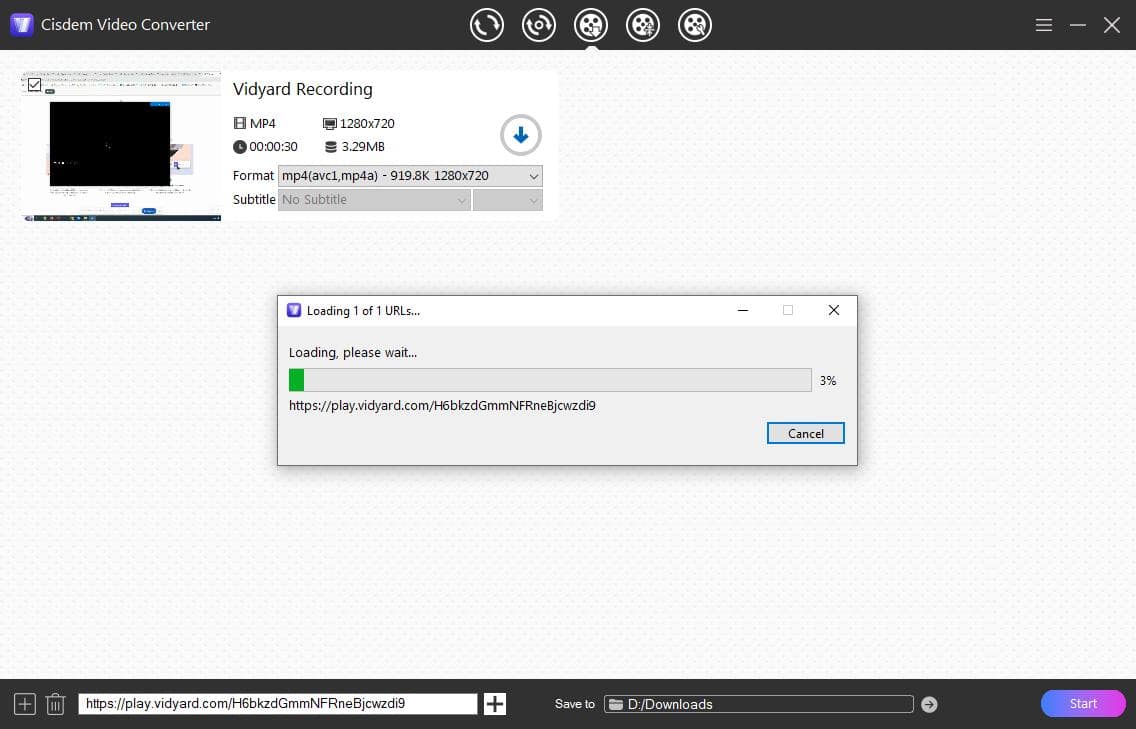
- Paste the copied video link into the bottom field and click “+” to parse the URL and load the video.
![paste and load video URL]()
- View the video info and choose a video quality from the Format list. Normally the highest quality is selected by default.
- Click the “Save to” box to select a destination folder.
- Hit the Start button to begin the video download.
![downloaded Vidyard videos]() Once the download is completed, the progress bar will turn into a checkmark icon, click it to locate the downloaded video file in the save folder.
Once the download is completed, the progress bar will turn into a checkmark icon, click it to locate the downloaded video file in the save folder.
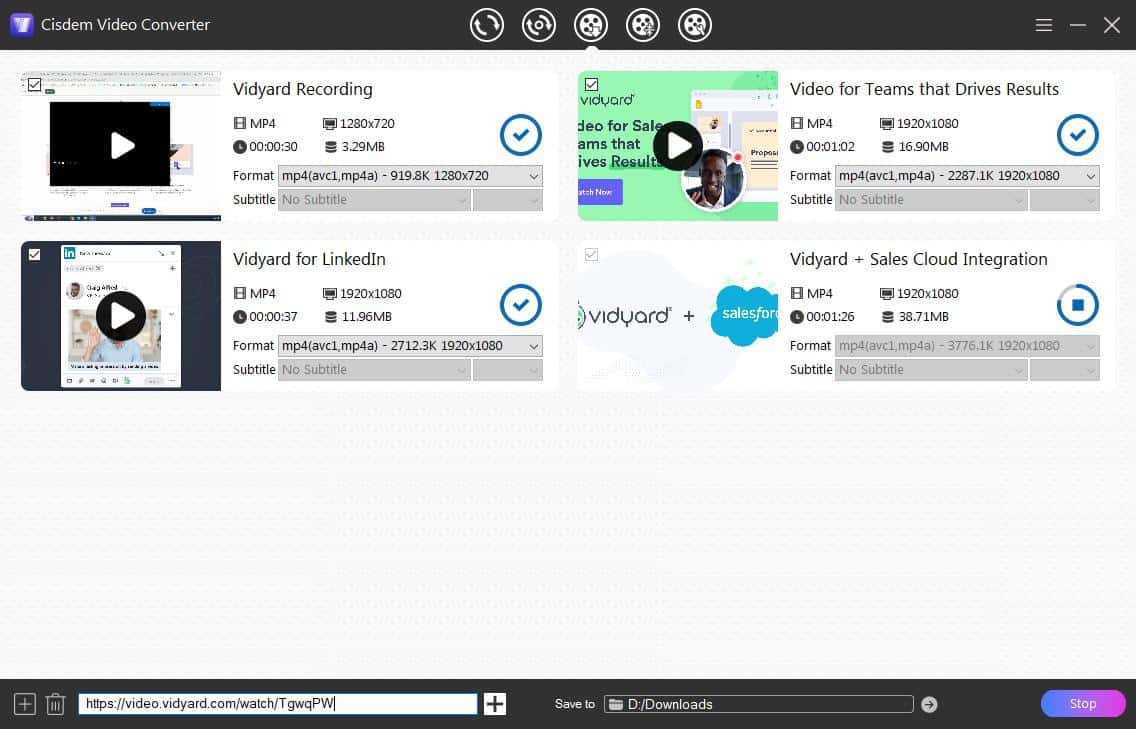 Once the download is completed, the progress bar will turn into a checkmark icon, click it to locate the downloaded video file in the save folder.
Download password-protected and restricted Vidyard videos
Viyard paid plans allow video owners to protect videos with password or limited access. If you want to download such a video, try enabling Cisdem VideoPaw with cookies access to bypass these restrictions. First, log in to your account on your default web browser and copy the video sharing link. Then close the browser, restart Cisdem VideoPaw and download the video with regular steps. You can use it to download private/protected videos from various sites.
2. Download Vidyard Videos Online for Free
Savethevideo.com is one of the few online video downloaders that works with Vidyard videos. It allows you to save videos from Vidyard for free without installing any software, and it’s compatible with Android/iOS devices. This web-based service is ad-supported, so beware of the ads and pop-ups.
- Copy the Vidyard video link to your clipboard.
- Visit https://www.savethevideo.com/downloader site, and paste the video link. Click Start to analyze it.
- Select a download option with video bitrate/fps info from the format selection list, e.g. 1920x1080 - 1800Kbps -24fps. (Important step.)
- Click "Start Download" to start downloading the video.
- When finished, click Download MP4 button to save the video file to your device.
![vidyard video online download]()
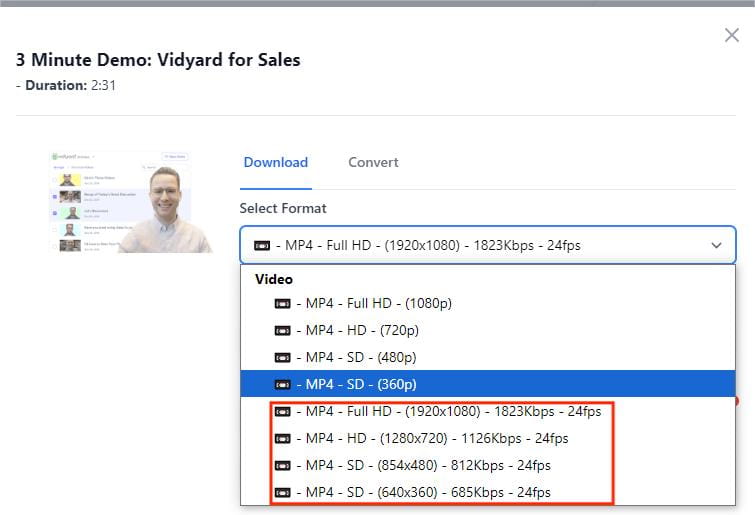
Online Vidyard downloader is less reliable than software option. If the download fails or display the “access denied” error, consider using the first tool with better download support.
3. Use Video Downloader Extensions that Support Vidyard
Video Downloader Professional is a popular browser extension for Chrome, Firefox and Edge. It's free and lightweight, allowing you to download Vidyard video conveniently without leaving the video page. The downside is that you can't control the download quality, and not all videos are supported.
- Install Video Downloader Professional extension on your Chrome or other available browser.
- Open the Vidyard video you want to download and play it.
- Click the extension icon, and select a download option from the panel. Choose the one with larger file size for better quality.
- Click the green Download button, select a save folder in the pop-up window, and click “Save” to start the download.
![download vidyard video using chrome extension]()
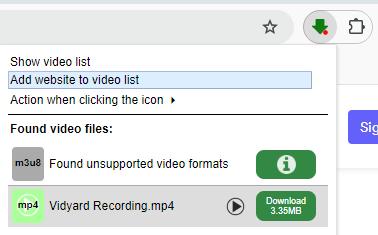
Tip: If it shows unsupported video formats or 403 error, try to fix it by refreshing the video page or open the video with the actual link and try again.
4. Use Browser DevTools to Download Vidyard Video Manually
Note: This method can only save video in 360p low quality.
In fact, you can download Vidyard video using the Inspect Element feature of browsers without any downloader tools. The only problem is that it only allow downloading of the lowest resolution, usually 360p. If you prefer HD or Full HD quality, try other 3 methods.
Steps:
- Open your wanted Vidyard video with its video link.
- Right click on the page and select “Inspect” to open the browser developer tools panel.
- Under the Elements tab, press Ctrl+F to bring up the search bar and type .mp4 to quickly find the video source URL in the code lines.
- Select the full URL within the double quotes, right click on it, and select an option to open it.
- The Vidyard video will soon download to your default downloads folder as an .mp4 file.
![Inspect Element to download Vidyard video]()
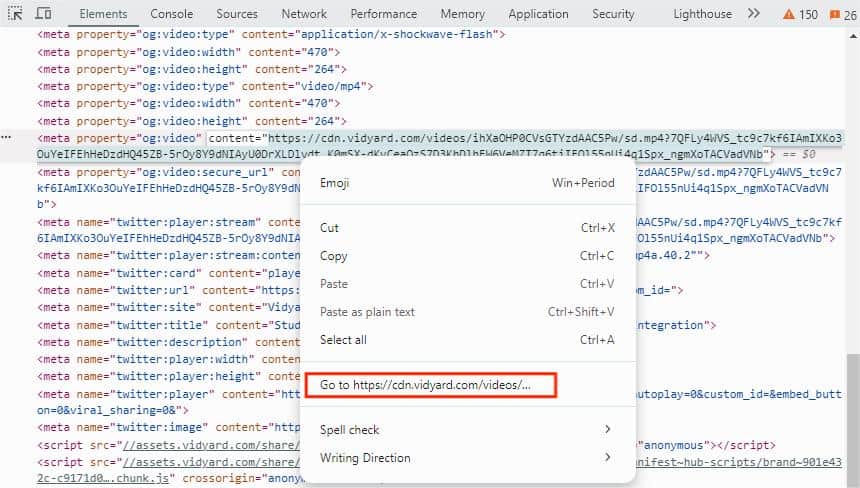
Bonus tip: Download captions from Vidyard video
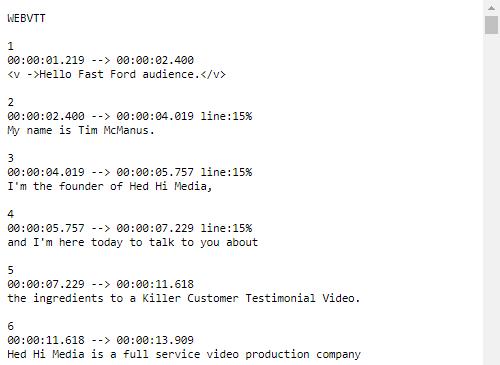
If you need the captions of the video, you can also extract the caption file from the Elements. Just type “captions” in the search bar and open the caption URL in src attribute. In the new tab with the caption texts, press Ctrl+S to save the page as a VTT caption file with timestamps.
Final Thoughts: Respect Vidyard's Policies
Downloading videos from Vidyard is straightforward if you are the owner or have permission. You can also contact the video creator to get a direct download link. The methods outlined in this guide are for Vidyard free users who want to download their own videos, or save undownloadable Vidyard videos for personal offline viewing.
You may also like to check out:
Copyright Disclaimer
The video/audio download methods provided in this article are for personal and educational use only. Sharing or commercial use is not allowed unless you get permission first. The website fully respects copyright laws and will act upon any valid removal request.

Emily is a girl who loves to review various multimedia software. She enjoys exploring cutting edge technology and writing how-to guides. Hopefully her articles will help you solve your audio, video, DVD and Blu-ray issues.

Ryan Li is a senior developer at Cisdem. Since joining the company in 2017, he has led the development of Cisdem VideoPaw and now serves as the editorial advisor for all articles related to Video Converter.