


6 Best Distraction Blockers for Computer & Phone (2026 Tested)
 249
249
 0
0


For many of us, staying focused is a big challenge. When working or studying, distracting websites and apps can easily break our concentration. A distraction blocker helps limit access to these online distractions. In this article, we’ll review 6 of the best distraction blockers to help you boost productivity.
 Cisdem AppCrypt
The Best Tool to Block Online Distractions
- Block websites on Chrome, Edge, Safari, and more browsers
- Let you block specific sites/pages
- Let you block URLs containing certain keywords
- Let you block sites by category, such as porn sites, games sites
- Also let you block all websites except specified ones
- Lock apps with password
- Let you block websites and lock apps permanently or at scheduled times
- Easy to use
- Hard to bypass
- Help with productivity, parental controls, and digital wellness
- Available for Windows, Mac, Android, iPhone and iPad


Summary
There are many distraction blockers available, but the right one depends on your needs. Here’s a quick overview of the six tools covered in this article:
Cisdem AppCrypt - Best for users who want an easy-to-use tool to block distracting apps and websites with password protection.
AppBlock - Best for mobile users who want to block phone distractions.
Cold Turkey - Best for desktop users who’d like to create multiple block lists.
SelfControl - A great free option for Mac users who want a simple way to stay focused.
One Sec - Best for users who prefer a gentle way to block online distractions and reduce screen time.
Stay Focused - Best for blocking distracting websites in Chrome and Edge browsers for free.
Why you get distracted so easily?
Why you get distracted so easily? There are several common causes:
1. Scrolling through short videos, social media feeds, and more makes you feel relaxing. And is far more interesting than working or studying.
2. Notifications, messages, and more can constantly interrupt you, making it difficult to focus.
3. When you don't have a clear goal, it is easy to get distracted.
4. Too much screen time every day can also affect your ability to focus.
What can a good distraction blocker do?
A good distraction blocker helps you build better digital habits and improve concentration. Here are the key things it can do:
1. Block distracting websites and apps.
2. Set schedules for focus time.
3. Prevent your from easily bypassing the restrictions.
4. Support different block modes, such as whitelist and blacklist modes.
5. Track how much time you spend on distracting apps or websites.
6. Be available on both desktop and mobile, helping you stay focused across all your devices.
Based on these features, we’ve picked six of the best distraction blockers that can effectively block online distractions.
The 6 best distraction blockers to block online distractions
In this part, we’ll review each tool’s main features, pros, and cons to help you choose the best one based on your needs.
#1 Cisdem AppCrypt
Compatibility: Windows, Mac, Android, iPhone, iPad
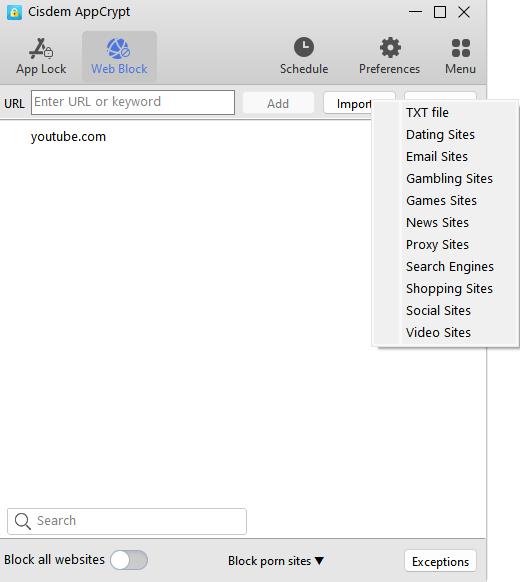
Cisdem AppCrypt is an easy-to-use distraction blocker that helps you block online distractions with just a few clicks.
It offers 2 blocking modes for users with different needs:
- If you know which websites and apps distract you the most, you can use the default mode to manually add them to the block list. It also allows you to block sites by category, such as games sites, social media.
- Alternatively, you can switch to the Allow List mode, which allows you to block all websites except a few.
The Schedule feature can be practical for users who want to stay focused. You can set schedules for different sites or apps, based on your specific needs. For example, block YouTube during working hours, and block games during sleep hours.
Pros:
- Very easy to use with a simple interface.
- Can block both distracting websites and apps.
- Also let you block keywords.
- Two blocking modes.
- Allows you to create one or multiple schedules.
- Offers password protection to prevent bypassing.
- Can automatically launch at system startup.
- Works on both computers and phones.
Cons:
- Cannot block distracting pop-ups.
#2 AppBlock
Compatibility: Android, iPhone
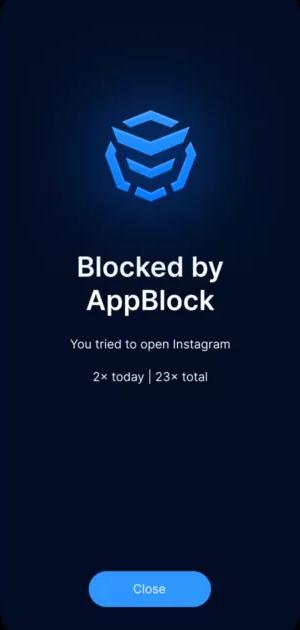
AppBlock is a distraction blocker designed for mobile users. It offers flexible blocking options. For example, you can create multiple profiles for different situations, such as work, study, sleep, and more. It also records how much time you tried access online distractions during the focus time, which can help you build better digital habits.
One of its standout features is the Strict Mode, which prevents you from changing your settings or uninstalling the app when you can’t control yourself.
For users reduce phone distractions and stay focused, AppBlock is a good choice.
Pros:
- Blocks distracting apps, websites, and keywords.
- Offers a Strict Mode to prevent bypassing.
- Let you create custom profiles.
- Offers the Allowlist mode.
- Tracks you screen time.
Cons:
- Some features require a premium version.
#3 Cold Turkey
Compatibility: Windows, Mac
Cold Turkey is a designed for desktop users who need a strict way to stay focused.
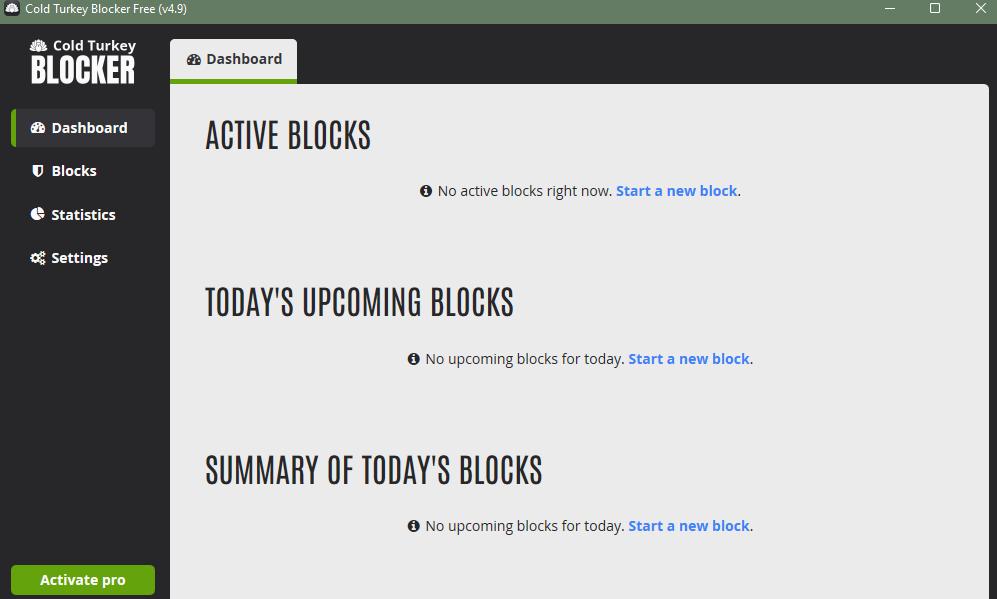
With this distraction blocker, you can block access to specific websites, apps, and even the entire internet. It let you lock your blocking settings with password, random text, timer, or time range, making it difficult to bypass, so it is also ideal for users with poor self-control ability. You can also schedule blocks. And the blocked distractions will remain inaccessible until the timer ends.
In addition, it keeps track of the time you spend on websites and apps. So you can clearly see which ones should be blocked to help you stay focused.
Pros:
- Hard to bypass.
- Can block apps, websites, or the entire internet.
- Supports scheduled block.
- Records where you have spent the time.
Cons:
- Requires you to install extensions for blocking.
- The free version is limited in features.
#4 SelfControl
Compatibility: Mac
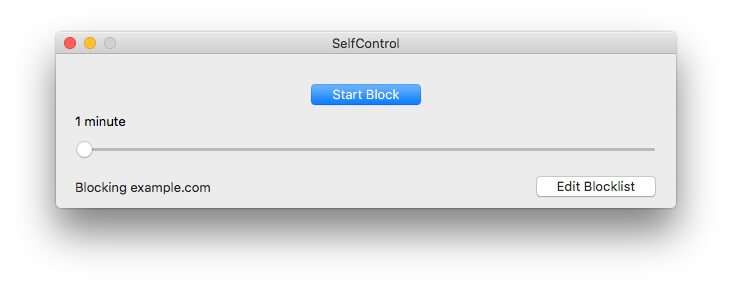
SelfControl is a free app to block distractions on Mac computers, It’s very simple to use. First, you can create a blacklist of websites, such as time-wasting social media sites or distracting games sites. Then, set a block timer, such as 1 hour. Once the blocking begins, you won’t be able to access those sites until the timer ends.
One drawback of this tool is that it only blocks websites. For users who are also distracted by applications on Mac, such as games, it may not be a good choice.
Pros:
- Completely free to use.
- Cannot be easily bypassed.
- Simple and clean interface.
- Allows you to block all sites except a few.
Cons:
- Only available on macOS.
- Can only block websites.
- No scheduling feature.
- No customer support.
#5 One Sec
Compatibility: Mac, Android, iPhone, iPad
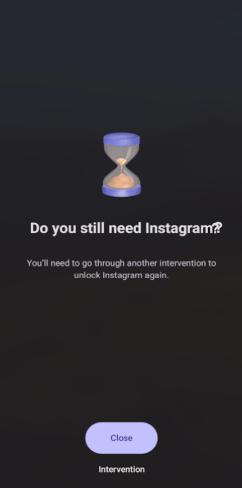
Unlike other distraction blockers, One Sec helps you block distractions by reducing impulsive app usage rather than complete blocking. It adds a short delay when you try to open a distracting app, such as Instagram. During this short delay, you might be able to reconsider whether you truly want to continue scrolling through this app, thereby go back to work or study.
If you’d like to reduce screen time in a more gentle way rather than forcefully cutting it down, One Sec is a great option.
Pros:
- Helps reduce impulsive app usage.
- Encourages mindful behavior instead of complete blocking.
- Provides useful usage insights.
Cons:
- Does not completely block distracting apps or websites.
- Less effective for users who need strict control.
- Can only limit access to one app for free.
#6 Stay Focused (Extension)
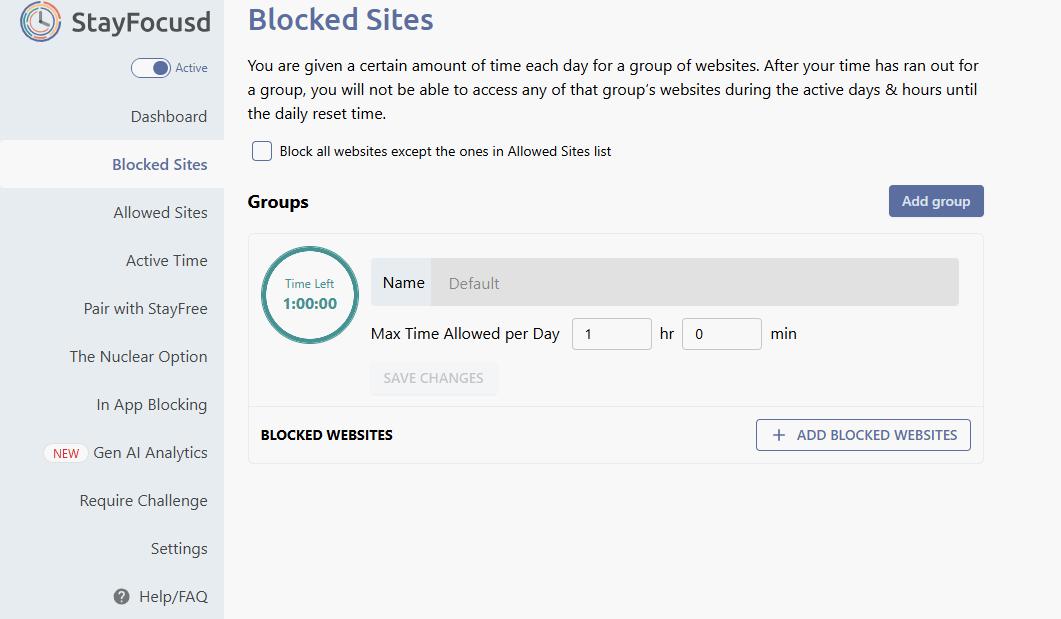
Stay Focused is a distraction blocker Extension for Chrome and Edge. It is easy to set up and specially designed for users who always get distracted while browsing the web.
With Stay Focused, you can block access to distracting websites, limit the amount of time you spend on them, or allow access to only certain sites during certain times. It also offers a Nuclear Option. Once enable it, the distracting websites you have selected will be completely blocked for your set period and cannot be undone.
However, since it works as an extension, it can be disabled or uninstalled easily. So it is not a good choice for users with poor self-control.
Pros:
- Easy to install and use.
- Can block distracting websites.
- Can set time limits on distracting websites.
- Includes a Nuclear Option.
Cons:
- Only works within the Chrome and Edge browsers.
- Cannot block applications.
- Easy to disable or uninstall.
FAQs
What is the best distraction blocker?
The best distraction blocker depends on your needs. If you want a simple tool to block both distracting apps and websites, Cisdem AppCrypt is a great choice.
Are there free apps to block distractions?
Yes, some distraction blockers like SelfControl are completely free. Others offer free versions with limited features.
Which distraction blocker is best for parental controls?
For parental controls, you can consider tools like Cisdem AppCrypt. It offers a password protection feature, preventing your child from bypassing your restrictions.

Norah Hayes likes to share her tips on how to improve focus and stay motivated at work. She believes it is essential to eliminate all online distractions during work hours.

Ethan Long joined Cisdem in 2015 as a developer and now serves as the editorial advisor for Cisdem AppCrypt. He actively tests and uses Cisdem AppCrypt and other screen-time management tools to ensure AppCrypt meets its promises in real-world scenarios.