


12 Best Chrome Extensions for Productivity While Working & Studying
 366
366
 0
0


While working or studying, we use the internet to improve productivity. However, things like distracting websites, pop-up ads, tab clutter, and fragmented information can reduce our efficiency.
Luckily, there are Chrome extensions that help users boost productivity. In this article, we will delve into some of the best Chrome extensions for productivity. (To be honest, it's impossible to cover all great extensions in a single article. If your favorite isn't mentioned, feel free to share it by leaving a comment.)
 Cisdem Web Blocker
Distracting Website Blocker Extension
- Let you block the current website or page with a simple click
- Let you manually add websites and pages to the block list
- Help you stay focused by blocking distractions
- Simple and user-friendly
- Completely free to use
12 best Chrome extensions for productivity
Improving productivity can be achieved in a variety of ways, including blocking ads, limiting access to distracting websites, improving teamwork, and avoiding ineffective work, etc. Below is a list of the best productivity extensions for Chrome that may be helpful for you.
1. AdBlock
-Stop ads and pop-ups from appearing while browsing on Chrome.
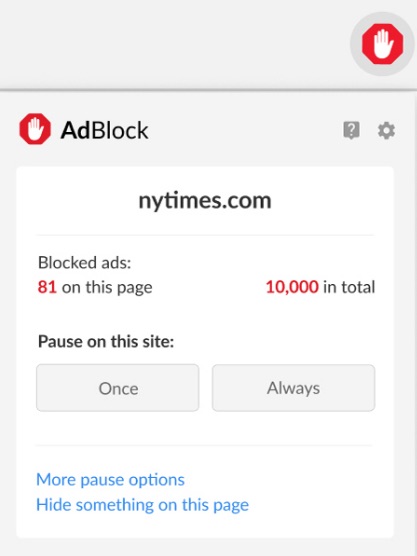
Advertisements are visual distractions on web pages that can distract us while working. Blocking ads and pop-ups allows us to more focus on tasks and be more productive. It also makes pages load faster. So we can access the information we need more quickly.
AdBlock is a Chrome extension designed for this. It automatically detects ads, pop-ups, and banners on the web and blocks them from appearing. After installing it, you will no longer have to worry about being distracted by annoying ads while you are focusing. And it also helps protect your privacy and make you browse safer by blocking some third-party trackers and some malicious ads.
If you just don’t want some malicious ads and are not averse to some ads that may be useful to you, you can also custom the ad blocking settings. For example, it supports allowing some non-intrusive ads or only allowing ads without third-party tracking. The Whitelist mode enables you to block all ads on browser, except those from some of your favorite websites.
2. Cisdem Web Blocker
-Block distracting and unwanted websites to stay focused.
Another big source of distractions is YouTube, social media, and similar platforms. Those adorable cat videos and meme posts seem more interesting than ever when you need to focus and get things done.
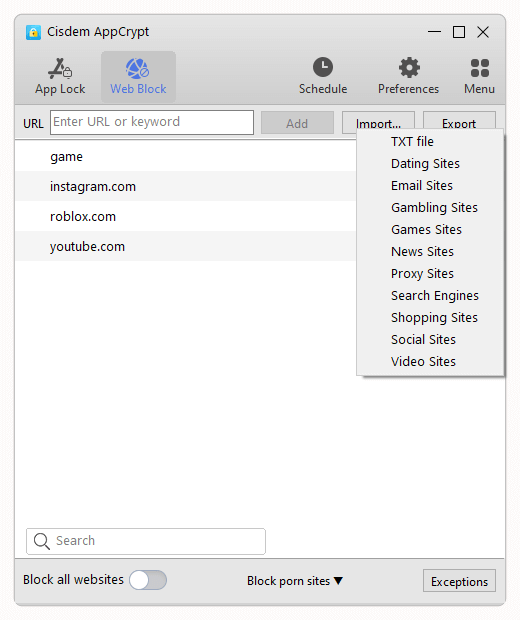
Looking for a solution? Check out Cisdem Web Blocker. This extension allows you to easily add those distracting sites to the block list. Once a website is blocked, all content becomes inaccessible immediately. There is also an option to temporarily turn on or off blocking for a specific website or page.

Need a More Powerful and Hard-to-Pass Website Blocker?
Want to block distracting websites by category? Need to filter URLs by keyword? Want to block some sites permanently while restricting others only during certain hours? Try Cisdem AppCrypt. Rich features and password protection make it a powerful option for those seeking increased productivity and efficiency.
 Free Download Windows 10 or later
  Free Download macOS 10.15 or later
3. TickTick
-Help you create an effective to-do list to organize your work.
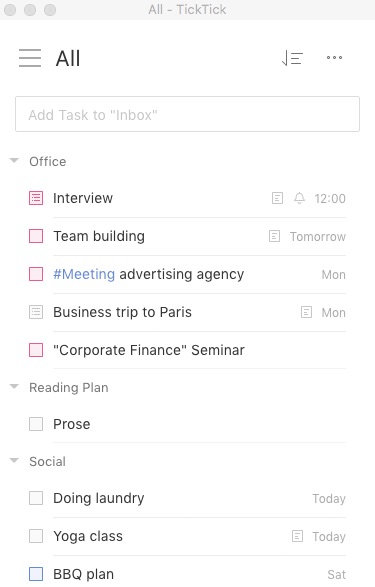
TickTick is a simple and useful to-do list. It allows you to create tasks, set deadlines and priorities, and will remind you when it's time to do something. This productivity extension also enables you to sync all your to-do lists across all devices. You can view and update tasks at any time no matter where you are.
It’s worth mentioning that TickTick is much more than a simple to-do list. It also provides a wealth of features, such as converting Google emails into tasks, adding webpages into tasks instantly, sharing task list for collaboration, and more.
4. Time tracking tool
-Track employee’s working time and improve team’s productivity.
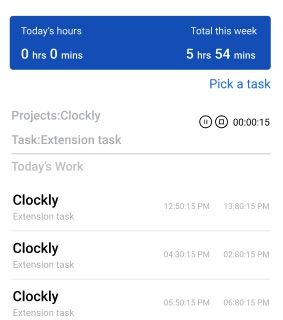
Time tracking tool-Clockly by 500apps is one of the best productivity extensions for Chrome. It’s dedicated to improving team’s productivity by time tracking. Users can easily create work plans for different employees and different projects. It also monitors the tasks progress by automatically capturing screenshots of employee’s screen to ensure tasks are completed on time. The time-tracking reports help users better understand their time allocation and create more effective work plans.
Adequate communication is one of the important conditions to ensure team efficiency. With this productivity extension, team members can easily send messages, share files and make video calls in one place.
5. Strict Workflow
-A simple Pomodoro Timer extension that help you boost productivity
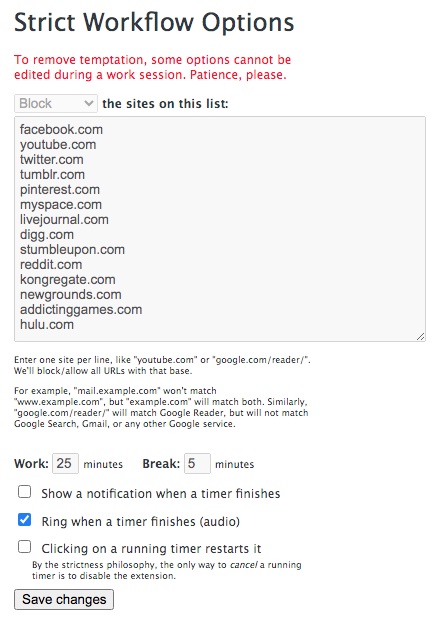
The Pomodoro Technique is a simple and easy time management method to improve productivity. Choose a task that needs to be completed. Set the Pomodoro time. (Typically 25 minutes) During the Pomodoro time, you must stay focus and are not allowed to do anything unrelated to the task. Then take a short break. (Typically 5 minutes is enough) Repeat the Pomodoro if necessary.
Strict Workflow is a Chrome extension that helps you use the Pomodoro method to increase focus while working and studying. After adding it to Chrome, go to its options page. You can add some distracting/inappropriate websites to the block list. During the focus time, you cannot access to any sites on the block list. When the timer ends, it will show a notification. You can turn on/off the timer's ring according to your needs.
6. Refocus
-Provide ambient noise and focus music to help you improve focus and creativity.
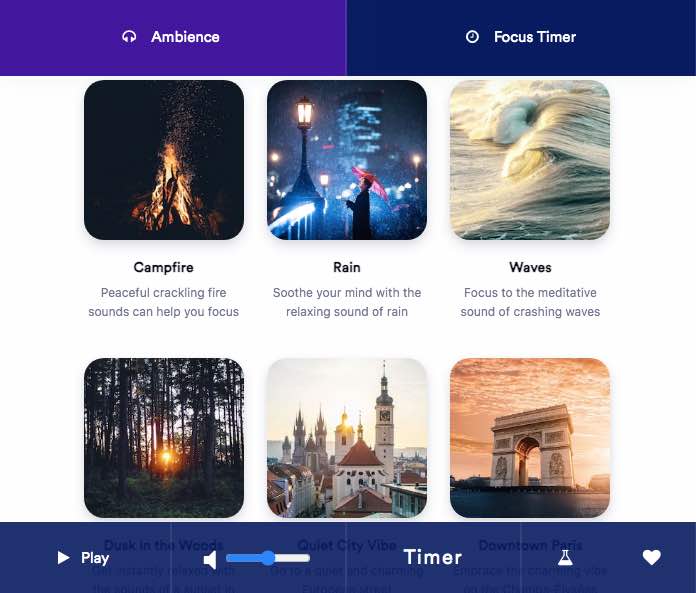
Refocus is Chrome extension for productivity that provides 21 kinds of focus music for you to choose from. Including Morning Birds-help you improve concentration with relaxing sounds of chirping birds, Amazon Forest-Immerse yourself in the tranquility of the Amazon rainforest, and Underwater, Campfire, etc.
What’s more, you can use the Pomodoro technique with this extension to maximize your productivity. But it doesn’t supports blocking websites during focus time. If you really need this feature, then the previous productivity extension is more suitable for you. Or you can try Cisdem AppCrypt.
7. Momentum
-Replace new tab page with your personal dashboard to help you stay motivated and productive.
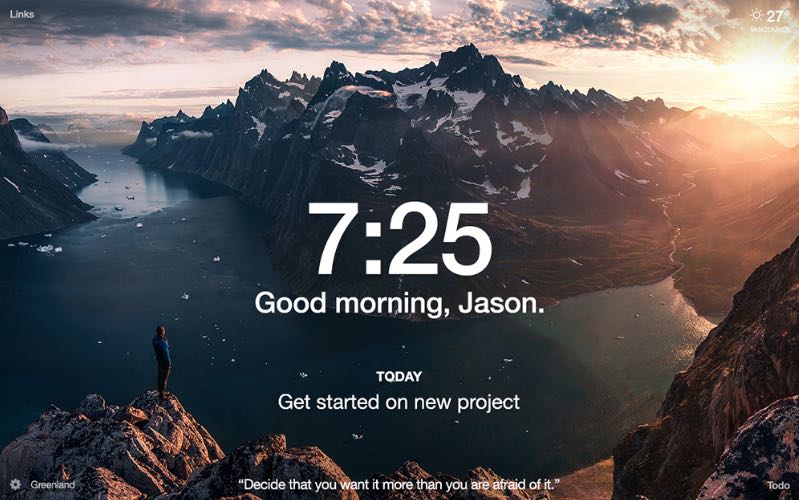
As its name suggests, Momentum is a productivity extension for Chrome that brings positive energy to users in work and life. It replaces new tab page with a personal dashboard. On the dashboard, there is not only basic information such as local weather and time, but you can also use your favorite photos as background images, adding motivational quotes and mantras.
In addition, Momentum also has a to-do list to help users track daily tasks. Through a clear interface, you can quickly add, edit and complete tasks, keeping your work organized.
8. Save to Pocket
-Quickly save articles, videos, and more to reading list.
In this digital age, web browsers have become an indispensable tool for us to obtain information for work and study. Sometimes when we find a useful website/page or some interesting content but don’t have time to check it out, we temporarily put it on our reading list. But Google’s built-in Reading list has a drawback. It can only arrange tabs by time and cannot sort them in other ways.
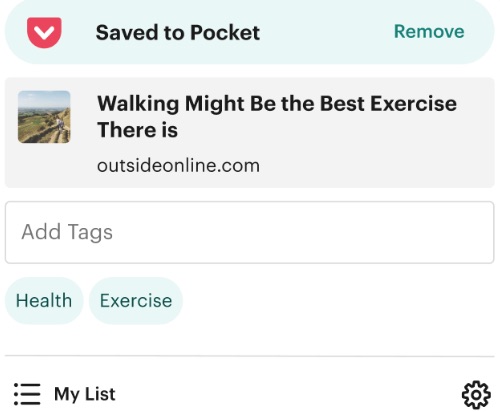
Save to Pocket is a Chrome extension that makes it easy for users to manage and view their saved content at any time. When browsing the web, you can save articles, videos, etc. to Pocket. Simply right click the link and select “Save to Pocket”. This can help you focus on current task without being distracted by other things.
In addition to convenient saving function, this productivity tool also helps users manage saved content effectively. You can add tags, description to your saved content. And it let you easily search the saved list for a specific topic you want to view.
9. Grammarly
-Check spelling and grammar mistakes and provide suggestions for easy fixes
How do we communicate with the internet? We type. We type almost everywhere. Social media, comment sections, email messages, blog posts - you name it. And naturally, we make mistakes as we write and type. We can ignore some mistakes, but there are some mistakes that we just can't afford to ignore.
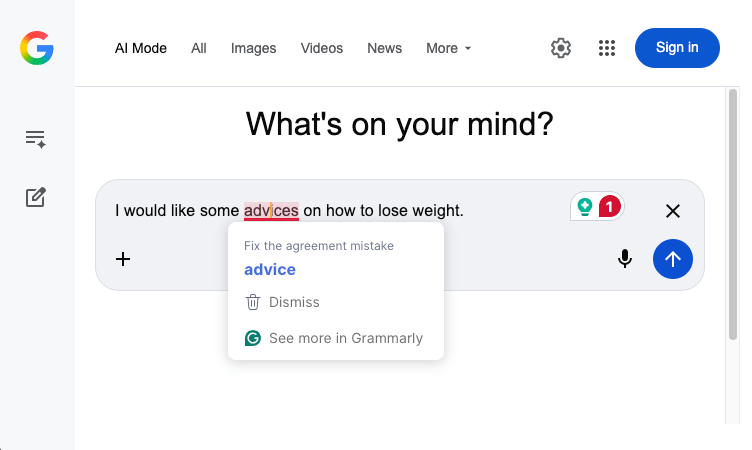
Luckily, we have Grammarly. Grammarly is a Chrome extension that checks spelling, grammar, and punctuation mistakes in real time. It also provides suggestions to help you easily fix mistakes. In addition, it offers suggestions on things like word choices and conciseness.
While Grammarly can be helpful for everyone, it's particularly useful for students, professionals, writers, and those who learn English as a second language.
10. Text Blaze
- A personalized and efficient text expansion tool.
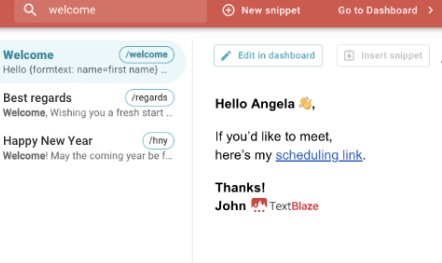
Text Blaze is one of the best productivity extensions for Chrome, providing users with fast and efficient text expansions. It allows users to customize text templates. The text template can be a longer phrase, a few sentences or even a paragraph. Then set a shortcut to replace this template text. Next time users only need to type the shortcut. Text Blaze will automatically replace it with the corresponding complete text. This tool is especially useful for users who frequently type in the same content, such as teachers, customer support staff, or HR, etc. Using Text Blaze can greatly improve their work efficiency.
The template can be dynamic. Users can create templates containing variables to adapt them to different situations. For example, you can easily create a personalized welcome email template and let this tool automatically insert the current date. You only need to fill in the recipient's name and some other necessary information.
11. Hunter
-A simple and easy-to-use email finder extension to help you find leads.
This productivity extension is for sales, marketing, and business development professionals, who often need to find and contacts with potential customers or partners. It helps quickly find all the email addresses related to the websites you are visiting, making it efficient to find contacts and establish business relationships.
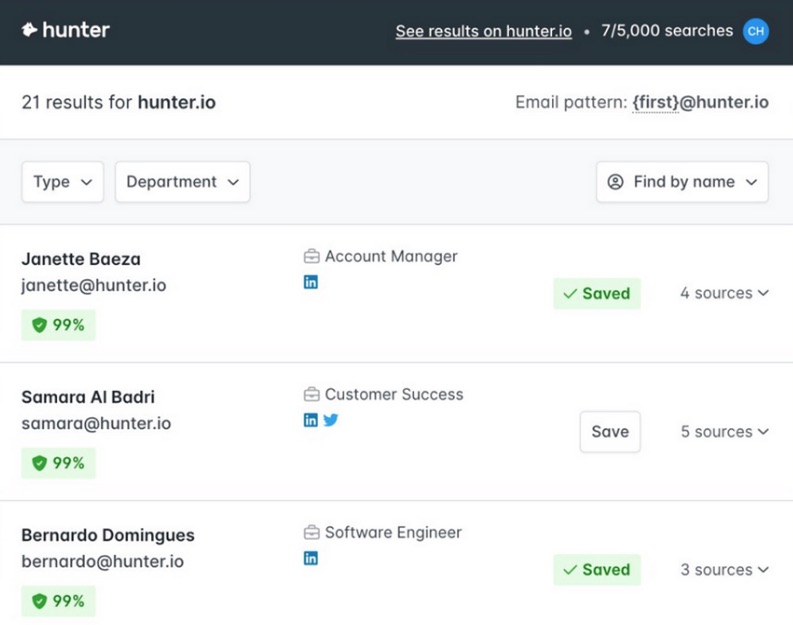
It’s easy to use. When visiting a website, just click the Extensions icon on the upper right corner. Click Hunter. Then you can get the email addresses, confidence scores, names and sources related to the site. This greatly reduces the time we spend on searching for leads on the Internet.
Additionally, Hunter can verify the validity of found email addresses. This prevents us from doing a lot of ineffective work. If you find a contact that might be useful, click the plus icon next to that person to save the lead to your list.
12. Glasp
-Help you easily highlight important content on websites or PDF files.
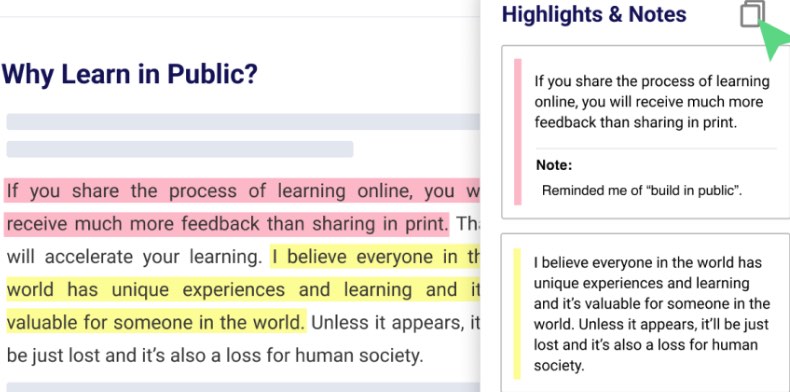
This is an interesting highlighter tool. After installing Glasp on your Chrome browser, you can easily highlight content what you think is important while reading on websites or PDF files. It allows you to highlight with multiple colors. You can see all the highlights and leave your notes, comments on the right sidebar.
Another interesting feature of this extension is that it enables you to share your highlights with beautiful images. You can share your highlights on Twitter, Facebook, and more, or download the images. People see your highlights can also add notes on them. Please note that due to technical and security reasons, not all websites can be highlighted.
Conclusion
In order to improve productivity, it’s recommended to use some Chrome extensions to help you stay focused, and improve efficiency while working and studying. These are some of the best Chrome extensions for productivity. Hope they help.

Norah Hayes likes to share her tips on how to improve focus and stay motivated at work. She believes it is essential to eliminate all online distractions during work hours.

Ethan Long joined Cisdem in 2015 as a developer and now serves as the editorial advisor for Cisdem AppCrypt. He actively tests and uses Cisdem AppCrypt and other screen-time management tools to ensure AppCrypt meets its promises in real-world scenarios.