


How to Remove Duplicate Music Files on Android in 3 Ways
 976
976
 0
0




Duplicate Finder
Free Duplicate Music Finder for Android


If you have lots of duplicate music files on your Android phone, they will take up storage space and potentially slow down your device. What's more, if a song is duplicated many times and plays multiple times in a row when you are not in the mood for looping, it can become unpleasant.
In this article, I will show you in detail how to remove duplicate files on Android in free ways.
How to delete duplicate songs on Android with a duplicate music finder
If you are looking for an easy, straightforward method, using a free duplicate music finder like Cisdem Duplicate Finder is the best choice. Here are some benefits of using Cisdem Duplicate Finder.
- Find all duplicate music files (e.g., MP3, WAV, FLAC, AAC, etc.) as well as other duplicates (e.g., videos, images, documents, etc.)
- Identify duplicates accurately by comparing their content, regardless of their files names
- Automatically select all but one file for deletion in each set of duplicates, enable you to remove them all at once
- Easy to use for everyone
Below are the detailed steps of using this method.
You can follow the steps below to find and delete duplicate songs on your Android:
1. Download and install Cisdem Duplicate Finder to your Android device.

2. Open it. Allow this tool to access your local files including your music libraries/folders.
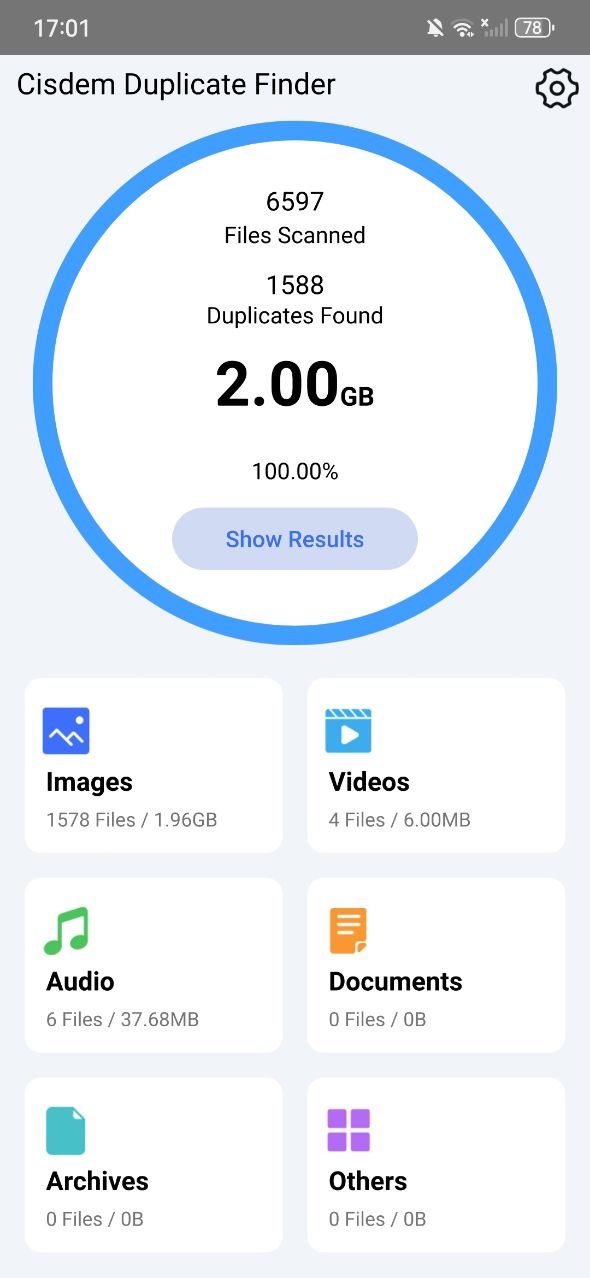
3. Click the Settings icon. Click Scan file type and choose Audio only.

4. Click Start Scan in the main window.
5. Wait for the scan to complete. Click Audio to view all duplicate music files on your Android.
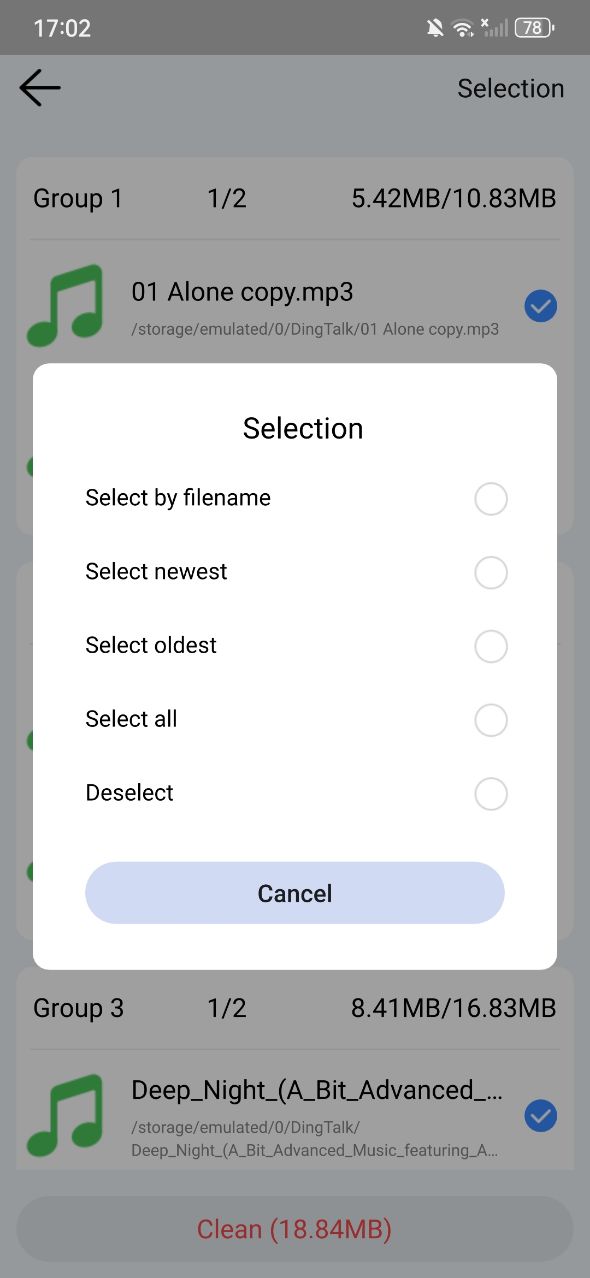
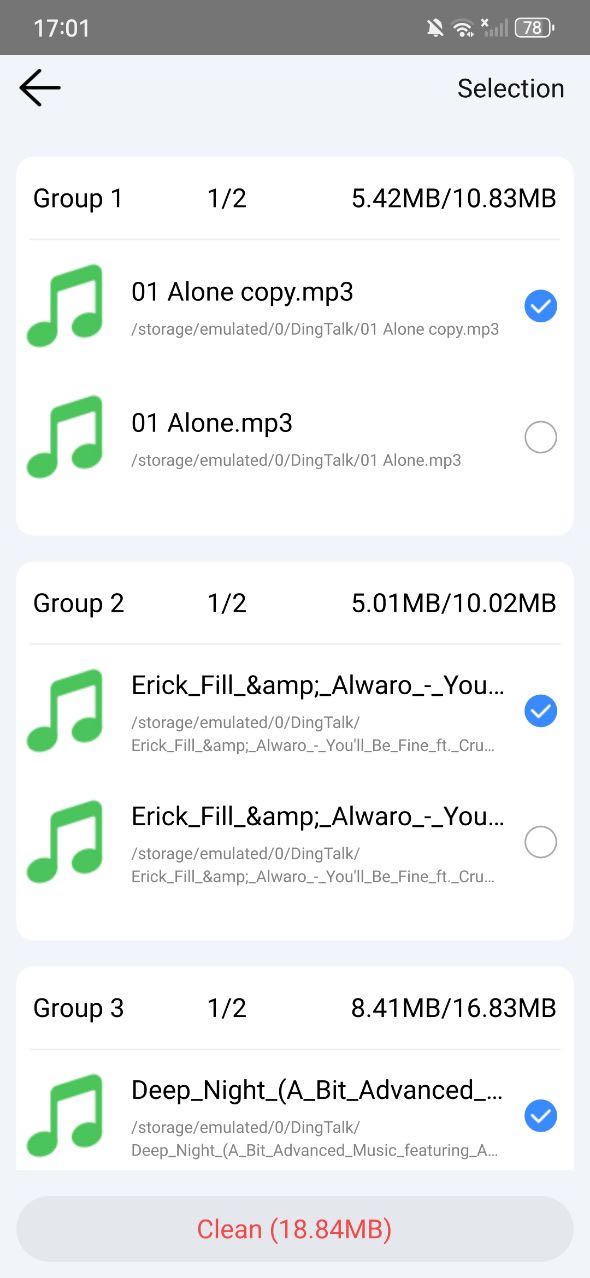
6. It has already selected duplicate songs for you to delete. You can also use the selection rules at the upper right corner. Or select manually.
7. Click Clean at the bottom.
Also read: How to Find and Delete Duplicate Files on Android: 3 Ways
How to remove duplicate music files on Android using file manager apps
Most Android devices have a built-in file manager app. With it, you can view and organize all files stored on your Android phone, including the music files.
Some file manager apps offer duplicates detection feature that helps in finding duplicate music files automatically, such as My Files by Samsung and Files by Google.
You can also manually navigate to the music library on your Android phone using the file manager app, and then find those duplicates to delete.
Use My Files by Samsung
Now let’s take the My Files app in most Samsung Galaxy devices as an example to show you detailed steps.
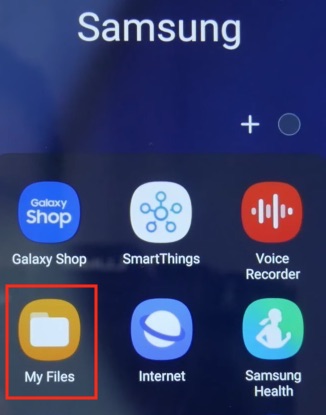
1. Open the My Files app. You can find it in the default Samsung folder. Or search it using the app search.
2. Scroll to the bottom. Click Analyze storage.
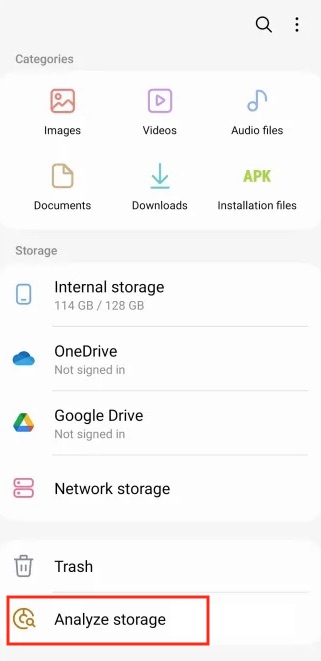
3. Wait for it to finish analyzing the storage usage of the files stored on your Android phone.
4. Click Duplicate files. It’ll display all found duplicate files for you. Check the boxes next to the duplicate music files you wish to delete.
5. Click Delete.
6. Click Move to Trash.
Use Files by Google
The Files app developed by Google can automatically detect duplicate songs, among other duplicates. If it's not pre-installed on your device, you can get it from the Google Play Store.
1. Open Files.
2. Click the three-line icon in the top left corner and then choose Clean.
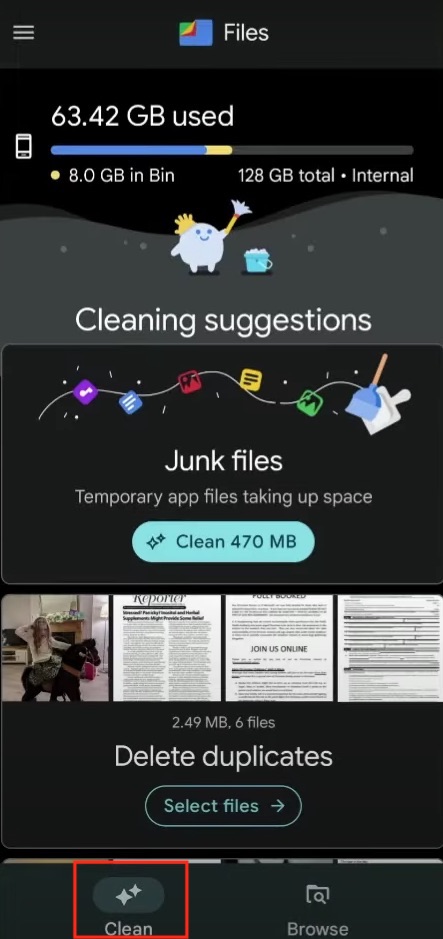
3. In the Delete duplicates section that appears, click Select files. (If you don't see this section, try waiting.)
4. On the screen that appears, go through each set of duplicate songs and manually select unwanted copies for cleanup. Or, you can use the All duplicates option for bulk operation.
Use a file manager without duplicate detection
If there is no built in duplicates detection feature in the file manager app, you can navigate to the music folder on Android by yourself and remove duplicate songs manually. Below are steps:
1. Open the file manager app on your Android phone.
2. Go to Internal storage.
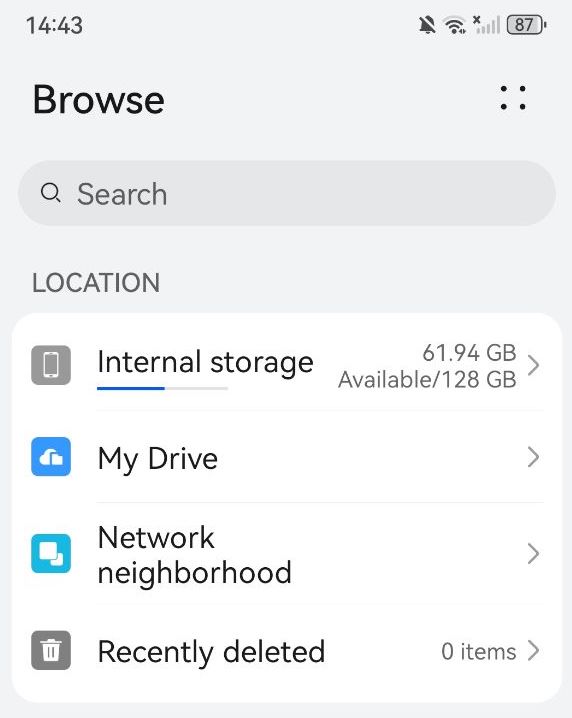
3. Find the Music folder or the Audio folder.
4. In this folder, you are able to view all music files on your phone. It usually allows you to filter audios by format according to your needs, such as MP3, WAV, M4A, FLAC, AAC, and other. Also you can sort all audio files by name or size to help you manually find duplicates more easily.
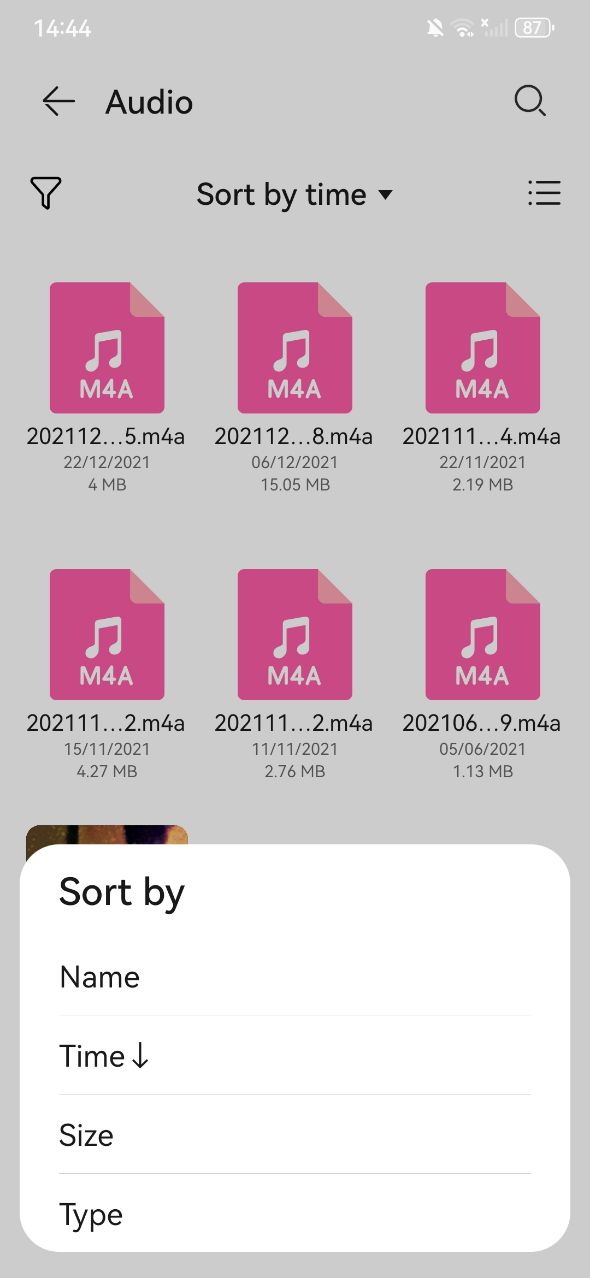
5. Long-press on or check the boxes next to the duplicate songs you wish to remove.
6. Click Delete.
7. Confirm the deletion.
How to remove duplicate music files on Android's music apps manually
Some music apps in Android phone provide a feature to prevent downloading of exact identical songs. But if you there are duplicate songs that differ slightly in title, duration, quality, or other aspects, the music app will not be able to detect them. If you haven’t downloaded too many songs on the music app, you can manually find the duplicates and delete them one by one.
Below I will take the Music app on my Android phone as an example to show you how to get rid of duplicate songs manually:
1. Open the music app you frequently use on your Android device.
2. Find the location that shows all of your downloaded songs. For example, on my phone, they are in Library > All songs > Songs.
3. Sort the music files by name or some other order that can help you identify duplicates quickly.
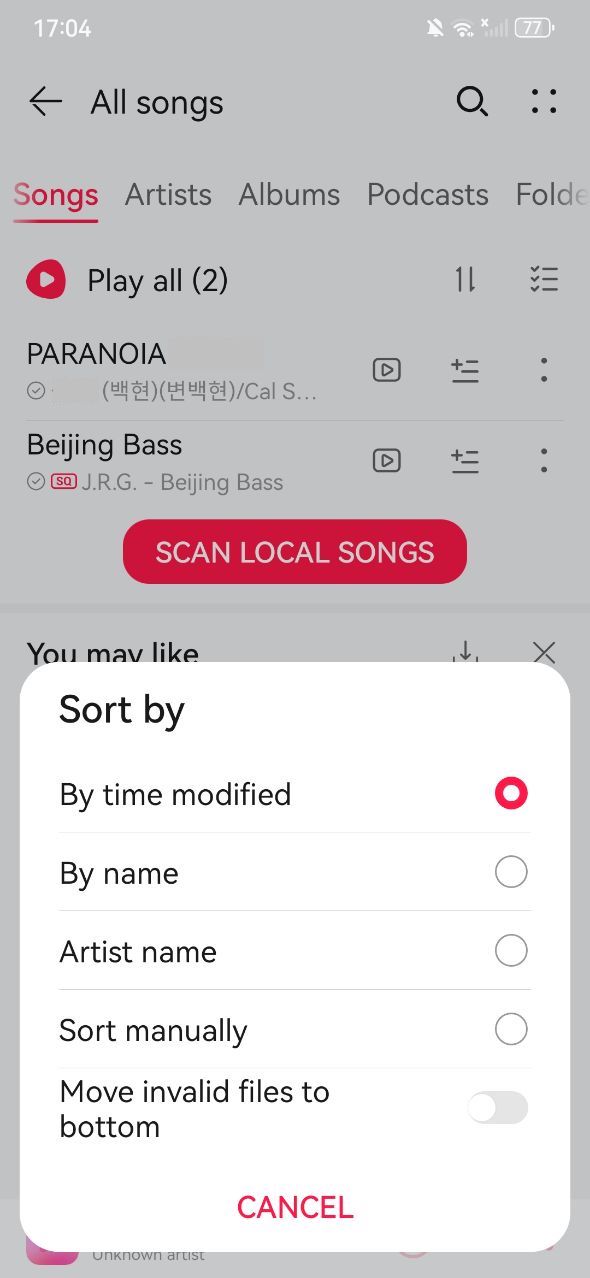
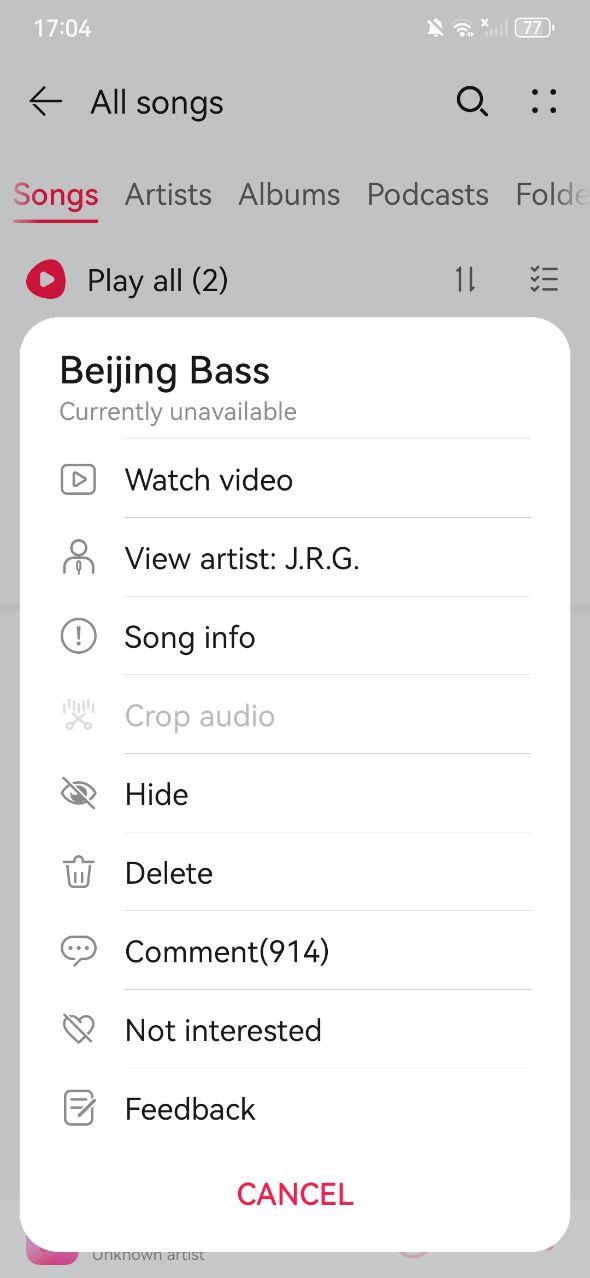
4. Right-click on the song you think are duplicates and wish to remove.
5. Delete the duplicate songs from your music app one by one.
Conclusion
Sometimes you download/import music files to your phone in batches, but some of them are duplicates. You can identify and delete them easily if they are stored in the same folder and have the same file names. But sometimes, duplicate songs are scattered in different locations on your phone. It’s difficult to find them manually. In this article, I introduced several ways on how to remove duplicate music files on Android efficiently, including free ways. Help you free up more space on your Android phone.

With a passion for tech and writing, Sarah joined Cisdem, where she focuses on creating articles about using utility tools to enhance file management and simplify contact management.

Adrian Li is Cisdem’s Chief Engineer and serves as the editorial advisor for Duplicate Finder and ContactsMate. His work and insights have been featured in leading tech publications such as Fossbytes, TUAW, Redmond Pie, SafetyDetectives, and BestForAndroid.