


How to Recover Torrent File That Is Deleted or Damaged?
 347
347
 0
0


Watching a torrent download vanish or discovering it’s broken/silent is a special kind of frustration, especially when the torrent file is a movie that you’ve been waiting for long. But luckily, losing a torrent video download doesn’t always mean starting from scratch. Generally speaking, deleted torrent files can be easily recovered, incomplete downloads also can be restored, and even damaged torrent downloads can be fixed. In this guide, you’ll learn how to get the torrent files back under different situations.
 Cisdem Data Recovery for Windows and Mac
Recover Deleted or Damaged Torrent Files Effortlessly
- Recover deleted or lost torrent files in different formats
- Repair corrupted torrent videos to play properly
- Support large torrent files
- Preview torrent videos before recovery
- Save torrent files to local disk or to cloud platforms
- Recover 1000+ file types: videos, audio, photos, documents, emails, bookmarks, archives, etc
- Recover unsaved documents
- Recover files from various storage device, NAS, Linux, RAID, iCloud, etc.
 Free Download Windows 11/10/8/7
 Free Download macOS 10.15 or later
Part 1. How to Recover Deleted or Lost Torrent Files?
Whenever a torrent file goes missing, it doesn’t always mean it’s gone forever. In most torrent client apps, users can choose to remove Torrent only, or to remove both Torrent and Data, which means the data can be still somewhere on your device. Whether the file is lost due to interrupted download, accidental deletion or for unknown reasons, there are several practical ways to recover it and we’ll walk through every simple solution in this section.
#1 Enable Download
A torrent file was added to the download list but did not appear on your device? Maybe you just turned off the Download by mistake. You need to turn on Download and the torrent file will appear when the downloading finishes.
- Open your torrent client app, such as uTorrent or others.
- Go to the torrents, unhide all the torrent files by clicking on the down arrow icon.
![unhide torrent]()
- Toggle the Download button to turn ON.
![turn on download]()
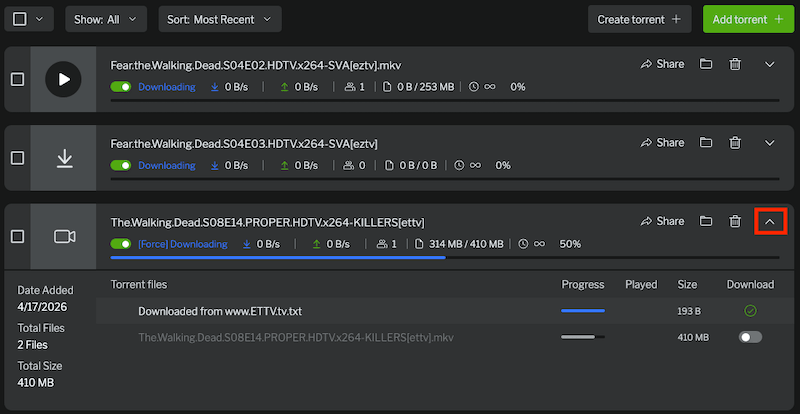
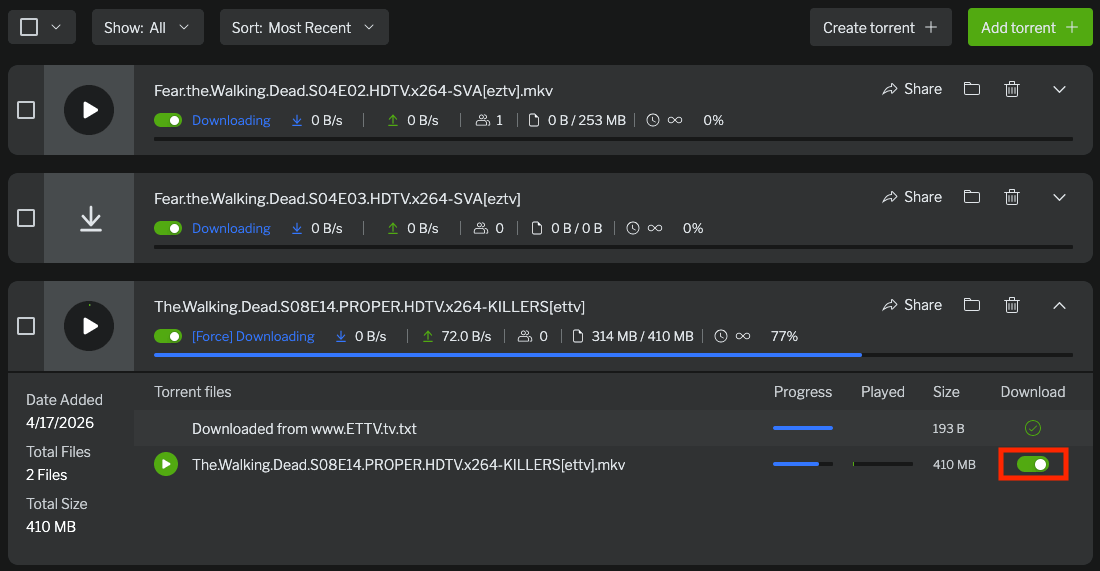
#2 Resume Downloading
You’ve added the torrent file and started downloading, but only to find the file is still not available on your device? Maybe the download was interrupted for network or other issues. Then we can manually resume the downloading, or force start to have a complete download.
- Open your torrent client app, such as uTorrent or others.
- Select the torrent file by checking the boxes.
![select torrent]()
- Toggle the Download button to turn ON, or click on Force Start.
![force start]()
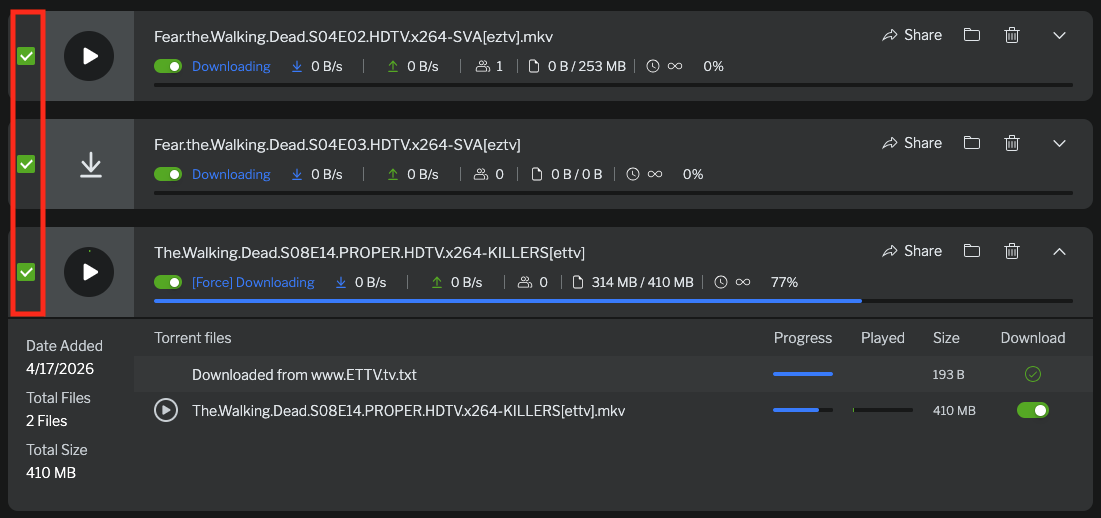
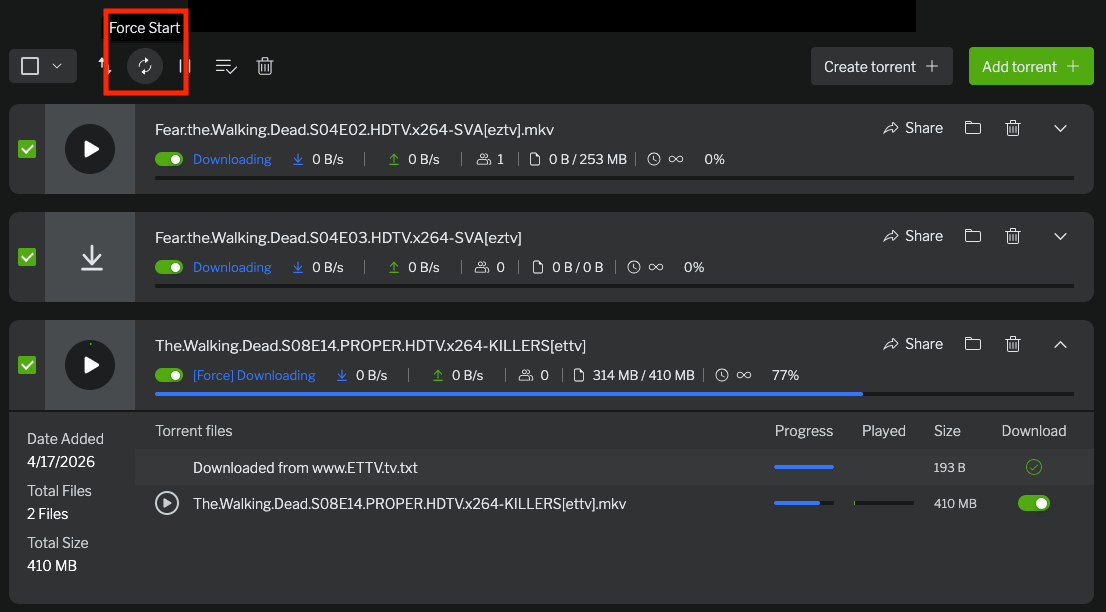
3# Search Torrent Downloads on Your Device
When torrent files are removed, you are allowed to remove torrent files only, or to remove both the torrent and data, which means your torrent files may be not deleted or lost, they are just still there on your device, in the defaulted location, or a preferred location according to your settings in the torrent client program.
Where are torrent downloads stored on your device?
In general, the downloads will be saved under the Downloads folder on your device by default, unless you’ve changed the location to another place intentionally:
On a Windows PC: C:\Users\username\Downloads
On a Mac: /Users/yourusername/Downloads
How to find or search torrent downloads on your device?
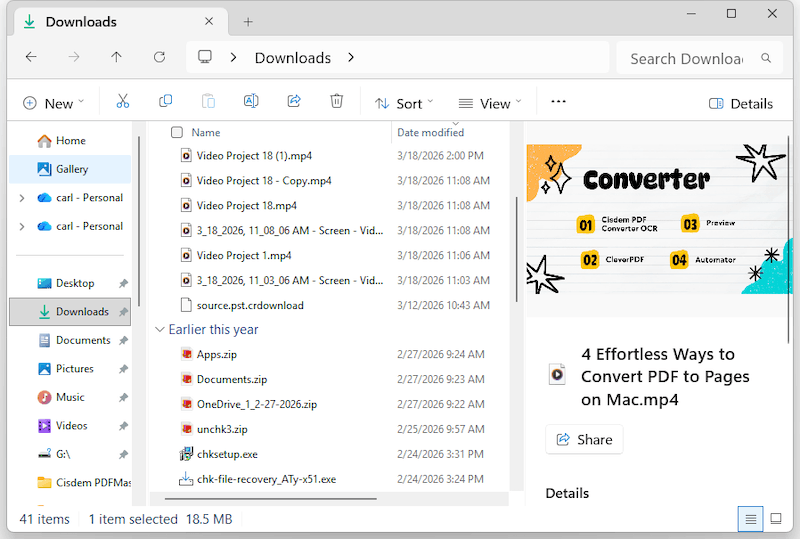
- Open File Explorer and go to Downloads folder on your PC, or open Finder and go to Downloads on your Mac, check if the downloads are there.
![torrent download folder]()
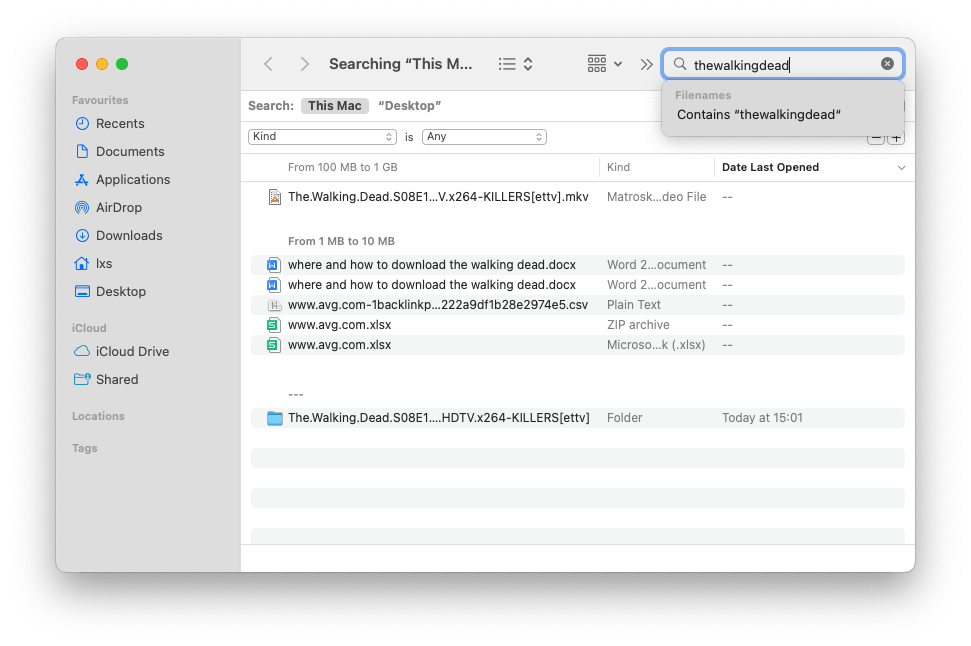
- If empty, press Ctrl + F in Windows File Explorer, or press Command + F on your Mac to search the torrent files by name, date or others.
![search torrent]()
#4 Recover Deleted Torrent Files from Recycle Bin
One of the quickest ways to recover deleted torrent files is by checking the Recycle Bin, as long as the files were deleted not long ago, and you did not empty the recycle bin. And before any other advanced recovery methods, it’s always worth starting here.
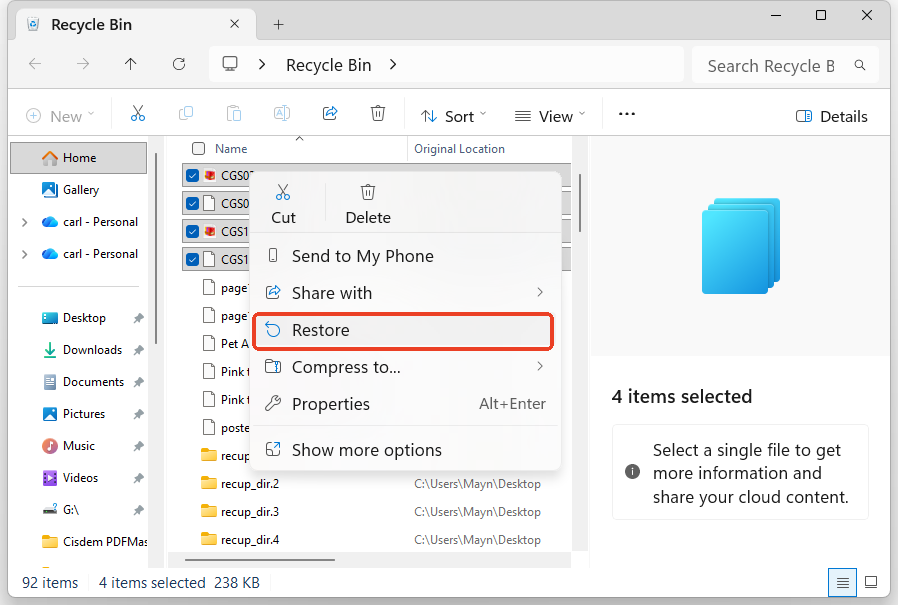
- Open Recycle bin on your PC, or launch Trash app on your Mac.
- Select the deleted Torrent files, right click Restore or Put back to recover.
![restore torrent from bin]()
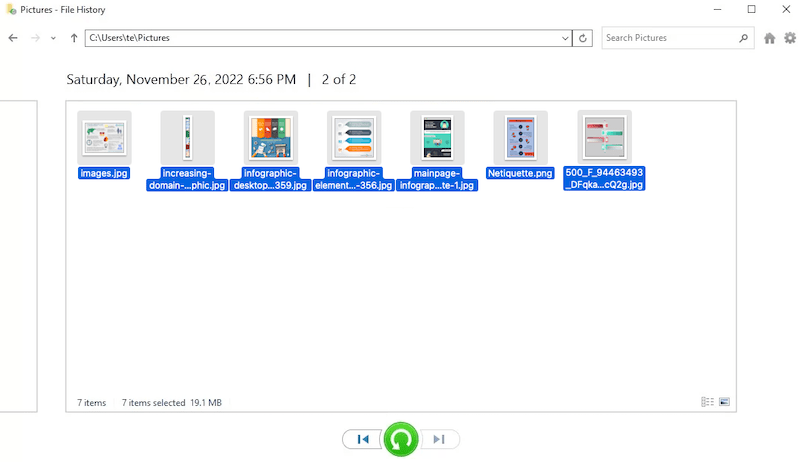
#5 Restore Deleted Torrent Downloads from Backup
If your torrent downloads were deleted for more than 30 days, built-in backup features like File History or Time Machine can be a reliable way to get them back. Such backup tool helps save all files on your device to an external hard drive, allowing you to recover torrent videos or audio files from different versions of backups. It’s especially useful when the files are no longer in the Recycle Bin.
On Windows PC
- Connect the File History backup drive to your PC.
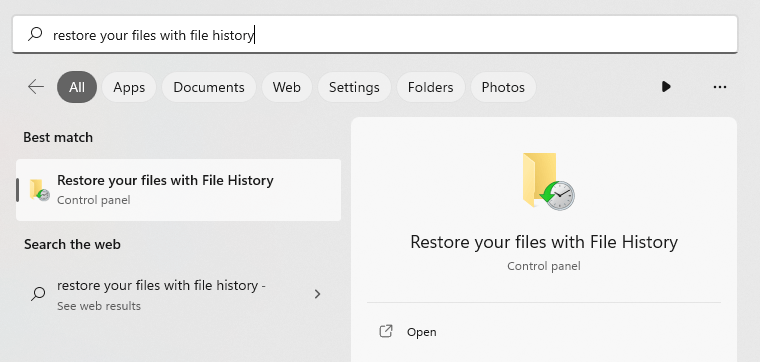
- Input Restore your files with File History in the Windows search box to launch it.
![open file history]()
- Click Restore personal files.
- Preview the backup files and select the one you want to recover.
- Click Restore.
![restore via file history]()
On macOS
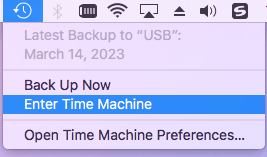
- Connect the Time Machine backup drive to your Mac.
- Click Enter Time Machine from menu bar.
![enter time machine]()
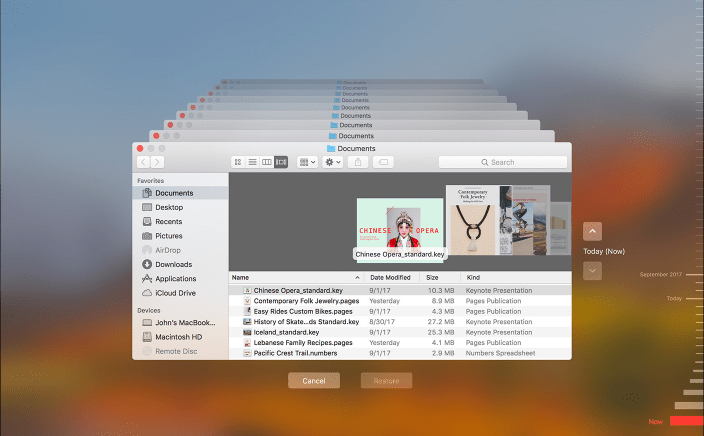
- Browse the backup torrent files, use the timeline to choose a version to restore.
![restore via time machine]()
- Click Restore to recover the torrent files.
#6 Use Cisdem Data Recovery
If above methods don’t bring your torrent files back, a dedicated recovery tool like Cisdem Data Recovery can dig deeper into your storage and help restore. Even after deletion, your torrent videos might remain on the disk until they’re overwritten. And Cisdem will scan thoroughly on the disk, bring the files that seem permanently lost back, also rebuild damaged torrent videos, making it a last yet powerful resort.
Cisdem Data Recovery is a powerful and user-friendly data recovery program to restore 1000+ types of files from both Windows and macOS, including torrent files. It can recover lost data from almost all storage devices with high compatibility of various file system formats.
It also comes with a range of practical features: recover data directly from an SD card, recover unsaved files, restore data from NAS/Linux/RAID/iCloud/Partition/crashed PC, filter files by size/date/keywords, repair damaged videos/photos/documents, preview recoverable files, save files to selected physical or cloud locations.
It offers free version for evaluation purpose, allows a limited amount of data recovery. The latest version supports Windows 11, 10, macOS Tahoe and others.
How to Recover Deleted Torrent Files Using Cisdem Data Recovery?
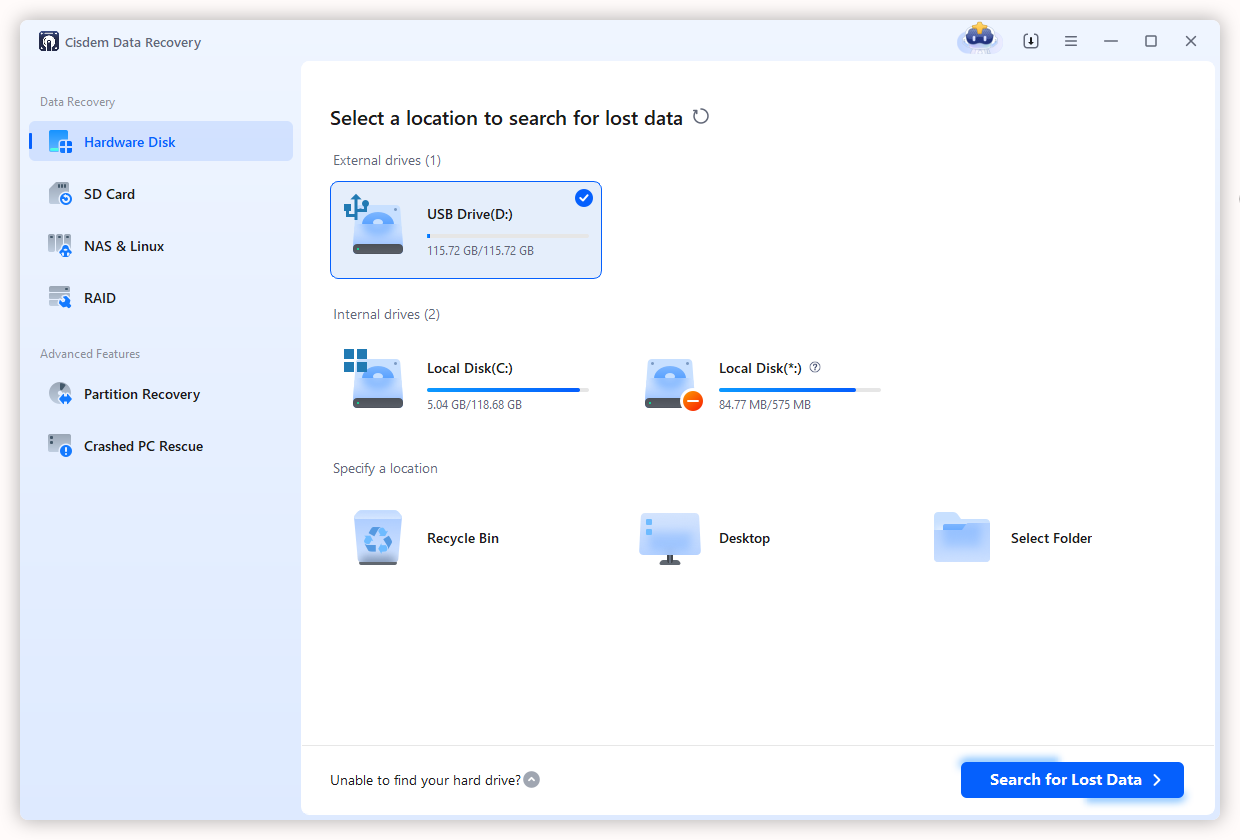
- Download and install Cisdem Data Recovery on your computer.
Free Download Windows 11/10/8/7 Free Download macOS 10.15 or later - Go to Data Recovery > Hardware Disk, select the disk where your torrent files are stored, click Scan for Lost Data to start the scanning.
![recover torrent file cisdem 01]()
- Go to Type > Videos, browse the found torrent files according to file type, or enter keywords to locate the deleted torrent files quickly.
![recover torrent files cisdem 02]()
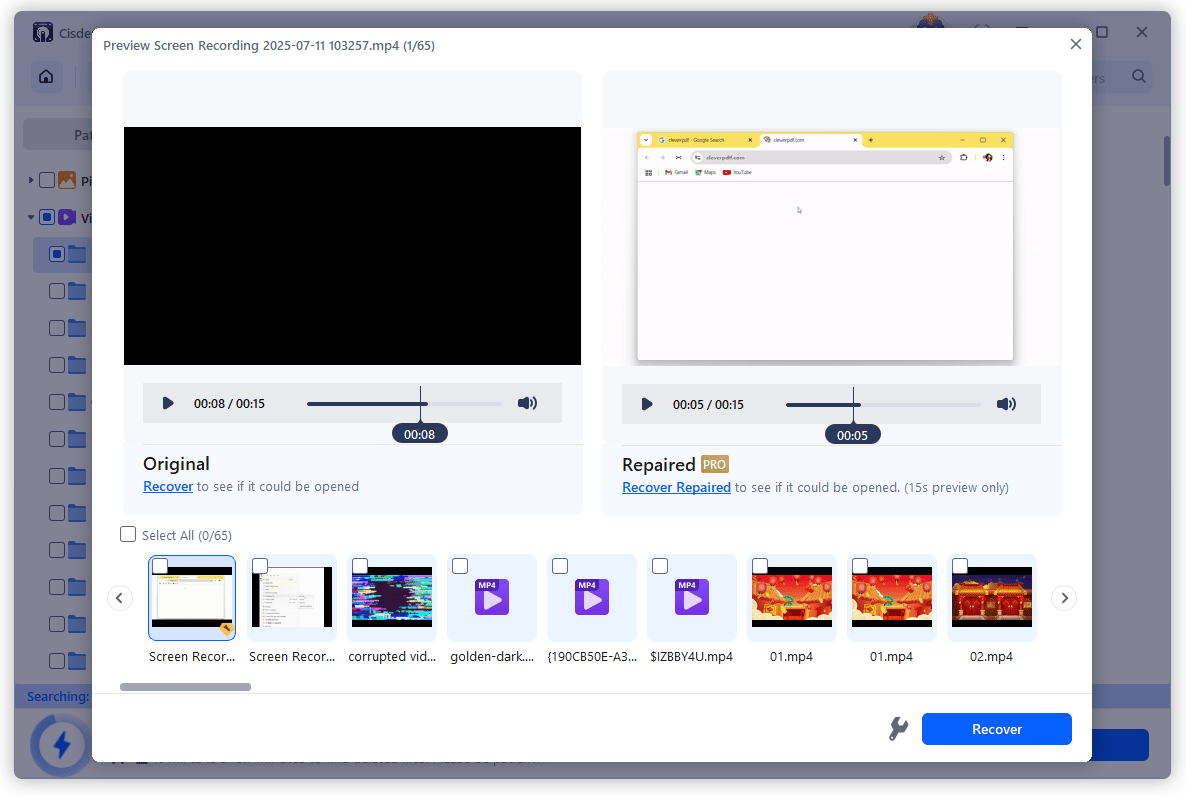
- Double click the corrupted MOV file to preview. If the torrent video is damaged, use the File Repair tool to fix first.
![recover torrent files cisdem 03]()
- Then select the video and click Recover button.

#7 Re-download Torrent Files from Reliable Source
Don’t mind taking some time to rescue your torrent downloads? Then re-downloading the torrent from a reliable source can be an additional solution, as long as the torrent is still available and well-seeded.
There are multiple torrent sites to choose from: TorrentGalaxy, 1337x, The Pirate Bay, YTS, and you can re-download the torrent file according to following steps:
- Search the movies or videos that you want to download from the torrent sites.
- Copy the magnet or torrent link from the website.
- Then click Add torrent and paste the magnet or torrent link to your torrent client app.
![add torrent]()
- Start re-downloading the torrent files.

Part 2. How to Repair Damaged Torrent Videos?
If a torrent video won’t play, the issue is often file corruption. In this case, recovery tools like Cisdem Data Recovery can repair your damaged torrent videos as well, just demonstrated as in above section. But if you are looking for a solution without installing any software, online tools like Fix.video is a solid option. However, such online repair services typically require payment for downloading the repaired videos.
- Visit https://fix.video/ in your web browser.
- Upload the corrupted torrent video.
![repair torrent online 01]()
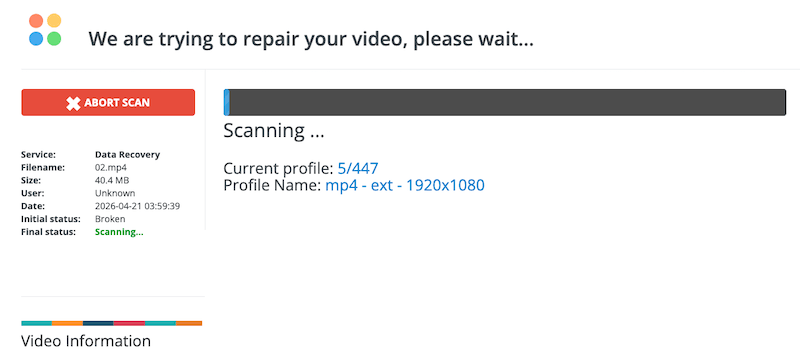
- Wait for the scanning and repairing.
![repair torrent online 02]()
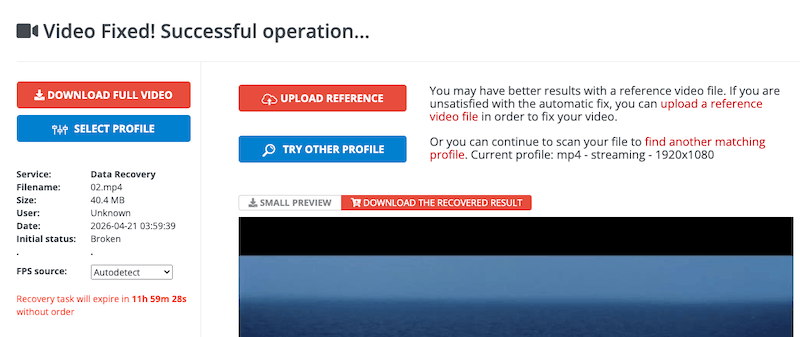
- If the file is fixed successfully, click Download Full Video button to save the recovered file.
![repair torrent online 03]()
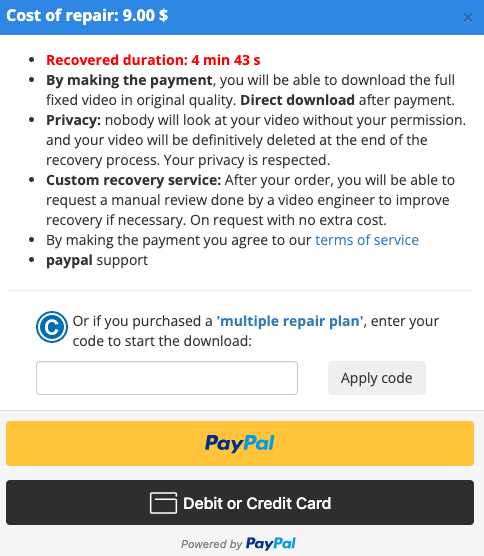
- You need to pay to get the full video.
![repair torrent online 04]()

Part 3. How to Fix Torrent Videos without Audio?
If your torrent video plays perfectly, but with no sound at all, it would be as frustrating as a broken file. This issue is often caused by problematic audio settings of media player, codec incompatibility, or missing audio due to download failure. It is possible to fix it without much effort. In this section, we’ll walk through 3 simple methods.
#1 Fix Torrent Video without Audio in VLC
VLC is a popular media player, which is also good at fixing codec issues. If there is an audio issue from your torrent videos , VLC might still play it normally, also let you fix the audio issue by adjusting audio settings.
- Open the torrent video in VLC.
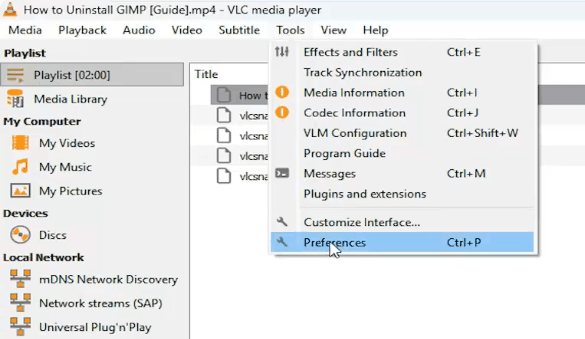
- Go to Tools > Preferences.
![fix torrent vlc 01]()
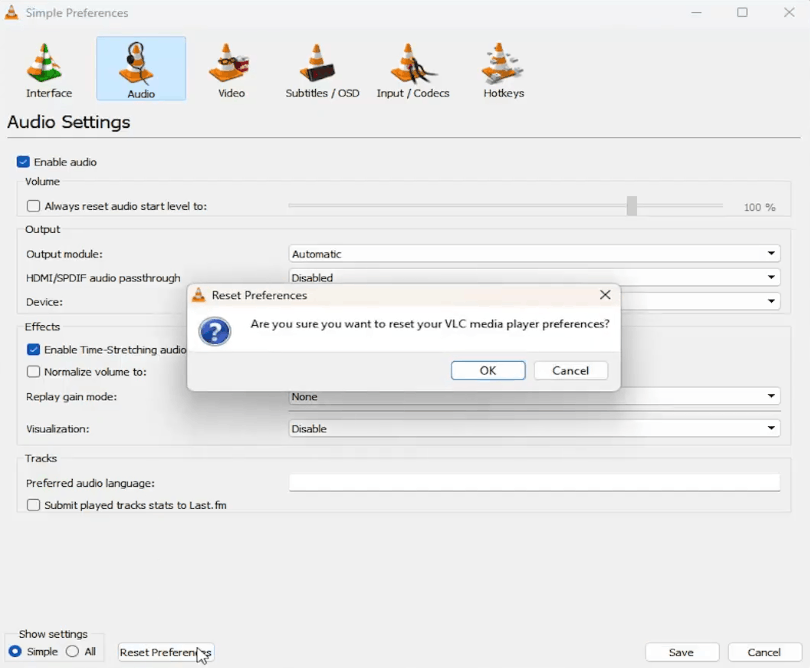
- Go to Audio > Reset preferences > OK.
![fix torrent vlc 02]()
- Play the torrent video again to check if the audio plays normally.
#2 Convert Torrent Video to Another Format
Also, we can fix the audio issue in a torrent file by converting the format. The audio will be re-encoded during the codec conversion and might solve your problem. You can recommended to converting your videos to a widely supported format such as MP4, MOV, WebM, AVI, WMV.
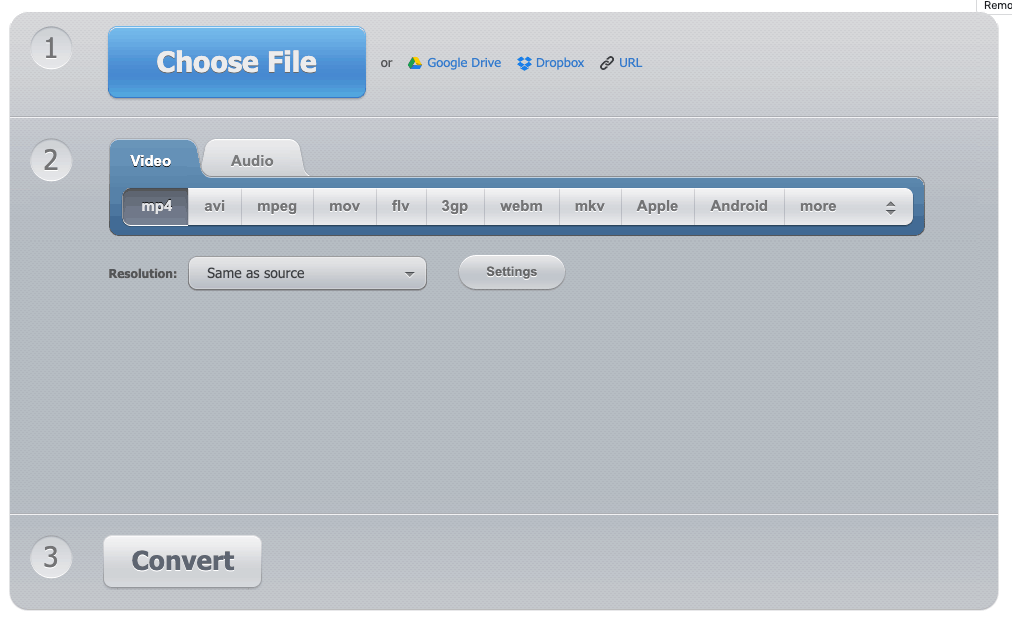
- Visit https://video-converter.com/.
- Click Choose File to upload the torrent video.
- Choose a video format and adjust the settings according to your needs.
- Click Convert.
![convert video online]()
- Re-play the video to check if the audio is normal now.
#3 Re-download The Torrent Files
If above fixes don’t work, re-downloading the torrent file will be the most reliable solution. Sometimes, the missing audio is caused by incomplete download. You can refer to the method 2 in section 2 to re-download the torrent files from your favorite sites or other reliable sources.
Final Words
Torrent file loss can happen at the worst possible moment, it’s frustrating. But luckily in reality, we are able to recover them, no matter it’s deleted, lost or corrupted. Instead of giving up on the file, you can take a smarter approach like checking the save location, backups, resuming downloads, using Cisdem Data Recovery, repairing online and so on.

Zoey shows a great interest in what she does. Although not long with Cisdem, she has possessed a professional understanding of data recovery.

JK Tam is the lead developer at Cisdem, bringing over two decades of hands-on experience in cross-platform software development to the editorial team. He is now the lead technical approver for all articles related to Data Recovery and DVD Burner.