


Inappropriate Roblox Games for Kids & How to Block Them 2026
 7.8K
7.8K
 0
0


Roblox has millions of games. On this game platform, players can create games. They can also play games created by others. As a result, some games may be inappropriate for children. In fact, over 50 percent of Roblox players worldwide are under the age of 12. Many parents are concerned about their kids’ safety while playing games. Is Roblox safe for kids? Which Roblox games are the most inappropriate for kids? How to block them? You can find the answers in this article.
 Cisdem AppCrypt
Block Roblox Permanently or Set Time Limits
- Lock individual apps, like Roblox, with password
- Block websites on Chrome, Edge, Safari, and other browsers
- Let you block specific websites or webpages
- Let you block URLs containing certain words
- Let you block categories of sites, like games sites
- Also let you block all websites except the ones you approve
- Let you block websites and lock apps permanently or at certain times
- Requires password to enter/quit/uninstall AppCrypt
- Help with parental controls, productivity and privacy protection
- Available for Windows, Mac, Android, iPhone and iPad


Is Roblox safe for kids?
No. Roblox offers a wide variety of games for all ages. Not all Roblox games are safe for kids. Some can expose children to harmful content. In addition, children may interact with strangers on Roblox. They may tell their personal information such as real name, age, address, and more to others. What’s more, Roblox is highly addictive. Children may spend a lot of time playing the game, affecting their mental and physical health.
Types of inappropriate Roblox games
Not all inappropriate games will be promptly monitored and banned by Roblox. Here are the main types of inappropriate Roblox games that parents should watch out for:
- Horror games
- Violent games
- Gore games
- Sexual games
- Dating games
Parents should carefully check the game descriptions and make sure your kids stay away from these types of games on Roblox.
10 inappropriate Roblox games not banned 2026
Roblox has banned a lot of games, such as the original version of Shedletsky's Dirty Place, MeepCity, which are filled with adult contents. But we can still find some inappropriate games in this platform. The following is a list of horror, violent, gore, sexual and dating games that are not suitable for kids and are still not banned in 2026:
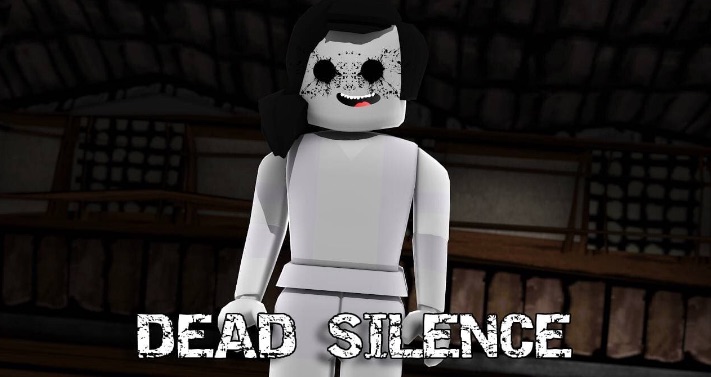
1. Dead Silence (Horror)
Dead Silence is one of the scariest games on Roblox. It is a story-based multiplayer game. Players play the role of investigators in this game. The task is to find out the truth of a murder. The game is full of horror elements, giving players a more immersive experience. But younger kids might be intimidated by it.
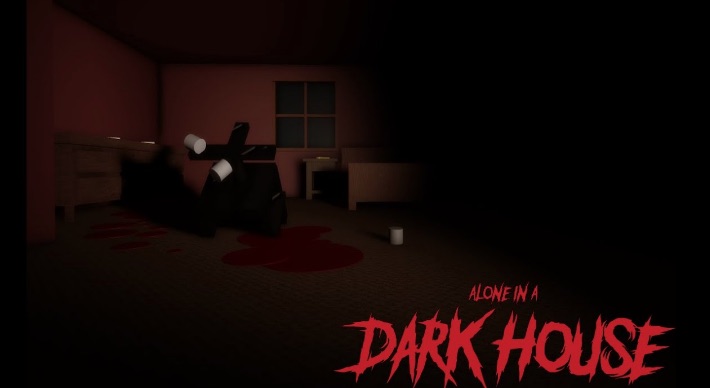
2. Alone in a Dark House (Horror)
Alone in Dark House is a horror adventure game. Players play as detectives in this game. They can play this game alone or invite other players to join them. The task is to find out what happened in each murder in the abandoned house. Players will also discover a scary secret about a family during their investigation. This game combines story element and walking mechanics with a lot of scares. I think it is one of the inappropriate Roblox games for kids.
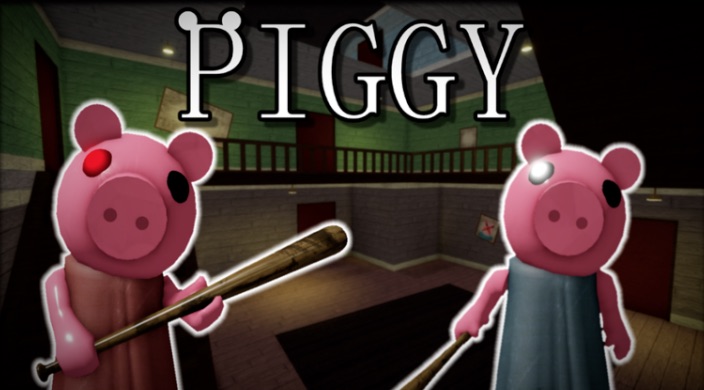
3. Piggy (Horror)
Don’t be fooled by the cute name of this game. In fact, this is a horror game and inappropriate for kids. In it, you play as a policeman who must find the missing George Piggy. However, George becomes a murderous pig and he will hold you hostage.
4. Condos (Sexual)
Concos in Roblox is a sex game. Player in the virtual space can talk about inappropriate content such as sex, drugs, alcohol, and they can even have virtual sex in it. Exposure to adult content in childhood and adolescence is bad for young person’s physical and mental development.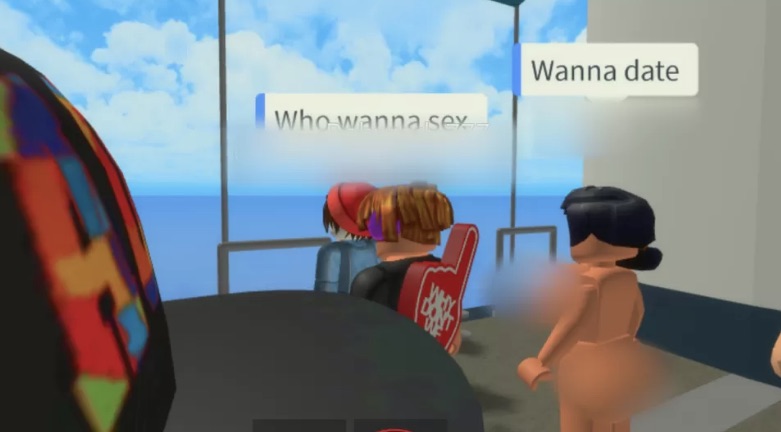
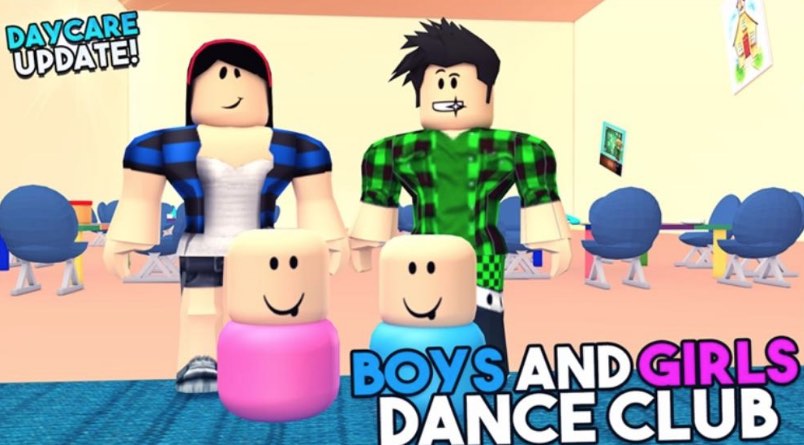
5. Dance Club (Sexual)
Centicon is one of the inappropriate games on Roblox, which is for 18+ users. Kids in this game just have a dance party first, but they don't just dance. Players can also do a variety of dirty activities. For younger children, they may not even know what they are doing in the game, but this inappropriate play will undoubtedly have a long-term negative impact on them.
6. Bloxburg (Sexual, dating)
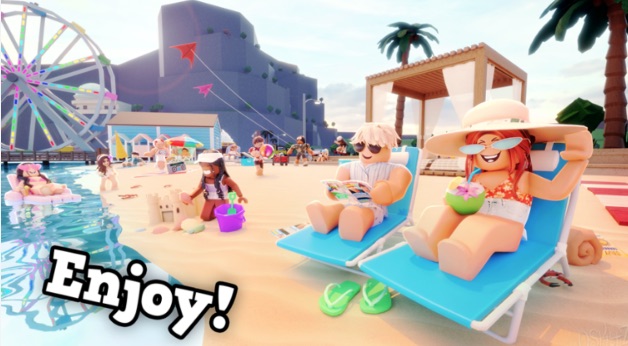
Bloxburg is a popular Roblox game for adults. Here players can build a life and date others. They can do things they can do in real life. Then as the game progresses, many scenes that are not suitable for children will appear.
7. Combat Warriors (Violent)
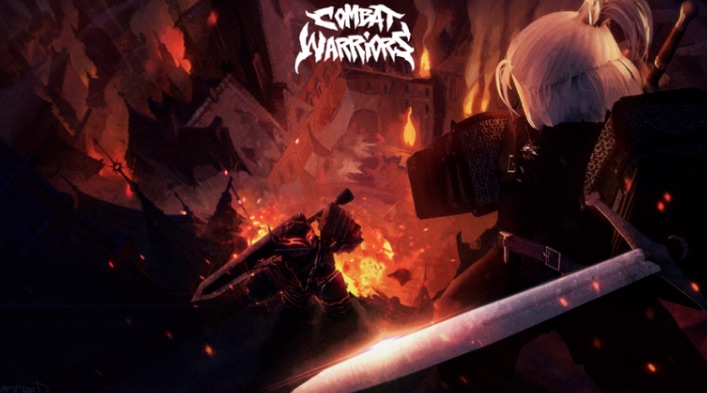
Combat Wariors is a fast-paced fighting game on Roblox. The game inspiration is from Blood Flow and Criminality. Players in this game gain experience by killing other players in gory and violent ways. Fighting games are fun, but I think Combat Wariors might be too violent for young children.
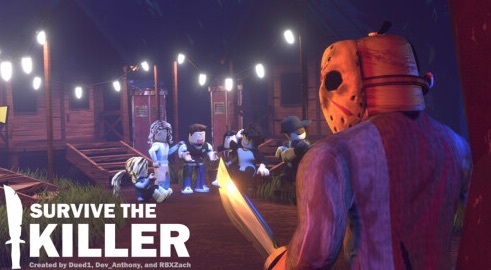
8. Survive the Killers (Violent, horror)
Survive the Killers is a violent and horror game created by Slyce Entertainment. In this game, you will be randomly selected to be a survivors or a killer. It contains high levels of violence and terror. The game is inappropriate for kids.
9. Mortem Metallum (Violent, gore)
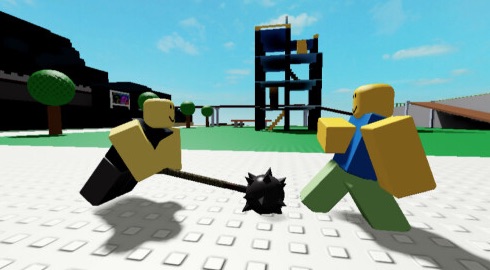
Mortem Metallum is also a fighting game on Roblox. Players use weapons to kill other opponents to gain the victory. This game is a bit bloody. The violent behavior in it may also bring psychological problems to children.
10. Phantom Forces (Violent, gore)
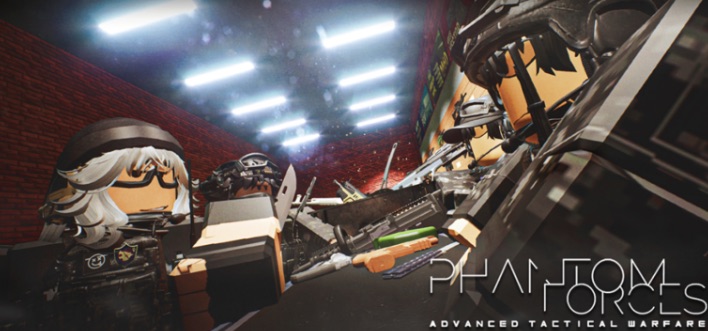
Phantom Forces is a first-person shooter game developed by StyLiS Studios. Is it appropriate for kids? The answer is definitely no. There is too much violence in it. In this game, players use various guns, grenades, knife and even machetes to kill others. And it is one of the bloodiest games on Roblox.
How to protect kids from inappropriate games on Roblox?
Here's what parents can do to protect kids from inappropriate games on Roblox.
Block Roblox on your child’s devices (permanently or set time limits)
Children can easily become addicted to Roblox if parents don't set limits. To prevent this, the best way is to block Roblox permanently on their device. If you just want to limit their gaming time or prevent distractions during study time, you can also block it for certain hours of the day or certain days of the week.
Cisdem AppCrypt is a reliable parental controls tool that helps stop Roblox addiction. It's available on Mac, Windows, Android, iPhone and iPad. With it, you can:
- Lock the Roblox app with password.
- Block Roblox website on browsers, including Chrome, Edge, Safari, and more.
- Block Roblox app/site permanently or at certain times.
- Block all popular game sites on the Internet with 1-click (currently available only on Mac and Windows).
- Set limits on the amount of time your child can spend on Roblox.
- Prevent your child from getting addicted to Roblox.
To block Roblox on your child’s device:
1. Download and install Cisdem AppCrypt on a computer. To install it on Android, go to the Google Play Store. To install it on iPhone or iPad, go to the App Store.
 Free Download Windows 10 or later
  Free Download macOS 10.15 or later
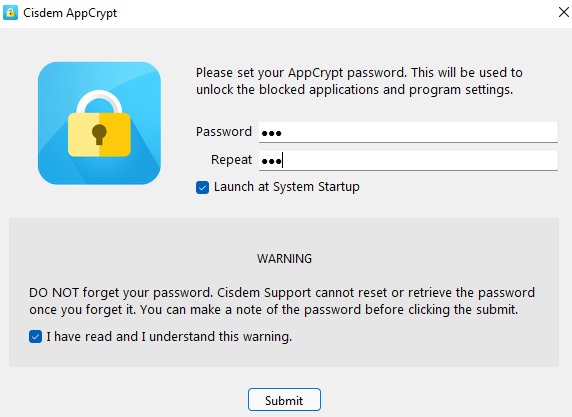
2. Set the password when you first launch this tool.
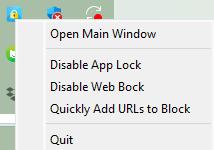
3. Click the lock icon on the Windows task bar/Mac menu bar. Select Open Main Window.
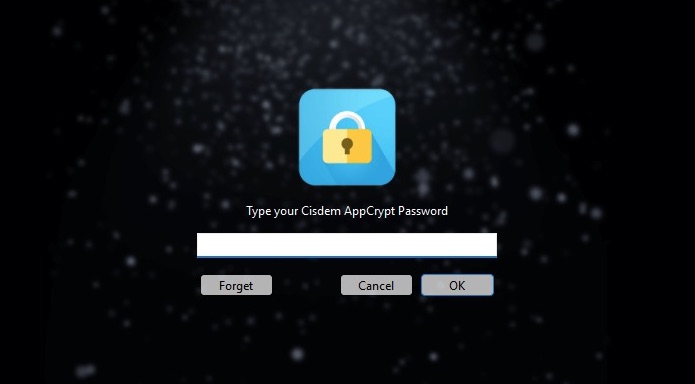
4. Enter the password to access the main window.
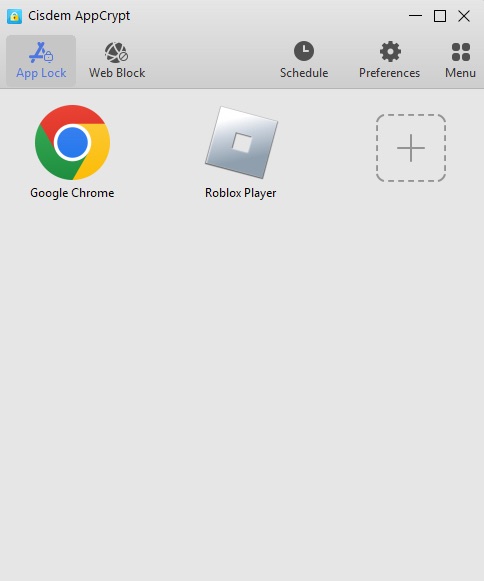
5. To lock the Roblox app on computer, click the Plus icon under the App Lock tab. Find the .exe file of Roblox Player and open it.
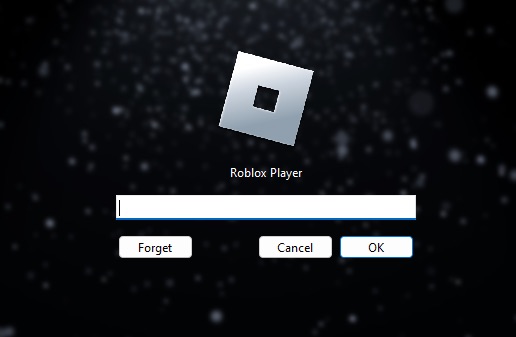
6. Now Roblox is locked with password permanently. You can only unlock it with the password you set.
Tip 1: Set time limits on Roblox
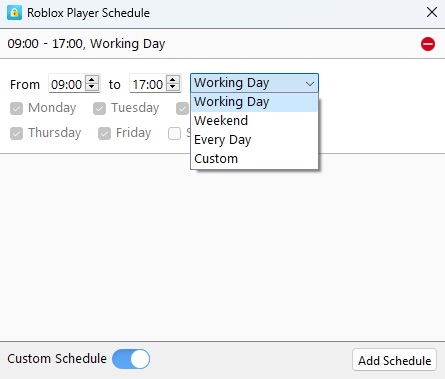
It’s OK for kids to play Roblox for no more than 2 hours per day. Therefore, I recommend blocking Roblox at certain times, rather than permanently. To do that, select Roblox from the block list. Click the clock icon that appears. Enable Custom Schedule. Click Add Schedule. Now you can set when you want Roblox to be blocked on your child's computer.
Tip 2: Block Roblox website on browsers
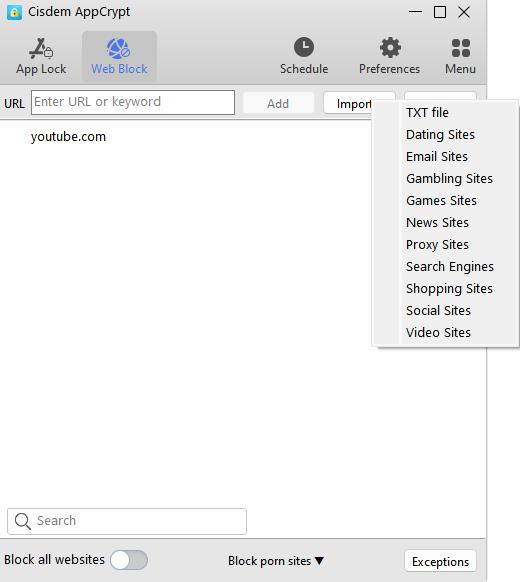
Roblox allows users to play Roblox online without downloading the app. You can also block the Roblox website on child’s computer to further prevent his Roblox addiction. To do that, click the Web Block tab. Install extensions for different browsers as prompts. Then enter roblox.com to the top box. Click Add.
Conclusion
Roblox has a variety of games for all ages. But Common Sense Media rates the platform safe for users over the age of 13. Some of the games on it may contain violence, adult contents, or gore, etc., which can negatively affect young children. In this article, I introduced top 10 inappropriate Roblox games that are not safe for kids. Pay attention to kids’ activities on Roblox and do not allow them play these games.

Norah Hayes likes to share her tips on how to improve focus and stay motivated at work. She believes it is essential to eliminate all online distractions during work hours.

Ethan Long joined Cisdem in 2015 as a developer and now serves as the editorial advisor for Cisdem AppCrypt. He actively tests and uses Cisdem AppCrypt and other screen-time management tools to ensure AppCrypt meets its promises in real-world scenarios.