


How to Find Duplicate Videos on Android for Free (3 Methods)
 1.2K
1.2K
 0
0


Duplicate videos take up storage space, potentially making your Android phone or tablet run slowly. You may have considered getting a new phone with large capacity or paying for cloud storage. There are still other solutions available, such as freeing up space on your device by eliminating duplicate videos.
In this article, I will discuss different ways to find duplicate videos on Android.
 Cisdem Duplicate Finder
Find and Remove Duplicate Videos on Android Easily
- Identify duplicate videos along with all other duplicate files (images, audio, etc.)
- Detect similar images too
- Support your Android device's internal storage and SD card
- Display duplicates for you to easily view
- Automatically select all but one file for cleanup in each group of duplicates, enabling you to delete all duplicates at once
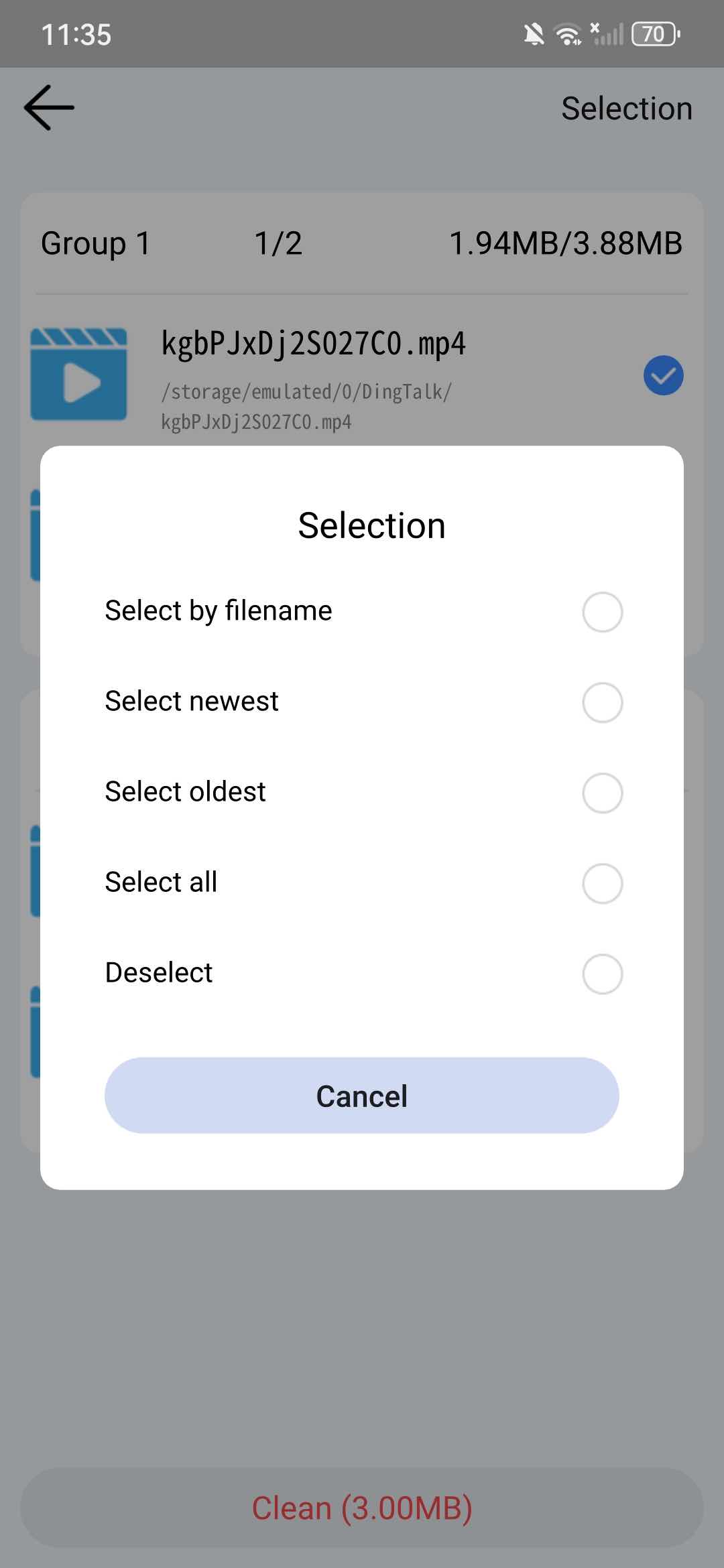
- Allow you to adjust selections manually or choose from rules (e.g., Select oldest)
- Easy to use for everyone


Why duplicate videos appear on Android phone
Here are some reasons why duplicate videos may appear on an Android device, among others.
- If you use multiple cloud services on your phone and have them sync files automatically, then it is possible to generate duplicate videos if there are any issues during the sync process.
- Android users sending the same video to multiple contacts using messaging apps can also cause duplicates.
- Also, some third-party apps on phone may generate temporary or cache files, which may contain duplicate videos.
- You may download the same videos from the Internet to your phone multiple times.
3 methods to find duplicate videos on Android
It can be important to find and delete these duplicate videos your Android phon if you want to free up space. Here are 3 ways that may help you.
Method 1: Using a professional duplicate video finder for Android
You can find duplicate videos on Android using a third-party duplicate video finder app. Cisdem Duplicate Finder can accurately detect identical videos on Android based on file content, whether they are stored in the same folder or across different locations. It supports all video formats, such as MP4 and WebM, and allows you to view the file name, file size, location, and content of the video before performing the deletion.
In addition, this tool can also identify other types of duplicate files on your phone, including duplicate images, audio, documents, archives, etc.
Follow these simple steps to find and delete duplicate videos on your phone using this duplicate video finder for Android:
1. Download and install it on your phone.

2. Launch it. Click Grant permission to let this tool access your local files.
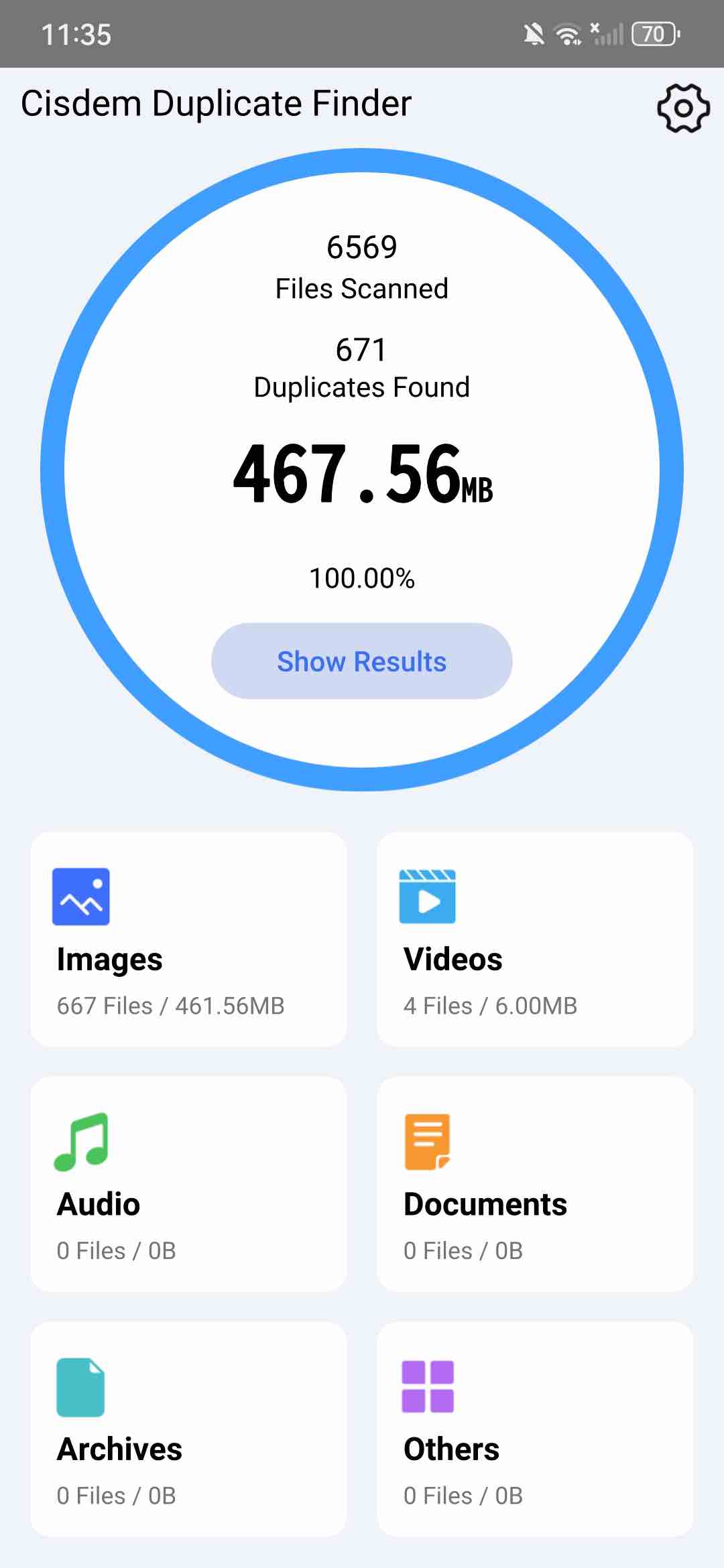
3. On the main window, click Start Scan. Then it’ll start searching for duplicate videos and other duplicates on your Android phone.
4. It displays all duplicate files by type. You can view your duplicate videos under the Videos tab.
5. View each group of duplicate videos. You can click on a video to open it with the media player on your phone or the default application.
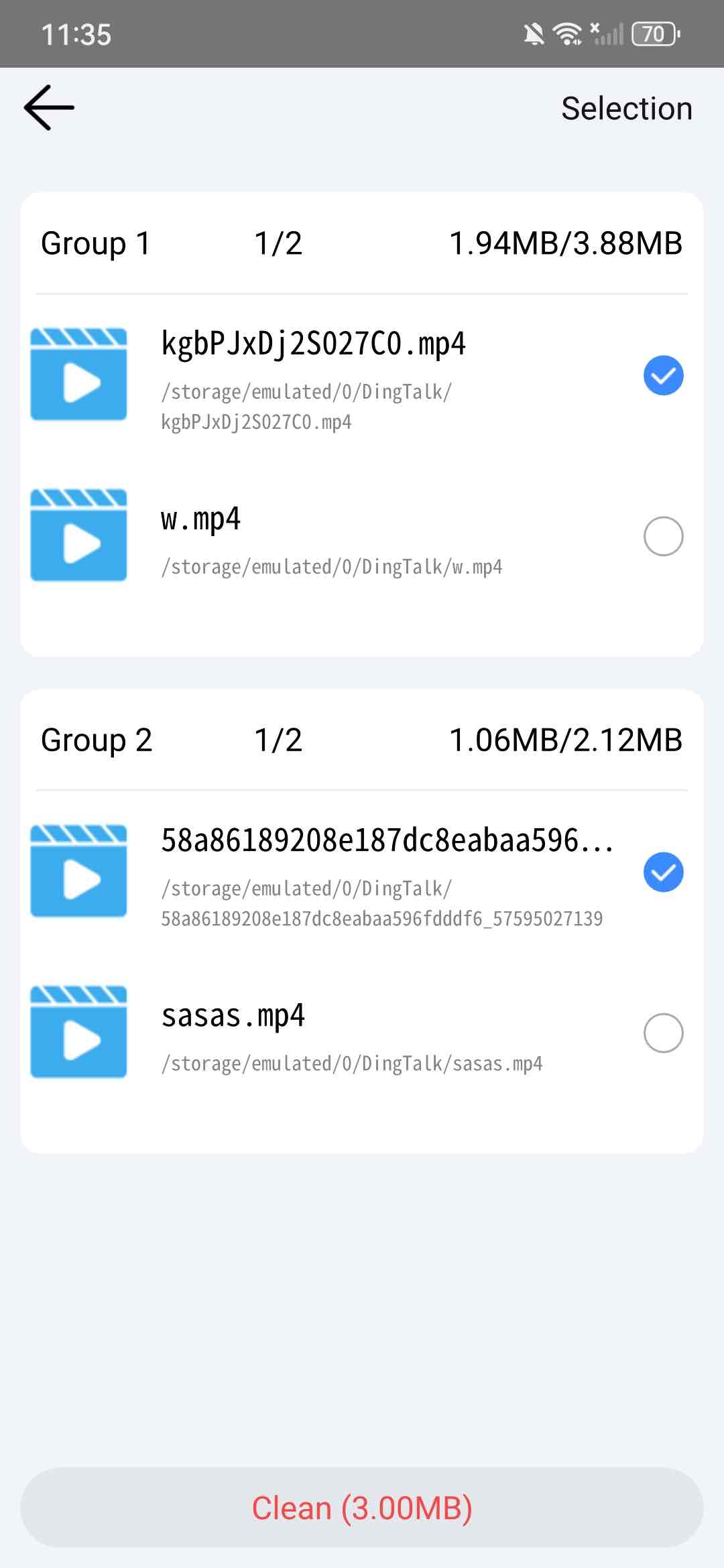
6. It will automatically select duplicate videos and keep only one in each group for you to delete with one click. You can also manually select unwanted files. Or click Selection in the upper right corner to let it select duplicate videos for you based on rules.
7. Click Clean at the bottom to eliminate all duplicate videos on your Android phone.
Tip
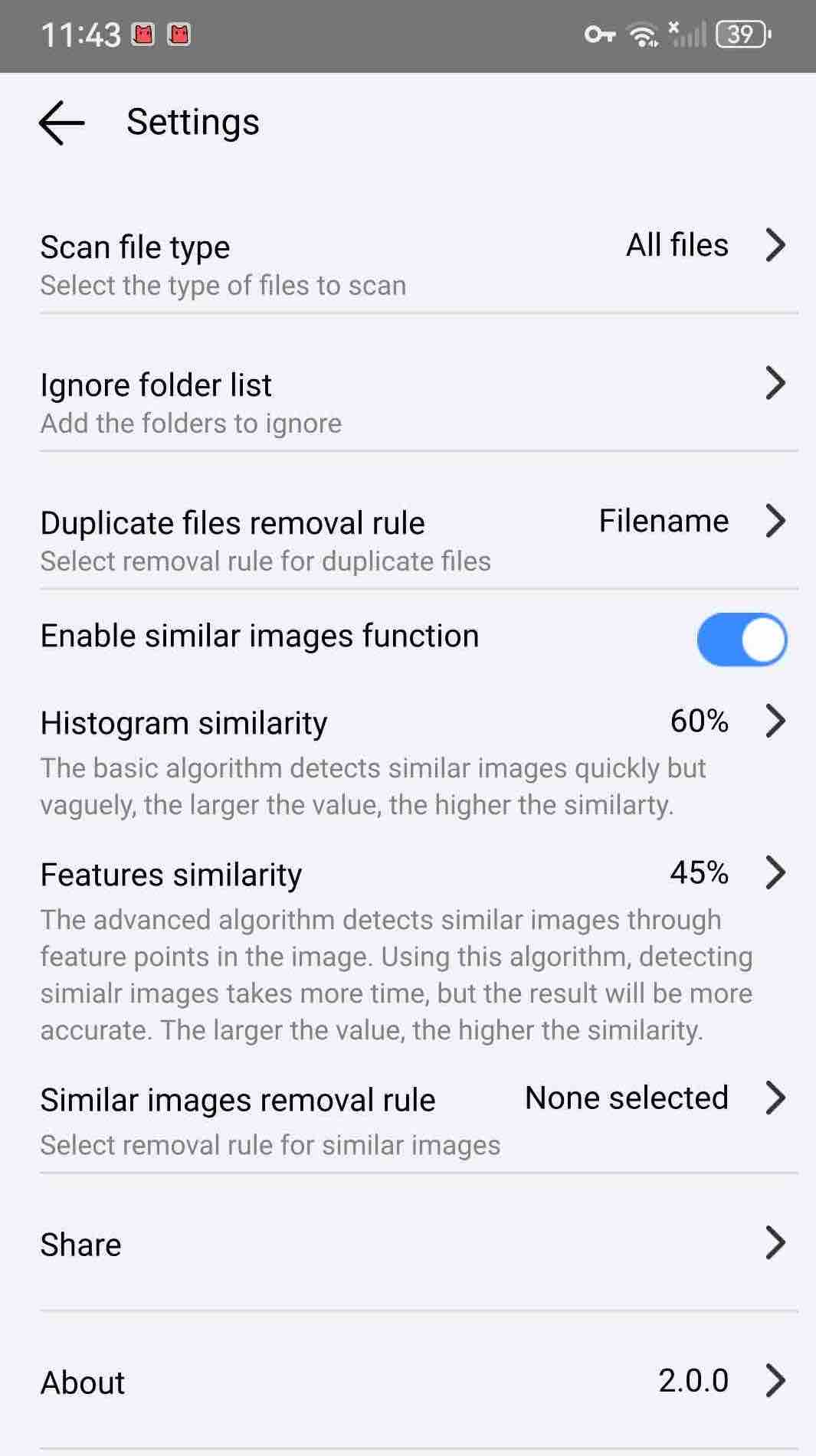
What if you want to exclude certain folders (e.g., system folders or your backup folder) when scanning for duplicate videos on your device? This tip shows you how to do this. Open this duplicate video finder for Android, click Settings, click Ignore folder list, then add folders to exclude according to your needs.
You can also set this tool to only scan for duplicate videos and ignore other types of files. Click Scan file type in the Settings, check the box next to Video and uncheck others, then click Confirm.
Method 2: Using a file manager app for Android
Most Android phones have a built-in file manager app, which is used to access, view, copy, delete, move, and edit files. With it, you can browse files and folders on your Android phone and manually find those unwanted duplicate videos to delete.
This method is only suitable if you don't have many videos on your phone. Also, it is difficult to find all duplicate videos that are stored in different directories.
My Files
My Files is a file manager app developed by Korean company Samsung. It is built into most Galaxy devices. If you are using a Samsung Galaxy smartphone, you can try using this tool to find duplicate videos.
1. Open the My Files app on your phone. By default, this app will appear in the folder named Samsung. You can also search the app by tapping on the search bar at the top of the screen. Enter My Files.
2. Tap the Analyze storage button at the bottom.
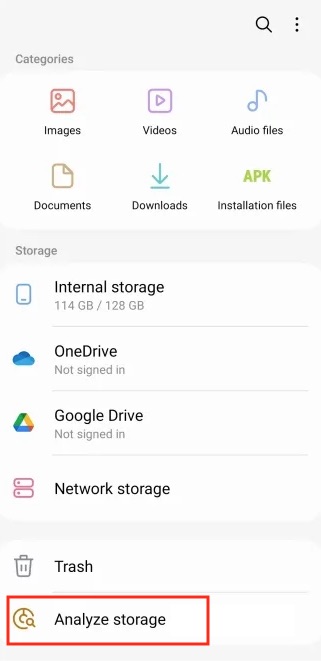
3. Tap Duplicate files.
4. Use the checkboxes to mark duplicate videos you wish to remove.
5. Tap Delete in the bottom right corner.
6. Then tap Move to Trash.
ES File Explorer
Some third-party file managers for Android can also act as duplicate video finders. For example, ES File Explorer- a file manager designed by ES Global. It includes some advanced features. The Space Analyzer in it can help find duplicate videos and some unnecessary files in your phone.
1. Download and install ES File Explorer from the Play Store.
2. Open it. Click the Space Analyzer button in the main window.
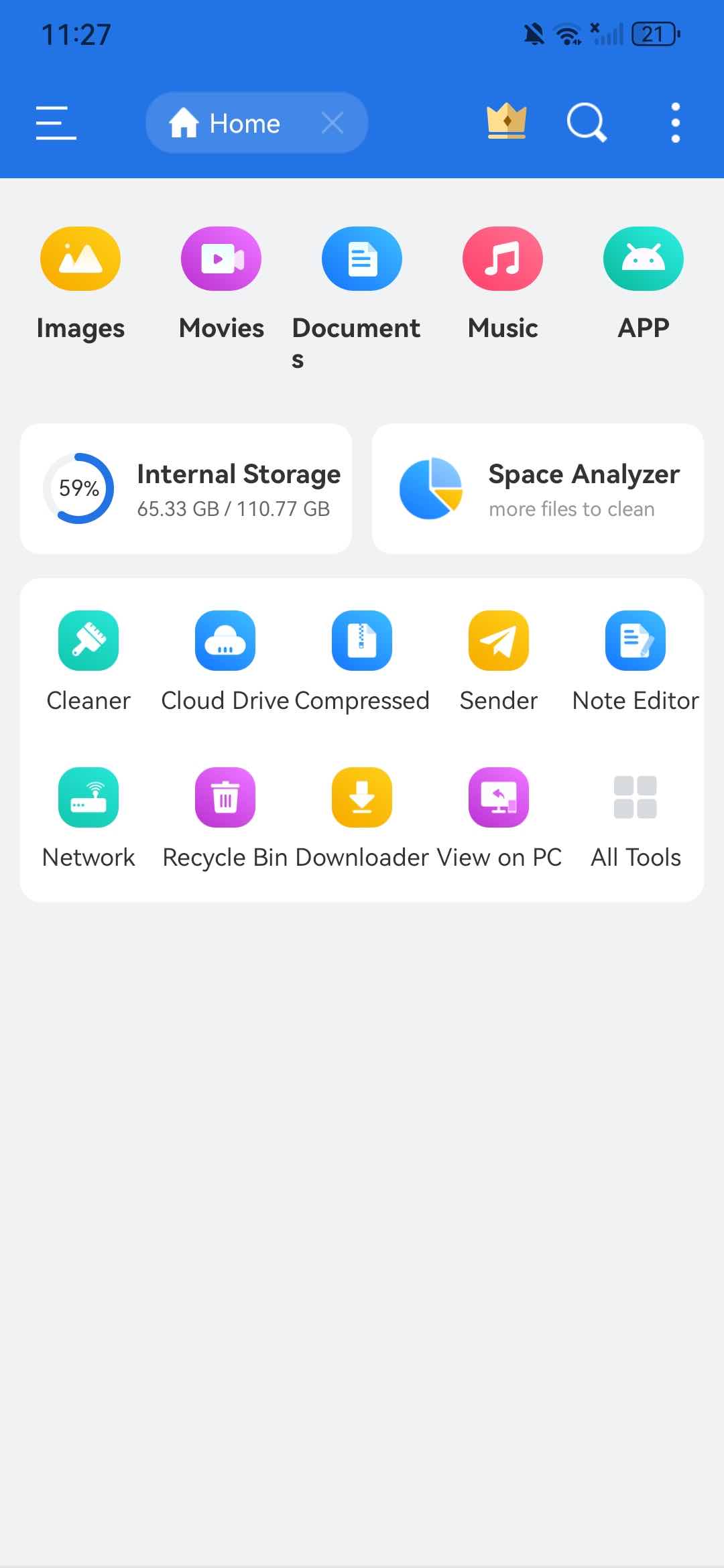
3. Click Grant now to allow this duplicate video finder to access your local files. Click Allow.
4. Wait for it to finish analyzing your files. Scroll down the Analyze window. Click on Duplicate Files.
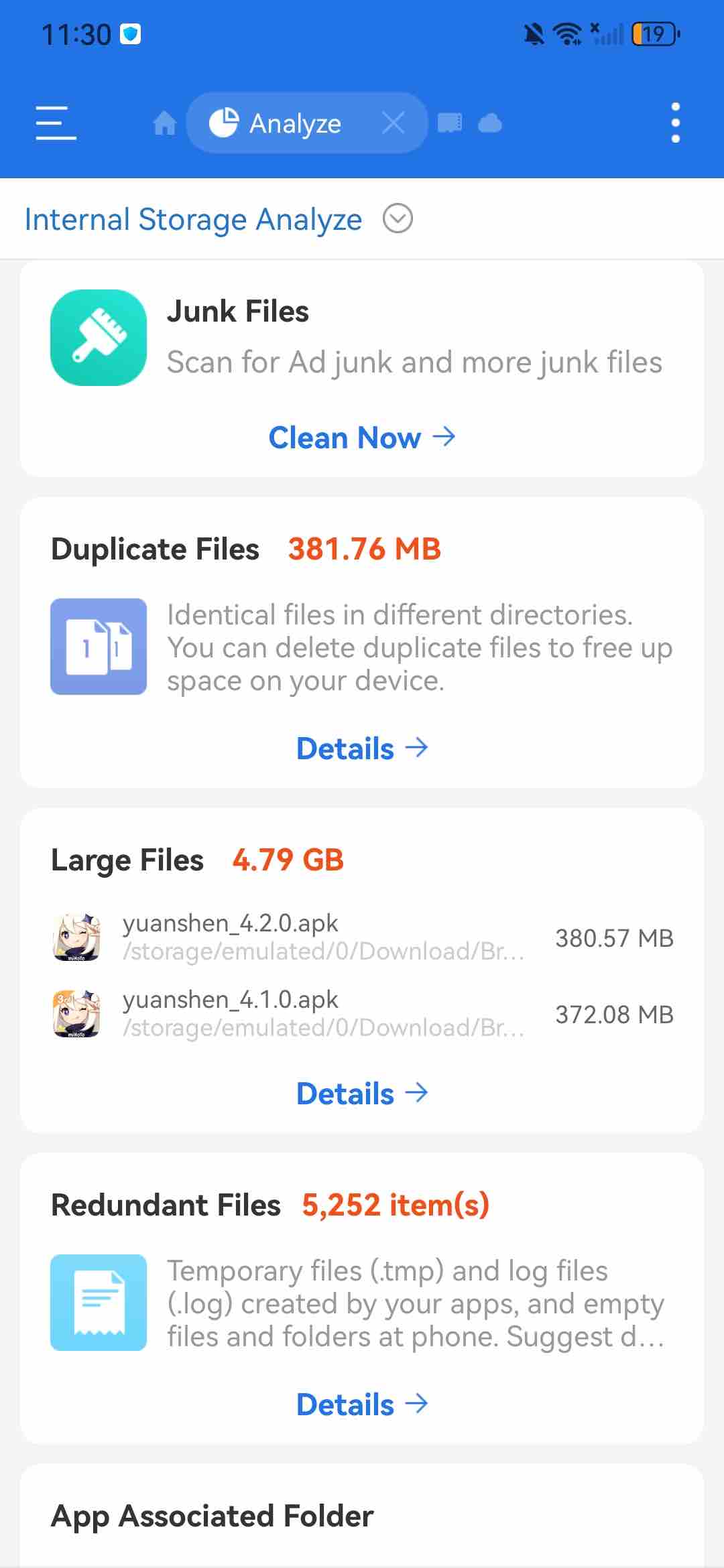
5. The list displays all the duplicate files on your phone. You can view them one by one and tick the checkboxes next to the duplicate videos you want to delete.
6. Click Delete at the bottom.
Method 3: Some gallery apps on Android come with a built-in duplicate detection
To help users organize photos and videos, some gallery apps for Android offer simple duplicate detection feature. For example, Google Photos is a popular gallery app among Android users. This app has built in duplicates detector. When you try to upload a video or photo that is exactly the same as one already in your gallery, it will prevent you from uploading.
To find duplicate videos on Android, the Samsung Gallery app in Galaxy phones also helps. Unlike Google Photos, it won’t stop you from uploading duplicates. But it can help you find the duplicate videos in your gallery and let you manually choose unwanted files to delete.
1. Open the Gallery app on your Android phone.
2. Tap the three horizontal lines in the bottom right corner.
3. Select Suggestions.
4. Scroll down the Suggestion window. Click Delete duplicate pictures.
5. Then it’ll find all the identical videos, pictures in your gallery and select the copies for you to remove.
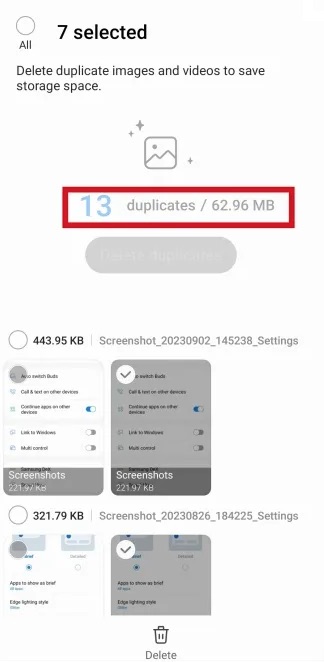
6. Click the Trash icon at the bottom.
7. Click Move to Trash.
The deleted duplicate videos will then be moved to the Trash folder. They will remain there for 30 days before being permanently deleted.
FAQs
How do I delete duplicate videos on my Android phone?
There are a few ways. You can do it completely manually using your file manager app. You can also use a third-party duplicate finder that supports video files, which allows bulk deletion. If your file manager has duplicate detection but doesn't allow bulk deletion, you can manually select detected duplicate videos for bulk removal.
Can I recover deleted duplicate videos?
It depends on the deletion methods you use. For example, if your file manager has a trash bin feature, you can recover them there if needed. If the method you use performs permanent deletion, recovering files will need a data recovery app.
Conclusion
The above methods are about how to find duplicate videos on Android phone. Cisdem Duplicate Finder is the best choice and it identifies duplicate videos based on content, regardless file name. It’s easy to use. Other 2 methods are also helpful, but may be a bit time-consuming.

With a passion for tech and writing, Sarah joined Cisdem, where she focuses on creating articles about using utility tools to enhance file management and simplify contact management.

Adrian Li is Cisdem’s Chief Engineer and serves as the editorial advisor for Duplicate Finder and ContactsMate. His work and insights have been featured in leading tech publications such as Fossbytes, TUAW, Redmond Pie, SafetyDetectives, and BestForAndroid.