


6 Best PST Viewer for Mac to EASILY Open PST Files
 145
145
 0
0



 PST Reader
Best PST Reader for Viewing and Managing Large PST files

“Outlook will not allow me to import an email address (Windows) file that a colleague shared. Both the Import/Export options are greyed out.” ---An Apple Discussion User
“I work IT for a small business and occasionally need to access the email archive of a former employee. Rather than adding the archive to an Outlook profile, I would like to use a tool to open/view/search the PST files. So I'm looking for recommendations from other users.” ---A Reddit User
If you are in the same situation that you new Outlook for Mac won’t import PST files or want an easy way to open your PST files, then this guide is for you, by looking at 6 best PST viewers for Mac in details.
Overview
| Tool | Best for |
Online/ Offline |
Mac chip support | Large file loading | Search feature | Export/Convert feature | Price |
|---|---|---|---|---|---|---|---|
| GoldFynch PST Viewer | Quick access to PST files not exceeding 5GB | Online | M5,4,3,2,1 | Fast | Not available | Not available | Free |
| 4n6 PST Viewer | Open small PST files not exceeding 2GB | Online | M5,4,3,2,1 | Fast | Available | Not available | Free |
| Cisdem PST Reader | Open and manage PST files, render large PST files quickly and access attachments conveniently. | Offline | M5,4,3,2,1 | Very fast | Available | Available | $19.99 |
| Macsonik PST Viewer | Access PST files quickly and convert the file to EML, MSG, PDF, MBOX, and CSV format | Offline | M5,4,3,2,1 | Very fast | Available | Available | $49 |
| Macuncle PST Viewer | View PST emails without the need of viewing or saving attachments | Offline | M5,4,3,2,1 | Fast | Not available | Not available | $29 |
| Cigati PST Viewer | open and view lightly damaged PST files | Offline | Undisclosed | Fast | Available | Available | $49 |
How We Pick The Best PST Viewers for Mac
There are hundreds of PST viewers developed by software companies, open-source communities and individuals, to pick out the best ones that fit our needs is not easy.
Opening a PST file on Mac comes with multiple challenges indeed:
- macOS native apps like Apple Mail or Finder cannot open a PST file;
- PST is Microsoft Outlook’s proprietary data format and requires an installation of software to open;
- it is often large to contain years of emails, attachments, contacts, calendars, and other mailbox data;
- it is often complex in folder structures;
- it can be ANSI or Unicode format;
- it can be easily corrupted because the database-like container stores a lot of data in a single file;
- users need additional solutions to search or export data in a PST file.
And by keeping these challenges in mind, we downloaded, installed, tested dozens of safe PST viewers on our Mac, according to following testing criteria:
- Mac compatibility: whether the PST viewer works smoothly on modern macOS versions and support latest Mac chips (M1/2/3/4/5) without compatibility issues.
- PST compatibility: if the software supports both ANSI and Unicode PST files.
- Ease of use: whether users can access PST files without technical knowledge,including installation, importing, interface design, navigation, configurations, etc.
- Loading speed of large PST files: how quickly it can load and open a PST file in different file sizes.
- Reading experience: check if the emails can be viewed with full details comfortably, including email formatting, folder organization, attachments, calendar, contacts, metadata, etc.
- Additional features: look at extra features to improve usability, such as search data within email, export data, etc.
- Pricing: compare free and paid versions if available, subscription models, whether the features provided good value.
Testing environment:
Device: MacBook Pro (Apple Silicon, M4)
Operating system: macOS Tahoe
File 1: 781.3MB
File 2: 5.77GB
File 3: 23.8GB
All the viewers have been updated to the latest version for testing.
And finally, there follow 6 best Mac PST viewers that we want to highly recommend to Mac users.
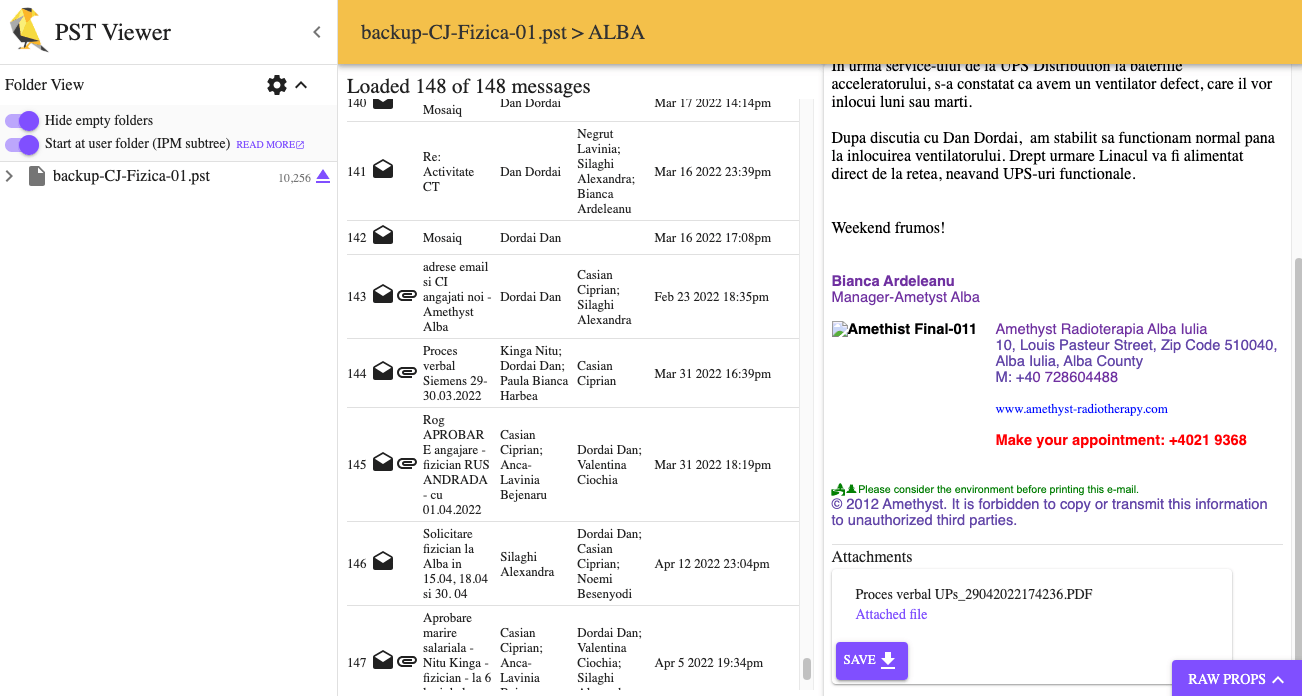
#1 GoldFynch PST Viewer
GoldFynch PST Viewer is an online PST viewer that allows users to open Outlook PST/OST files without installing Microsoft Outlook or other 3rd party applications. Users can browse mailbox folders, view message body/header/metadata, and save attachments directly online.
Who it is for: users who want a quick access to PST files not exceeding 5GB, but don’t need advanced features to search or export the data in a PST file.
Limitations:
- Require a stable Internet connection
- Cannot search or export PST emails
- Struggle a bit when viewing files larger than 5GB, even become unresponsive when the file is quite large
- Cannot preview attachment
- Read a folder as empty sometimes
- Inconvenient to read multiple PST files
The real experience:
We tested GoldFynch PST Viewer on our Apple Silicon M4 Mac using 3 PST files. It is easy and fast to open the website in any browser, but Google Chrome is always recommended to read files. By clicking on the purple “OPEN A PST OR OST” button, users will be navigated to load the files from a local drive.
With the 781.3MB PST file, the import was relatively smooth. And emails, folders could be accessed in original structure. But all the attachments could only be opened after saving locally to our Mac.
When testing the 5.77GB PST file, the waiting time increased, approx 20 seconds. There showed some empty folders but actually they are not, no matter how many attempts we tried to re-load, the result was the same.
For the 23.8GB PST file, the first open was not successful, the page showed as empty and not responding. The second import was successful and took about 1 minute. There were empty folders as well, and the narrow reading area make it less convenient when reviewing lengthy emails.
Overall, GoldFynch PST Viewer provides a simple and quick solution for users who need occasional PST file viewing that is in small or medium file size.
#2 4n6 PST Viewer
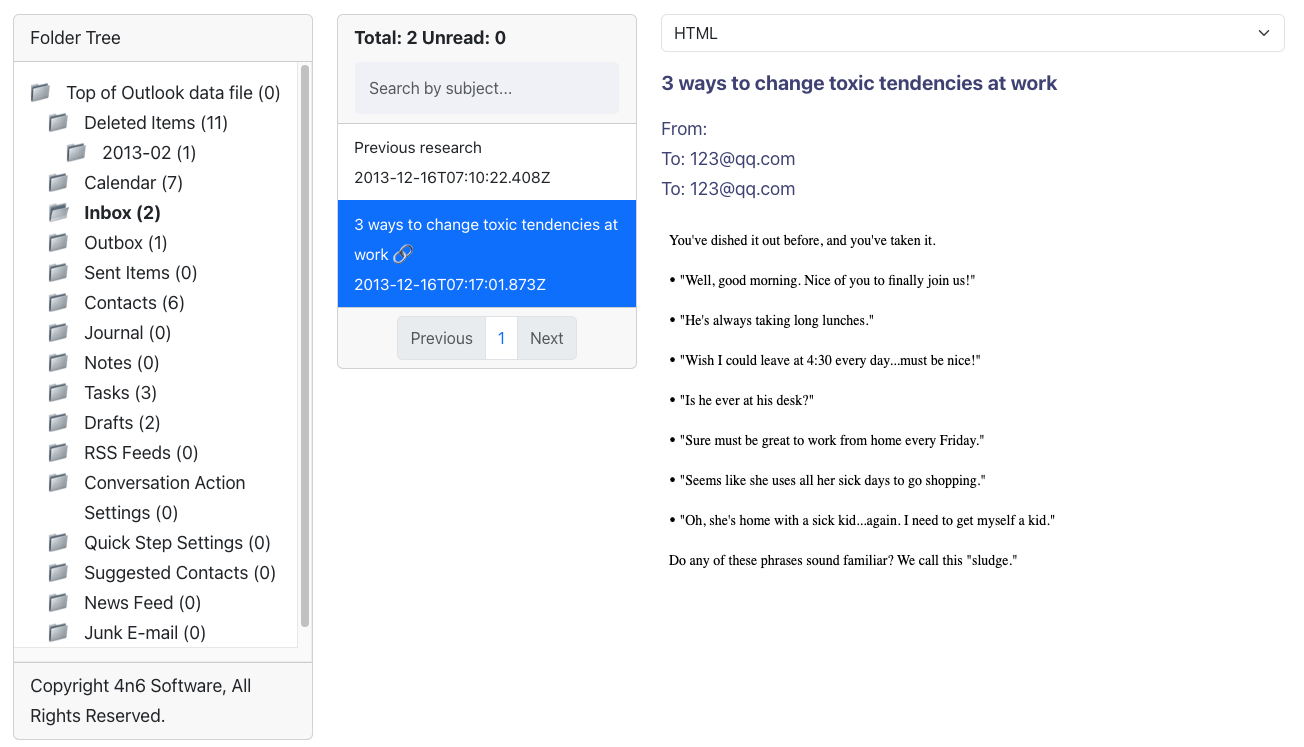
4n6 PST Viewer is another web-based PST viewer open and read Outlook PST files in a browser. It allows users to browse mailbox folders, view emails in plain text or HTML, and access attachments . With a simple drag-and-drop workflow, users can quickly load a PST file on Mac.
Who it is for: for users who need a simple way to open small PST files on Mac without installing Outlook or other PST tools, and files not exceeding 2GB.
Limitations:
- Struggle or fail to open PST files larger than 5GB
- The original email layout, colors, fonts, etc. may not always be displayed accurately
- Cannot adjust viewing panels to customize the reading area
- Need to switch to the attachment section to preview or save the attachments
- Not friendly to read multiple PST files
- No extra features
The real experience:
The first impression of 4n6 PST Viewer is its simplicity. Users can quickly open a PST file by drag and drop. For smaller PST files, the loading process is fast, and it uses the typically 3-panel layout.
With the 781.3MB PST file, the viewer took about 8 seconds to load and open. However, the original email formatting was not fully maintained, even when showed in HTML format, most of the emails lost their original layout, colors, and font styles. To view the attachments, users need to switch to the Attachments section from the list on the top, it allows previewing and saving files, yet, it was too often to fail to preview a file, no matter it was an image, a doc, ppt or others.
When testing the 5.77GB PST file, several seconds after a file drag n drop, there came up an error message saying permission problems. And this happened to the 23.8GB PST file as well.
Overall, 4n6 PST Viewer provides a straightforward way to open small PST files on Mac, won’t open files larger than 5GB. And users can make use of its Search by subject feature to quickly locate an email.
#3 Cisdem PST Reader
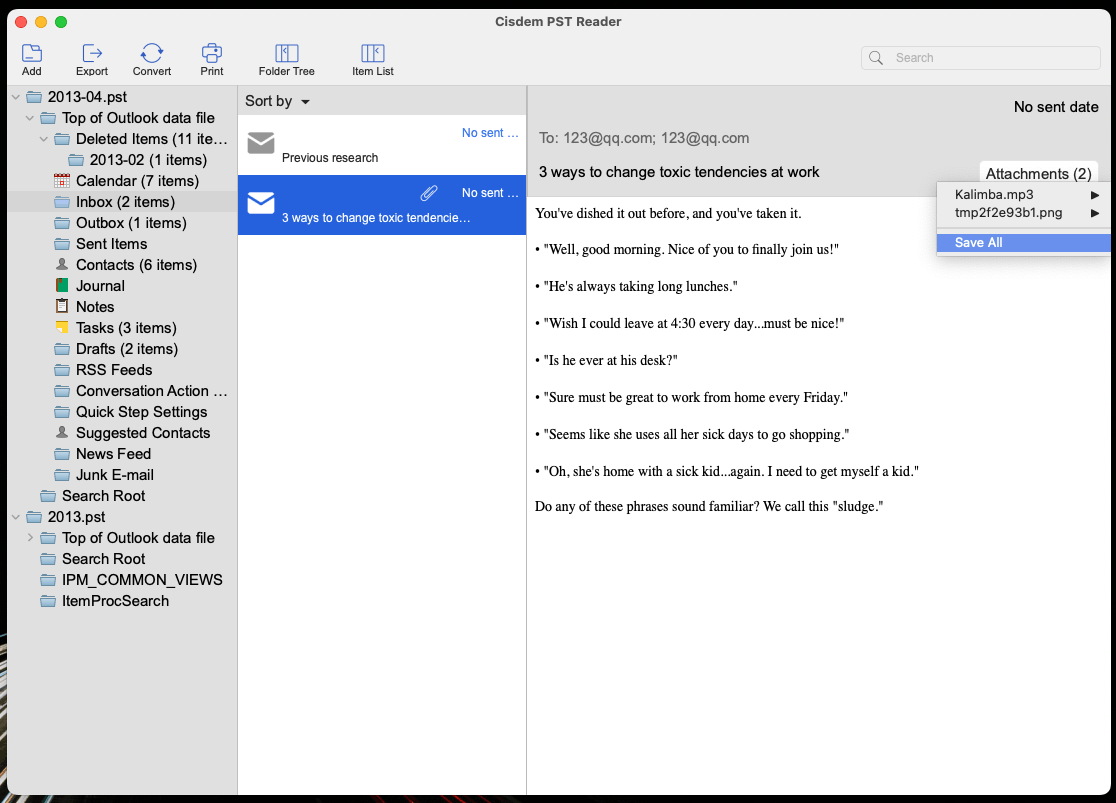
Cisdem PST Reader is a desktop Mac PST viewer with rich features. It allows users to open, view, export, convert, search and print Outlook PST files with ease. It give users the best experience to view PST files in original Outlook folder structure and email formatting. With a drag and drop, you can read multiple PST files conveniently in one place.
Who it is for: for users who need a easy-to-use yet powerful tool to open and manage PST files, who want to render large PST files quickly and access attachments conveniently.
Limitations:
- Free trial allows reading, converting, exporting or print the the first 10 items
The real experience:
Unlike many PST viewers that focus only on opening small or medium archives, Cisdem PST Reader works equivalently excellent on different sizes of PST files, and delivers a more accurate/comfortable reading experience. Users can simply drag and drop a file into the app, one or multiple PST files.
With the 781.3MB PST file, the loading process was instant. The original mailbox structure was accurately preserved, including folders, subfolders, emails, attachments. Also, the email formatting remained intact, which made the messages appeared very similar to the way how they would be viewed in Outlook.
When testing the 5.77GB PST file and 23.8GB PST file, Cisdem PST Reader performed smoothly. Out of curiosity, we also tried opening a 68GB PST file, still, it was loaded successfully and took about 20 seconds on our Mac, showing that it can handle much larger archives.
The reading experience is also more flexible. We could adjust panel widths, customize the display of the folder tree and item list. Attachment viewing is another advantage of using Cisdem PST Reader, we could quickly preview attachments via defaulted file readers, and saved them locally when needed.
Beyond basic viewing, Cisdem PST Reader provides extra practical tools for PST file management. It allows users to export mailbox data, such as contacts and calendars to Apple applications, also convert the data into more accessible formats for further use. And, users can add multiple PST files for easier viewing, search emails by keywords, subjects, or any information entered into the search box, and print emails when necessary.
Overall, Cisdem PST Viewer offers a more complete yet easy solution for Mac users to read and manage PST files, including large Outlook archives.
 Free Download macOS 10.15 or later
#4 Macsonik PST Viewer
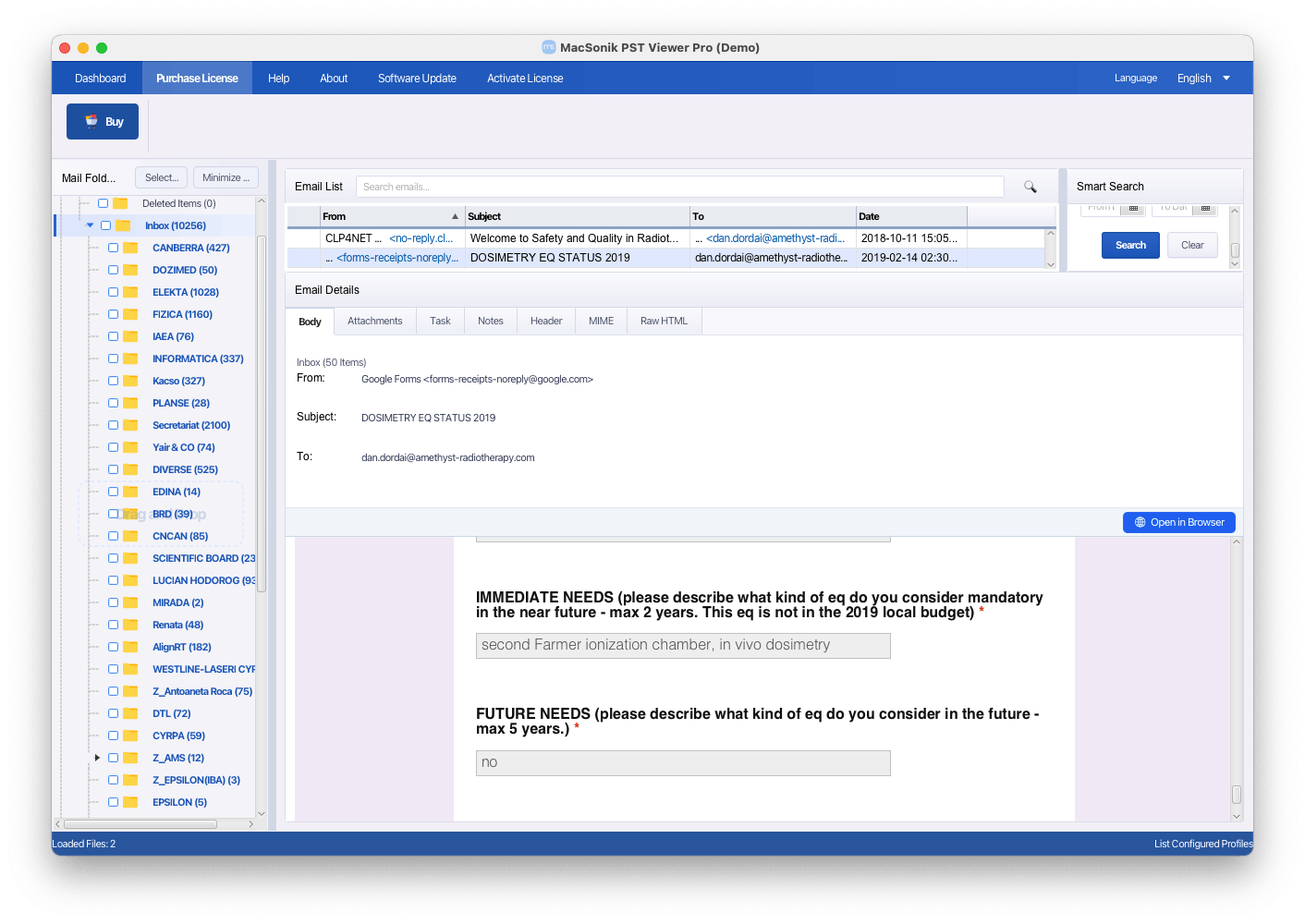
MacSonik PST Viewer provides a modern interface and offers 2 ways to load PST files quickly. Besides basic PST viewing, its allows saving attachment, smart search, converting to EML, MSG, PDF, MBOX, and CSV, and its pro version allows migrating mailbox data to Office 365.
Who it is for: users who want to access PST files quickly and convert the file to EML, MSG, PDF, MBOX, and CSV format.
Limitations:
- There is no quick preview option for attachment
- Not user-friendly enough to view message content
- The trial version allows converting only the first 100 items per folder and doesn’t support Office 365 migration
The real experience:
We could open PST files either by drag n drop them into the application, or by clicking the add file button. The software quickly rendered PST files of different sizes, but generally, the large the file was, the more noticeable the lag become (within 1 minute).
The interface looked modern, and could display full email details, including sender, recipient, mail body, subject, attachments, notes, header, MIME, Raw HTML. We opened the mail body in browser and it looked great., the original email formatting was well preserved.
However, the reading experience could be improved for lengthy emails. We had to narrow down the email list panel manually to create more space for the email body, if it was long, we needed to scroll through the reading area.
We could extract attachments from emails with ease, however, the viewer did not allow previewing. There was also a smart search feature, more powerful than other viewers to quickly locate an email. We tried the conversion tool as well, it was convenient and efficient, but the free trial version limited conversion to the first 100 items per folder. And this time, we did not use the Pro version for Users can migrate PST data to Office 365 Office migration.
Overall, MacSonik PST Viewer delivers fast PST loading, accurate email rendering, and useful conversion features. It is a suitable choice for users who need more than just PST viewing, for example, search and convert PST files smartly.
#5 Macuncle PST Viewer
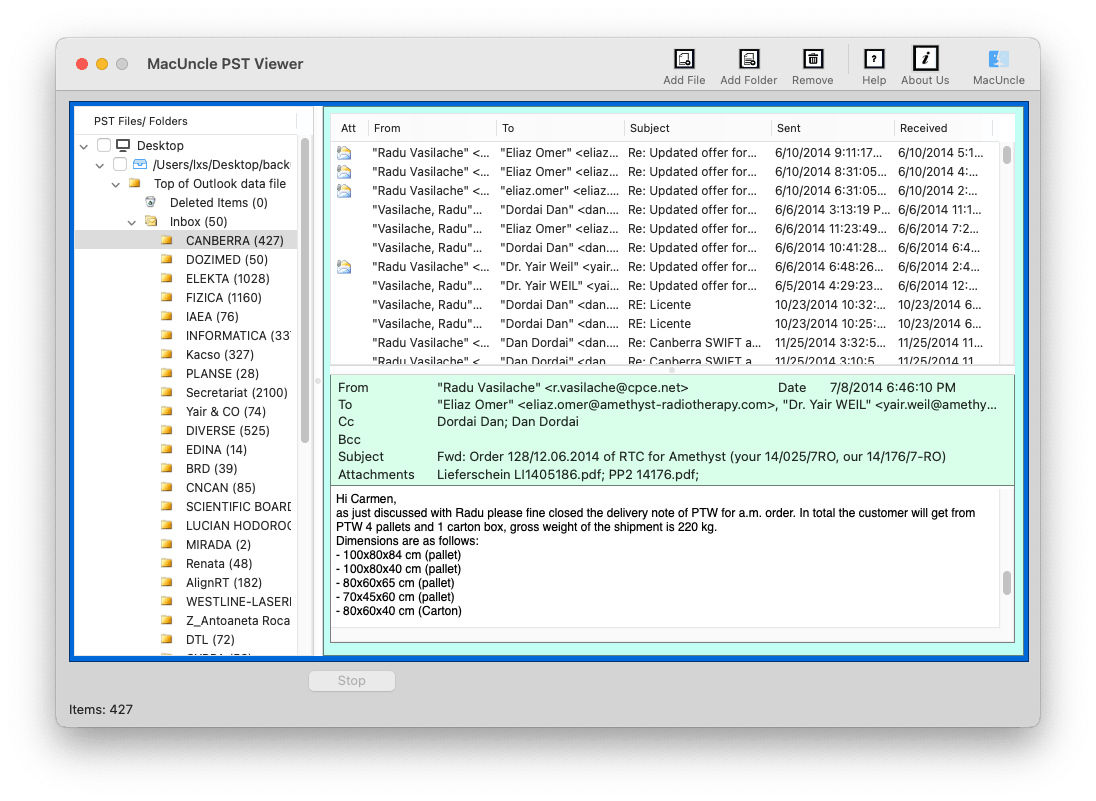
MacUncle PST Viewer is a desktop PST viewer for Mac to view and organizes PST data in a layout similar to Outlook. Users can check mailbox medata, review emails, and identify which emails contain attachments.
Who it is for: users who are looking for a simple way to view PST emails without the need of viewing or saving attachments from the PST files.
Limitations:
- Cannot directly drag a PST file to open
- Larger archives require much more time
- The interface is not modern
- Original formatting may be lost
- Cannot preview or save attachments
- No additional features such as search, convert
- Some mail folders show up as empty by mistake
- Frequent upgrade prompts after closing the application
The real experience:
By clicking on the Add File or Add Folder button, we could easily view a single or multiple PST files, though it was not as convenient as by drag n drop. It could instantly display the file on the left panel, but it always took some time to render all the emails, no matter how large the file was.
With the 781.3MB PST file, the loading process was relatively quick, approx 20 seconds. The software displayed the mailbox structure in a layout similar to Outlook, allowing us to browse folders and emails conveniently. It was able to show sender, recipient, subject, attachments details, and message body. However, the original email formatting was not fully maintained. Images embedded inside the emails failed to appear, and email body did not always look the same as they would in Outlook.
When testing the 5.77GB PST file, the loading process became noticeably slower, at least 2 minute. With the 23.8GB PST file, the waiting time increased significantly, approx 12 minutes on our Mac.
Attachment viewing was one of the biggest drawbacks. Although the viewer displayed attachment information, it did not allow previewing or saving attachments.
Overall, MacUncle PST Viewer provides a simple way to browse small or medium-size PST files without attachments. Its Outlook-like layout makes the workflow familiar, but the slow performance and formatting loss make it less suitable for users who need a accurate PST viewing or frequently work with large PST files.
#6 Cigati PST Viewer
Cigati PST Viewer Tool is a standalone program designed to view and convert PST files. It also supports reading corrupted PST files. However, it is worth noting that although the product is marketed as “Cigati PST Viewer Tool” on its official website, the application interface displays “Cigati PST Converter for Mac”, which may cause some confusion.
Who it is for: users who want to open and view lightly damaged PST files.
Limitations:
- The workflow less intuitive/comfortable for PST viewing
- Email formatting is not always preserved
- Some emails showed as empty by mistake
- There is no built-in preview capability for attachment
- Limited corrupted PST recovery success for severely damaged archives
- Free version allows viewing or processing only the first 50 emails in each folder
The real experience:
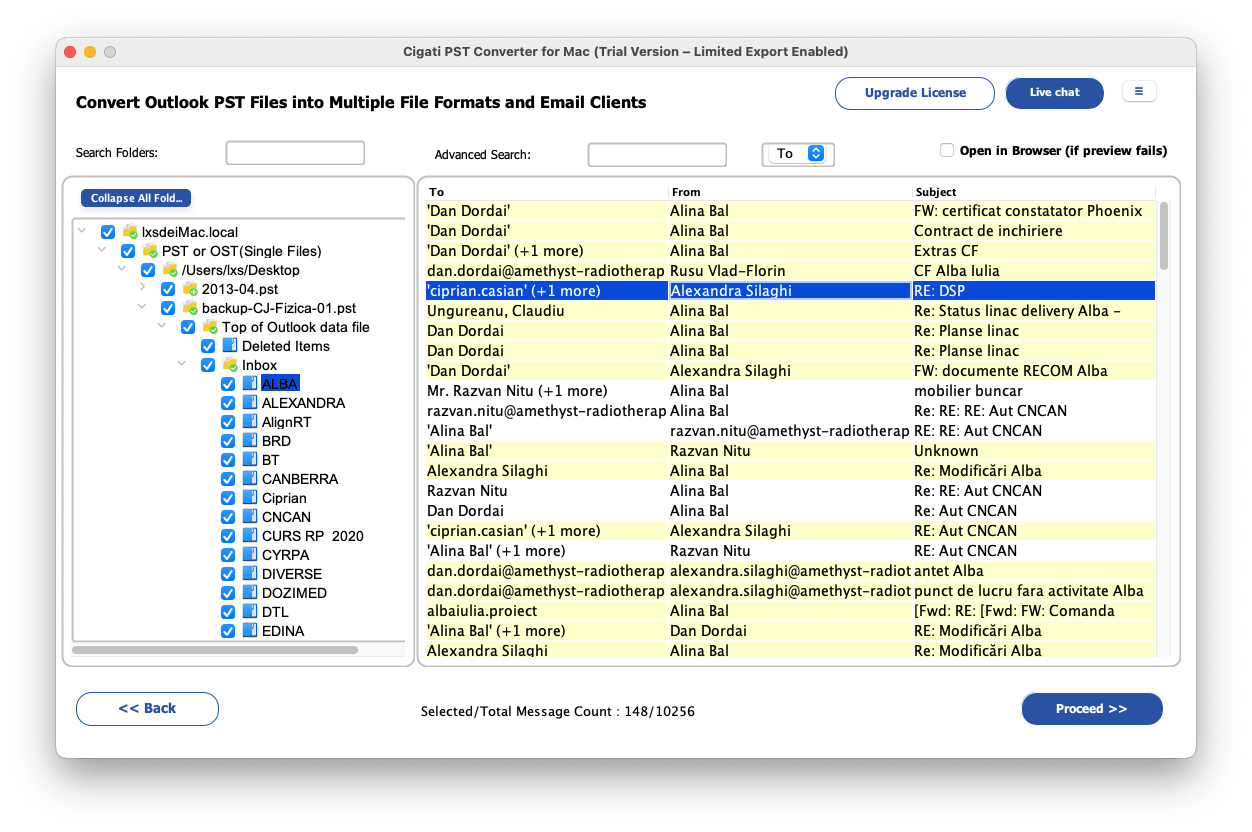
Cigati PST Viewer Tool (Cigati PST Converter for Mac) made us confused when first launching the software, we thought it was another typical PST viewer, but the application interface labeled itself as “Cigati PST Converter for Mac”. And the workflow felt more like a converter rather than a dedicated PST viewer.
Unlike other PST viewers that display the files in Outlook-like workspace, Cigati requires more manual steps to read emails. We added the file, continued with Proceed, expanded mail folders and selected an email, then double clicked the email, and finally we could review the email contents and attachments. This step-by-step email loading process made the reading experience less comfortable and efficient. And obviously, comparing with other PST viewers, it opened and loaded a PST much slower.
It was able to show details such as sender, recipient, subject, HTML body, attachment, calendar, contact, notes, header and so on. However, the original formatting was not always perfectly maintained, and some showed as empty or appeared differently from their original appearance.
Cigati PST Viewer Tool also supports reading corrupted PST files. While testing several damaged archives, this tool just opened a smaller and lightly corrupted PST file with success.
Overall, Cigati PST Viewer Tool offers a reliable way to access PST emails, even some lightly corrupted PSTs. However, it is not a tool comes with intuitive reading workflow or good reading experience. If you need to convert your PST files to PDF, MBOX, EML, EMLX, MSG, CSV, HTML, DOC., it is still a good choice.
Final Thoughts
All the 6 PST viewers reading both ANSI and Unicode PST files, and each PST viewer has its own pros, cons. The best choice depends on your personal needs, such as file size, reading experience, attachment handling, advanced features, etc. You can just go back to the comparison table above and choose the PST viewer that fits your needs the best.

Bianca is a senior tech editor and strategist at Cisdem with Over 10 years of experience on PDF related solutions which covers all document editing, annotating, converting and managing etc.

Liam Liu takes charge of the entire PDF product line at Cisdem and serves as the technical approver for all related editorial content. He has deep expertise in PDF and document management technologies and nearly a decade of development experience.