


 Windows
Reviews
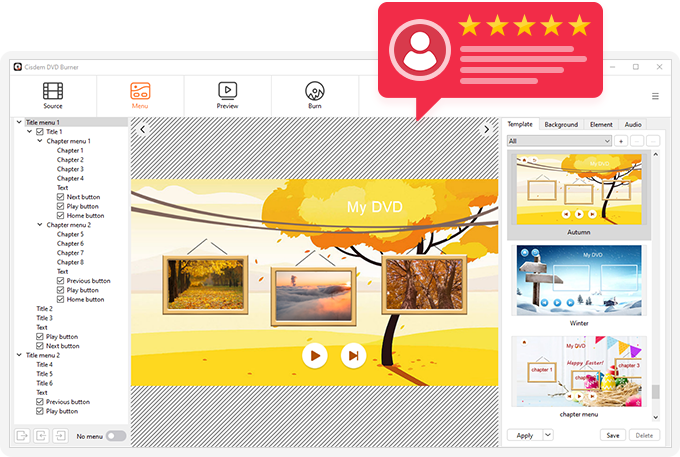
Both technical experts and everyday users appreciate Cisdem DVD Burner's streamlined workflow and practical menu design features. It enables users of all skill levels to create professional-grade DVDs.
Tech Reviews of Cisdem DVD Burner for Windows

"Cisdem DVD Burner is great DVD burning software with more functionality but fewer steps to master than Express Burn. It can burn all videos to DVD with subtitles / menu and background music, and also provides a range of DVD menu templates for all your occasions."

"Cisdem DVD Burner is a powerful multimedia software that is compatible with both Windows and Mac. Apart from basic DVD burning function, it also includes many essential functions, such as trimming/cropping videos, creating chapters, adding subtitles, customizing menu, etc."

"The best DVD Burner software I've tested right now is Cisdem DVD Burner. If you need to burn multiple DVDs, and you need to do it quickly, Cisdem DVD Burner is the best tool for your job."

"Cisdem DVD Burner is a versalite DVD burning software, which lets you burn a wide variety of videos formats(Mp4, MOV, AVI, ect.) to a DVD. Meanwhile, you can add custom menus and subtitles, also you are allowed to change the aspetic ratio of your final DVD."

"Cisdem DVD Burner is arguably one of the fastest DVD burners we’ve encountered, all thanks to its planted Intel Quick Sync acceleration technology. It supports video conversion in almost all formats and burns videos on DVD while preserving their original quality. Plus, it has an impressive video editor."

"Cisdem DVD Burner, the best Windows DVD maker, included in Windows 10 and 11, allowed users to create professional-looking video DVDs of your home movies that can be viewed on your DVD players, regardless of geographical region codes."
User Reviews of Cisdem DVD Burner for Windows
Rated 4.8 out of 5 (33 Reviews)
レビューを書く
この製品を評価する *
名前 *
メール
一行の要約 *
レビューを書く *

Cisdem DVD Burner for Windows
Easily make professional and unique DVDs with the best DVD burning software.

After digitizing hours of old camcorder tapes from the 90s, I needed a way to get them onto DVDs for my parents. Cisdem DVD Burner accepts pretty much any video format I throw at it — AVI, MOV, MP4, even some older WMV files from a capture card. The preview window helped me catch a few files that had aspect ratio issues before burning. I really appreciate that it burns to both DVD-R and DVD+R without fussing. Made about 20 discs so far for different branches of the family and every single one plays correctly.
August 09, 2026 | Jamie
I'm one of those mums who films everything — first steps, school assemblies, birthday parties, Christmas mornings. I had hundreds of video clips taking up space on my PC and various SD cards, and I was paranoid about losing them to a hard drive failure. I started burning DVDs as a backup format and Cisdem has been brilliant for this. What I really like is how straightforward it is — I'm not a tech person, but the drag-and-drop interface means I can just pull in clips from different folders, arrange them in order, add a simple menu, and burn. The chapter feature is great because I can label each clip so when we stick the DVD in the player, the kids can jump straight to the bit they want to watch. I've done about 15 discs so far covering different years and events. Quality is excellent — I can't tell the difference between the original files and what's on the disc. Only knocked off one star because the first time I used it I accidentally burned a disc without checking the preview and the aspect ratio was wrong. Once I figured out the settings it was smooth sailing.
July 20, 2026 | Charlotte
Does what it says on the tin — burns DVDs quickly and reliably. My only gripe is the menu template selection is a bit limited. Would be nice to have more options for different occasions.
June 20, 2026 | Philip
Finally, an app that makes DVD burning painless. Drag, drop, burn. That’s it. Saved me hours of frustration.
May 24, 2026 | Maël
I’m using this to archive my video collection from old hard drives. Works like a charm, preserves quality, and is super easy to use.
May 20, 2026 | Arti
CisDem is a good product with a good support staff.
May 12, 2026 | T.J.
Cisdem DVD Burner made it incredibly easy to turn my family videos into professional-looking DVDs. The menu templates are attractive, and the burning process was smooth and fast.
April 18, 2026 | Tyler
I went ahead and purchased a license for this product, which as a retired software developer I found very well designed and constructed. I went ahead and burned a DVD, which was successful AND played as expected in a DVD player attached to a video monitor.
March 23, 2026 | Brad
I've been working with this DVD Creator product for several days, and it works extremely well for the type of DVD I am creating. Everything works smoothly without a hassle.
March 19, 2026 | Dori
Cisdem DVD Burner lets me organize videos into titles and chapters without complicated settings. I burned several DVDs for clients, and they all liked the clear menu navigation. Very reliable so far.
February 12, 2026 | Todd
もっと見る