


 Cisdem VideoPaw





 VideoPaw
Best Software to Download Daycare Videos from Facebook


kept worrying that the private Facebook groups would be deleted, and I would lose all my precious videos of my daughter at daycare. I can finally rest easy after using Cisdem VideoPaw. It can save all videos to my computer without loss of quality. - Janelle | Young mom
Janelle's daughter attends a local daycare. The teachers share photos and videos of the children's daily activities - from class to playtime, in a Facebook parent group that is only visible to group members.
The challenge
Janelle wanted to permanently save her daughter's daily moments from the daycare. The photos from Facebook group were easy to download, but the videos gave her trouble.
She tried using a few online downloaders, but they kept telling me to “Please enter a valid video URL”. She figured it was probably because the videos were private. Regular video downloader sofware couldn't grab those private Facebook videos either.
She posted for help on Reddit, and many users suggested she use yt-dlp. She took a look at the tool, which was far too complicated for her - she was completely lost.
The solution
Janelle also tried other tools mentioned in the Reddit comments. Cisdem VideoPaw pleasantly surprised her. Not only can it download private Facebook videos, but it also preserve original quality and allow batch downloading. She bought the software and successfully saved all the videos of her daughter at daycare. She shared the step-by-step download process. Hope it’s helpful for you.
Steps Janelle took to download private daycare videos from Facebook group
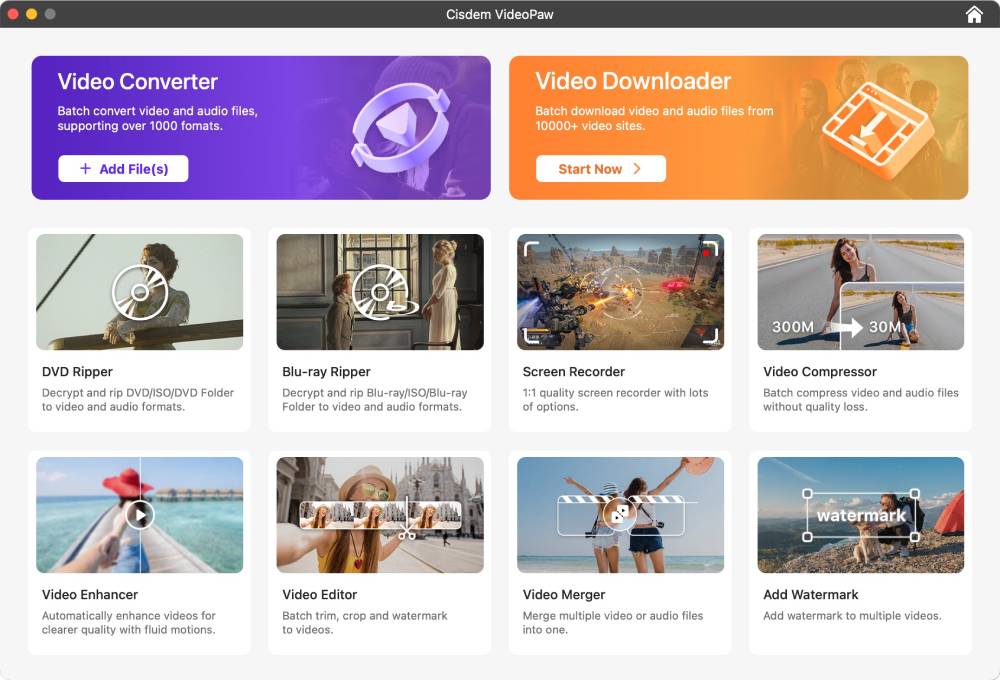
Step 1. Open the Video Downloader module
I installed Cisdem VideoPaw on Mac. When I opened it, I was presented with several main modules to choose from. I simply clicked on Video Downloader to move forward.
Step 2. Authorize via Chrome for private video
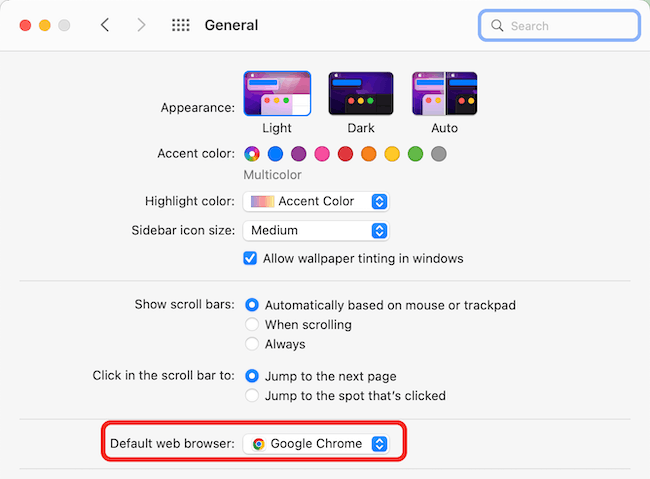
I set Chrome as default browser and then logged into my Facebook account in Chrome. Note: Support told me to do this because access to private videos requires authorization via Chrome.
Step 3. Copy Facebook video URL
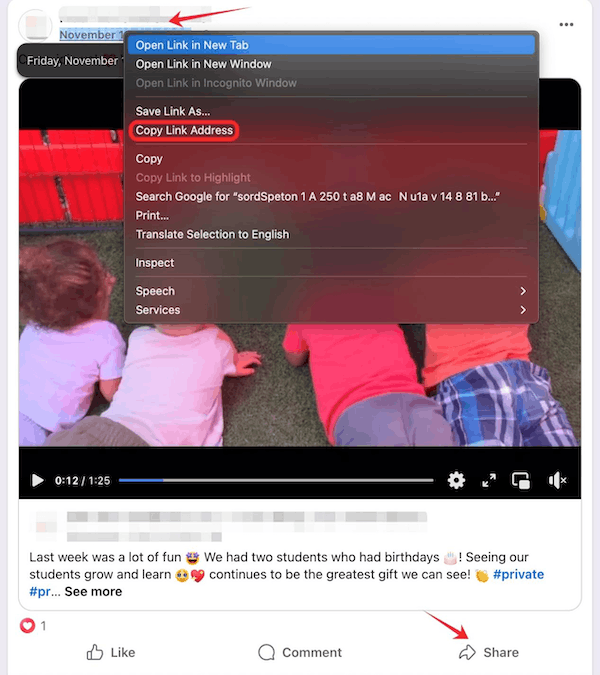
I found a video of my daughter in the Facebook group and copied the link. There are two ways to copy the link:
- Right-click the time of the post > select "Copy link address".
- Click the "Share" button on the post > select "Copy link" in the pop-up window.
Step 4. Paste and parse URL
Back to Cisdem VideoPaw. In the Mac menu bar, click "File > Add Private URLs...", and paste the copied URL into the address box. Hit "OK" to start loading the video. You can add multiple private video URLs for batch parsing, just paste each one on a new line.
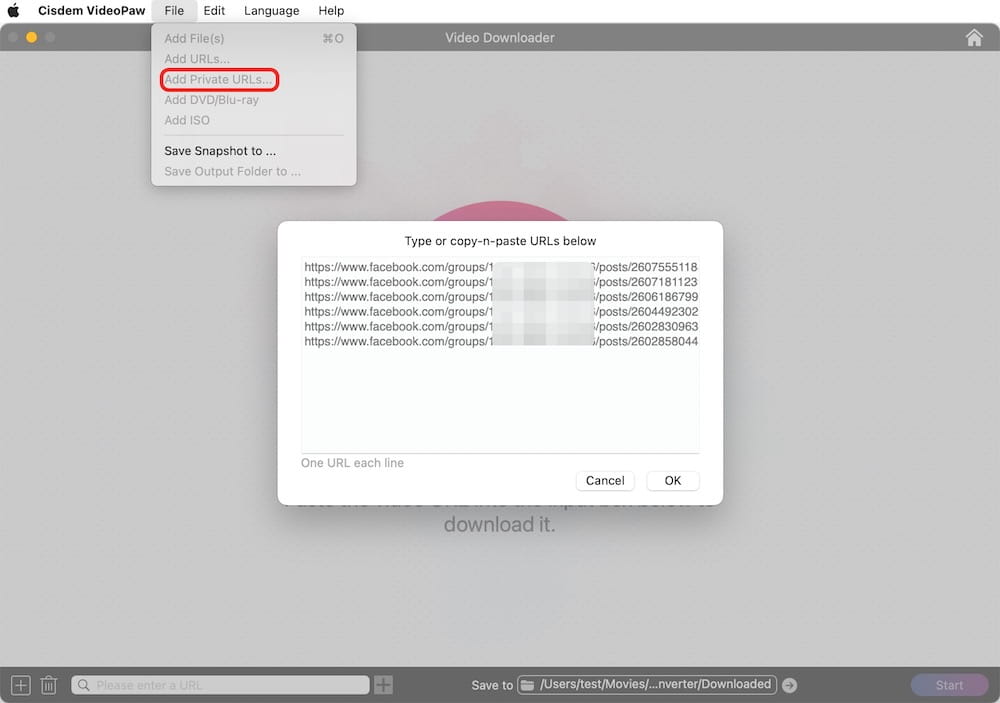
To analyze public Facebook videos: Paste a public video link into the URL field at the bottom and press Enter. For multiple, use "Add URLs" to input all links, then click "OK".
Note from Cisdem:
- For Windows users, click the "+" button at the bottom left of the interface > select "Add Private URLs...". Plus, Cisdem VideoPaw will prompt you to install Cookies Help in the Chrome web store to obtain cookies.
- The Mac version holds onto your Facebook login, so it can still get to private videos even if you've quit the browser. The Windows version can't. But once you log out of Facebook, it stops working on Mac too.
- In addition to group videos, the app can download any video from Facebook, such as videos in regular posts, reels, and videos of any resolution - whether they are public, private, or only visible to friends.
Step 5. Select video format
Once loading is complete, you can select the output for each video. I left all the options as default so I could download the source file. Since the daycare videos don‘t include captions, I skipped the subtitle options.
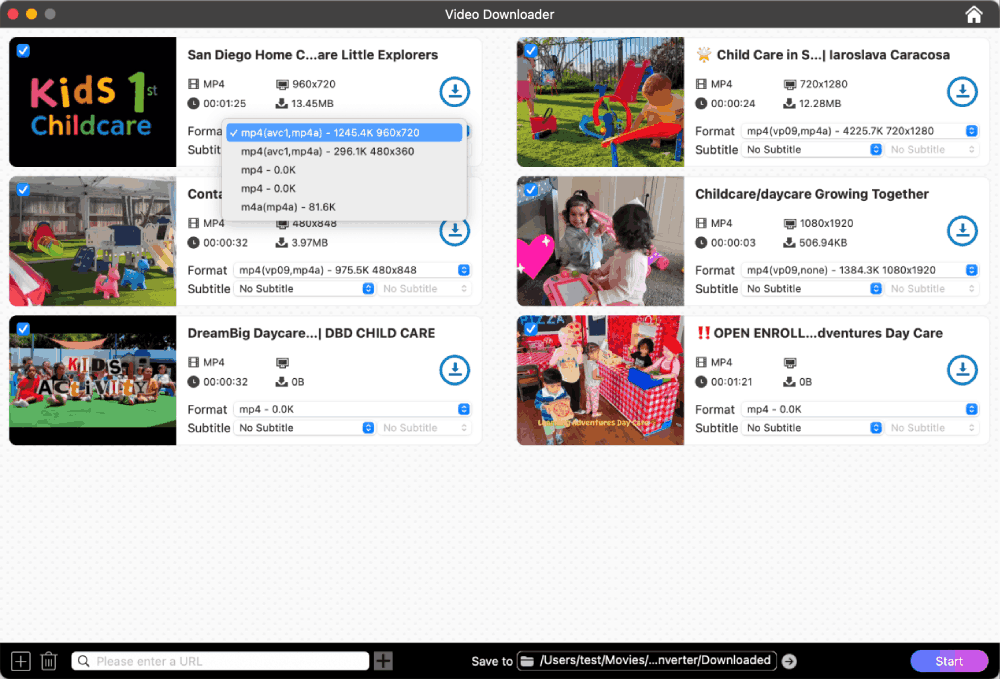
Note from Cisdem:
- A Facebook video comes with several quality options, which differ in bitrate and resolution. Cisdem VideoPaw sorts them from highest to lowest quality.
- The software can detect and download Facebook-generated captions (if available), supporting up to 11 languages, including English and Spanish. When you select subtitles, they will be saved in SRT format alongside the video in the same folder. Play with Cisdem Video Player or VLC, or embed subtitles into the video via VideoPaw’s module.
Step 6. Download private video from Facebook group
Choose the folder to save the videos. Click the "Start" button to begin batch downloading.
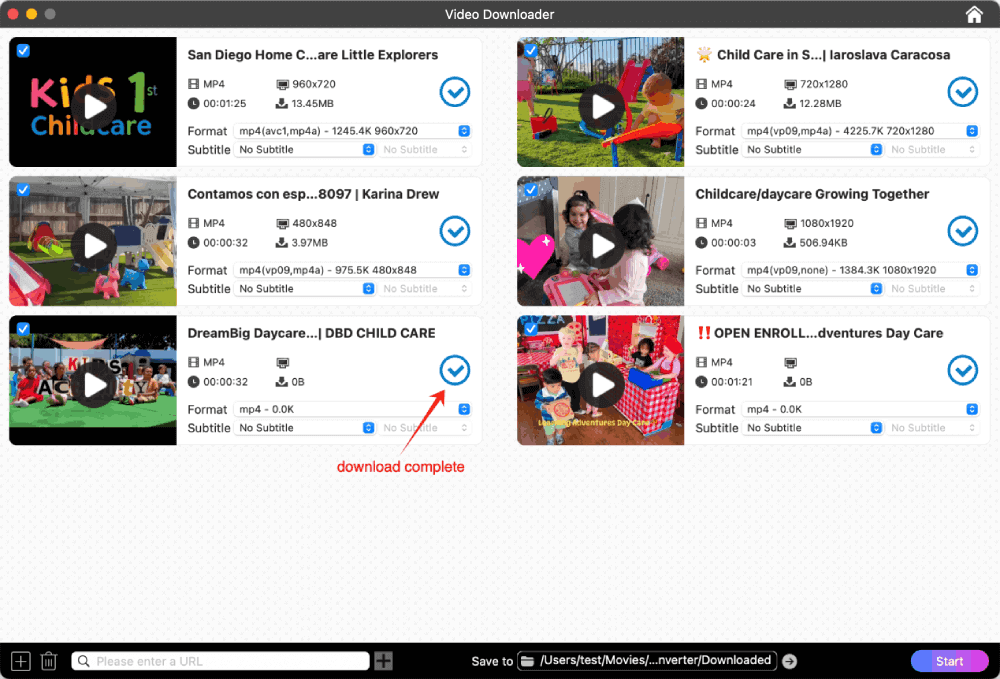
When the download was done, I played the downloaded video via QuickTime Player, but it failed. Customer support recommended that I install a modern media player like Cisdem Video Player. Original Facebook videos are generally encoded in AV01 or VP9, and QuickTime is too old and incompatible with newer codecs. I went with recommendation, and it worked.
Disclaimer:
Downloaded videos are for personal, fair use only. You should obtain the creator’s permission before saving any private videos. Never download, re-upload, or distribute copyrighted Facebook videos. You are responsible for any risks arising from illegal use.
FAQ
From a technical standpoint: You can safely download private videos with Cisdem VideoPaw. It just reads your browser's cookies to verify your login and doesn't steal or misuse any of your data.From the platform’s rules: Don't save private videos in large quantities or too frequently, otherwise your account may be restricted or banned. Since public videos requires no login, downloading them won't impact your account.
The owner won't receive any notification. If it's a friend's video, it's best to inform them before downloading.
An M4A audio track is available for download with Facebook video. But if you want to save Facebook as MP3, use Cisdem VideoPaw to convert downloaded M4A file to MP3.
Loved the article, share!

