


Cisdem ContactsMate for Windows Advanced Guide
 191
191
 0
0


01 How to Import Contacts into Shutterfly
Shutterfly, is well-known for offering custom photo and printing services. Many people turns to use Shutterfly to send gift cards to their friends and family during the holiday season. To do this, you will be asked to import their contacts into Shutterfly—which can be a headache if you have to add them one by one. Fortunately, Cisdem ContactsMate can export your contacts to a CSV file compatible with Shutterfly.
Step 1 Sync/import contacts into Cisdem ContactsMate
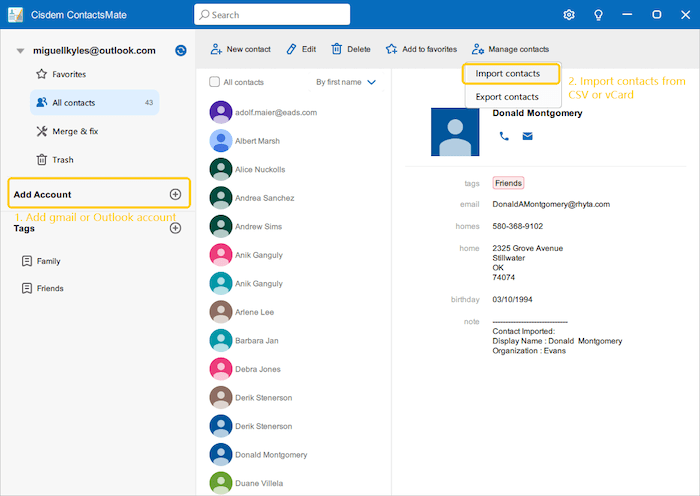
You can sync gmail and outlook contacts by simpley adding gmail/outlook accounts. Moreover, Cisdem ContactsMate allows you to import contacts directly from CSV and vCard (VCF) files.
Step 2 Export CSV files compatible with Shutterfly
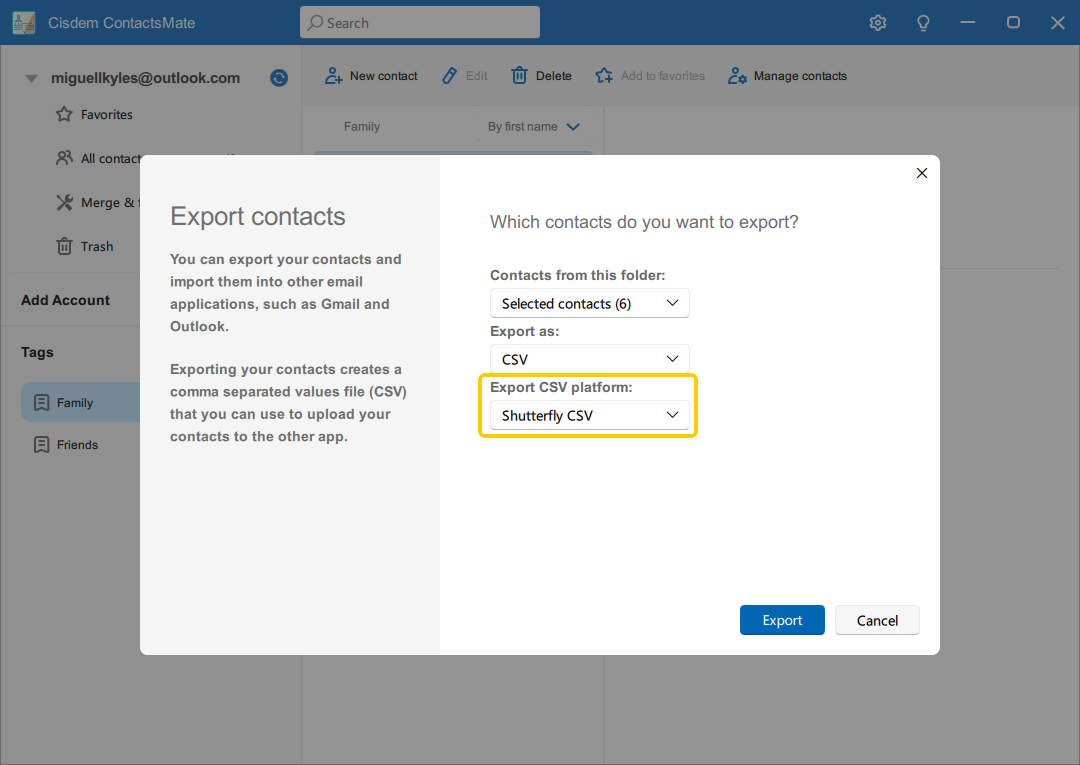
Highlight the target contacts, right click and choose “Export” or click “Manage Contacts> Export Contacts”, select “Shutterfly CSV” with the “Export CSV Platform” option, click Export.
Step 3 Import the exported CSV file into Shutterfly
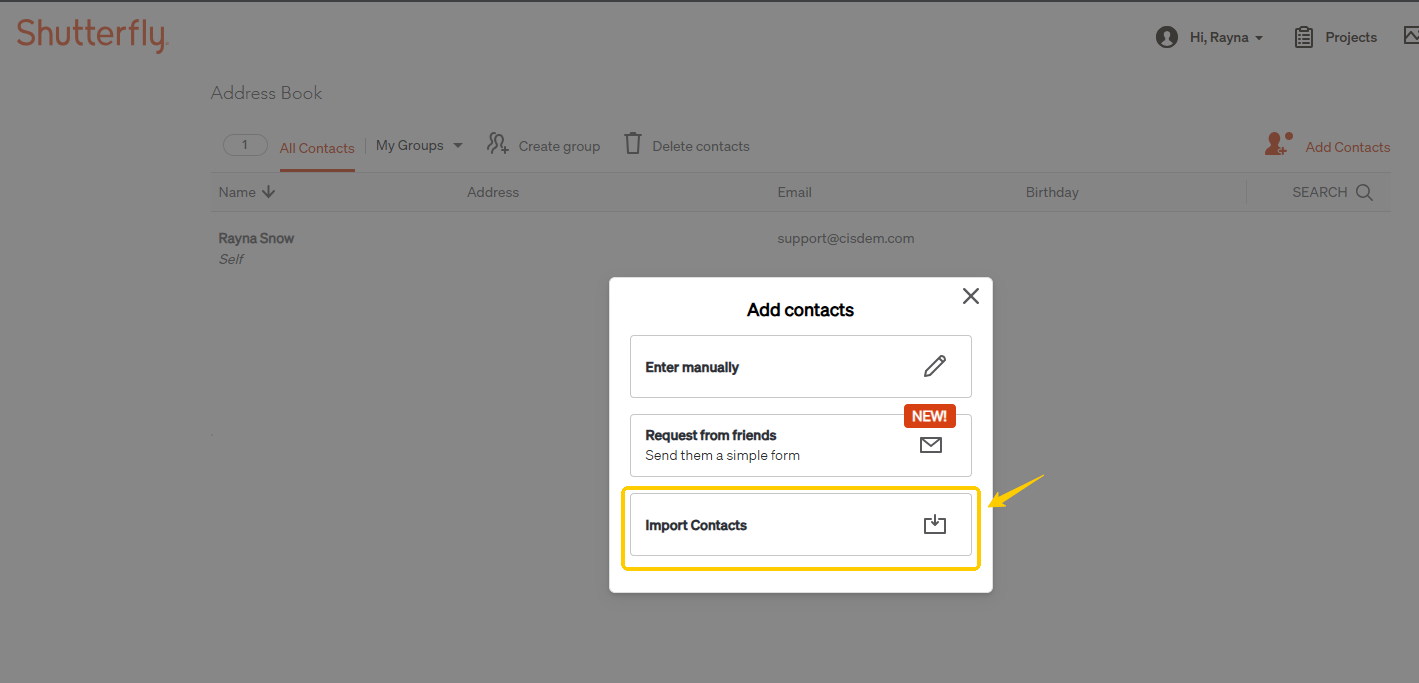
Go to the Address book window of Shutterfly, click Add Contacts> Import Contacts, upload the CSV file and click Import.
Conclusion
CSV file requirements can vary across different platforms. Cisdem ContactsMate for Windows provides CSV export options compatible with general use as well as with commonly used platforms such as Google, Outlook, Shutterfly, Yahoo, and Apple. This can be helpful when you need to import contacts into a specific platform.

Traci Gordon has worked as a tester in a software company for 8 years, she believes that the best software should be a tool that can help users accomplish what they need with the simplest steps.

Adrian Li is Cisdem’s Chief Engineer and serves as the editorial advisor for Duplicate Finder and ContactsMate. His work and insights have been featured in leading tech publications such as Fossbytes, TUAW, Redmond Pie, SafetyDetectives, and BestForAndroid.